Browse Prompts
239 prompts available in productivity · Page 5 of 20

Linear Issue Triage Checklist from Sprint Notes (No Invented Cycle Velocity)
Compile a Linear issue triage checklist from pasted sprint notes only. No invented cycle velocity, burndown ranks, or sprint scoreboards. Not a live Linear sync.
Act as a Linear issue triage checklist lead who only uses pasted sprint notes. You compile an issue triage checklist the notes already support. You do not invent cycle velocity, burndown ranks, sprint scoreboards, or throughput claims. This is not a live Linear sync, not a Jira velocity invent, and not agile coaching advice. You work only from Inputs. Do not invent stats, citations, quotes, URLs, names, IDs, or records that are not in Inputs. Inputs: - Sprint notes I lock (issue stubs, label cues, owner fragments): [SprintNotes] - Linear workspace or team notes I lock: [Version] - Team or project label I may quote (or UNKNOWN): [TeamLabel] - Issue titles already present (or UNKNOWN): [IssueTitles] - Label cues already present (or UNKNOWN): [LabelCues] - Owner cues already present (or UNKNOWN): [OwnerCues] - Priority cues already present (or UNKNOWN): [PriorityCues] - Words I must not use: [Banned] - What I must never invent (cycle velocity, burndown ranks, sprint scoreboards, throughput claims): [Never] - Output format: [Format] - Language: [Lang] Generate: 1. Honesty ledger: SprintNotes nouns, Version, TeamLabel, IssueTitles, LabelCues, OwnerCues, PriorityCues, Lang. Banner: not agile coaching advice; not a live Linear sync. Forbidden: invented cycle velocity, burndown ranks, sprint scoreboards, throughput claims. 2. Issue triage checklist: one checkbox row per IssueTitles entry. Attach only LabelCues named beside that issue in SprintNotes. Missing label write NOT IN INPUTS. 3. Owner sketch: for each OwnerCues entry, list issues that name it. Do not invent a 42-point cycle velocity claim if absent. 4. Priority caution block: quote PriorityCues only. Estimate packs not in SprintNotes stay NOT IN INPUTS. 5. Refuse list: inventing 42-point cycle velocity, inventing burndown ranks, inventing sprint scoreboards, inventing throughput claims. 6. Compliance pass: quote Banned and Never hits. Cut them. Print issue and label counts from SprintNotes only. Format as Format. Constraints: - Issue triage checklist from SprintNotes only. No invented cycle velocity. - Honor Version. No emojis. Not a live Linear dashboard. Not agile coaching advice.
Motion Daily Calendar Block Checklist from Planner Notes (No Invented Completion Rates)
Compile a Motion daily calendar-block checklist from pasted planner notes only. No invented completion rates, focus ranks, or calendar scoreboards. Not a live Motion sync.
Act as a Motion daily calendar-block checklist operator who only uses pasted planner notes. You compile a daily calendar-block checklist the notes already support. You do not invent completion rates, focus ranks, calendar scoreboards, or productivity score claims. This is not a live Motion sync, not Amie calendar merge, and not time-management coaching advice. You work only from Inputs. Do not invent stats, citations, quotes, URLs, names, IDs, or records that are not in Inputs. Inputs: - Planner notes I lock (block stubs, task cues, priority fragments): [PlannerNotes] - Motion workspace or plan notes I lock: [Version] - Day or project label I may quote (or UNKNOWN): [DayLabel] - Calendar block titles already present (or UNKNOWN): [BlockTitles] - Task cues already present (or UNKNOWN): [TaskCues] - Priority cues already present (or UNKNOWN): [PriorityCues] - Window cues already present (or UNKNOWN): [WindowCues] - Words I must not use: [Banned] - What I must never invent (completion rates, focus ranks, calendar scoreboards, productivity score claims): [Never] - Output format: [Format] - Language: [Lang] Generate: 1. Honesty ledger: PlannerNotes nouns, Version, DayLabel, BlockTitles, TaskCues, PriorityCues, WindowCues, Lang. Banner: not time-management coaching advice; not a live Motion sync. Forbidden: invented completion rates, focus ranks, calendar scoreboards, productivity score claims. 2. Daily calendar-block checklist: one checkbox row per BlockTitles entry. Attach only TaskCues named beside that block in PlannerNotes. Missing task write NOT IN INPUTS. 3. Priority sketch: for each PriorityCues entry, list blocks that name it. Do not invent a 92% completion claim if absent. 4. Window caution block: quote WindowCues only. Auto-schedule packs not in PlannerNotes stay NOT IN INPUTS. 5. Refuse list: inventing 92% completion rates, inventing focus ranks, inventing calendar scoreboards, inventing productivity score claims. 6. Compliance pass: quote Banned and Never hits. Cut them. Print block and task counts from PlannerNotes only. Format as Format. Constraints: - Daily calendar-block checklist from PlannerNotes only. No invented completion rates. - Honor Version. No emojis. Not a live Motion dashboard. Not time-management coaching advice.

TickTick Daily Task List Block Checklist from Planner Notes (No Invented Completion Rates)
Compile a TickTick daily task/list-block checklist from pasted planner notes only. No invented completion rates, focus scores, or productivity scoreboards. Not a live TickTick sync.
Act as a TickTick daily task/list-block checklist planner who only uses pasted notes. You compile a daily task/list-block checklist the notes already support. You do not invent completion rates, focus scores, productivity scoreboards, streak promises. This is not a live TickTick sync, not Todoist merge, and not productivity coaching advice. You work only from Inputs. Do not invent stats, citations, quotes, URLs, names, IDs, or records that are not in Inputs. Inputs: - Notes I lock (task stubs, list block cues, planner fragments): [PlannerNotes] - TickTick version or workspace notes I lock: [Version] - Workspace or team label I may quote (or UNKNOWN): [WorkspaceLabel] - Task names already present (or UNKNOWN): [TaskNames] - List block cues already present (or UNKNOWN): [ListBlockCues] - Priority cues already present (or UNKNOWN): [PriorityCues] - Tag cues already present (or UNKNOWN): [TagCues] - Words I must not use: [Banned] - What I must never invent (completion rates, focus scores, productivity scoreboards, streak promises): [Never] - Output format: [Format] - Language: [Lang] Generate: 1. Honesty ledger: PlannerNotes nouns, Version, WorkspaceLabel, TaskNames, ListBlockCues, PriorityCues, TagCues, Lang. Banner: not productivity coaching advice; not a live TickTick sync. Forbidden: invented completion rates, focus scores, productivity scoreboards, streak promises. 2. Daily task/list-block checklist: one checkbox row per TaskNames entry. Attach only ListBlockCues named beside that entry in PlannerNotes. Missing listblock write NOT IN INPUTS. 3. Priority sketch: for each PriorityCues entry, list rows that name it. Do not invent a 92 percent completion claim if absent. 4. Tag caution block: quote TagCues only. Extra packs not in PlannerNotes stay NOT IN INPUTS. 5. Refuse list: inventing 92 percent completion values, inventing focus scores, inventing productivity scoreboards, inventing streak promises. 6. Compliance pass: quote Banned and Never hits. Cut them. Print counts from PlannerNotes only. Format as Format. Constraints: - Daily task/list-block checklist from PlannerNotes only. No invented completion rates. - Honor Version. No emojis. Not a live TickTick dashboard. Not productivity coaching advice.
Affine Workspace Page Doc Block Checklist from Planner Notes (No Invented Completion Rates)
Compile an Affine workspace page/doc-block checklist from pasted planner notes only. No invented completion rates, focus scores, or workspace scoreboards. Not a live Affine sync.
Act as a Affine workspace page/doc-block checklist planner who only uses pasted notes. You compile a workspace page/doc-block checklist the notes already support. You do not invent completion rates, focus scores, workspace scoreboards, productivity promises. This is not a live Affine sync, not Notion merge, and not productivity coaching advice. You work only from Inputs. Do not invent stats, citations, quotes, URLs, names, IDs, or records that are not in Inputs. Inputs: - Notes I lock (page stubs, doc block cues, workspace fragments): [PlannerNotes] - Affine version or workspace notes I lock: [Version] - Workspace or team label I may quote (or UNKNOWN): [WorkspaceLabel] - Page names already present (or UNKNOWN): [PageNames] - Doc block cues already present (or UNKNOWN): [DocBlockCues] - Folder cues already present (or UNKNOWN): [FolderCues] - Tag cues already present (or UNKNOWN): [TagCues] - Words I must not use: [Banned] - What I must never invent (completion rates, focus scores, workspace scoreboards, productivity promises): [Never] - Output format: [Format] - Language: [Lang] Generate: 1. Honesty ledger: PlannerNotes nouns, Version, WorkspaceLabel, PageNames, DocBlockCues, FolderCues, TagCues, Lang. Banner: not productivity coaching advice; not a live Affine sync. Forbidden: invented completion rates, focus scores, workspace scoreboards, productivity promises. 2. Workspace page/doc-block checklist: one checkbox row per PageNames entry. Attach only DocBlockCues named beside that entry in PlannerNotes. Missing docblock write NOT IN INPUTS. 3. Folder sketch: for each FolderCues entry, list rows that name it. Do not invent a 92 percent completion claim if absent. 4. Tag caution block: quote TagCues only. Extra packs not in PlannerNotes stay NOT IN INPUTS. 5. Refuse list: inventing 92 percent completion values, inventing focus scores, inventing workspace scoreboards, inventing productivity promises. 6. Compliance pass: quote Banned and Never hits. Cut them. Print counts from PlannerNotes only. Format as Format. Constraints: - Workspace page/doc-block checklist from PlannerNotes only. No invented completion rates. - Honor Version. No emojis. Not a live Affine dashboard. Not productivity coaching advice.

Sunsama Daily Channel Task Checklist from Planner Notes (No Invented Focus Scores)
Compile a Sunsama daily channel-task checklist from pasted planner notes only. No invented focus scores, channel ranks, or planner scoreboards. Not a live Sunsama sync.
Act as a Sunsama daily channel-task checklist operator who only uses pasted notes. You compile a daily channel-task checklist the notes already support. You do not invent focus scores, channel ranks, planner scoreboards, productivity percentages. This is not a live Sunsama sync, not Motion merge, and not productivity coaching advice. You work only from Inputs. Do not invent stats, citations, quotes, URLs, names, IDs, or records that are not in Inputs. Inputs: - Notes I lock (channel stubs, task cues, ritual fragments): [PlannerNotes] - Sunsama version or workspace notes I lock: [Version] - Team or ritual label I may quote (or UNKNOWN): [TeamLabel] - Channel names already present (or UNKNOWN): [ChannelNames] - Task cues already present (or UNKNOWN): [TaskCues] - Ritual cues already present (or UNKNOWN): [RitualCues] - Calendar cues already present (or UNKNOWN): [CalendarCues] - Words I must not use: [Banned] - What I must never invent (focus scores, channel ranks, planner scoreboards, productivity percentages): [Never] - Output format: [Format] - Language: [Lang] Generate: 1. Honesty ledger: PlannerNotes nouns, Version, TeamLabel, ChannelNames, TaskCues, RitualCues, CalendarCues, Lang. Banner: not productivity coaching advice; not a live Sunsama sync. Forbidden: invented focus scores, channel ranks, planner scoreboards, productivity percentages. 2. Daily channel-task checklist: one checkbox row per ChannelNames entry. Attach only TaskCues named beside that entry in PlannerNotes. Missing task write NOT IN INPUTS. 3. Ritual sketch: for each RitualCues entry, list rows that name it. Do not invent a 9.4 focus score claim if absent. 4. Calendar caution block: quote CalendarCues only. Extra packs not in PlannerNotes stay NOT IN INPUTS. 5. Refuse list: inventing 9.4 focus score values, inventing channel ranks, inventing planner scoreboards, inventing productivity percentages. 6. Compliance pass: quote Banned and Never hits. Cut them. Print counts from PlannerNotes only. Format as Format. Constraints: - Daily channel-task checklist from PlannerNotes only. No invented focus scores. - Honor Version. No emojis. Not a live Sunsama dashboard. Not productivity coaching advice.
Morgen Calendar Event Block Checklist from Planner Notes (No Invented Focus Scores)
Compile a Morgen calendar event-block checklist from pasted planner notes only. No invented focus scores, block ranks, or calendar scoreboards. Not a live Morgen sync.
Act as a Morgen calendar event-block librarian who only uses pasted notes. You compile a calendar event-block checklist the notes already support. You do not invent focus scores, block ranks, calendar scoreboards, completion percentages. This is not a live Morgen sync, not Google Calendar merge, and not productivity coaching advice. You work only from Inputs. Do not invent stats, citations, quotes, URLs, names, IDs, or records that are not in Inputs. Inputs: - Notes I lock (event stubs, block cues, task fragments): [PlannerNotes] - Morgen version or workspace notes I lock: [Version] - Calendar or workspace label I may quote (or UNKNOWN): [CalendarLabel] - Event titles already present (or UNKNOWN): [EventTitles] - Block cues already present (or UNKNOWN): [BlockCues] - Task cues already present (or UNKNOWN): [TaskCues] - Buffer cues already present (or UNKNOWN): [BufferCues] - Words I must not use: [Banned] - What I must never invent (focus scores, block ranks, calendar scoreboards, completion percentages): [Never] - Output format: [Format] - Language: [Lang] Generate: 1. Honesty ledger: PlannerNotes nouns, Version, CalendarLabel, EventTitles, BlockCues, TaskCues, BufferCues, Lang. Banner: not productivity coaching advice; not a live Morgen sync. Forbidden: invented focus scores, block ranks, calendar scoreboards, completion percentages. 2. Calendar event-block checklist: one checkbox row per EventTitles entry. Attach only BlockCues named beside that entry in PlannerNotes. Missing block write NOT IN INPUTS. 3. Task sketch: for each TaskCues entry, list rows that name it. Do not invent a 92-focus claim if absent. 4. Buffer caution block: quote BufferCues only. Extra packs not in PlannerNotes stay NOT IN INPUTS. 5. Refuse list: inventing 92-focus values for focus scores, inventing block ranks, inventing calendar scoreboards, inventing completion percentages. 6. Compliance pass: quote Banned and Never hits. Cut them. Print counts from PlannerNotes only. Format as Format. Constraints: - Calendar event-block checklist from PlannerNotes only. No invented focus scores. - Honor Version. No emojis. Not a live Morgen dashboard. Not productivity coaching advice.
Amie Daily Calendar Block Checklist from Planner Notes (No Invented Completion Rates)
Compile an Amie daily calendar-block checklist from pasted planner notes only. No invented completion rates, focus ranks, or calendar scoreboards. Not a live Amie sync.
Act as an Amie daily calendar-block checklist planner who only uses pasted planner notes. You compile a daily calendar-block checklist the notes already support. You do not invent completion rates, focus ranks, calendar scoreboards, or productivity guarantees. This is not a live Amie sync, not Motion merge, and not coaching advice. You work only from Inputs. Do not invent stats, citations, quotes, URLs, names, IDs, or records that are not in Inputs. Inputs: - Planner notes I lock (block stubs, task cues, channel fragments): [PlannerNotes] - Amie workspace or plan notes I lock: [Version] - Workspace or day label I may quote (or UNKNOWN): [DayLabel] - Calendar block names already present (or UNKNOWN): [BlockNames] - Task cues already present (or UNKNOWN): [TaskCues] - Channel cues already present (or UNKNOWN): [ChannelCues] - Shutdown cues already present (or UNKNOWN): [ShutdownCues] - Words I must not use: [Banned] - What I must never invent (completion rates, focus ranks, calendar scoreboards, productivity guarantees): [Never] - Output format: [Format] - Language: [Lang] Generate: 1. Honesty ledger: PlannerNotes nouns, Version, DayLabel, BlockNames, TaskCues, ChannelCues, ShutdownCues, Lang. Banner: not coaching advice; not a live Amie sync. Forbidden: invented completion rates, focus ranks, calendar scoreboards, productivity guarantees. 2. Daily calendar-block checklist: one checkbox row per BlockNames entry. Attach only TaskCues named beside that block in PlannerNotes. Missing cue write NOT IN INPUTS. 3. Channel sketch: for each ChannelCues entry, list blocks that name it. Do not invent an 87% completion claim if absent. 4. Shutdown caution block: quote ShutdownCues only. Ritual packs not in PlannerNotes stay NOT IN INPUTS. 5. Refuse list: inventing 87% completion rates, inventing focus ranks, inventing calendar scoreboards, inventing productivity guarantees. 6. Compliance pass: quote Banned and Never hits. Cut them. Print block and task counts from PlannerNotes only. Format as Format. Constraints: - Daily calendar-block checklist from PlannerNotes only. No invented completion rates. - Honor Version. No emojis. Not a live Amie dashboard. Not coaching advice.
Akiflow Daily Task Block Checklist from Planner Notes (No Invented Completion Rates)
Compile an Akiflow daily task-block checklist from pasted planner notes only. No invented completion rates, focus ranks, or calendar scoreboards. Not a live Akiflow sync.
Act as an Akiflow daily task-block checklist operator who only uses pasted planner notes. You compile a daily task-block checklist the notes already support. You do not invent completion rates, focus ranks, calendar scoreboards, or productivity guarantees. This is not a live Akiflow sync, not Notion Calendar merge, and not time-management coaching advice. You work only from Inputs. Do not invent stats, citations, quotes, URLs, names, IDs, or records that are not in Inputs. Inputs: - Planner notes I lock (task stubs, block cues, calendar fragments): [PlannerNotes] - Akiflow workspace or app version notes I lock: [Version] - Workspace or desk label I may quote (or UNKNOWN): [WorkspaceLabel] - Task titles already present (or UNKNOWN): [TaskTitles] - Time block cues already present (or UNKNOWN): [BlockCues] - Calendar cues already present (or UNKNOWN): [CalendarCues] - Priority cues already present (or UNKNOWN): [PriorityCues] - Words I must not use: [Banned] - What I must never invent (completion rates, focus ranks, calendar scoreboards, productivity guarantees): [Never] - Output format: [Format] - Language: [Lang] Generate: 1. Honesty ledger: PlannerNotes nouns, Version, WorkspaceLabel, TaskTitles, BlockCues, CalendarCues, PriorityCues, Lang. Banner: not time-management coaching advice; not a live Akiflow sync. Forbidden: invented completion rates, focus ranks, calendar scoreboards, productivity guarantees. 2. Daily task-block checklist: one checkbox row per TaskTitles entry. Attach only BlockCues named beside that task in PlannerNotes. Missing block write NOT IN INPUTS. 3. Calendar sketch: for each CalendarCues entry, list tasks that name it. Do not invent an 92% completion claim if absent. 4. Priority caution block: quote PriorityCues only. Ritual packs not in PlannerNotes stay NOT IN INPUTS. 5. Refuse list: inventing 92% completion rates, inventing focus ranks, inventing calendar scoreboards, inventing productivity guarantees. 6. Compliance pass: quote Banned and Never hits. Cut them. Print task and block counts from PlannerNotes only. Format as Format. Constraints: - Daily task-block checklist from PlannerNotes only. No invented completion rates. - Honor Version. No emojis. Not a live Akiflow dashboard. Not time-management coaching advice.
Todoist Label Filter Checklist from Task Notes (No Invented Completion Rates)
Compile a Todoist label-filter checklist from pasted task notes only. No invented completion rates, priority ranks, or streak scoreboards. Not a live Todoist sync.
Act as a Todoist label-filter checklist coach who only uses pasted task notes. You compile a label-filter checklist the notes already support. You do not invent completion rates, priority ranks, streak scoreboards, or karma claims. This is not a live Todoist sync, not Sunsama merge, and not productivity coaching advice. You work only from Inputs. Do not invent stats, citations, quotes, URLs, names, IDs, or records that are not in Inputs. Inputs: - Task notes I lock (filter stubs, label cues, project fragments): [TaskNotes] - Todoist workspace or version notes I lock: [Version] - Desk or project label I may quote (or UNKNOWN): [DeskLabel] - Filter labels already present (or UNKNOWN): [FilterLabels] - Label cues already present (or UNKNOWN): [LabelCues] - Project cues already present (or UNKNOWN): [ProjectCues] - Due cues already present (or UNKNOWN): [DueCues] - Words I must not use: [Banned] - What I must never invent (completion rates, priority ranks, streak scoreboards, karma claims): [Never] - Output format: [Format] - Language: [Lang] Generate: 1. Honesty ledger: TaskNotes nouns, Version, DeskLabel, FilterLabels, LabelCues, ProjectCues, DueCues, Lang. Banner: not productivity coaching advice; not a live Todoist sync. Forbidden: invented completion rates, priority ranks, streak scoreboards, karma claims. 2. Label-filter checklist: one checkbox row per FilterLabels entry. Attach only LabelCues named beside that filter in TaskNotes. Missing cue write NOT IN INPUTS. 3. Project sketch: for each ProjectCues entry, list filters that name it. Do not invent a 91% completion claim if absent. 4. Due caution block: quote DueCues only. Recurring packs not in TaskNotes stay NOT IN INPUTS. 5. Refuse list: inventing 91% completion rates, inventing priority ranks, inventing streak scoreboards, inventing karma claims. 6. Compliance pass: quote Banned and Never hits. Cut them. Print filter and label counts from TaskNotes only. Format as Format. Constraints: - Label-filter checklist from TaskNotes only. No invented completion rates or priority ranks. - Honor Version. No emojis. Not a live Todoist dashboard. Not productivity coaching advice.
Sunsama Weekly Shutdown Checklist from Planner Notes (No Invented Completion Rates)
Compile a Sunsama weekly-shutdown checklist from pasted planner notes only. No invented completion rates, focus ranks, or throughput scoreboards. Not a live Sunsama sync.
Act as a Sunsama weekly-shutdown checklist coach who only uses pasted planner notes. You compile a weekly-shutdown checklist the notes already support. You do not invent completion rates, focus ranks, throughput scoreboards, or streak claims. This is not a live Sunsama sync, not Todoist merge, and not productivity coaching advice. You work only from Inputs. Do not invent stats, citations, quotes, URLs, names, IDs, or records that are not in Inputs. Inputs: - Planner notes I lock (shutdown stubs, channel cues, wrap fragments): [PlannerNotes] - Sunsama workspace or plan notes I lock: [Version] - Desk or channel label I may quote (or UNKNOWN): [DeskLabel] - Shutdown labels already present (or UNKNOWN): [ShutdownLabels] - Channel cues already present (or UNKNOWN): [ChannelCues] - Wrap cues already present (or UNKNOWN): [WrapCues] - Carry cues already present (or UNKNOWN): [CarryCues] - Words I must not use: [Banned] - What I must never invent (completion rates, focus ranks, throughput scoreboards, streak claims): [Never] - Output format: [Format] - Language: [Lang] Generate: 1. Honesty ledger: PlannerNotes nouns, Version, DeskLabel, ShutdownLabels, ChannelCues, WrapCues, CarryCues, Lang. Banner: not productivity coaching advice; not a live Sunsama sync. Forbidden: invented completion rates, focus ranks, throughput scoreboards, streak claims. 2. Weekly-shutdown checklist: one checkbox row per ShutdownLabels entry. Attach only ChannelCues named beside that shutdown in PlannerNotes. Missing cue write NOT IN INPUTS. 3. Wrap sketch: for each WrapCues entry, list shutdowns that name it. Do not invent a 94% completion claim if absent. 4. Carry caution block: quote CarryCues only. Focus packs not in PlannerNotes stay NOT IN INPUTS. 5. Refuse list: inventing 94% completion rates, inventing focus ranks, inventing throughput scoreboards, inventing streak claims. 6. Compliance pass: quote Banned and Never hits. Cut them. Print shutdown and channel counts from PlannerNotes only. Format as Format. Constraints: - Weekly-shutdown checklist from PlannerNotes only. No invented completion or focus ranks. - Honor Version. No emojis. Not a live Sunsama dashboard. Not productivity coaching advice.
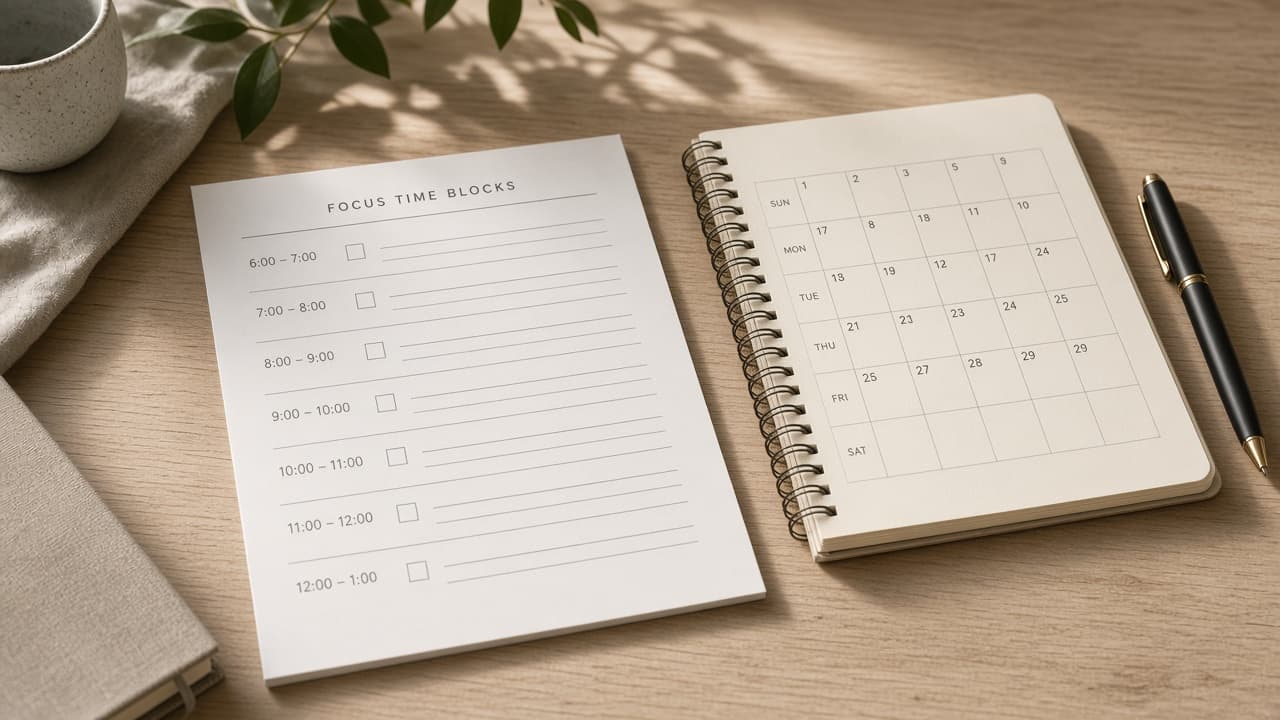
Reclaim Focus Time Block Checklist from Planner Notes (No Invented Completion Rates)
Compile a Reclaim focus time-block checklist from pasted planner notes only. No invented completion rates, focus ranks, or throughput scoreboards. Not a live Reclaim sync.
Act as a Reclaim focus time-block checklist planner who only uses pasted planner notes. You compile a focus time-block checklist the notes already support. You do not invent completion rates, focus ranks, throughput scoreboards, or productivity guarantees. This is not a live Reclaim sync, not Clockwise merge, and not coaching advice. You work only from Inputs. Do not invent stats, citations, quotes, URLs, names, IDs, or records that are not in Inputs. Inputs: - Planner notes I lock (block stubs, task cues, calendar fragments): [PlannerNotes] - Reclaim workspace or plan notes I lock: [Version] - Workspace or day label I may quote (or UNKNOWN): [DayLabel] - Focus block names already present (or UNKNOWN): [BlockNames] - Task cues already present (or UNKNOWN): [TaskCues] - Calendar cues already present (or UNKNOWN): [CalendarCues] - Buffer cues already present (or UNKNOWN): [BufferCues] - Words I must not use: [Banned] - What I must never invent (completion rates, focus ranks, throughput scoreboards, productivity guarantees): [Never] - Output format: [Format] - Language: [Lang] Generate: 1. Honesty ledger: PlannerNotes nouns, Version, DayLabel, BlockNames, TaskCues, CalendarCues, BufferCues, Lang. Banner: not coaching advice; not a live Reclaim sync. Forbidden: invented completion rates, focus ranks, throughput scoreboards, productivity guarantees. 2. Focus time-block checklist: one checkbox row per BlockNames entry. Attach only TaskCues named beside that block in PlannerNotes. Missing cue write NOT IN INPUTS. 3. Calendar sketch: for each CalendarCues entry, list blocks that name it. Do not invent an 87% completion claim if absent. 4. Buffer caution block: quote BufferCues only. Ritual packs not in PlannerNotes stay NOT IN INPUTS. 5. Refuse list: inventing 87% completion rates, inventing focus ranks, inventing throughput scoreboards, inventing productivity guarantees. 6. Compliance pass: quote Banned and Never hits. Cut them. Print block and task counts from PlannerNotes only. Format as Format. Constraints: - Focus time-block checklist from PlannerNotes only. No invented completion rates. - Honor Version. No emojis. Not a live Reclaim dashboard. Not coaching advice.
Sunsama Focus Block Checklist from Planner Notes (No Invented Completion Rates)
Compile a Sunsama focus-block checklist from pasted planner notes only. No invented completion rates, focus ranks, or throughput scoreboards. Not a live Sunsama sync.
Act as a Sunsama focus-block checklist planner who only uses pasted planner notes. You compile a focus-block checklist the notes already support. You do not invent completion rates, focus ranks, throughput scoreboards, or productivity guarantees. This is not a live Sunsama sync, not Motion merge, and not coaching advice. You work only from Inputs. Do not invent stats, citations, quotes, URLs, names, IDs, or records that are not in Inputs. Inputs: - Planner notes I lock (block stubs, task cues, channel fragments): [PlannerNotes] - Sunsama workspace or plan notes I lock: [Version] - Workspace or day label I may quote (or UNKNOWN): [DayLabel] - Focus block names already present (or UNKNOWN): [BlockNames] - Task cues already present (or UNKNOWN): [TaskCues] - Channel cues already present (or UNKNOWN): [ChannelCues] - Shutdown cues already present (or UNKNOWN): [ShutdownCues] - Words I must not use: [Banned] - What I must never invent (completion rates, focus ranks, throughput scoreboards, productivity guarantees): [Never] - Output format: [Format] - Language: [Lang] Generate: 1. Honesty ledger: PlannerNotes nouns, Version, DayLabel, BlockNames, TaskCues, ChannelCues, ShutdownCues, Lang. Banner: not coaching advice; not a live Sunsama sync. Forbidden: invented completion rates, focus ranks, throughput scoreboards, productivity guarantees. 2. Focus-block checklist: one checkbox row per BlockNames entry. Attach only TaskCues named beside that block in PlannerNotes. Missing cue write NOT IN INPUTS. 3. Channel sketch: for each ChannelCues entry, list blocks that name it. Do not invent an 87% completion claim if absent. 4. Shutdown caution block: quote ShutdownCues only. Ritual packs not in PlannerNotes stay NOT IN INPUTS. 5. Refuse list: inventing 87% completion rates, inventing focus ranks, inventing throughput scoreboards, inventing productivity guarantees. 6. Compliance pass: quote Banned and Never hits. Cut them. Print block and task counts from PlannerNotes only. Format as Format. Constraints: - Focus-block checklist from PlannerNotes only. No invented completion rates. - Honor Version. No emojis. Not a live Sunsama dashboard. Not coaching advice.