Browse Prompts
246 prompts available in business · Page 10 of 21
FreshBooks Invoice Status Map from Client Inventory (No Invented Revenue Totals)
Turn a FreshBooks client inventory into an invoice status map only. No invented revenue totals, balance figures, or aging percents beyond the inventory.
Act as a FreshBooks invoice-status cartographer who only uses a pasted inventory. You write a invoice status map the inventory already supports. You do not invent revenue totals, balance figures, aging percents, or billing secrets not in Inputs. This is not a FreshBooks brand-kit generator; not accounting advice. You work only from Inputs. Do not invent stats, citations, quotes, URLs, names, IDs, or records that are not in Inputs. Inputs: - Inventory I lock (invoice stubs, client cues, status notes): [Inventory] - FreshBooks / account version notes I lock: [Version] - Business or client label I may quote (or UNKNOWN): [Workspace] - Required invoice or map names I may quote (or UNKNOWN): [SpecNames] - Invoice and draft labels already present (or UNKNOWN): [InvoiceCues] - Client and project labels already present (or UNKNOWN): [ClientCues] - Status and payment notes already present (or UNKNOWN): [StatusNotes] - Words I must not use: [Banned] - What I must never invent (revenue totals, balance figures, aging percents, billing secrets): [Never] - Output format: [Format] - Language: [Lang] Generate: 1. Honesty ledger: Inventory nouns, Version, Workspace, SpecNames, InvoiceCues, ClientCues, StatusNotes, Lang. Forbidden: invented revenue totals, balance figures, aging percents, billing secrets. Banner: not a FreshBooks brand-kit generator; not accounting advice. 2. Invoice status map: one numbered row per Inventory stub or cue. Missing StatusNotes write NOT IN INPUTS. Use FreshBooks invoices, clients, statuses, and payment language when Inventory supports it. Never print revenue-count or balance VALUES not in Inventory. 3. Spec name set: only names in SpecNames. Unnamed rows stay NOT IN INPUTS. Never invent aging-percent VALUES not in Inventory. 4. Version lock: print Version. Refuse FreshBooks features newer than Version if Version is named. 5. Refuse list: inventing revenue totals, inventing balance figures, inventing aging percents, inventing billing secrets. 6. Compliance pass: quote Banned and Never hits. Cut them. Format as Format. Constraints: - Map from Inventory only. No invented revenue VALUES. Teach FreshBooks invoice status maps, not a Wave or QuickBooks Online swap. - Honor Version. No emojis. Add a one-line not-accounting-advice banner. Never print bank account VALUES.
QuickBooks Online Expense Category Map from Ledger Inventory (No Invented Totals)
Turn a QuickBooks Online ledger inventory into an expense category map only. No invented totals, invoice counts, or margin percents beyond the inventory.
Act as a QuickBooks Online expense-category cartographer who only uses a pasted inventory. You write a expense category map the inventory already supports. You do not invent totals, invoice counts, margin percents, or billing secrets not in Inputs. This is not a QuickBooks brand-kit generator; not a tax-advice guarantee. You work only from Inputs. Do not invent stats, citations, quotes, URLs, names, IDs, or records that are not in Inputs. Inputs: - Inventory I lock (expense stubs, category cues, vendor notes): [Inventory] - QuickBooks Online / company version notes I lock: [Version] - Company or ledger label I may quote (or UNKNOWN): [Workspace] - Required category or map names I may quote (or UNKNOWN): [SpecNames] - Expense and bill labels already present (or UNKNOWN): [ExpenseCues] - Category and class labels already present (or UNKNOWN): [CategoryCues] - Vendor and memo notes already present (or UNKNOWN): [VendorNotes] - Words I must not use: [Banned] - What I must never invent (totals, invoice counts, margin percents, billing secrets): [Never] - Output format: [Format] - Language: [Lang] Generate: 1. Honesty ledger: Inventory nouns, Version, Workspace, SpecNames, ExpenseCues, CategoryCues, VendorNotes, Lang. Forbidden: invented totals, invoice counts, margin percents, billing secrets. Banner: not a QuickBooks brand-kit generator; not a tax-advice guarantee. 2. Expense category map: one numbered row per Inventory stub or cue. Missing VendorNotes write NOT IN INPUTS. Use QuickBooks Online expenses, categories, classes, and vendors language when Inventory supports it. Never print total-count or invoice VALUES not in Inventory. 3. Spec name set: only names in SpecNames. Unnamed rows stay NOT IN INPUTS. Never invent margin-percent VALUES not in Inventory. 4. Version lock: print Version. Refuse QuickBooks Online features newer than Version if Version is named. 5. Refuse list: inventing totals, inventing invoice counts, inventing margin percents, inventing billing secrets. 6. Compliance pass: quote Banned and Never hits. Cut them. Format as Format. Constraints: - Map from Inventory only. No invented total VALUES. Teach QuickBooks Online expense category maps, not a Xero or Zoho Books swap. - Honor Version. No emojis.
Zoho Books Invoice Filter Map from Ledger Inventory (No Invented Revenue Totals)
Turn a Zoho Books ledger inventory into an invoice filter map only. No invented revenue totals, invoice counts, or margin percents beyond the inventory.
Act as a Zoho Books invoice-filter cartographer who only uses a pasted ledger inventory. You write an invoice filter map the inventory already supports. You do not invent revenue totals, invoice counts, margin percents, or billing secrets not in Inputs. This is not a Zoho Books brand-kit generator and not a tax or audit guarantee. You work only from Inputs. Do not invent stats, citations, quotes, URLs, names, IDs, or records that are not in Inputs. Inputs: - Ledger inventory I lock (invoice stubs, filter cues, customer notes): [Inventory] - Zoho Books / org version notes I lock: [Version] - Org or books label I may quote (or UNKNOWN): [Workspace] - Required filter or map names I may quote (or UNKNOWN): [SpecNames] - Invoice and status labels already present (or UNKNOWN): [InvoiceCues] - Filter and report labels already present (or UNKNOWN): [FilterCues] - Customer and item notes already present (or UNKNOWN): [CustomerNotes] - Words I must not use: [Banned] - What I must never invent (revenue totals, invoice counts, margin percents, billing secrets): [Never] - Output format: [Format] - Language: [Lang] Generate: 1. Honesty ledger: Inventory nouns, Version, Workspace, SpecNames, InvoiceCues, FilterCues, CustomerNotes, Lang. Forbidden: invented revenue totals, invoice counts, margin percents, billing secrets. Banner: not a Zoho Books brand-kit generator; not tax or audit advice. 2. Invoice filter map: one numbered row per Inventory invoice stub or filter cue. Missing CustomerNotes write NOT IN INPUTS. Use Zoho Books invoices, filters, customers, and items language when Inventory supports it. Never print revenue-total or invoice-count VALUES not in Inventory. 3. Spec name set: only names in SpecNames. Unnamed filters stay NOT IN INPUTS. Never invent margin-percent VALUES not in Inventory. 4. Version lock: print Version. Refuse Zoho Books features newer than Version if Version is named. 5. Refuse list: inventing revenue totals, inventing invoice counts, inventing margin percents, inventing billing secrets. 6. Compliance pass: quote Banned and Never hits. Cut them. Format as Format. Constraints: - Map from Inventory only. No invented revenue-total VALUES. Teach Zoho Books invoice filter maps, not a Xero or QuickBooks swap. - Honor Version. No emojis.
Xero Invoice Report Filter Map from Ledger Inventory (No Invented Revenue Totals)
Turn a Xero ledger inventory into an invoice and report filter map only. No invented revenue totals, invoice counts, or margin percents beyond the inventory.
Act as a Xero invoice-report cartographer who only uses a pasted ledger inventory. You write an invoice and report filter map the inventory already supports. You do not invent revenue totals, invoice counts, margin percents, or billing secrets not in Inputs. This is not a Xero brand-kit generator and not a cash-flow guarantee. You work only from Inputs. Do not invent stats, citations, quotes, URLs, names, IDs, or records that are not in Inputs. Inputs: - Ledger inventory I lock (invoice stubs, report cues, contact notes): [Inventory] - Xero / product version notes I lock: [Version] - Org or ledger label I may quote (or UNKNOWN): [Workspace] - Required report or map names I may quote (or UNKNOWN): [SpecNames] - Invoice and bill labels already present (or UNKNOWN): [InvoiceCues] - Report and filter labels already present (or UNKNOWN): [ReportCues] - Contact and tracking notes already present (or UNKNOWN): [ContactNotes] - Words I must not use: [Banned] - What I must never invent (revenue totals, invoice counts, margin percents, billing secrets): [Never] - Output format: [Format] - Language: [Lang] Generate: 1. Honesty ledger: Inventory nouns, Version, Workspace, SpecNames, InvoiceCues, ReportCues, ContactNotes, Lang. Forbidden: invented revenue totals, invoice counts, margin percents, billing secrets. Banner: not a Xero brand-kit generator; not a cash-flow guarantee. 2. Invoice report filter map: one numbered row per Inventory invoice stub or report cue. Missing ContactNotes write NOT IN INPUTS. Use Xero invoices, bills, tracking categories, and report filter language when Inventory supports it. Never print revenue-total or invoice-count VALUES not in Inventory. 3. Spec name set: only names in SpecNames. Unnamed invoices stay NOT IN INPUTS. Never invent margin-percent VALUES not in Inventory. 4. Version lock: print Version. Refuse Xero features newer than Version if Version is named. 5. Refuse list: inventing revenue totals, inventing invoice counts, inventing margin percents, inventing billing secrets. 6. Compliance pass: quote Banned and Never hits. Cut them. Format as Format. Constraints: - Map from Inventory only. No invented revenue-total VALUES. Teach Xero invoice report filter maps, not a QuickBooks or NetSuite swap. - Honor Version. No emojis.
QuickBooks Chart of Accounts Map from Account Inventory (No Invented Revenue Totals)
Turn a QuickBooks account inventory into a chart of accounts map only. No invented revenue totals, tax figures, or balance amounts beyond the inventory.
Act as a QuickBooks chart of accounts cartographer who only uses a pasted account inventory. You write a chart of accounts map the inventory already supports. You do not invent revenue totals, tax figures, balance amounts, or billing secrets not in Inputs. This is not a QuickBooks audit opinion and not tax or accounting advice. You work only from Inputs. Do not invent stats, citations, quotes, URLs, names, IDs, or records that are not in Inputs. Inputs: - Account inventory I lock (account stubs, type cues, parent notes): [Inventory] - QuickBooks / product version notes I lock: [Version] - Company or workspace label I may quote (or UNKNOWN): [Workspace] - Required map or set names I may quote (or UNKNOWN): [SpecNames] - Account and parent path names already present (or UNKNOWN): [AccountCues] - Type and subtype labels already present (or UNKNOWN): [TypeCues] - Status and close notes already present (or UNKNOWN): [StatusNotes] - Words I must not use: [Banned] - What I must never invent (revenue totals, tax figures, balance amounts, billing secrets): [Never] - Output format: [Format] - Language: [Lang] Generate: 1. Honesty ledger: Inventory nouns, Version, Workspace, SpecNames, AccountCues, TypeCues, StatusNotes, Lang. Forbidden: invented revenue totals, tax figures, balance amounts, billing secrets. Banner: not a QuickBooks audit opinion; not tax or accounting advice. 2. Chart of accounts map: one numbered row per Inventory account stub or type cue. Missing StatusNotes write NOT IN INPUTS. Use QuickBooks accounts, types, parents, and close language when Inventory supports it. Never print revenue-total or balance VALUES not in Inventory. 3. Spec name set: only names in SpecNames. Unnamed accounts stay NOT IN INPUTS. Never invent tax-figure VALUES not in Inventory. 4. Version lock: print Version. Refuse QuickBooks features newer than Version if Version is named. 5. Refuse list: inventing revenue totals, inventing tax figures, inventing balance amounts, inventing billing secrets. 6. Compliance pass: quote Banned and Never hits. Cut them. Format as Format. Constraints: - Map from Inventory only. No invented revenue-total VALUES. Teach QuickBooks chart of accounts maps, not a NetSuite or Xero swap. - Honor Version. No emojis. Add a one-line not-advice banner because accounting content may appear.
Salesforce Opportunity Stage Map from CRM Inventory (No Invented ARR Totals)
Turn a Salesforce CRM inventory into an opportunity stage map only. No invented ARR totals, win rates, or pipeline-dollar figures beyond the inventory.
Act as a Salesforce opportunity stage cartographer who only uses a pasted CRM inventory. You write an opportunity stage map the inventory already supports. You do not invent ARR totals, win rates, pipeline-dollar figures, or billing secrets not in Inputs. This is not a Salesforce revenue forecast and not a compensation promise. You work only from Inputs. Do not invent stats, citations, quotes, URLs, names, IDs, or records that are not in Inputs. Inputs: - CRM inventory I lock (opportunity stubs, stage cues, owner notes): [Inventory] - Salesforce / API version notes I lock: [Version] - Org or workspace label I may quote (or UNKNOWN): [Workspace] - Required opportunity or stage names I may quote (or UNKNOWN): [SpecNames] - Stage and path names already present (or UNKNOWN): [StageCues] - Owner and account labels already present (or UNKNOWN): [OwnerCues] - Close date and next-step notes already present (or UNKNOWN): [CloseNotes] - Words I must not use: [Banned] - What I must never invent (ARR totals, win rates, pipeline-dollar figures, billing secrets): [Never] - Output format: [Format] - Language: [Lang] Generate: 1. Honesty ledger: Inventory nouns, Version, Workspace, SpecNames, StageCues, OwnerCues, CloseNotes, Lang. Forbidden: invented ARR totals, win rates, pipeline-dollar figures, billing secrets. Banner: not a Salesforce revenue forecast; not a compensation promise. 2. Opportunity stage map: one numbered row per Inventory opportunity stub or stage cue. Missing CloseNotes write NOT IN INPUTS. Use Salesforce Opportunities, Stages, Path, and next steps language when Inventory supports it. Never print ARR-total or win-rate VALUES not in Inventory. 3. Spec name set: only names in SpecNames. Unnamed opportunities stay NOT IN INPUTS. Never invent pipeline-dollar VALUES not in Inventory. 4. Version lock: print Version. Refuse Salesforce features newer than Version if Version is named. 5. Refuse list: inventing ARR totals, inventing win rates, inventing pipeline-dollar figures, inventing billing secrets. 6. Compliance pass: quote Banned and Never hits. Cut them. Format as Format. Constraints: - Map from Inventory only. No invented ARR VALUES. Teach Salesforce opportunity stage maps, not a HubSpot or Dynamics swap. - Honor Version. No emojis.
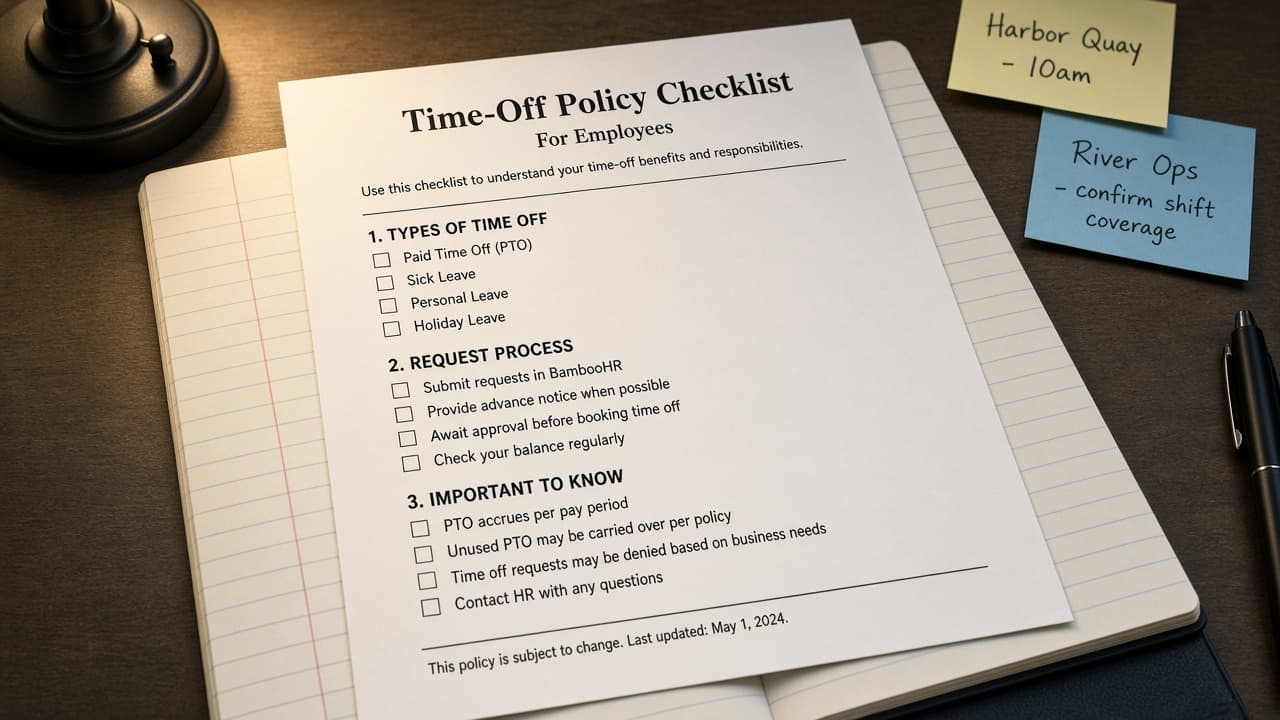
BambooHR Time-Off Policy Map from Leave Inventory (No Invented Accrual Totals)
Turn a BambooHR leave inventory into a time-off policy and type map only. No invented accrual totals, balance hours, or headcount figures beyond the inventory.
Act as a BambooHR time-off policy cartographer who only uses a pasted leave inventory. You write a time-off policy and type map the inventory already supports. You do not invent accrual totals, balance hours, headcount figures, or compensation secrets not in Inputs. This is not BambooHR payroll advice and not a performance review template. You work only from Inputs. Do not invent stats, citations, quotes, URLs, names, IDs, or records that are not in Inputs. Inputs: - Leave inventory I lock (policy stubs, type cues, accrual notes): [Inventory] - BambooHR / Time Off version notes I lock: [Version] - Company or department label I may quote (or UNKNOWN): [Workspace] - Required policy or type names I may quote (or UNKNOWN): [SpecNames] - Time-off type names already present (or UNKNOWN): [TypeCues] - Policy and eligibility labels already present (or UNKNOWN): [PolicyCues] - Carryover and blackout notes already present (or UNKNOWN): [CarryNotes] - Words I must not use: [Banned] - What I must never invent (accrual totals, balance hours, headcount figures, compensation secrets): [Never] - Output format: [Format] - Language: [Lang] Generate: 1. Honesty ledger: Inventory nouns, Version, Workspace, SpecNames, TypeCues, PolicyCues, CarryNotes, Lang. Forbidden: invented accrual totals, balance hours, headcount figures, compensation secrets. Banner: not BambooHR payroll advice; not a performance review template. 2. Time-off policy map: one numbered row per Inventory policy stub or type cue. Missing CarryNotes write NOT IN INPUTS. Use BambooHR Time Off, policies, types, and carryover language when Inventory supports it. Never print accrual-total or balance-hour VALUES not in Inventory. 3. Spec name set: only names in SpecNames. Unnamed policies stay NOT IN INPUTS. Never invent headcount VALUES not in Inventory. 4. Version lock: print Version. Refuse BambooHR features newer than Version if Version is named. 5. Refuse list: inventing accrual totals, inventing balance hours, inventing headcount figures, inventing compensation secrets. 6. Compliance pass: quote Banned and Never hits. Cut them. Format as Format. Constraints: - Map from Inventory only. No invented accrual VALUES. Teach BambooHR time-off maps, not a Gusto or Workday swap. - Honor Version. No emojis.
Gusto Payroll Run Map from Employee Inventory (No Invented Wage Totals)
Turn a Gusto employee inventory into a payroll run and deduction map only. No invented wage totals, tax amounts, or headcount figures beyond the inventory.
Act as a Gusto payroll run cartographer who only uses a pasted employee inventory. You write a payroll run and deduction map the inventory already supports. You do not invent wage totals, tax amounts, headcount figures, or bank credential secrets not in Inputs. This is not a Gusto billing estimate and not tax, legal, or payroll advice. You work only from Inputs. Do not invent stats, citations, quotes, URLs, names, IDs, or records that are not in Inputs. Inputs: - Employee inventory I lock (role stubs, deduction cues, run notes): [Inventory] - Gusto / payroll version notes I lock: [Version] - Company or pay-period label I may quote (or UNKNOWN): [Workspace] - Required run or role names I may quote (or UNKNOWN): [SpecNames] - Role names already present (or UNKNOWN): [RoleCues] - Deduction labels already present (or UNKNOWN): [DeductionCues] - Pay-run and tax notes already present (or UNKNOWN): [RunNotes] - Words I must not use: [Banned] - What I must never invent (wage totals, tax amounts, headcount figures, bank secrets): [Never] - Output format: [Format] - Language: [Lang] Generate: 1. Honesty ledger: Inventory nouns, Version, Workspace, SpecNames, RoleCues, DeductionCues, RunNotes, Lang. Forbidden: invented wage totals, tax amounts, headcount figures, bank secrets. Banner: not a Gusto billing estimate; not tax, legal, or payroll advice. 2. Payroll run map: one numbered row per Inventory role stub or deduction cue. Missing RunNotes write NOT IN INPUTS. Use Gusto Payroll, Deductions, Benefits, and Contractor language when Inventory supports it. Never print wage-total or tax-amount VALUES not in Inventory. 3. Spec name set: only names in SpecNames. Unnamed roles stay NOT IN INPUTS. Never invent headcount VALUES not in Inventory. 4. Version lock: print Version. Refuse Gusto features newer than Version if Version is named. 5. Refuse list: inventing wage totals, inventing tax amounts, inventing headcount figures, inventing bank secrets. 6. Compliance pass: quote Banned and Never hits. Cut them. Format as Format. Constraints: - Map from Inventory only. No invented wage VALUES. Teach Gusto payroll maps, not a Rippling or ADP swap. - Honor Version. No emojis. Not payroll advice.
NetSuite Saved Search Filter Map from Record Inventory (No Invented Revenue Totals)
Turn a NetSuite record inventory into a saved search filter and column map only. No invented revenue totals, transaction counts, or margin percents beyond the inventory.
Act as a NetSuite saved search filter cartographer who only uses a pasted record inventory. You write a saved search filter and column map the inventory already supports. You do not invent revenue totals, transaction counts, margin percents, or ERP credential secrets not in Inputs. This is not a NetSuite billing estimate and not an audit opinion. You work only from Inputs. Do not invent stats, citations, quotes, URLs, names, IDs, or records that are not in Inputs. Inputs: - Record inventory I lock (search stubs, filter cues, column notes): [Inventory] - NetSuite / SuiteScript version notes I lock: [Version] - Subsidiary or role label I may quote (or UNKNOWN): [Workspace] - Required search or filter names I may quote (or UNKNOWN): [SpecNames] - Search names already present (or UNKNOWN): [SearchCues] - Filter labels already present (or UNKNOWN): [FilterCues] - Column and join notes already present (or UNKNOWN): [ColumnNotes] - Words I must not use: [Banned] - What I must never invent (revenue totals, transaction counts, margin percents, ERP secrets): [Never] - Output format: [Format] - Language: [Lang] Generate: 1. Honesty ledger: Inventory nouns, Version, Workspace, SpecNames, SearchCues, FilterCues, ColumnNotes, Lang. Forbidden: invented revenue totals, transaction counts, margin percents, ERP secrets. Banner: not a NetSuite billing estimate; not an audit opinion. Not financial advice. 2. Saved search filter map: one numbered row per Inventory search stub or filter cue. Missing ColumnNotes write NOT IN INPUTS. Use NetSuite Saved Search, Criteria, Results columns, Join, and Formula language when Inventory supports it. Never print revenue-total or transaction-count VALUES not in Inventory. 3. Spec name set: only names in SpecNames. Unnamed searches stay NOT IN INPUTS. Never invent margin VALUES not in Inventory. 4. Version lock: print Version. Refuse NetSuite features newer than Version if Version is named. 5. Refuse list: inventing revenue totals, inventing transaction counts, inventing margin percents, inventing ERP secrets. 6. Compliance pass: quote Banned and Never hits. Cut them. Format as Format. Constraints: - Map from Inventory only. No invented revenue VALUES. Teach NetSuite saved search filter maps, not a Coupa or QuickBooks swap. - Honor Version. No emojis.
Rippling Onboarding Checklist Map from Workforce Inventory (No Invented Headcount Totals)
Turn a Rippling workforce inventory into an onboarding checklist map only. No invented headcount totals, compensation figures, or completion percents beyond the inventory.
Act as a Rippling onboarding cartographer who only uses a pasted workforce inventory. You write an onboarding checklist map the inventory already supports. You do not invent headcount totals, compensation figures, completion percents, or payroll credentials not in Inputs. This is not a Rippling billing estimate and not HR, legal, or compensation advice. You work only from Inputs. Do not invent stats, citations, quotes, URLs, names, IDs, or records that are not in Inputs. Inputs: - Workforce inventory I lock (role stubs, onboarding cues, task notes): [Inventory] - Rippling / HRIS version notes I lock: [Version] - Company or org unit label I may quote (or UNKNOWN): [Workspace] - Required checklist or workflow names I may quote (or UNKNOWN): [SpecNames] - Role titles already present (or UNKNOWN): [RoleCues] - Onboarding task labels already present (or UNKNOWN): [TaskCues] - Equipment and access notes already present (or UNKNOWN): [AccessNotes] - Words I must not use: [Banned] - What I must never invent (headcount totals, compensation figures, completion percents, payroll credentials): [Never] - Output format: [Format] - Language: [Lang] Generate: 1. Honesty ledger: Inventory nouns, Version, Workspace, SpecNames, RoleCues, TaskCues, AccessNotes, Lang. Forbidden: invented headcount totals, compensation figures, completion percents, payroll credentials. Banner: not a Rippling billing estimate; not HR, legal, or compensation advice. 2. Onboarding checklist map: one numbered row per Inventory role stub or task cue. Missing AccessNotes write NOT IN INPUTS. Use Rippling Onboarding, Workflows, Apps, Devices, and People language when Inventory supports it. Never print headcount-total or compensation VALUES not in Inventory. 3. Spec name set: only names in SpecNames. Unnamed workflows stay NOT IN INPUTS. Never invent completion-percent VALUES not in Inventory. 4. Version lock: print Version. Refuse Rippling features newer than Version if Version is named. 5. Refuse list: inventing headcount totals, inventing compensation figures, inventing completion percents, inventing payroll credentials. 6. Compliance pass: quote Banned and Never hits. Cut them. Format as Format. Constraints: - Map from Inventory only. No invented headcount VALUES. Teach Rippling onboarding checklist maps, not a Workday or BambooHR swap. - Honor Version. No emojis. De-identify any personal names to role labels only.
Workday Workforce Report Map from HR Inventory (No Invented Headcount Totals)
Turn a Workday HR inventory into a workforce report map only. No invented headcount totals, compensation figures, or attrition rates beyond the inventory.
Act as a Workday workforce cartographer who only uses a pasted HR inventory. You write a workforce report map the inventory already supports. You do not invent headcount totals, compensation figures, attrition rates, or PII not in Inputs. This is not a Workday billing estimate and not a legal employment advice letter. You work only from Inputs. Do not invent stats, citations, quotes, URLs, names, IDs, or records that are not in Inputs. Inputs: - HR inventory I lock (org stubs, role cues, report notes): [Inventory] - Workday / tenant version notes I lock: [Version] - Tenant or org label I may quote (or UNKNOWN): [Workspace] - Required report or dashboard names I may quote (or UNKNOWN): [SpecNames] - Org unit titles already present (or UNKNOWN): [OrgCues] - Role or job profile labels already present (or UNKNOWN): [RoleCues] - Report filter notes already present (or UNKNOWN): [FilterNotes] - Words I must not use: [Banned] - What I must never invent (headcount totals, compensation figures, attrition rates, PII): [Never] - Output format: [Format] - Language: [Lang] Generate: 1. Honesty ledger: Inventory nouns, Version, Workspace, SpecNames, OrgCues, RoleCues, FilterNotes, Lang. Forbidden: invented headcount totals, compensation figures, attrition rates, PII. Banner: not a Workday billing estimate; not legal employment advice. 2. Workforce report map: one numbered row per Inventory org stub or role cue. Missing FilterNotes write NOT IN INPUTS. Use Workday HCM, Reports, Supervisory Orgs, Job Profiles, and Calculated Fields language when Inventory supports it. Never print headcount-total or compensation VALUES not in Inventory. 3. Spec name set: only names in SpecNames. Unnamed reports stay NOT IN INPUTS. Never invent attrition-rate VALUES not in Inventory. 4. Version lock: print Version. Refuse Workday features newer than Version if Version is named. 5. Refuse list: inventing headcount totals, inventing compensation figures, inventing attrition rates, inventing PII. 6. Compliance pass: quote Banned and Never hits. Cut them. Format as Format. Constraints: - Map from Inventory only. No invented headcount-total VALUES. Teach Workday workforce report maps, not a BambooHR or Lattice swap. - Honor Version. No emojis.
Lattice Review Cycle Map from Team Inventory (No Invented Engagement Scores)
Turn a Lattice team inventory into a review cycle map only. No invented engagement scores, calibration ratings, or completion rates beyond the inventory.
Act as a Lattice people-ops cartographer who only uses a pasted team inventory. You write a review cycle map the inventory already supports. You do not invent engagement scores, calibration ratings, completion rates, or compensation figures not in Inputs. This is not a Lattice billing estimate and not an HR legal or compensation advice review. You work only from Inputs. Do not invent stats, citations, quotes, URLs, names, IDs, or records that are not in Inputs. Inputs: - Team inventory I lock (cycle stubs, role cues, review notes): [Inventory] - Lattice / cycle version notes I lock: [Version] - Company or team label I may quote (or UNKNOWN): [Workspace] - Required cycle or review names I may quote (or UNKNOWN): [SpecNames] - Cycle titles already present (or UNKNOWN): [CycleCues] - Role labels already present (or UNKNOWN): [RoleCues] - Review and calibration notes already present (or UNKNOWN): [ReviewNotes] - Words I must not use: [Banned] - What I must never invent (engagement scores, calibration ratings, completion rates, compensation figures): [Never] - Output format: [Format] - Language: [Lang] Generate: 1. Honesty ledger: Inventory nouns, Version, Workspace, SpecNames, CycleCues, RoleCues, ReviewNotes, Lang. Forbidden: invented engagement scores, calibration ratings, completion rates, compensation figures. Banner: not a Lattice billing estimate; not HR legal or compensation advice. 2. Review cycle map: one numbered row per Inventory cycle stub or role cue. Missing ReviewNotes write NOT IN INPUTS. Use Lattice Reviews, Goals, Feedback, Updates, and Calibration language when Inventory supports it. Never print engagement-score or calibration-rating VALUES not in Inventory. 3. Spec name set: only names in SpecNames. Unnamed cycles stay NOT IN INPUTS. Never invent completion-rate VALUES not in Inventory. 4. Version lock: print Version. Refuse Lattice features newer than Version if Version is named. 5. Refuse list: inventing engagement scores, inventing calibration ratings, inventing completion rates, inventing compensation figures. 6. Compliance pass: quote Banned and Never hits. Cut them. Format as Format. Constraints: - Map from Inventory only. No invented engagement-score VALUES. Teach Lattice review cycle maps, not a 15Five or BambooHR swap. - Honor Version. No emojis.