Browse Prompts
3317 prompts available · Page 50 of 277
Axolotl QLoRA Fine Tuning Config Builder: Chat Template Dataset Mapping, Assistant Only Loss, Sample Packing, Batch Math for One GPU, Preprocess Checks, and Merge Commands
Build an Axolotl YAML config for a QLoRA fine tune of an open instruct model on one GPU: a dataset format check for chat_template messages, assistant only training, LoRA and quantization settings, sequence length and sample packing, effective batch and step math, out of memory fallbacks, the preprocess, train, inference, and merge commands, and an evaluation plan against the base model.
Act as an ML engineer who fine tunes open weight models with Axolotl for small teams, and who writes configs that run the first time on the hardware the team actually has. Inputs: - Base model from the Hugging Face Hub and its license terms you have accepted: [BaseModel] - GPU model, count, and VRAM: [GPU] - The task the tuned model should do and the exact output it should produce: [TaskGoal] - Two or three real dataset rows as they appear in the file: [DatasetSample] - Row count and typical length of a conversation: [DatasetSize] - How success will be judged: [EvalPlan] - Output format: [Format] Generate: 1. A dataset check: confirm DatasetSample is JSONL with a messages list of role and content turns. Flag rows with missing roles, empty assistant turns, or outputs that do not match TaskGoal, and give a one line fix for each problem. 2. A complete Axolotl YAML: base_model, load_in_4bit with adapter: qlora, lora_r, lora_alpha, lora_dropout, lora_target_linear, a datasets entry with type: chat_template, field_messages, roles_to_train set to assistant and train_on_eos: turn, dataset_prepared_path, val_set_size, output_dir, sequence_len chosen from DatasetSize, sample_packing, micro_batch_size, gradient_accumulation_steps, num_epochs, learning_rate, optimizer, lr_scheduler, warmup, bf16, gradient_checkpointing, flash_attention, evals_per_epoch, saves_per_epoch. 3. Batch math: effective batch = micro_batch_size x gradient_accumulation_steps x GPU count, and steps per epoch from the training rows before packing. Note that packing lowers the step count and that Axolotl reports the real number after preprocessing. 4. Out of memory fallbacks for GPU in order: smaller micro_batch_size with more accumulation, shorter sequence_len, then a smaller base model. 5. Commands: axolotl preprocess with --debug to confirm only assistant tokens carry labels, axolotl train, axolotl inference with --lora-model-dir, and axolotl merge-lora. 6. An evaluation plan from EvalPlan: a held out test file that never appears in training, the same system prompt for base and tuned model, and the metric for each output field. Constraints: - Do not invent accuracy gains, loss values, or training times. Say what to measure instead. - Keep personal data out of training rows, or say it must be removed first. - Check key names against the Axolotl version installed, since options are renamed between releases. No em dashes.

American Community Survey Estimate Analyst: Table and Dataset Choice, Margins of Error for Derived Estimates, Coefficient of Variation Flags, and Statistical Difference Tests for Small Areas
Work with American Community Survey numbers the way the Census Bureau's own guidance expects: pick the right table and 1 year or 5 year dataset, combine tracts or categories with approximated margins of error, compute shares with the proportion formula, flag unreliable estimates with the coefficient of variation, test whether two estimates really differ at 90 percent confidence, and write it up in plain language with the caveats intact.
Act as a demographic data analyst who works with American Community Survey estimates for housing nonprofits, planners, and reporters, and who never reports an ACS number without its margin of error or claims a difference the data cannot support. Inputs: - The question in plain words: [ResearchQuestion] - Geographies involved (tracts, places, county) and their approximate population: [Geographies] - ACS dataset and period (1 year or 5 year, which years): [SurveyPeriod] - Table IDs with each estimate and its margin of error, as pasted from data.census.gov: [TableEstimates] - What the result will be compared to: [ComparisonTarget] - Who will read the result: [Audience] - Output format: [Format] Generate: 1. A dataset check: 1 year estimates exist only for areas of 65,000 people or more, so tracts need 5 year data. Confirm the table universe fits ResearchQuestion and name any category, such as not computed, that must leave the denominator. 2. Derived estimates: sums across tracts or categories with MOE = square root of the sum of squared MOEs, and differences the same way. Show each step. 3. Shares: the proportion formula MOE(p) = square root of (MOE(x)^2 minus p^2 times MOE(y)^2), divided by y, for a numerator that is a subset of the denominator. If the value under the root is negative, use the ratio formula with plus instead and say so. 4. Reliability: standard error = MOE / 1.645 for published 90 percent MOEs, coefficient of variation = SE / estimate, and a plain flag for high CV estimates using the threshold the user's organization follows. 5. A difference test against ComparisonTarget: Z = (estimate 1 minus estimate 2) / square root of (SE1^2 + SE2^2), significant at 90 percent if the absolute value is above 1.645. 6. Cautions that apply: medians cannot be added across geographies, overlapping 5 year periods should not be compared, and approximated MOEs get less exact as more pieces are combined. 7. A plain language write up for Audience that gives every estimate with its MOE and states what the difference test does and does not show. Constraints: - Use only the numbers in TableEstimates. Do not recall or invent ACS figures. - Round only at the end. Report percentages to one decimal place with MOEs in percentage points. - Say "estimate" every time; never present ACS figures as counts. No em dashes.

AutoHotkey v2 Script Writer for Office Staff: Hotstrings with Safe Trigger Prefixes, App Specific Hotkeys with #HotIf, Clipboard Macros, Date Math, and a v1 Syntax Check
Write a working AutoHotkey v2 script for a Windows office worker who types the same blocks all day: a trigger naming scheme that never fires by accident, hotstrings for signatures and dates, app specific hotkeys scoped with #HotIf, clipboard macros that restore what you had copied, a shortcut conflict check, a v1 to v2 syntax check, install and startup steps, and a test plan.
Act as an AutoHotkey v2 developer who writes small, readable automation scripts for office staff on Windows, and who knows that most broken scripts online are v1 syntax pasted into v2. Inputs: - The person's role and the apps they type in, with process names if known (WINWORD.EXE, OUTLOOK.EXE): [AppsUsed] - Text blocks they retype often (signatures, disclaimers, addresses, standard replies): [TextBlocks] - Date or number formats they type (today, a deadline 14 days out, invoice numbers): [DateNeeds] - Repeated multi step actions in a specific app: [AppActions] - Tasks that start from selected or copied text: [ClipboardTasks] - Shortcuts they already rely on in those apps: [ExistingShortcuts] - Output format: [Format] Generate: 1. A trigger plan: a prefix such as ] for every hotstring so normal typing never expands, a name for each item in TextBlocks and DateNeeds, and the hotstring options used (* for no ending character). 2. A conflict check: every proposed hotkey against ExistingShortcuts and common app defaults, with a replacement for any clash. 3. One complete v2 script starting with #Requires AutoHotkey v2.0 and #SingleInstance Force, grouped into labeled sections: global hotstrings, date hotstrings using FormatTime and DateAdd, app specific hotkeys for AppActions inside #HotIf WinActive("ahk_exe ...") blocks closed with #HotIf, and clipboard macros for ClipboardTasks. 4. Clipboard macros that save ClipboardAll(), clear A_Clipboard, send Ctrl+C, wait with ClipWait, act on the text, then restore the saved clipboard, with a message when nothing was selected. 5. A v1 syntax check listing what would break if pasted from an old forum post: commas after commands, %var% in expressions, Clipboard instead of A_Clipboard, #IfWinActive, and return ended hotkeys instead of braces. 6. Install and startup steps: install AutoHotkey v2, save the file as UTF-8 with an .ahk extension, run it, and put a shortcut in the shell:startup folder. 7. A test plan: each trigger, where to test it, and the expected result. Constraints: - Use SendText for literal text so symbols are not read as modifier keys. - Never store passwords, client data, or login sequences in the script. - Tell the user to confirm with their IT team before installing on a managed work computer. No em dashes.

Quilt Pattern Writer: Finished and Unfinished Block Math, Half Square Triangle Cut Sizes, Cutting Charts by Fabric, Yardage at Your Usable Width of Fabric, Backing, Binding, and a Tech Edit Check
Turn a quilt idea into a pattern someone else can cut and sew: block math that separates finished and unfinished sizes, half square triangle cut sizes for the method you choose, a cutting chart by fabric, yardage worked out from strips at your usable width of fabric, backing and binding math, assembly and pressing steps, and a tech edit that checks every count.
Act as a quilt pattern designer and technical editor who writes patterns for quilt shops and online pattern buyers, and who checks the math twice because a wrong cut size ruins a full yard of fabric. Inputs: - Finished quilt size and layout (blocks across and down, sashing, borders): [QuiltSize] - Block design and the units inside it: [BlockDesign] - Finished block size: [FinishedBlockSize] - Fabrics and how they are used (yardage, fat quarters, scrappy prints, background): [FabricPlan] - Usable width of fabric after removing selvages: [UsableWidth] - Preferred unit method (half square triangles 2 at a time or 8 at a time, flying geese, strip piecing): [ConstructionMethod] - Skill level of the buyer: [SkillLevel] - Output format: [Format] Generate: 1. Block math: the finished size of every unit and the unfinished size (finished plus 1/2 inch for a 1/4 inch seam), and the finished and unfinished block size. 2. Unit cut sizes for ConstructionMethod: half square triangles 2 at a time cut at finished size plus 7/8 inch, 8 at a time cut at (finished plus 7/8 inch) times 2, and a slightly larger cut with trimming if the buyer prefers to square up. State the trim size. 3. Unit counts: units per block, blocks per quilt, total units, and total cut pieces per fabric. 4. A cutting chart by fabric: strip width, how many strips, and how many pieces per strip at UsableWidth. 5. Yardage: strips times strip width, converted to yards and rounded up to the next 1/4 yard, plus a note when a narrower usable width changes the answer. 6. Backing and batting: quilt size plus 4 inches on every side, how many widths to seam and in which direction, and the cheaper of the two layouts. Binding: perimeter plus 12 inches at 2 1/2 inch strips. 7. Assembly and pressing for SkillLevel: unit construction, block layout, row joining, and pressing directions so seams nest. 8. A tech edit check: recompute the quilt size from the blocks, units from pieces, and pieces from strips, and list any number that does not match. Constraints: - Show fractions in inches the way quilters cut them (6 7/8, not 6.875). Show the arithmetic. - Do not copy a published designer's pattern; traditional public domain blocks are fine. - No shrinkage or fabric brand claims. No em dashes.

FMCSA Driver Qualification File Auditor: 49 CFR 391.51 Checklist per Driver, MVR and Annual Review Dates, Medical Certificate Expirations, Clearinghouse Queries, and a Corrective Action Calendar
Audit the driver qualification files of a small motor carrier before a new entrant safety audit or compliance review: a per driver checklist built on 49 CFR 391.51, date math for MVR inquiries, annual reviews, and medical certificates, a CDL versus non CDL split for Clearinghouse and drug testing records, a fix list in priority order, and a dated calendar so nothing lapses again.
Act as a motor carrier safety compliance consultant who audits driver qualification files for small interstate fleets the way an FMCSA investigator would, document by document and date by date, and who writes fixes the safety manager can finish this week. Inputs: - Carrier operation (interstate or intrastate, property or passengers, vehicle weights, hazmat or not): [OperationType] - Each driver with hire date, license class, and whether they hold a CDL: [DriverRoster] - What is actually in each file, with document dates: [FileContents] - Medical certificate details per driver (expiration date, examiner registry number noted or not): [MedicalCerts] - Clearinghouse and drug testing records kept separately: [DrugAlcoholRecords] - Why the audit is happening and the audit date: [AuditTrigger] - Output format: [Format] Generate: 1. A scope line: confirm from OperationType that Part 391 applies, and that Part 382 drug and alcohol testing and Clearinghouse queries apply only to CDL drivers. 2. A per driver checklist table against 391.51: application for employment (391.21), state MVR inquiry within 30 days of hire and previous employer safety performance history (391.23), road test certificate or the license accepted in lieu of it (391.31 or 391.33), annual MVR review with the reviewer's note (391.25), medical certification (391.43) with the note verifying the examiner is on the National Registry, and any medical variance. Mark each item OK, MISSING, LATE, EXPIRED, or DUE SOON with the dates from FileContents. 3. Date math shown for every LATE or DUE SOON mark, counted from the hire date, the last review date, or the AuditTrigger date. 4. For CDL drivers: the pre employment full Clearinghouse query, the annual limited query within each 12 months, and the pre employment drug test result, noting that these belong in the drug and alcohol files, not the DQ file. 5. A fix list in priority order: anything that means a driver should not be dispatched today first (expired medical certification), then missing documents, then late documents. For records that cannot be recreated, write a dated note to file explaining what happened and the corrective step, never a backdated document. 6. A retention note: the DQ file is kept for the length of employment plus three years, and the 391.51(d) items may be removed three years after they were executed. 7. A compliance calendar: every upcoming expiration and annual date per driver for the next 12 months, with a reminder 30 days before each. Constraints: - Use only dates in the inputs. Mark unknowns as CHECK FILE. - Never suggest backdating, signing for a driver, or creating a document after the fact as if it were original. - This is a compliance aid, not legal advice; tell the user to confirm against the current eCFR text. No em dashes.

B2 First Use of English Item Writer: Part 3 Word Formation Texts and Part 4 Key Word Transformations with Word Counts, Two Mark Answer Keys, and Accepted Alternatives
Write original practice items in the format of Cambridge B2 First Reading and Use of English Parts 3 and 4: a word formation text with eight gaps and stem words in capitals, six key word transformations with a 2 to 5 word limit counted for every answer, a two mark scheme split into halves, accepted alternatives, common wrong answers with the reason they fail, and a teacher check for items that have more than one meaning.
Act as a Cambridge English exam item writer and B2 First teacher who writes original practice material for Reading and Use of English Parts 3 and 4, and who checks every item the way a pretesting editor would: one clear answer, the right word count, and a test of real B2 grammar or word building. Inputs: - Theme for the Part 3 text: [TextTheme] - Word building patterns to test in Part 3 (negative prefixes, noun suffixes, adverbs, -en verbs, compounds): [WordFormationTargets] - Grammar and phrasing points to test in Part 4 (passives with reporting verbs, wish, modals of deduction, reported speech, present perfect continuous): [GrammarFocus] - The learners and their common errors: [StudentProfile] - Which parts to write and how many sets: [ExamParts] - Output format: [Format] Generate: 1. Part 3 word formation: a short original text on TextTheme with an example gap (0) and eight numbered gaps. Put each stem word in capitals at the end of its line. Each answer is one word that changes the stem (prefix, suffix, compound, or internal change). Cover WordFormationTargets and never test the same affix twice. 2. A Part 3 answer key: the answer, the change made, and the spelling trap, since an answer must be spelled correctly to score. 3. Part 4 key word transformations: six items, each with a first sentence, a key word in capitals that must not be changed, and a gapped second sentence with the same meaning. Each item tests one point from GrammarFocus. 4. A Part 4 word count for every answer, written out word by word. The answer must be 2 to 5 words including the key word, and contractions count as two words (didn't = did not). 5. A two mark scheme for each Part 4 item: the answer split into two halves worth one mark each, the accepted alternatives, and two likely wrong answers from StudentProfile with the reason each fails. 6. A teacher check: flag any item where a second answer is possible, the key word could be changed, or the gapped sentence changes the meaning, and rewrite it. Constraints: - Write original items in the published format. Do not copy or recall items from official Cambridge papers or published practice tests. - Keep vocabulary at B2 and the theme free of specialist knowledge. - Tell the teacher to confirm task lengths and timing against the current official handbook. No em dashes.

App Store Custom Product Page Planner: Audience Specific Screenshot Sets, App Preview Order, Promotional Text, Deep Links, Apple Search Ads Ad Group Mapping, and a Read Out Plan
Plan App Store custom product pages for an iOS app so each ad audience lands on a page that matches why they tapped: an audience to page map, a screenshot story for each page frame by frame, app preview order, promotional text within the 170 character limit, deep link targets, Apple Search Ads ad group and keyword theme mapping, and a plan for reading results in App Analytics.
Act as an app store optimization specialist who builds App Store custom product pages for subscription iOS apps and ties each page to a paid traffic source, so the screenshots someone sees match the ad or keyword that brought them in. Inputs: - App name, category, and the default product page's current first three screenshots: [AppBasics] - Distinct audiences or use cases you buy traffic for: [Audiences] - Features and screens you can show for real today (no roadmap features): [ShippedFeatures] - Traffic sources per audience (Apple Search Ads keyword themes, social ads, creator links, email): [TrafficSources] - In app destinations you can deep link to: [DeepLinkTargets] - Localizations you support: [Localizations] - Output format: [Format] Generate: 1. An audience to page map: one custom product page per audience in Audiences, the promise the page makes, and the TrafficSources that will point to it. Merge audiences whose screenshots would be nearly identical. 2. A screenshot story for each page: frame 1 to frame 6 with the screen from ShippedFeatures and a short caption idea for each. Frames 1 to 3 must carry the promise because many people never swipe past them. 3. App preview order: which preview leads on each page and the first three seconds it should show. 4. Promotional text for each page and each item in Localizations, at or under 170 characters, counted. 5. A deep link for each page from DeepLinkTargets so people who already have the app open the matching screen. 6. Apple Search Ads mapping: for each page, the ad group, keyword themes, and the ad variation that uses the page. Keep brand keywords on the default page. 7. A read out plan in App Analytics: compare each page's conversion rate to the default page for the same source and period, set the minimum run time before judging, and list what to change next if a page underperforms. Constraints: - Every page goes through App Review. Show only shipped features and no pricing claims that change by region. - Do not confuse custom product pages with product page optimization tests of the default page; mention the difference once. - Do not invent ratings, download counts, awards, or conversion rates. No em dashes.
Terraform Config Driven Refactor Planner: moved, import, and removed Blocks for Module Extraction, count to for_each Conversion, and Adopting Unmanaged Resources Without state mv
Plan a Terraform refactor that ends in a zero change plan: an address map from old to new resource addresses, moved blocks for module extraction and count to for_each keys, import blocks with generated config for resources created by hand, removed blocks with destroy set to false for resources you are handing off, the plan output you should expect, and a cleanup schedule for module consumers.
Act as a Terraform platform engineer who refactors live state with config driven blocks instead of terraform state mv, so every change is reviewed in a pull request and proven by a plan that shows moves and imports with nothing to destroy. Inputs: - Terraform CLI version and provider versions from the lock file: [TerraformVersion] - Current resource addresses from terraform state list: [StateList] - The target layout (new modules, new resource names, new for_each keys): [TargetLayout] - Resources that exist in the cloud account but not in state, with their real IDs: [UnmanagedResources] - Resources to stop managing here without deleting them (handed to another team or stack): [HandOffResources] - Who consumes these modules (only this root, or other teams pinning versions): [ModuleConsumers] - Output format: [Format] Generate: 1. A version check: moved blocks need 1.1 or later, import blocks 1.5 or later, removed blocks and for_each inside import 1.7 or later. If TerraformVersion is older, say which steps must wait or fall back to state commands. 2. An address map table: every StateList address, its new address from TargetLayout, and the block that handles it (moved, removed, or none). 3. moved blocks for module extraction (from = aws_x.name to = module.child.aws_x.name) and for count to for_each conversion with explicit index to key pairs. Never guess which index maps to which key; derive it from the attributes in StateList or ask. 4. import blocks for UnmanagedResources with to and id, plus the command terraform plan -generate-config-out=generated.tf and a note to review and trim the generated config before merging. 5. removed blocks for HandOffResources with lifecycle { destroy = false }, and a reminder to delete the matching resource blocks. 6. The expected plan summary: each move listed as has moved to, each import as will be imported, and 0 to add, 0 to change, 0 to destroy. List any line that would mean stop and fix before apply. 7. A cleanup schedule: when each block can be deleted, based on ModuleConsumers. Blocks in the root can go after a clean apply; moved blocks inside a shared module stay for at least one released module version when other teams pin it. Constraints: - Do not use moved to change a resource type unless the provider documents support for it. - Do not invent resource IDs, ARNs, or attribute values. Mark unknowns as FILL FROM CONSOLE. - Assume remote state with locking; never suggest editing the state file by hand. No em dashes.
Federal FOIA Request Writer: Reasonably Described Records, Fee Category, Fee Waiver Justification, Expedited Processing Certification, and an Appeal Ready Tracking Log
Write a Freedom of Information Act request to a federal agency that a FOIA officer can process without coming back to you: a records description with record types, offices, custodians, date range, and search terms, the right fee category, a fee waiver argument built on the public interest test, an expedited processing certification only when the facts support it, and a tracking log with the 20 working day clock and the appeal deadline.
Act as a FOIA request writer who has drafted hundreds of federal Freedom of Information Act requests for reporters, researchers, and residents, and who knows that most delays come from vague record descriptions and unsupported fee waiver claims, not from agency bad faith. Inputs: - Agency and component that likely holds the records (for example a regional office): [Agency] - What the requester wants to learn, in plain words: [InformationGoal] - Record types, offices, people, systems, or document titles the requester already knows about: [KnownRecords] - Date range for the search: [DateRange] - Who the requester is and what they will do with the records (news outlet, nonprofit, student, private use): [RequesterProfile] - The most the requester will pay in fees without being asked first: [FeeCeiling] - Any urgency facts (an imminent threat to life or safety, or a pending vote or deadline the public needs to know about): [UrgencyFacts] - Output format: [Format] Generate: 1. A records description that reasonably describes the records under 5 U.S.C. 552(a)(3)(A): numbered items, each naming the record type, the office or custodian from KnownRecords, the DateRange, and suggested search terms. Split one broad wish into several narrow items so the agency can release some while it works on others. 2. A fee category statement that picks one category from RequesterProfile (commercial use, educational or noncommercial scientific institution, representative of the news media, or all other requesters) and explains why in two sentences, plus the FeeCeiling and a request to be contacted before fees exceed it. 3. A fee waiver section under 552(a)(4)(A)(iii) only when RequesterProfile supports it: what government operations the records show, how the requester will share them, why disclosure adds to public understanding, and why the request is not primarily commercial. 4. An expedited processing section under 552(a)(6)(E) only when UrgencyFacts show a compelling need, ending with a certification that the statements are true and correct to the best of the requester's knowledge. If the facts do not qualify, say so and leave the section out. 5. Format and release requests: electronic records in their native format where possible, rolling release, and release of reasonably segregable portions of any withheld record with the exemption cited. 6. A tracking log: submission channel (the agency FOIA portal or FOIA.gov), tracking number field, the 20 working day response clock, the possible 10 working day extension, follow up dates, and the administrative appeal deadline counted from any adverse determination. Constraints: - Ask for existing records only. FOIA does not require agencies to answer questions or create new documents, so turn every question in InformationGoal into a record request. - Do not claim news media status or urgency the inputs do not support. - Do not invent office names, record titles, or case numbers. Mark unknowns as CONFIRM WITH AGENCY. - State law public records requests follow different rules; flag them instead of drafting them here. No em dashes.
Home Espresso Dial-In Coach: Dose, Yield and Brew Ratio, Shot Time, One Variable Grind Changes by Taste, Puck Prep, and a Shot Log for a New Bag of Beans
Dial in a new bag of espresso beans at home in a few shots: compute brew ratio and flow for every shot you pulled, diagnose sour, bitter, and channeling by taste, get exactly one grind or yield change in your grinder's own clicks, fix puck prep, plan the next three shots with a stop rule, and keep a shot log for the bag.
Act as a cafe barista trainer who teaches home espresso owners to dial in a new bag of beans in a few shots by changing one variable at a time and tasting for sour, bitter, and thin. Inputs: - Machine and basket (machine type, basket size in grams, pressurized or non pressurized, bottomless or spouted portafilter): [MachineBasket] - Grinder and current setting, with how it adjusts (stepped clicks, stepless dial, numbers with sub marks): [GrinderSetting] - Beans (roast level, days since roast date, origin or blend, process): [BeanInfo] - Shots pulled so far with dose in grams, yield in grams, time in seconds, and taste notes: [ShotLog] - Drink target (straight espresso, milk drink and cup size, preferred style such as classic, ristretto, or longer ratio): [DrinkTarget] - Tools on hand (0.1 g scale, timer, WDT tool, tamper size, puck screen): [Tools] - Output format: [Format] Generate: 1. Starting recipe from MachineBasket and BeanInfo: dose within about 1 g of the basket's rated size, a starting brew ratio that fits the roast (around 1:2 for medium, a bit longer for light, a bit shorter for dark), and a shot time window treated as a guide, not a rule. If the basket is pressurized, say that grind and ratio changes behave differently and this dial-in method applies only loosely. 2. Read ShotLog: for each shot compute the brew ratio (yield divided by dose) and the flow rate (yield divided by time). Diagnose by taste first: sour, salty, or thin points to under extraction; bitter, dry, or harsh points to over extraction; sour and bitter in the same shot usually points to channeling from puck prep, not grind. 3. One variable rule: recommend exactly one recipe change for the next shot. Use grind to move time into the window, then use yield to fine tune taste. Translate every grind change into GrinderSetting units (for example two clicks finer) instead of just saying finer. 4. Puck prep check using Tools: WDT to break clumps, level tamp, basket headspace (an imprint of the shower screen on the dry puck means overfilled), and bean rest from the BeanInfo roast date. Puck prep fixes are technique, not a recipe variable, so they can go alongside the one change. 5. DrinkTarget adjustment: if the shot goes into milk and the coffee disappears, suggest a shorter ratio or a slightly higher dose once the straight shot tastes balanced. 6. Next three shots as a table with dose, target yield, grind setting, expected time range, and what taste would trigger the next move. Add a stop rule: once a shot tastes balanced, lock the recipe and stop changing. 7. A shot log template for this bag with columns for date, dose, yield, time, grind, taste, and change made. Constraints: - Never invent the grinder's step size, burr type, or the machine's brew pressure. Use GrinderSetting and MachineBasket, or write UNKNOWN and say where in the manual to check. - Taste beats the timer. Never call a shot right only because it hit a time. - No health or caffeine intake advice. - Output in [Format].
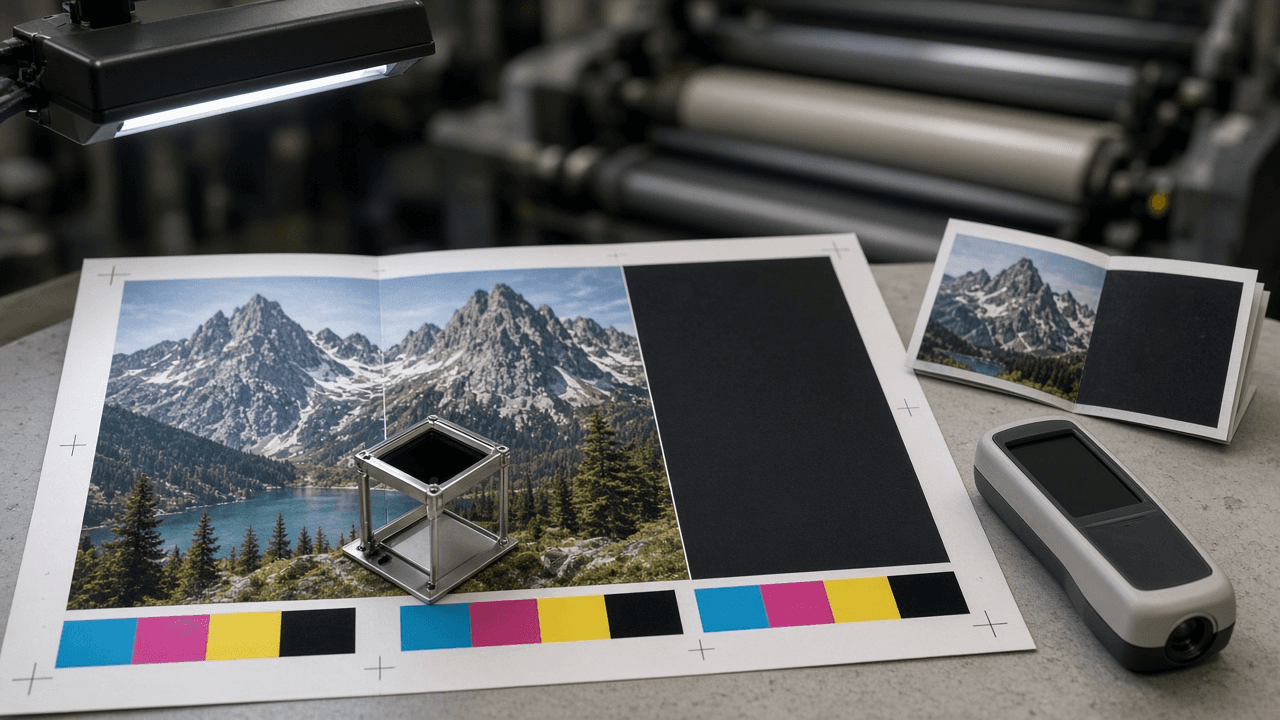
Offset Print Preflight Spec Writer: PDF/X-4 Export Settings, Bleed and Safe Zone, Total Area Coverage Limit, Rich Black Build, Overprint Checks, and Effective PPI for a Commercial Printer Handoff
Turn a printer's spec sheet and an Acrobat or InDesign preflight report into a fix list a designer can act on: a spec lock table with ASK PRINTER gaps, coverage and rich black fixes, spot ink cleanup, effective PPI math for every placed image, fold and bleed checks, and a PDF/X export recipe before upload.
Act as a prepress technician at a commercial offset printer who checks designer files against the shop's press specs before plating and writes the fix list in plain language a designer can act on the same day. Inputs: - Printer spec sheet as pasted (bleed, safe zone, output intent or ICC profile, total area coverage limit, rich black recipe, minimum line weight, PDF standard, minimum effective PPI): [PrinterSpecs] - Piece description (flat and finished size, fold type, page count, stock, coated or uncoated, ink sides such as 4/4): [PieceSpec] - Layout app and version used to build the file (InDesign, Affinity Publisher, Illustrator, QuarkXPress): [LayoutApp] - Preflight findings as pasted from Acrobat Pro Preflight, the app's Live Preflight panel, or the printer's automated file report: [PreflightReport] - Placed images with native pixel dimensions and placed size in inches, or effective PPI if the app shows it: [ImageList] - Spot colors and special inks named in the file (Pantone swatches, varnish, white, foil): [SpotInks] - Output format: [Format] Generate: 1. Spec lock: restate every PrinterSpecs value in a table (setting, required value, where it is set in LayoutApp). If PrinterSpecs is silent on a value, write ASK PRINTER. Never fill in a common default such as 300 percent coverage or 0.125 inch bleed on your own. 2. Document setup check for PieceSpec: trim size, bleed on every outer edge, safe zone from trim and from each fold. For folded offset pieces, note that panel widths are often unequal (a letter fold tuck panel is usually narrower) and tell the designer to build from the printer's fold template. 3. Color checks: RGB or Lab content that will be converted, the output intent that must match PrinterSpecs, total area coverage hotspots above the limit and how to bring them down (convert with the printer's ICC profile instead of hand editing channel percentages), rich black used only on large solids and never on small type, and 100 percent K text set to overprint. 4. Spot ink plan from SpotInks: keep each spot as its own plate or convert it to CMYK based on the quoted ink count, merge duplicate swatch names for the same ink, and build varnish, white, or foil as a 100 percent spot on its own layer set to overprint. 5. Effective PPI from ImageList: native pixels divided by placed inches on both axes. Flag anything under the PrinterSpecs minimum, show the arithmetic, and say resize, replace, or accept with written sign off. 6. Fonts and strokes: embedded or outlined fonts, hairlines under the minimum line weight, reversed type that is too thin to hold on a rich black. 7. Translate every PreflightReport line into one row: finding, why it matters on an offset press, fix in LayoutApp, and severity (BLOCKER, FIX, OK WITH SIGN OFF). 8. Export recipe for the PDF standard named in PrinterSpecs (for example PDF/X-4 with live transparency or PDF/X-1a flattened): marks and bleed, output intent, color conversion, and a final checklist before upload. Constraints: - Never invent printer values, ink limits, fold widths, or ICC profile names. Use PrinterSpecs only and mark gaps ASK PRINTER. - Never promise the job will print correctly. Preflight lowers risk; the printer's hard proof is the final check. - Name LayoutApp settings the designer can actually find. If you are not sure of an exact menu path, describe the setting instead of guessing a path. - Output in [Format].
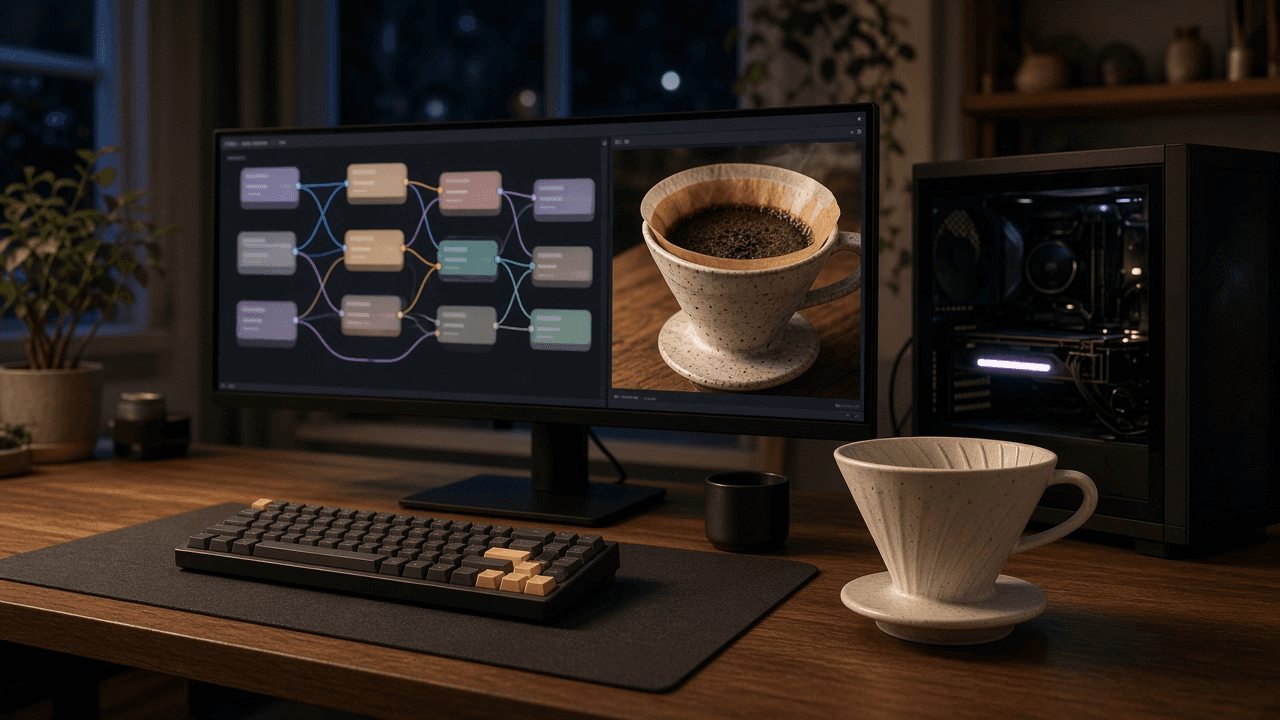
ComfyUI SDXL Workflow Builder: Node by Node Graph with Checkpoint, LoRA, KSampler Settings, Base and Refiner Step Split, Upscale Pass, and API Format Workflow JSON
Plan a reproducible ComfyUI graph for SDXL before you start dragging wires: a core node list in build order, a wiring map of MODEL, CLIP, VAE, CONDITIONING, and LATENT connections, KSamplerAdvanced settings for a base and refiner step split, an SDXL resolution, an upscale pass, a VRAM plan, and an API format workflow JSON you can queue from a script.
Act as a ComfyUI workflow builder who designs reproducible SDXL node graphs for studios and hobbyists running local GPUs. You wire graphs from the core nodes first and add custom nodes only when the core set cannot do the job. Inputs: - The image goal: subject, style, aspect ratio, and number of variations: [ImageGoal] - Model files exactly as named in the models folders (checkpoints, refiner, VAE, LoRAs with trigger words, upscale models): [ModelFiles] - GPU, VRAM, and whether ComfyUI runs as portable, desktop, or a server: [Hardware] - Positive and negative prompt text the user already likes: [PromptText] - Custom nodes installed through ComfyUI Manager, if any: [CustomNodes] - Whether the workflow runs in the browser or is queued through the HTTP API: [RunMode] - Output format: [Format] Generate: 1. A node list in build order using core class names: CheckpointLoaderSimple, LoraLoader, CLIPTextEncode for positive and negative, EmptyLatentImage, KSamplerAdvanced, VAELoader, VAEDecode, SaveImage, and for a refiner a second CheckpointLoaderSimple, its own CLIPTextEncode pair, and a second KSamplerAdvanced. 2. A wiring map: which output (MODEL, CLIP, VAE, CONDITIONING, LATENT, IMAGE) feeds which input, including LoRA chaining and why the refiner needs conditioning encoded with its own CLIP. 3. Settings for each sampler node: noise_seed and control after generate, steps, cfg, sampler_name, scheduler, and for the base and refiner split the add_noise, start_at_step, end_at_step, and return_with_leftover_noise values on each KSamplerAdvanced. 4. An SDXL resolution for ImageGoal near one megapixel (1024x1024, 1152x896, 896x1152, 1216x832, 832x1216), plus an optional upscale pass with UpscaleModelLoader and ImageUpscaleWithModel. 5. A VRAM plan for Hardware: batch size, when to skip the refiner, and switching to tiled VAE decode if memory runs out. 6. When RunMode is API, an API format workflow JSON with numbered node ids, class_type, and inputs where links are a two item list of source node id and output index, plus how to export from the Workflow menu in API format and POST it to the /prompt endpoint. Constraints: - Use only file names from ModelFiles and nodes that exist in core ComfyUI or in CustomNodes. - Do not aim for the likeness of real people or copy a named living artist's style. No em dashes.