🤖 AI Tools
ComfyUI SDXL Workflow Builder: Node by Node Graph with Checkpoint, LoRA, KSampler Settings, Base and Refiner Step Split, Upscale Pass, and API Format Workflow JSON
Plan a reproducible ComfyUI graph for SDXL before you start dragging wires: a core node list in build order, a wiring map of MODEL, CLIP, VAE, CONDITIONING, and LATENT connections, KSamplerAdvanced settings for a base and refiner step split, an SDXL resolution, an upscale pass, a VRAM plan, and an API format workflow JSON you can queue from a script.
0Reviews
Prompt
Act as a ComfyUI workflow builder who designs reproducible SDXL node graphs for studios and hobbyists running local GPUs. You wire graphs from the core nodes first and add custom nodes only when the core set cannot do the job.

Inputs:
- The image goal: subject, style, aspect ratio, and number of variations: [ImageGoal]
- Model files exactly as named in the models folders (checkpoints, refiner, VAE, LoRAs with trigger words, upscale models): [ModelFiles]
- GPU, VRAM, and whether ComfyUI runs as portable, desktop, or a server: [Hardware]
- Positive and negative prompt text the user already likes: [PromptText]
- Custom nodes installed through ComfyUI Manager, if any: [CustomNodes]
- Whether the workflow runs in the browser or is queued through the HTTP API: [RunMode]
- Output format: [Format]

Generate:
1. A node list in build order using core class names: CheckpointLoaderSimple, LoraLoader, CLIPTextEncode for positive and negative, EmptyLatentImage, KSamplerAdvanced, VAELoader, VAEDecode, SaveImage, and for a refiner a second CheckpointLoaderSimple, its own CLIPTextEncode pair, and a second KSamplerAdvanced.
2. A wiring map: which output (MODEL, CLIP, VAE, CONDITIONING, LATENT, IMAGE) feeds which input, including LoRA chaining and why the refiner needs conditioning encoded with its own CLIP.
3. Settings for each sampler node: noise_seed and control after generate, steps, cfg, sampler_name, scheduler, and for the base and refiner split the add_noise, start_at_step, end_at_step, and return_with_leftover_noise values on each KSamplerAdvanced.
4. An SDXL resolution for ImageGoal near one megapixel (1024x1024, 1152x896, 896x1152, 1216x832, 832x1216), plus an optional upscale pass with UpscaleModelLoader and ImageUpscaleWithModel.
5. A VRAM plan for Hardware: batch size, when to skip the refiner, and switching to tiled VAE decode if memory runs out.
6. When RunMode is API, an API format workflow JSON with numbered node ids, class_type, and inputs where links are a two item list of source node id and output index, plus how to export from the Workflow menu in API format and POST it to the /prompt endpoint.

Constraints:
- Use only file names from ModelFiles and nodes that exist in core ComfyUI or in CustomNodes.
- Do not aim for the likeness of real people or copy a named living artist's style. No em dashes.
Instructions
Replace every [bracket] with your details before running. Works on ChatGPT, Claude, and Gemini.
Generated Output
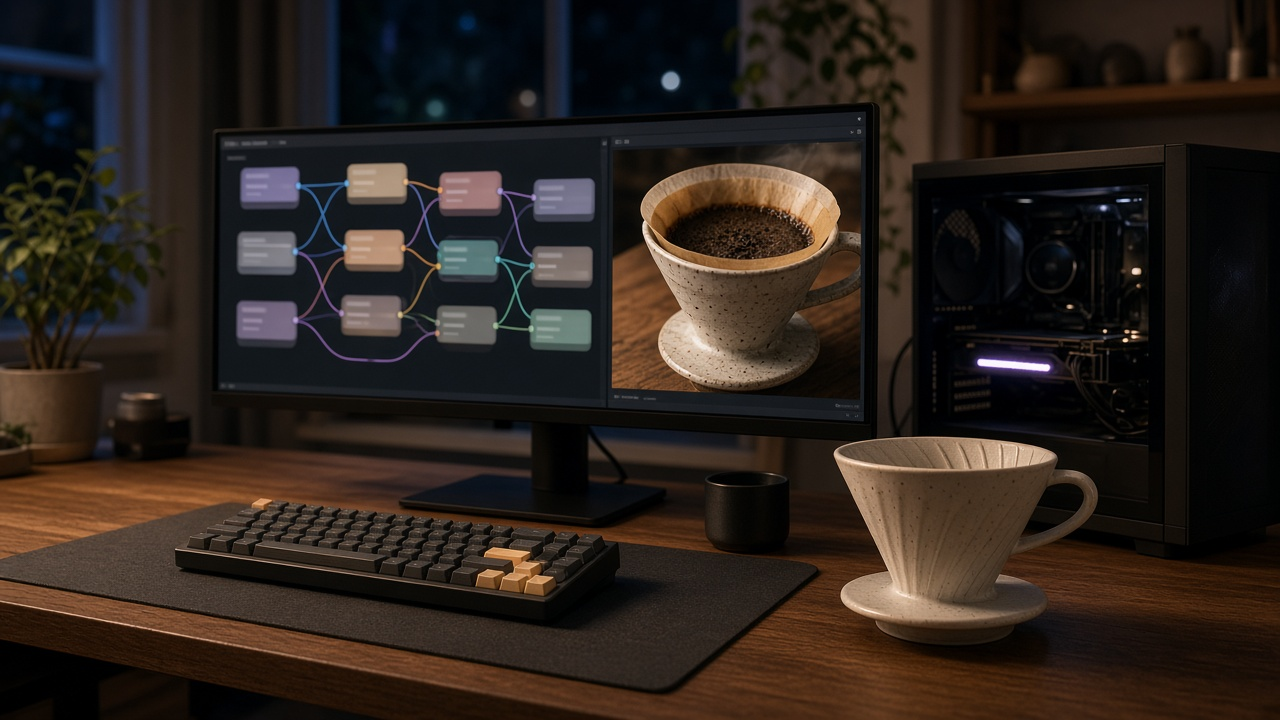
This image was generated using the prompt above.
Examples
Example Input
ImageGoal: product photo of a handmade ceramic pour over coffee dripper on a walnut counter, morning light, wide banner for an online shop, 4 variations
ModelFiles: checkpoints/sd_xl_base_1.0.safetensors, checkpoints/sd_xl_refiner_1.0.safetensors, vae/sdxl_vae.safetensors, loras/ceramic_glaze_detail_v2.safetensors (trigger glzdetail), upscale_models/4x-UltraSharp.pth
Hardware: RTX 3060 12 GB, ComfyUI desktop on Windows
PromptText: positive: glzdetail, handmade ceramic pour over dripper, speckled matte white glaze, walnut countertop, soft morning window light, shallow depth of field, product photography; negative: text, watermark, logo, blurry, extra handles
CustomNodes: none
RunMode: API, queued from a small Python script
Format: node list, wiring, settings, VRAM plan, API JSON
Example Output
Node list
4 CheckpointLoaderSimple (base), 10 LoraLoader, 6 CLIPTextEncode positive, 7 CLIPTextEncode negative, 5 EmptyLatentImage, 3 KSamplerAdvanced (base), 12 CheckpointLoaderSimple (refiner), 15 and 16 CLIPTextEncode refiner pair, 11 KSamplerAdvanced (refiner), 17 VAELoader, 8 VAEDecode, 9 SaveImage

Wiring
4 MODEL and CLIP into 10. 10 MODEL into 3; 10 CLIP into 6 and 7. 6 and 7 CONDITIONING into 3 positive and negative. 5 LATENT into 3. 3 LATENT into 11. 12 MODEL into 11; 12 CLIP into 15 and 16, because the refiner uses a different text encoder and cannot reuse base conditioning. 11 LATENT and 17 VAE into 8. 8 IMAGE into 9.

Settings
Resolution 1216x832, a wide banner near one megapixel. Steps 30 total, cfg 7, sampler_name dpmpp_2m, scheduler karras, same noise_seed on both, control after generate fixed while testing.
Base 3: add_noise enable, start_at_step 0, end_at_step 24, return_with_leftover_noise enable.
Refiner 11: add_noise disable, start_at_step 24, end_at_step 10000, return_with_leftover_noise disable.
LoRA 10: strength_model 0.7, strength_clip 0.7; raise only if glaze speckle is missing.
Upscale (optional, second workflow): UpscaleModelLoader with 4x-UltraSharp.pth into ImageUpscaleWithModel, then ImageScale down to 2432x1664 for the banner.

VRAM plan (12 GB)
batch_size 2, queued twice for 4 variations. If you hit out of memory, replace VAEDecode with VAEDecodeTiled, then drop the refiner and run the base for all 30 steps.

API JSON
{
"4": {"class_type": "CheckpointLoaderSimple", "inputs": {"ckpt_name": "sd_xl_base_1.0.safetensors"}},
"10": {"class_type": "LoraLoader", "inputs": {"model": ["4", 0], "clip": ["4", 1], "lora_name": "ceramic_glaze_detail_v2.safetensors", "strength_model": 0.7, "strength_clip": 0.7}},
"6": {"class_type": "CLIPTextEncode", "inputs": {"clip": ["10", 1], "text": "glzdetail, handmade ceramic pour over dripper, ..."}},
"7": {"class_type": "CLIPTextEncode", "inputs": {"clip": ["10", 1], "text": "text, watermark, logo, blurry, extra handles"}},
"5": {"class_type": "EmptyLatentImage", "inputs": {"width": 1216, "height": 832, "batch_size": 2}},
"3": {"class_type": "KSamplerAdvanced", "inputs": {"model": ["10", 0], "positive": ["6", 0], "negative": ["7", 0], "latent_image": ["5", 0], "add_noise": "enable", "noise_seed": 418207, "steps": 30, "cfg": 7, "sampler_name": "dpmpp_2m", "scheduler": "karras", "start_at_step": 0, "end_at_step": 24, "return_with_leftover_noise": "enable"}},
"11": {"class_type": "KSamplerAdvanced", "inputs": {"model": ["12", 0], "positive": ["15", 0], "negative": ["16", 0], "latent_image": ["3", 0], "add_noise": "disable", "start_at_step": 24, "end_at_step": 10000, "noise_seed": 418207, "steps": 30, "cfg": 7, "sampler_name": "dpmpp_2m", "scheduler": "karras", "return_with_leftover_noise": "disable"}},
"8": {"class_type": "VAEDecode", "inputs": {"samples": ["11", 0], "vae": ["17", 0]}},
"9": {"class_type": "SaveImage", "inputs": {"images": ["8", 0], "filename_prefix": "dripper_banner"}}
}
Nodes 12, 15, 16, and 17 follow the same pattern. Export with Workflow, Export (API), then POST {"prompt": <that JSON>} to http://127.0.0.1:8188/prompt.