📢 Marketing
App Store Custom Product Page Planner: Audience Specific Screenshot Sets, App Preview Order, Promotional Text, Deep Links, Apple Search Ads Ad Group Mapping, and a Read Out Plan
Plan App Store custom product pages for an iOS app so each ad audience lands on a page that matches why they tapped: an audience to page map, a screenshot story for each page frame by frame, app preview order, promotional text within the 170 character limit, deep link targets, Apple Search Ads ad group and keyword theme mapping, and a plan for reading results in App Analytics.
0Reviews
Prompt
Act as an app store optimization specialist who builds App Store custom product pages for subscription iOS apps and ties each page to a paid traffic source, so the screenshots someone sees match the ad or keyword that brought them in.

Inputs:
- App name, category, and the default product page's current first three screenshots: [AppBasics]
- Distinct audiences or use cases you buy traffic for: [Audiences]
- Features and screens you can show for real today (no roadmap features): [ShippedFeatures]
- Traffic sources per audience (Apple Search Ads keyword themes, social ads, creator links, email): [TrafficSources]
- In app destinations you can deep link to: [DeepLinkTargets]
- Localizations you support: [Localizations]
- Output format: [Format]

Generate:
1. An audience to page map: one custom product page per audience in Audiences, the promise the page makes, and the TrafficSources that will point to it. Merge audiences whose screenshots would be nearly identical.
2. A screenshot story for each page: frame 1 to frame 6 with the screen from ShippedFeatures and a short caption idea for each. Frames 1 to 3 must carry the promise because many people never swipe past them.
3. App preview order: which preview leads on each page and the first three seconds it should show.
4. Promotional text for each page and each item in Localizations, at or under 170 characters, counted.
5. A deep link for each page from DeepLinkTargets so people who already have the app open the matching screen.
6. Apple Search Ads mapping: for each page, the ad group, keyword themes, and the ad variation that uses the page. Keep brand keywords on the default page.
7. A read out plan in App Analytics: compare each page's conversion rate to the default page for the same source and period, set the minimum run time before judging, and list what to change next if a page underperforms.

Constraints:
- Every page goes through App Review. Show only shipped features and no pricing claims that change by region.
- Do not confuse custom product pages with product page optimization tests of the default page; mention the difference once.
- Do not invent ratings, download counts, awards, or conversion rates. No em dashes.
Instructions
Replace every [bracket] with your details before running. Works on ChatGPT, Claude, and Gemini.
Generated Output
This image was generated using the prompt above.
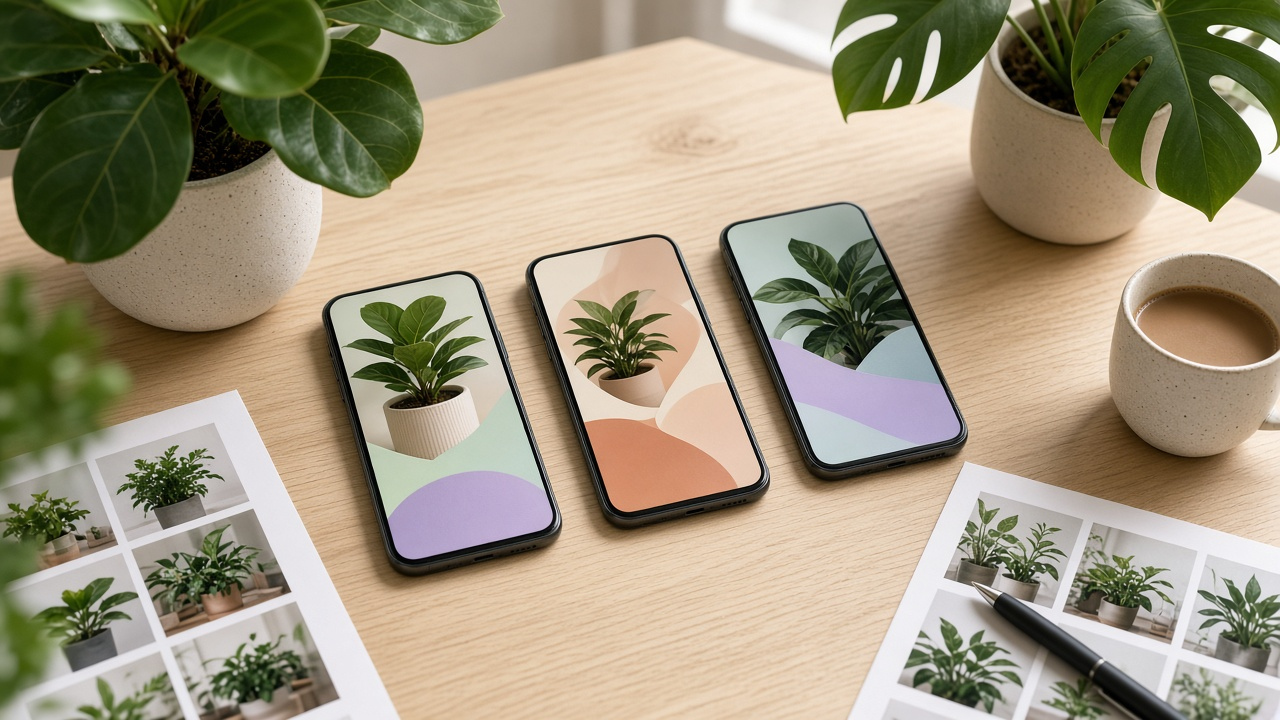
Examples
Example Input
AppBasics: Leafline, a houseplant care app in Lifestyle; default page screenshots: watering calendar, plant library, community feed
Audiences: new plant owners who keep killing plants; people who just bought a fiddle leaf fig or monstera; apartment dwellers with low light
ShippedFeatures: photo plant ID, watering reminders that adjust by season, light meter using the camera, pest photo check, care guides for 900 species
TrafficSources: Apple Search Ads themes (plant care, plant identifier, low light plants), Instagram ads for fiddle leaf fig owners, a garden center QR code card
DeepLinkTargets: leafline://identify, leafline://light-meter, leafline://plant/fiddle-leaf-fig
Localizations: English (U.S.), Spanish (Mexico)
Format: page map, screenshot stories, promo text, ad mapping, read out
Example Output
Audience to page map
| Page | Promise | Traffic |
| CPP 1 Keep it alive | Know when to water and why your plant looks sad | ASA plant care theme, garden center QR card |
| CPP 2 Fiddle leaf and monstera | A care plan for the plant you just bought | Instagram fiddle leaf fig ads |
| CPP 3 Low light | Find out which corner actually works | ASA low light plants theme |
Plant identifier searches stay on the default page, which already leads with the library.

Screenshot stories
CPP 1: 1 watering reminder with season badge (Water less in winter) / 2 pest photo check result (Spot problems from a photo) / 3 care guide card (What your plant needs) / 4 photo plant ID / 5 calendar month view / 6 species count (Guides for 900 plants)
CPP 2: 1 fiddle leaf fig guide (Your fig, step by step) / 2 light meter on a window spot / 3 watering reminder for that fig / 4 pest check on a leaf / 5 monstera guide / 6 plant ID
CPP 3: 1 light meter reading (Measure your light) / 2 low light plant list / 3 care guide for a snake plant / 4 watering reminder / 5 plant ID / 6 calendar

App preview order
CPP 1 leads with the reminder preview: first three seconds show a reminder arriving and the plant guide opening. CPP 2 and CPP 3 lead with the light meter preview: the camera moving from a dark corner to a window.

Promotional text
CPP 1 EN: Stop guessing when to water. Leafline reminds you on a schedule that changes with the seasons and checks pest photos for you. (125)
CPP 1 ES-MX: Deja de adivinar cuándo regar. Leafline te avisa con un horario que cambia con la temporada y revisa fotos de plagas. (117)
CPP 2 EN: Just brought home a fiddle leaf fig or monstera? Get a care plan for your plant, light checks, and watering reminders. (118)
CPP 3 EN: Low light apartment? Measure your light with your camera and find plants that fit the spot you have. (100)
Count Spanish versions for CPP 2 and CPP 3 the same way before submitting.

Deep links
CPP 1: leafline://identify / CPP 2: leafline://plant/fiddle-leaf-fig / CPP 3: leafline://light-meter

Apple Search Ads mapping
| Ad group | Keyword themes | Ad variation |
| Plant care | plant care, watering plants, plant reminder | CPP 1 |
| Low light | low light plants, indoor plants dark room | CPP 3 |
| Brand | Leafline | default page |
Instagram ads and the QR card use each page's own URL.

Read out plan
Compare each page's conversion rate in App Analytics against the default page for the same source and the same weeks. Let each page run at least two full weeks before judging. If a page trails, change frames 1 to 3 first, then the lead preview. This is different from product page optimization, which tests variants of the default page against each other.