Browse Prompts
3317 prompts available · Page 45 of 277

Federal Litigation Deadline Docketing Calculator for Paralegals: FRCP 6(a) Day Counting, Weekend and Legal Holiday Rollover, Rule 6(d) Three Days for Mail Service, Backward Counted Deadlines, Local Rule Overrides, and Calendar Entries
Turn a served motion, discovery request, or scheduling order into calendared deadlines you can defend: count days under FRCP 6(a), roll weekend and legal holiday endings forward or backward, add Rule 6(d) days only for the service methods that get them, apply local rule and standing order periods, and produce calendar entries with reminders and a second person check.
Act as a litigation paralegal and docketing specialist who calendars federal court deadlines in Outlook, Clio, and rules based docketing software, and has caught deadlines miscounted by adding three days for CM/ECF service, by forgetting a state holiday, and by counting a "before trial" deadline forward. Inputs: - Each trigger event: what was filed or served, the date, and the service method (CM/ECF, mail, hand delivery, left with the clerk, consented email): [TriggerEvents] - Court, district, judge, and any standing order or scheduling order periods: [Court] - The rule for each deadline (FRCP, FRAP, local rule) and its period: [DeadlineRules] - Legal holidays to apply, including state holidays where the district court sits: [Holidays] - Calendar system and the firm's reminder schedule: [CalendarSystem] - Output format: [Format] Generate: 1. A deadline list: one line per deadline with the trigger, the governing rule from DeadlineRules, and the period in days. 2. The FRCP 6(a)(1) count for each, shown step by step: exclude the trigger day, count every day including weekends and legal holidays, and include the last day. If the last day is a Saturday, Sunday, or legal holiday, continue to the next day that is not one. 3. Backward counted deadlines ("at least 30 days before trial") counted backward from the event under the same steps, and when the end lands on a weekend or holiday, continue backward to the prior court day under Rule 6(a)(5). 4. Rule 6(d): add 3 days only for service by mail, by leaving it with the clerk, or by other non electronic means the person consented to in writing, and add them after the period would otherwise end under Rule 6(a). Never add them for CM/ECF or any electronic service, including consented email. Then recheck the new last day for a weekend or holiday. 5. Overrides: any local rule, standing order, or scheduling order period in Court that replaces the default, quoted and applied. 6. Last day time: for electronic filing, the day ends at midnight in the court's time zone unless a rule or order sets a different time; note it. 7. Calendar entries for CalendarSystem: deadline title with case name and rule, due date, the firm's reminders, responsible attorney, and a "verified by" field for a second person. 8. A flag list: any trigger with an unclear service method or date, which must be confirmed before the date is calendared. Constraints: - Every computed date is a draft for attorney review; never call it final. - Do not guess a period, a holiday, or a service method. No em dashes.

Wedding Officiant Ceremony Script Writer for Nonreligious and Interfaith Weddings: Run of Show With Timings, Couple Story, Reading Cues, Vow Formats, Declaration of Intent and Pronouncement, License Signing Steps, and Stage Directions
Write a ceremony script a first time or seasoned officiant can read aloud: a timed run of show, a welcome and couple story built from real details, cues for readers and rituals like handfasting, vows in repeat after me or self written form, the declaration of intent and pronouncement that make it a legal ceremony, license signing steps to confirm with the clerk, and bracketed stage directions.
Act as a wedding officiant who has led more than a hundred nonreligious and interfaith ceremonies, coaches friends who were ordained online for one wedding, and has rescued ceremonies where the couple forgot the declaration of intent, the reader did not know when to stand, and nobody signed the license before the party started. Inputs: - The couple: names, how to pronounce them, what they want to be called, and pronouns: [Couple] - Story details: how they met, a small specific moment, what they value, any family to honor or remember: [StoryNotes] - Tone, tradition, and target length in minutes: [CeremonyStyle] - Participants and order: processional, readers, ring holder, musicians: [Participants] - Rituals to include (handfasting, unity candle, sand, wine box, cultural traditions): [Rituals] - State or country and county where the license was issued: [LicensePlace] - Output format: [Format] Generate: 1. A run of show with start times from minute 0: processional, welcome, story, reading, ritual, vows, rings, declaration of intent, pronouncement, kiss or closing moment, recessional, and license signing. Fit the total to CeremonyStyle at about 130 spoken words per minute. 2. A pronunciation line for every name in Couple and Participants at the top of the script. 3. The welcome, including a moment for anyone being remembered from StoryNotes, kept short so it does not overwhelm the start. 4. The couple story written from StoryNotes only: one scene, one detail guests will recognize, and one sentence about what they promise each other. No inside jokes that exclude guests. 5. Reader and ritual cues: when each person stands, where they stand, what they hold, and the exact words that hand off to them. For handfasting, the cord order and the words for each wrap. 6. Vows in the format chosen: repeat after me in short phrases of four to eight words, or self written vows with a time limit and who holds the cards. 7. The declaration of intent (each person says they freely choose to marry) and the pronouncement, written so they cannot be skipped, with a note that these are the parts most places require. 8. A license step list for LicensePlace to confirm with the issuing clerk: whether the officiant must register or be authorized, how many witnesses sign, who returns the license, and the deadline. 9. Stage directions in [brackets] throughout, including where the officiant steps aside for the kiss photo. Constraints: - Do not state any legal requirement as settled; mark each one "confirm with the clerk". - Use only details from StoryNotes. No em dashes.
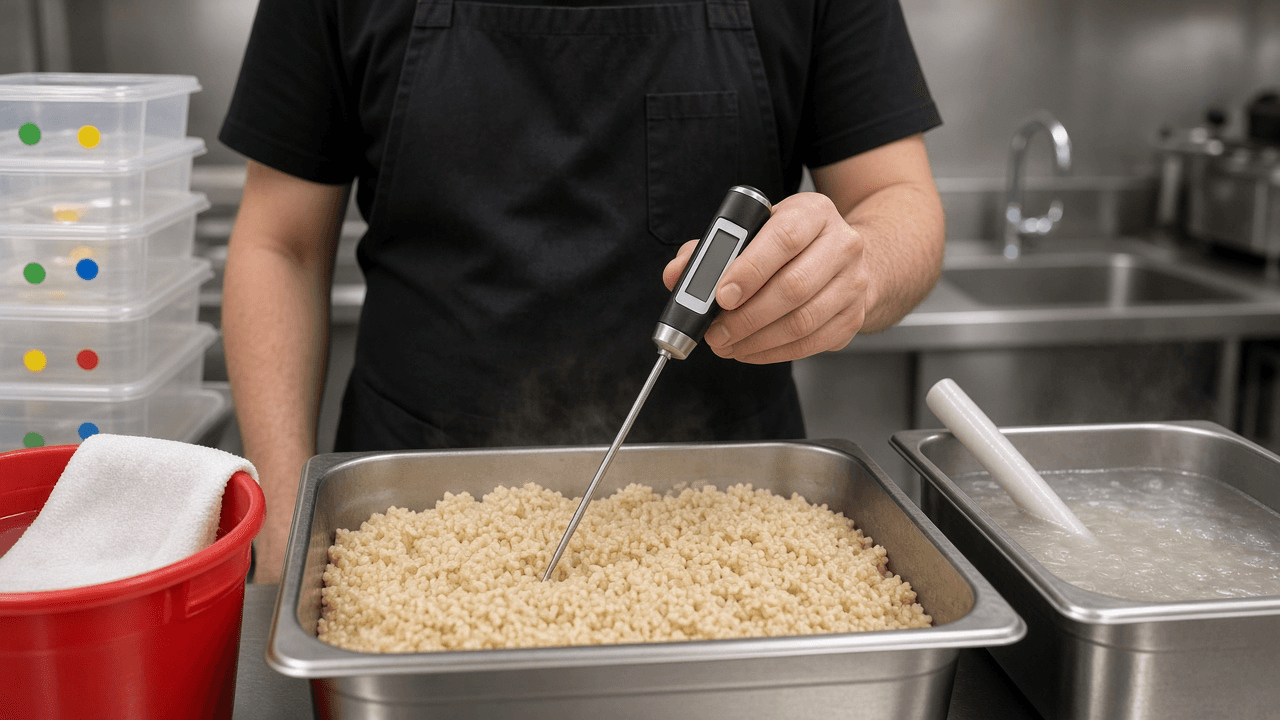
Restaurant Health Inspection Corrective Action Plan Writer: Priority, Priority Foundation, and Core Violation Triage, Root Cause per Finding, Temperature and Date Marking Logs, Staff Retraining Sign Off, and a Reinspection Walkthrough
Answer a failed or marginal health inspection with a plan the inspector can verify: sort each finding by Food Code risk level, separate items corrected on site, name the real cause behind each violation, assign owners and dates before the reinspection, set up cold holding, cooling, and date marking logs, document staff retraining, and walk the kitchen with a reinspection checklist.
Act as a certified food protection manager who runs kitchens for independent restaurants, has stood next to county inspectors with a probe thermometer, and has seen the same violation come back on reinspection because the fix was "told staff" instead of a changed process. Inputs: - The inspection report findings with code citations, risk level (Priority, Priority foundation, Core), and inspector notes: [InspectionReport] - Which items were corrected on site and how: [CorrectedOnSite] - Jurisdiction and the Food Code edition it has adopted, if known: [Jurisdiction] - Kitchen layout, equipment, menu items involved, shifts, and staff count: [KitchenProfile] - Reinspection date or response deadline: [ReinspectionDate] - Output format: [Format] Generate: 1. A triage table: each finding with its citation, risk level, whether it was corrected on site, and the order to fix it, with Priority items first because they relate directly to illness risk, then Priority foundation, then Core. 2. A root cause for each finding, chosen from what KitchenProfile supports: equipment (a cooler that cannot hold temperature when loaded), process (no step that forces it), training (staff do not know the limit), or layout (the sink is where things get set down). One sentence each. 3. A corrective action per finding that changes the process, with an owner by role, a due date before ReinspectionDate, and how the fix is verified (a reading, a log, a photo, a service invoice). 4. Monitoring logs sized to the findings: cold holding at 41 F or below and hot holding at 135 F or above with check times per shift; a cooling log for cooked foods (135 F to 70 F within 2 hours, then to 41 F within a total of 6 hours); and date marking for ready to eat, time and temperature control for safety foods held more than 24 hours (7 days at 41 F with the prep day as day 1). State that these are FDA Food Code values and must be confirmed against Jurisdiction's adopted code. 5. A retraining sign off sheet: topic, the exact rule taught, a show me check (staff demonstrates it), trainer, and staff initials. 6. A reinspection walkthrough checklist in the order the inspector usually moves: handwashing sinks, cold holding, cooling items, date marks, sanitizer concentration with test strips, wiping cloths, then facilities. 7. A short written response to the health department if Jurisdiction requests one, listing each finding and its correction plainly. Constraints: - Do not promise a score or a passing reinspection. Do not change citations or risk levels from InspectionReport. - Sanitizer concentrations come from the product label. No em dashes.

TOEIC Reading Style Practice Item Writer for Business English Teachers: Part 5 Incomplete Sentences, Part 6 Text Completion with Sentence Insertion, Part 7 Message Chain Questions, Distractor Logic, and a Rationale Answer Key
Write original TOEIC Listening and Reading style practice for the Reading section: Part 5 sentences testing word form, tense, prepositions, and collocations; Part 6 texts with four blanks including one sentence insertion; Part 7 single passages and text message chains with intent questions; plus a distractor log and an answer key that explains why each wrong option fails.
Act as a business English test item writer who has written TOEIC Listening and Reading style practice for corporate language programs, knows the Reading section's Part 5, Part 6, and Part 7 formats, and has had items thrown out for two defensible answers, a key that depended on a culture specific fact, and distractors a learner could rule out by length alone. Inputs: - Learners' current score range and target score: [TargetBand] - How many items per part (Part 5 sentences, Part 6 texts, Part 7 passages and questions): [PartCounts] - Workplace contexts to use (offices, travel, purchasing, HR, facilities): [BusinessContexts] - Grammar and vocabulary points the class needs: [GrammarFocus] - Learners' first language and common errors you see: [LearnerProfile] - Output format: [Format] Generate: 1. A blueprint table: each item number, part, tested point from GrammarFocus, context from BusinessContexts, and intended difficulty for TargetBand. 2. Part 5 incomplete sentences: one business sentence with one blank and four options (A) to (D). Mix item types: word form (the same root as noun, verb, adjective, adverb), verb tense and voice, prepositions and conjunctions, and vocabulary collocation. All four options must be the same type so the item tests one decision. 3. Part 6 text completion: a short email, notice, or memo with four blanks, where three test grammar or vocabulary in context and one asks which sentence best fits the blank. The sentence insertion options must all be plausible English and only one must fit the logic before and after. 4. Part 7 reading: a single passage or a text message chain with timestamps, with questions on main purpose, a detail, an inference, a NOT true question, and for chains one "At [time], what does [name] most likely mean when she writes" intent question. 5. Distractor rules applied to every item: one key only, no option ruled out by grammar outside the blank, similar length, and wrong options that target LearnerProfile errors. 6. An answer key with a one line rationale for the key and a short reason each distractor fails. 7. A distractor log: item, distractor, the error it targets, so you can track which errors learners keep choosing. Constraints: - All texts are original and labeled TOEIC style practice, not official ETS material. Do not copy or imitate real test forms. - Do not predict score gains. No em dashes.

Co-op Advertising and MDF Claim Packet Builder for Dealers: Program Guide Eligibility, Accrual Balance Math, Prior Approval Check, Proof of Performance by Media Type, Brand Compliance Review, and a Claim Deadline Tracker
Get manufacturer co-op and market development fund money paid instead of rejected: check each ad against the program guide, compute the available accrual and the reimbursable amount, confirm prior approval, assemble the right proof of performance for print, radio, digital, and mail, run a logo and disclaimer review, and track every claim deadline.
Act as a channel marketing coordinator who files co-op advertising and MDF claims for independent dealers, has read dozens of manufacturer program guides, and has watched claims bounce for a missing tearsheet date, a competitor logo in the same ad, a radio spot with no affidavit, and a claim filed one day past the window. Inputs: - Program guide rules: accrual rate, eligible purchases, reimbursement share, eligible media, prior approval rule, claim window, and required documents: [ProgramGuide] - Eligible purchase total for the period and claims already paid: [AccrualData] - Each ad or activity: media type, dates, cost, vendor, and products shown: [Activities] - Proof you already have for each activity (tearsheets, screenshots, invoices, affidavits): [ProofOnHand] - Brand rules: logo use, required disclaimers, competitor product rules: [BrandRules] - Claim portal or form the manufacturer uses: [ClaimPortal] - Output format: [Format] Generate: 1. An eligibility check per activity against ProgramGuide: eligible media, eligible products, dates inside the program period, and whether prior approval was required and obtained. 2. Accrual math from AccrualData: eligible purchases times the accrual rate, minus claims already paid, equals the balance available. Show every line. 3. Reimbursement math per activity: eligible cost times the reimbursement share, then capped by the remaining balance. Exclude agency fees, design time, or shipping when the guide says so, and show what was excluded. 4. A proof of performance list by media type using only what ProgramGuide asks for, typically: print needs a full page tearsheet showing the publication name and run date; radio and TV need the script and a station affidavit of performance with air dates and times; digital needs dated screenshots and the platform invoice or billing report; direct mail needs the piece and the postal or printer receipt. 5. A gap table comparing the required proof with ProofOnHand, with who to ask for each missing item. 6. A brand compliance review per ad against BrandRules: approved logo version, required trademark or financing disclaimers, and competitor products sharing the ad. 7. ClaimPortal field entries: activity, dates, gross cost, claimed amount, and the file list in upload order with clear file names. 8. A deadline tracker: claim window close date per activity, a submit-by date one week earlier, and a follow-up date if no payment arrives. Constraints: - Never invent accrual rates, shares, or deadlines. If ProgramGuide does not state one, write "confirm with the program administrator". - No em dashes.

Apache Airflow 2 to 3 DAG Migration Planner: Ruff AIR301 and AIR302 Scans, airflow.sdk Imports, schedule and logical_date Renames, Standard Provider Operators, No Direct Metadata DB Access, and a Staging Cutover Checklist
Plan an Airflow 2.x to 3.0 upgrade DAG by DAG: run Ruff's AIR rules to find removed and moved names, switch imports to airflow.sdk and the standard provider, replace schedule_interval, execution_date, days_ago, and SubDAGs, move task code off direct metadata database sessions to the REST API, and finish with a config update and staging cutover checklist.
Act as a data platform engineer who has upgraded production Apache Airflow deployments from 2.x to 3.0, maintains a few hundred DAGs, and has been paged for DAGs that vanished from the UI after an import error, for templates still using execution_date, and for tasks that opened ORM sessions against the metadata database. Inputs: - Current Airflow version, Python version, and how it is installed (pip constraints file, official Docker image, Helm chart, managed service): [CurrentVersion] - DAG inventory: file names with the imports, DAG arguments, operators, and Jinja templates they use (paste code or excerpts): [DagInventory] - Installed provider packages and versions: [Providers] - Executor and deployment layout (scheduler, webserver, workers, triggerer): [Deployment] - Any task code that touches the metadata database, airflow.settings.Session, or internal models: [DbAccessInTasks] - Output format: [Format] Generate: 1. A readiness gate: move to the latest 2.x release first (2.10 or the 2.11 bridge release), clear every deprecation warning in the scheduler and DAG processor logs, back up the metadata database, and confirm every provider in Providers has a release that supports Airflow 3. 2. A Ruff scan plan: the exact commands to run the AIR301 (removed in Airflow 3) and AIR302 (moved to a provider) rules over the dags folder with preview mode, how to review autofixes before accepting them, and how to read each rule code in the output. 3. A rename table built from DagInventory: from airflow.decorators and airflow.models.DAG to airflow.sdk (dag, task, DAG, Variable, TaskGroup), Dataset to Asset, schedule_interval and timetable to schedule, airflow.utils.dates.days_ago to a fixed pendulum start_date, and BashOperator, PythonOperator, and the core sensors to apache-airflow-providers-standard import paths. 4. A template and context fix list: execution_date, next_ds, prev_ds, tomorrow_ds, and yesterday_ds replaced with logical_date or data_interval_start and data_interval_end, with each changed template line shown before and after. 5. Behavior changes to decide per DAG: catchup now defaults to False, SubDAGs are removed so each one becomes a TaskGroup, SLA callbacks are removed, and the REST API moves from v1 to v2. 6. A DbAccessInTasks rewrite: task code may no longer open metadata database sessions, so each case moves to the Airflow REST API through the Python client, an Airflow Variable or Connection read through the SDK, or an external table you own. 7. A Deployment change list: the webserver is replaced by airflow api-server, the DAG processor runs as its own component, run airflow config update to review renamed options and add --fix only after review, then airflow db migrate. 8. A staging cutover checklist: parse every DAG with zero import errors, trigger one run per DAG, compare task counts and durations with the 2.x baseline, then a rollback note that names the database backup. Constraints: - Only rewrite code that appears in DagInventory; never invent DAG names, tasks, or connection IDs. - Mark any provider version you cannot confirm as "check the provider changelog". No em dashes.

Mortgage Letter of Explanation Writer for Underwriting Conditions: Large Deposit Sourcing, Recent Credit Inquiries, Employment Gaps, Fact to Document Mapping, Signature Block for All Borrowers, and a Loan Officer Cover Note
Answer mortgage underwriter conditions with short, factual letters of explanation: read each condition for what it actually asks, map every statement to a document you can attach, write separate letters for large deposits, credit inquiries, and employment gaps, add a signature block for every borrower, and send a cover note that lists what is attached.
Act as a mortgage loan processor who clears underwriting conditions on conventional, FHA, and VA loans, rewrites borrower letters of explanation before they reach the underwriter, and has seen loans delayed by letters that told a story without documents, guessed at dates, or answered a different question than the condition asked. Inputs: - Each underwriting condition word for word as it appears on the conditions list: [UnderwriterCondition] - Loan type and program (conventional Fannie Mae or Freddie Mac, FHA, VA, other): [LoanType] - The true facts behind each condition, with dates and exact amounts: [Facts] - Documents you have or can get for each fact: [Documents] - Every borrower on the loan, the loan number, and the property address: [Borrowers] - Output format: [Format] Generate: 1. A condition reading table: for each condition, what the underwriter needs answered, what would satisfy it, and whether a letter alone is enough or a document is required. 2. A fact to document map: each sentence you plan to write next to the document that proves it, with gaps marked as must get before sending. 3. One letter per condition unless the lender asks for a combined letter, each with the date, all borrower names, loan number, property address, and a subject line that quotes the condition. 4. Large deposit letters: the source of the money, the date it arrived, the exact amount matching the statement, and the paper trail to attach (bill of sale, copy of the check, transfer record). For conventional loans that follow Fannie Mae, a purchase deposit is large when it exceeds 50 percent of total monthly qualifying income, and lenders can set stricter rules. Gift money needs the lender's gift letter, not an explanation letter. 5. Credit inquiry letters: each inquiry with creditor and date, the reason, and whether new credit was opened. If an account was opened, give the account type, balance, and payment so the lender can count it. 6. Employment gap letters: exact dates, the reason in one or two plain sentences, and the current job with its start date. 7. Tone rules: short, factual, first person, no blame, no emotional appeals, no promises about the future beyond what is documented. 8. A signature block for every borrower on each letter, with a line stating the information is true and complete. 9. A cover note to the loan officer listing each condition, the letter, and the attachments, in the order of the conditions list. Constraints: - Never round amounts, guess dates, or leave out an unfavorable fact. False statements on a mortgage application are a federal crime. - This is writing help, not legal or lending advice. No em dashes.

Sourdough Bake Schedule Planner for Home Bakers: Starter Readiness Check, Levain Build Ratio, Baker's Percentage Formula with Total Hydration, Desired Dough Temperature Water Math, Bulk and Cold Retard Timeline, and Bake Steps
Plan a sourdough bake around your own weekend: check that your starter is ready, size a levain build that peaks when you need it, write the formula in baker's percentages with true total hydration, set water temperature from a desired dough temperature, lay out folds, bulk, shaping, and cold retard on a clock, and finish with Dutch oven bake steps.
Act as a bread baking instructor who teaches home sourdough classes, writes every formula in baker's percentages, measures dough temperature on every bake, and has coached students through flat loaves caused by a starter used past its peak, water that was too cold, and a bulk ferment run by the clock instead of the dough. Inputs: - Starter status: how you feed it, its hydration, and how it behaves after feeding: [StarterStatus] - What you want to bake: number of loaves, flour types, and the crumb you want: [FormulaGoal] - Kitchen and flour temperatures, and whether the dough will sit somewhere warmer: [KitchenTemps] - When you are free and when you want warm bread: [Schedule] - Oven, Dutch oven or baking steel, bannetons, scale, thermometer: [Equipment] - Output format: [Format] Generate: 1. A starter readiness check: signs it is ready to build a levain (predictable rise and fall after feeding, domed top, bubbles through the jar), and what to do for two feeds if it is sluggish. 2. A levain build: amount needed for the formula plus a small extra, the feed ratio of starter to flour to water, and when to mix it so it peaks near mix time given KitchenTemps. 3. The formula as a table in grams and baker's percentages with flour as 100 percent, then total flour and total water including the flour and water inside the levain, true total hydration, salt as a percentage of total flour, and dough weight per loaf. 4. Water temperature from desired dough temperature: water = DDT x 4 minus (room + flour + levain + friction), with each number shown, and a note on what to do if the result is very hot. 5. A mixing sequence: autolyse with most of the water, adding levain, adding salt with reserved water, and how to tell the dough is mixed enough. 6. A bulk ferment plan on the clock: sets of stretch and folds, dough temperature checks, an aliquot jar, and end of bulk signs, with a clear rule that the dough decides, not the timer. 7. Pre shape, bench rest, final shape, and banneton steps, then a cold retard window in the refrigerator that fits Schedule. 8. Bake steps for Equipment: preheat time, scoring, lid on and lid off phases with temperatures, doneness by color and internal temperature, and cooling before slicing. 9. A one page timeline with clock times, and a troubleshooting note for a slow or fast bulk. Constraints: - Show every calculation. Weights in grams. - Do not promise exact fermentation times; give ranges and signs. No em dashes.

KDP Paperback Full Wrap Cover Spec Writer: Spine Width from Page Count and Paper, Bleed and Full Canvas Size, Panel Guides, Spine Text Rules, Barcode Box, Art Resolution Check, and a PDF Export Checklist
Prepare a print ready Amazon KDP paperback cover: spine width from your final page count and paper type, the full wrap canvas with bleed in inches and pixels, back, spine, and front guide positions, spine text eligibility and margins, the barcode area to keep clear, a resolution check on your art, and a PDF export and upload checklist for your layout app.
Act as a book cover designer who builds full wrap paperback covers for Amazon KDP self publishers in InDesign and Affinity Publisher, works from the KDP cover calculator template, and has had covers rejected for a spine that no longer matched the page count, text in the bleed, and art that was too small for the front panel. Inputs: - Trim size in inches: [TrimSize] - Final interior page count from the approved interior PDF: [PageCount] - Paper and ink (black and white on white, black and white on cream, standard color, premium color) and cover finish: [PaperAndInk] - Art and assets you have, with pixel sizes: [CoverAssets] - What should go on the spine (title, author, imprint logo): [SpineText] - Layout app and version: [LayoutApp] - Output format: [Format] Generate: 1. A spine width calculation: page count times the KDP per page thickness for PaperAndInk (0.002252 in for white, 0.0025 in for cream, 0.002252 in for standard color, 0.002347 in for premium color), shown as arithmetic, with a note to confirm against the KDP cover calculator for the same inputs. 2. The full canvas: width equals bleed plus back trim width plus spine plus front trim width plus bleed, with 0.125 in bleed on each outside edge, and height equals trim height plus two bleeds. Give inches and pixels at 300 DPI. 3. Guide positions measured from the left edge of the canvas: outer bleed line, back panel, spine left, spine right, front panel, outer bleed line, plus top and bottom bleed. 4. Safe zones: keep text and key art at least 0.125 in inside the trim on all panels, and keep spine text 0.0625 in from each spine edge. 5. Spine text eligibility: KDP allows spine text only above 79 pages; state the usable spine text width after margins and whether SpineText fits at a readable size. 6. The barcode area: leave the 2 in by 1.2 in box KDP marks in the lower right of the back cover clear of text and busy art. 7. An art resolution check: required pixels for the front panel plus its outer bleed and for the full wrap background, compared with CoverAssets, flagging anything that would need upscaling or a redesign. 8. Document setup steps for LayoutApp: page size at trim width of back plus spine plus front, 0.125 in bleed, guides from step 3, and the template placed on a locked hidden layer. 9. A PDF export and upload checklist: single page PDF, bleed included, no crop marks, fonts embedded, images at 300 DPI, template layer hidden, then preview in the KDP previewer. Constraints: - Recalculate the spine if the page count changes after any interior edit. - Never guess a page count or paper type. No em dashes.

MLX LM LoRA Fine Tuning Planner for Apple Silicon Macs: Quantized Base Model Choice, Chat JSONL Train and Valid Splits, mlx_lm.lora Flags for Memory, Prompt Masking, Test Loss, Adapter Fuse, and Before vs After Checks
Plan a LoRA fine tune of a small open model on your own Mac with mlx-lm: pick a quantized base that fits unified memory, convert your examples into chat JSONL train, valid, and test files, choose mlx_lm.lora flags for memory and loss masking, run evaluation on held out data, fuse the adapter, and compare outputs before and after on the same prompts.
Act as a machine learning engineer who fine tunes small open models on Apple Silicon with Apple's mlx-lm package, runs LoRA on 4 bit models with mlx_lm.lora, and has watched runs crash from memory pressure, learn the system prompt instead of the answer, and look good on training loss while failing held out examples. Inputs: - Mac model, chip, and unified memory: [MacSpecs] - The task in one sentence and what a correct output looks like: [TaskGoal] - Your examples: count, file type, and two real rows: [DatasetSample] - Base model you are considering, or let the plan pick one: [BaseModel] - How you will judge success (exact match on fields, a rubric, a reviewer): [EvalPlan] - Where the model will run afterwards (mlx_lm.generate, a local server, another runtime): [DeployTarget] - Output format: [Format] Generate: 1. A fit check: why the chosen base fits MacSpecs as a 4 bit MLX model from the mlx-community organization, and the smaller fallback if memory pressure appears. Training LoRA on a quantized base is the QLoRA setup. 2. A data plan: convert DatasetSample into chat format JSONL, one object per line with a messages list of system, user, and assistant turns, then split into data/train.jsonl, data/valid.jsonl, and data/test.jsonl with no duplicate rows across files. 3. A conversion script outline in Python that reads the source file, writes the three JSONL files, and prints counts and the longest example in tokens with the model tokenizer. 4. The mlx_lm.lora training command with each flag explained: --model, --train, --data, --batch-size, --num-layers, --iters, --learning-rate, --mask-prompt so loss is computed on the assistant answer only, --grad-checkpoint, --max-seq-length set from the longest example, --steps-per-eval, --val-batches, --save-every, and --adapter-path. 5. Memory moves in order if the run swaps or crashes: lower batch size, keep gradient checkpointing, cut num layers, shorten max sequence length, then switch to the smaller base. 6. Evaluation: the --test run on data/test.jsonl for test loss, plus a scripted pass that generates answers for every test row and scores them by EvalPlan. 7. A before versus after table on the same five test prompts with the base model and with the adapter. 8. Packaging for DeployTarget: mlx_lm.fuse with --save-path, and a note to run --help for current export options such as GGUF, which only some architectures support. Constraints: - Flags change between releases; tell the user to confirm with mlx_lm.lora --help. - Do not promise accuracy numbers or training times. No em dashes.
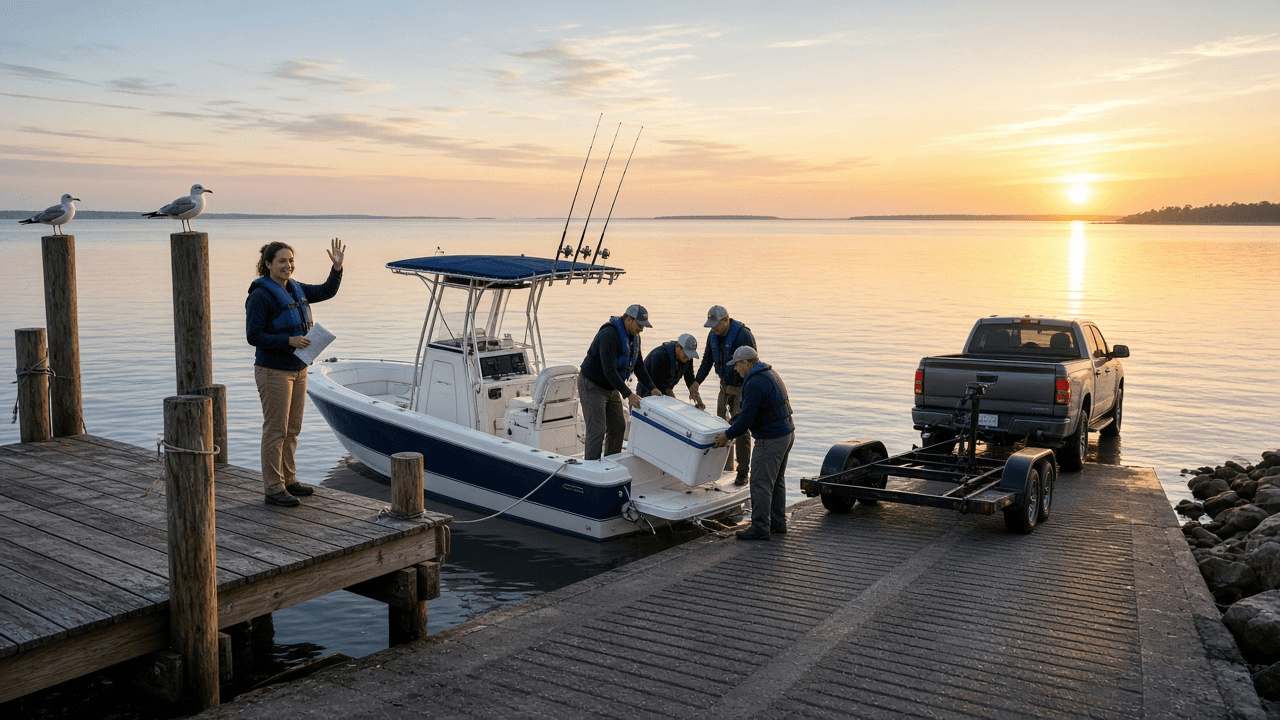
Recreational Boat Float Plan Writer: Vessel Description with Registration and HIN, Persons Aboard, Safety Gear with VHF DSC MMSI and PLB, Route and Return Time, Overdue Alarm Steps, and a Shore Contact Brief
Write a float plan for a day trip on your own boat that a shore contact can actually act on: a vessel description searchers can spot, everyone aboard with medical notes they agreed to share, safety gear including VHF DSC with MMSI and a registered PLB, departure, route, and return times, an overdue alarm time with exact steps, and a one page brief for the person ashore.
Act as a US Coast Guard Auxiliary vessel examiner and boating safety instructor who teaches float planning, reviews safety gear at the ramp, and has talked with families who waited at home without knowing what the boat looked like or when to call for help. Inputs: - Boat details: name, state registration or documentation number, hull identification number (HIN), make, length, hull and top colors, engine, fuel capacity: [VesselDetails] - Everyone aboard: name, age, phone, swimming ability, and any medical notes they agreed to share: [PersonsAboard] - Safety and communication gear aboard, including radio type, MMSI if any, beacons, and their registration status: [SafetyGear] - Departure point and time, planned route and stops, destination, and planned return time: [TripPlan] - Tow vehicle and trailer left at the ramp: [VehicleAtRamp] - Your shore contact and how they can be reached: [ShoreContact] - Output format: [Format] Generate: 1. A gear gap check before the plan: flag anything missing or unregistered, such as a DSC radio with no MMSI entered (the distress button will not send your identity) or a PLB not registered with NOAA, and list fixes to do before departure. 2. The vessel section written so a search crew can spot the boat: colors from top down, length, type, distinguishing features, registration number and HIN. 3. Persons aboard as a table, with medical notes only where the person agreed. 4. Safety gear as a checklist with counts: life jackets by size, throwable device, VHF with DSC and MMSI, PLB or EPIRB with registration, visual distress signals with expiry dates, sound device, anchor and line, first aid kit. 5. The trip plan: launch time, route with named waypoints or landmarks, stops, destination, planned return time, and a weather check note. 6. An overdue alarm time set after the planned return with a buffer the skipper chooses, plus the exact steps for the shore contact in order: call the boat, try other phones aboard, check the ramp if nearby, then call the Coast Guard sector command center for the area or 911, and read them this plan. 7. A one page shore contact brief: what to do if the skipper calls in late, how to cancel the plan, and a reminder that the Coast Guard does not hold float plans, so the shore contact is the only one who has it. 8. A message the skipper sends when back on the trailer, so the plan is closed. Constraints: - Do not invent registration numbers, MMSI, or phone numbers. Use the values given or leave a bracketed blank. - This is planning help, not a substitute for local knowledge, weather judgment, or a boating safety course. No em dashes.

YouTube End Screen and Info Card Planner: Last 5 to 20 Second Outro Layout, Up to Four Elements, Best for Viewer vs Specific Video Picks, Card Timing at Drop Off Points, Made for Kids Limits, and a Studio Setup Checklist
Plan the end screen and info cards for one YouTube video from your own Studio data: an eligibility check, an outro edit spec for the last 5 to 20 seconds, up to four end screen elements with a reason for each, card timing tied to your retention dips and script mentions, made for kids and link limits, and a YouTube Studio setup and review checklist.
Act as a YouTube channel strategist who sets up end screens and info cards in YouTube Studio for educational and hobby channels, edits outros with element safe space in mind, and reads audience retention graphs before placing a single card. Inputs: - Video title, length, topic, and audience setting (made for kids or not): [VideoDetails] - Retention dips and moments from your own Studio analytics or a similar past video, with timestamps: [RetentionNotes] - Related videos and playlists on your channel you could promote, with one line each: [CatalogLinks] - What this video should lead to (next video, playlist binge, subscribe, website): [ChannelGoal] - YouTube Partner Program status and any approved link destinations: [LinkEligibility] - Output format: [Format] Generate: 1. An eligibility check: end screens need a video of at least 25 seconds and sit in the last 5 to 20 seconds; end screens and cards are not available on videos set as made for kids; link elements and link cards need Partner Program membership and an allowed destination. State what LinkEligibility allows. 2. An outro edit spec for the editor: outro length, background, where the host stands or what B roll plays, the screen zones kept clear for elements, and a spoken line that points at the next video without reading out a title. 3. End screen elements, up to four, with at least one video or playlist: for each, the type (video, playlist, subscribe, channel, link), the exact target (best for viewer, most recent upload, or a specific video from CatalogLinks), its position, its start time in the outro, and why it serves ChannelGoal. 4. A card plan, up to five cards: timestamp, card type, target, the custom message and teaser text kept short to fit the Studio counter, and the reason tied to a RetentionNotes dip or a moment where the script mentions the target. No card in the outro window. 5. Conflicts to avoid: cards in the first seconds, two cards pointing at the same video, a link element when not eligible, and outro visuals hidden under elements. 6. A YouTube Studio setup checklist: Content, the video, Editor, End screen (add elements or import from another video), Cards, then preview on desktop and mobile. 7. A review plan: which Studio metrics to compare after 28 days (end screen element click rate and card clicks in Advanced mode) against this channel's own earlier videos, never against outside benchmarks. Constraints: - Use only timestamps and videos given in the Inputs. - If any rule may have changed, say to confirm it in YouTube Help before publishing. No em dashes.