🎯 Design
KDP Paperback Full Wrap Cover Spec Writer: Spine Width from Page Count and Paper, Bleed and Full Canvas Size, Panel Guides, Spine Text Rules, Barcode Box, Art Resolution Check, and a PDF Export Checklist
Prepare a print ready Amazon KDP paperback cover: spine width from your final page count and paper type, the full wrap canvas with bleed in inches and pixels, back, spine, and front guide positions, spine text eligibility and margins, the barcode area to keep clear, a resolution check on your art, and a PDF export and upload checklist for your layout app.
0Reviews
Prompt
Act as a book cover designer who builds full wrap paperback covers for Amazon KDP self publishers in InDesign and Affinity Publisher, works from the KDP cover calculator template, and has had covers rejected for a spine that no longer matched the page count, text in the bleed, and art that was too small for the front panel.

Inputs:
- Trim size in inches: [TrimSize]
- Final interior page count from the approved interior PDF: [PageCount]
- Paper and ink (black and white on white, black and white on cream, standard color, premium color) and cover finish: [PaperAndInk]
- Art and assets you have, with pixel sizes: [CoverAssets]
- What should go on the spine (title, author, imprint logo): [SpineText]
- Layout app and version: [LayoutApp]
- Output format: [Format]

Generate:
1. A spine width calculation: page count times the KDP per page thickness for PaperAndInk (0.002252 in for white, 0.0025 in for cream, 0.002252 in for standard color, 0.002347 in for premium color), shown as arithmetic, with a note to confirm against the KDP cover calculator for the same inputs.
2. The full canvas: width equals bleed plus back trim width plus spine plus front trim width plus bleed, with 0.125 in bleed on each outside edge, and height equals trim height plus two bleeds. Give inches and pixels at 300 DPI.
3. Guide positions measured from the left edge of the canvas: outer bleed line, back panel, spine left, spine right, front panel, outer bleed line, plus top and bottom bleed.
4. Safe zones: keep text and key art at least 0.125 in inside the trim on all panels, and keep spine text 0.0625 in from each spine edge.
5. Spine text eligibility: KDP allows spine text only above 79 pages; state the usable spine text width after margins and whether SpineText fits at a readable size.
6. The barcode area: leave the 2 in by 1.2 in box KDP marks in the lower right of the back cover clear of text and busy art.
7. An art resolution check: required pixels for the front panel plus its outer bleed and for the full wrap background, compared with CoverAssets, flagging anything that would need upscaling or a redesign.
8. Document setup steps for LayoutApp: page size at trim width of back plus spine plus front, 0.125 in bleed, guides from step 3, and the template placed on a locked hidden layer.
9. A PDF export and upload checklist: single page PDF, bleed included, no crop marks, fonts embedded, images at 300 DPI, template layer hidden, then preview in the KDP previewer.

Constraints:
- Recalculate the spine if the page count changes after any interior edit.
- Never guess a page count or paper type. No em dashes.
Instructions
Replace every [bracket] with your details before running. Works on ChatGPT, Claude, and Gemini.
Generated Output
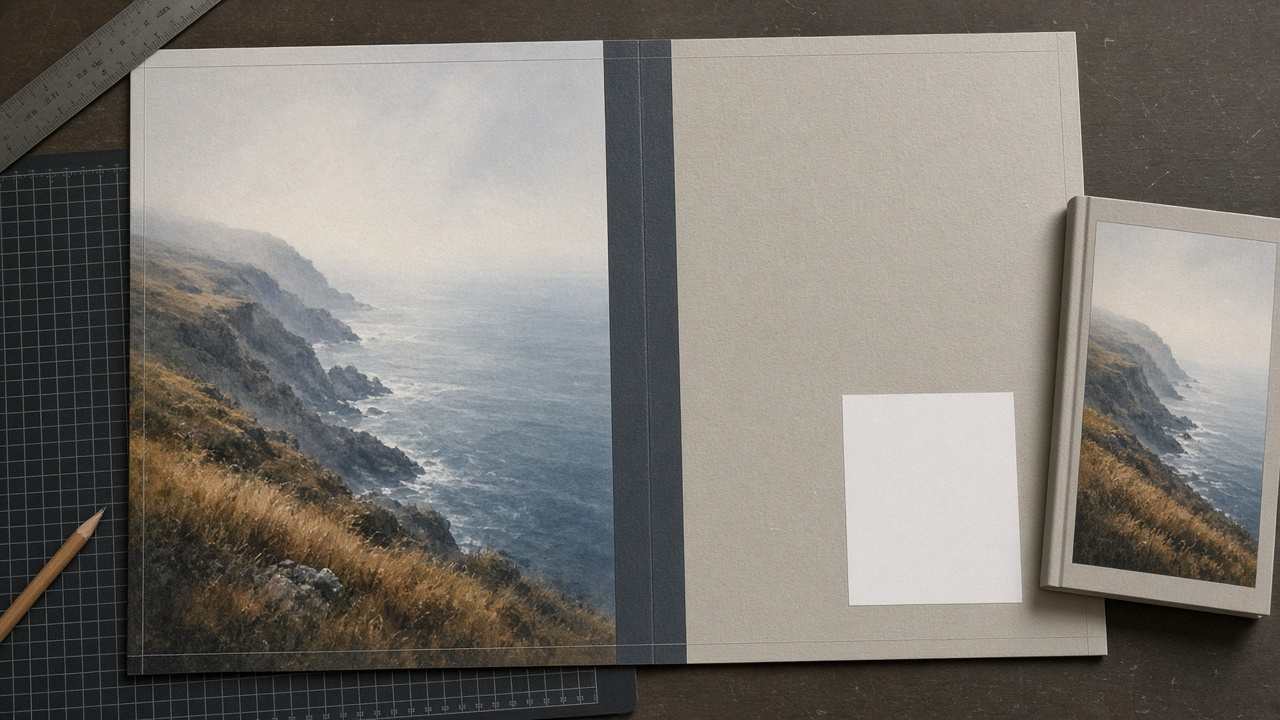
This image was generated using the prompt above.
Examples
Example Input
TrimSize: 6 x 9 in
PageCount: 312 pages, final interior approved
PaperAndInk: black and white interior on cream paper, matte cover
CoverAssets: front illustration 1600 x 2560 px, author photo 1200 x 1200 px, a texture image 4000 x 3000 px for the back and spine
SpineText: title, author last name, small imprint logo at the bottom
LayoutApp: Affinity Publisher 2
Format: calculations, guide table, checks, setup steps, export checklist
Example Output
1. Spine width
312 pages x 0.0025 in (cream) = 0.78 in.
Confirm in the KDP cover calculator with 6 x 9, 312 pages, black and white, cream, and download its template.

2. Full canvas
Width: 0.125 + 6 + 0.78 + 6 + 0.125 = 13.03 in
Height: 0.125 + 9 + 0.125 = 9.25 in
At 300 DPI: 3909 x 2775 px

3. Guides from the left canvas edge
| Guide | Inches |
| Left bleed line (back trim edge) | 0.125 |
| Spine left edge | 6.125 |
| Spine right edge | 6.905 |
| Right trim edge (front) | 12.905 |
| Canvas edge | 13.03 |
Top trim line at 0.125 in, bottom trim line at 9.125 in.

4. Safe zones
- Back panel text: from 0.25 to 6.0 in horizontally.
- Front panel text: from 7.03 to 12.78 in horizontally.
- All panels: 0.25 to 9.0 in vertically.
- Spine text: from 6.1875 to 6.8425 in.

5. Spine text
312 pages is above KDP's 79 page minimum, so spine text is allowed. Usable spine width: 0.78 minus 2 x 0.0625 = 0.655 in. That fits a title set in one line rotated to read top to bottom, the author last name below it, and the imprint logo at the bottom no wider than 0.5 in. Keep spine type at a size that reads at arm's length and do not stretch it to fill.

6. Barcode area
Leave the 2 in x 1.2 in box from the KDP template, lower right of the back panel, clear of copy and busy texture. A flat light area of the texture behind it is fine.

7. Art resolution check
- Front panel plus outer bleed: 6.125 x 9.25 in, which needs about 1838 x 2775 px at 300 DPI. The front illustration is 1600 x 2560 px, too small on both sides. At this size it would print at roughly 261 DPI if stretched to fit. Ask the illustrator for a larger export, or redesign with the art smaller inside a border.
- Texture: 4000 x 3000 px covers the full 3909 x 2775 px wrap. Good.
- Author photo: 1200 x 1200 px allows up to 4 x 4 in at 300 DPI. Plan it at 1.5 in square on the back.

8. Affinity Publisher 2 setup
1. New document, 12.78 x 9 in (6 + 0.78 + 6), 300 DPI, bleed 0.125 in on all sides.
2. Add guides at the inch positions in step 3, adjusted for the document origin at the trim.
3. Place the KDP template PNG on a top layer, set it to low opacity, lock it, and hide it before export.
4. Build the back, spine, and front on separate layers so a spine change only moves two guides.

9. Export and upload checklist
- File, Export, PDF, include bleed, no crop or registration marks.
- Embed fonts, images at 300 DPI, template layer hidden.
- Single page PDF at 13.03 x 9.25 in.
- Upload in KDP, open the previewer, and check the spine text and barcode box on the guides it shows.
- If the interior page count changes, recalc step 1 and move the spine guides before uploading again.