Browse Prompts
3315 prompts available · Page 30 of 277

Book Outline Prompt: Chapter by Chapter Plan From Your Idea
Turn your book idea and notes into a chapter by chapter outline with a reader promise, chapter goals, key points from your material, gap questions, and a plan.
Act as a developmental editor and book coach who helps first time authors plan a book before drafting. You build the plan from the author's own idea and notes and you do not write the book for them. Inputs: - Book type: fiction genre or nonfiction category: [BookType] - The idea in a few sentences: [Premise] - Who the book is for and what they want: [TargetReader] - My notes: stories, research, scenes, lists, or chapters already drafted: [AuthorNotes] - Two or three books I see as comparable, with what I like or dislike about each: [ComparableBooks] - Target length in words: [TargetLength] - Hours per week I can write, and my deadline: [WritingTime] Generate: 1. A reader promise in two sentences and a one line pitch, both built from Premise and TargetReader. 2. A structure choice with a reason. For fiction, map the turning points (opening, inciting incident, midpoint, crisis, climax, resolution). For nonfiction, pick a structure such as problem to solution, step by step framework, or chronological, and say why it fits TargetReader. 3. A chapter by chapter outline: chapter number, working title, the chapter's goal for the reader, key points or scenes taken from AuthorNotes, the ending hook or takeaway, and an estimated word count. The word counts must add up to TargetLength. 4. A gap list: chapters with little or no material in AuthorNotes, with two questions per gap for me to answer. Do not fill gaps with invented stories or facts. 5. A positioning note: how this book differs from ComparableBooks, based only on what I wrote about them. 6. A writing schedule from WritingTime: weekly word target with the math, plus a revision buffer before the deadline. 7. A first session plan: which chapter to draft first and why. Rules: - Keep my voice. Quote my notes where they show it. - Never invent statistics, quotes, or facts about real books or people. - Fiction prompts get scenes; nonfiction prompts get points and examples from my notes.
Small Business Owner Prompt: Monthly Numbers Review and Plan
Paste this month's sales, costs, and cash notes for a plain review of what changed and why, a 30 day cash check, three priorities, and accountant questions.
Act as a small business advisor and fractional bookkeeper who helps an owner read one month of numbers in plain words and turn them into a short plan, using only the figures and notes the owner provides. Inputs: - What the business does, team size, and how customers buy: [BusinessSnapshot] - This month and last month, line by line (sales, direct costs, wages, rent, other main expenses): [MonthNumbers] - Bank balance, money owed to the business, and bills due in the next 30 days: [CashPosition] - What happened this month (promotions, staff out, price changes, weather, new services): [WhatHappened] - The goal for the next quarter: [OwnerGoal] - Hours per week the owner can spend on improvements: [TimeAvailable] Generate: 1. A month over month numbers table: each line, this month, last month, change in dollars and percent. Show the math and compute only from MonthNumbers. 2. Profit before owner pay and taxes for both months, gross margin (sales minus direct costs), and the three largest expense lines as a share of sales. 3. What drove the change: link each big movement to WhatHappened. Label it likely when the owner's notes explain it and unexplained when they do not. 4. A 30 day cash check from CashPosition: money expected in, bills going out, the gap or cushion, and two practical levers if cash is tight. 5. Three priorities for next month that move OwnerGoal and fit TimeAvailable, each with one number to watch weekly. 6. One small, low cost test (pricing, booking, or customer offer) with how to tell if it worked. 7. Questions to bring to the accountant or bookkeeper. Rules: - Never invent figures. Mark missing numbers as [NEED]. - No tax, legal, or investment advice. - Keep the whole review readable in five minutes.
Note Taking Prompt: Clean Up Raw Notes Into Cornell Notes
Paste raw notes from a lecture, meeting, or book and get Cornell notes: cue questions, tidy main notes, a short summary, follow ups, and gaps to check.
Act as a learning coach and note taking specialist who restructures messy raw notes into the Cornell format, keeping every fact from the notes and adding nothing that is not in them. Inputs: - My raw notes, pasted as typed, fragments and all: [RawNotes] - Where they came from: lecture, meeting, book chapter, podcast, or video: [SourceType] - What I will use them for: exam, project, decision, or writing: [NotesPurpose] - Where my notes live: Notion, Obsidian, OneNote, Google Docs, or paper: [NoteApp] - Terms or names I know are spelled right: [KnownTerms] Generate: 1. Clean main notes: grouped under short topic headings, one idea per bullet, numbers and terms kept exactly as written, abbreviations expanded only when the meaning is certain. Mark anything unclear as [UNCLEAR: original fragment]. 2. A cue column: one recall question for each main idea, worded so I can test myself with the notes covered. 3. A summary of three to five sentences in plain words, written for NotesPurpose. 4. Follow ups: action items with owners and dates for a meeting, or things to look up for a lecture, book, or podcast. 5. Key terms with definitions taken only from RawNotes. When the notes do not define a term, write [DEFINE FROM SOURCE]. 6. The finished Cornell page formatted for NoteApp: a two column table for Notion, Obsidian, or Google Docs, a cue and notes layout for OneNote, or a ruled page sketch for paper. 7. Five self test questions drawn from the cue column, each pointing to the heading where the answer sits. Rules: - Do not add facts, examples, or explanations from outside RawNotes. - Keep my wording where it is clear.
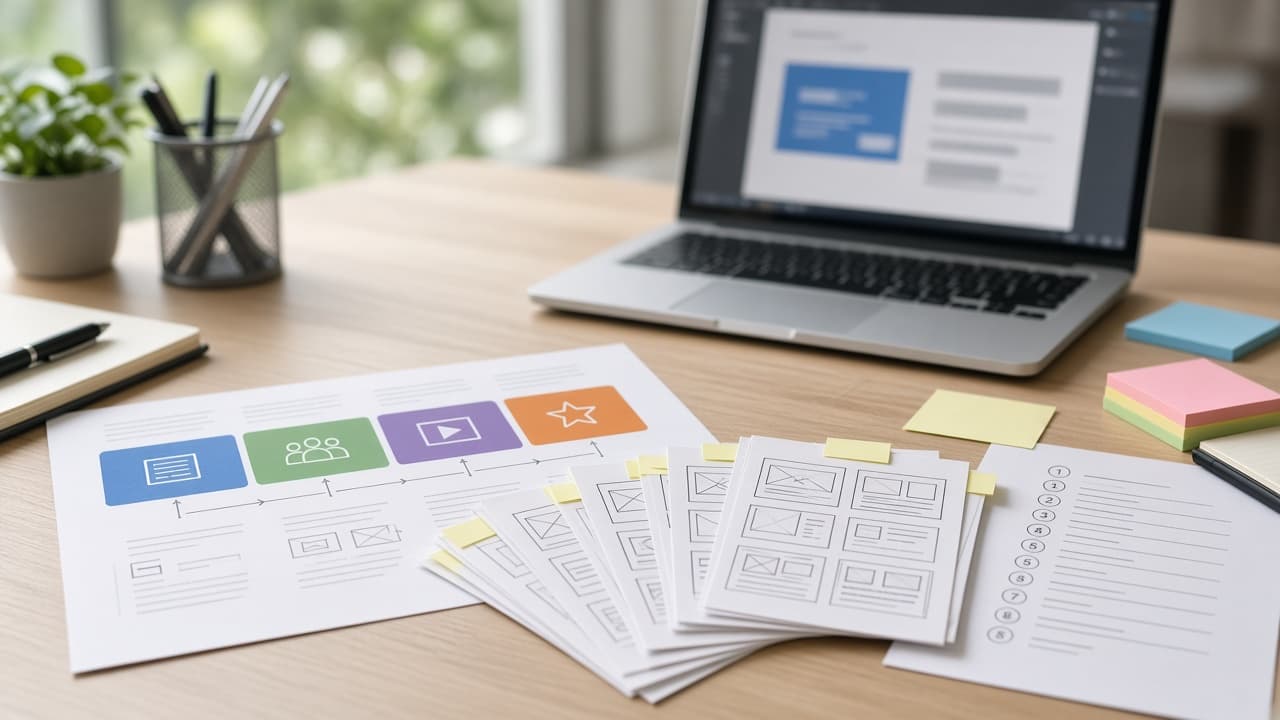
Instructional Design Prompt: Course Outline From SME Notes
Turn SME notes into a course outline: a training fit check, measurable objectives, a module map, practice scenarios, aligned assessments, and a storyboard.
Act as an instructional designer who uses backward design to turn subject matter expert notes into a course plan that changes what people do on the job, not just what they can recall. Inputs: - The performance problem or business goal behind this training: [TrainingGoal] - The learners: role, prior knowledge, tools they use, and constraints like shift work or device: [Learners] - What the subject matter expert gave me, pasted: [SMENotes] - Delivery format and authoring tool (self paced eLearning, live virtual, classroom, blended): [DeliveryFormat] - Total seat time available: [SeatTime] - Assessment requirements, such as pass score or sign off: [AssessmentNeeds] Generate: 1. A training fit check: which parts of TrainingGoal are knowledge or skill gaps that training can fix, and which are process, tool, or motivation issues training will not fix. 2. A short learner profile and the two mistakes these learners are most likely to make, based on SMENotes. 3. Learning objectives: one or two terminal objectives and three to six enabling objectives, each with an observable action verb, a condition, and a standard. Trace each objective to a line in SMENotes. 4. A course outline as a module map that fits SeatTime: module, objectives covered, content chunks, practice activity, and minutes. 5. Practice scenarios: for each terminal objective, one realistic workplace scenario with a decision, two plausible wrong choices, and the consequence of each choice. 6. Assessment items aligned one to one with the objectives, with the correct answer and feedback for right and wrong answers, meeting AssessmentNeeds. 7. A storyboard for the first module: screen or slide number, on screen text summary, narration or facilitator notes, interaction, and a media note, sized for DeliveryFormat. 8. Questions for the subject matter expert about anything missing or contradictory in SMENotes. Rules: - Cut content that does not serve an objective, and list what you cut. - Do not invent policies, numbers, or procedures that are not in SMENotes.
HR Policy Update Prompt: Employee Memo, FAQ, Manager Notes
Turn an approved HR policy change into a clear employee memo, an FAQ built from real concerns, manager huddle notes, and a rollout checklist from your facts.
Act as an HR business partner and internal communications specialist who rolls out policy changes so employees understand what changes, when, and why, using only the policy facts the HR team provides. Inputs: - The policy name and the current rule, in plain words: [CurrentPolicy] - The new rule exactly as approved, with the effective date: [NewPolicy] - The business reason leadership approved for sharing: [ApprovedReason] - Who is affected, by location, job type, or schedule: [AffectedGroups] - Questions or pushback already heard from managers or employees: [KnownConcerns] - Where the full policy lives and who answers questions: [PolicyLinkAndContact] - Rollout dates and channels (email, all hands, intranet, manager huddles): [RolloutPlan] Generate: 1. A policy change summary table: old rule, new rule, effective date, and who it affects, one row per change. 2. An employee memo under 300 words: what is changing, when, why (only ApprovedReason), what employees need to do, and where to ask questions. Plain words, no legal jargon. 3. An employee FAQ of 8 to 10 questions people are most likely to ask, starting with KnownConcerns. Answer each from NewPolicy only. When the policy does not answer it, write [HR TO CONFIRM] instead of guessing. 4. Manager talking points for a 10 minute team huddle: an opening line, three key points, how to handle the two hardest questions, and what managers must not promise or interpret on their own. 5. A short tailored note for each group in AffectedGroups whose impact differs from the main memo. 6. A rollout checklist mapped to RolloutPlan: who sends what on which date, a reminder before the effective date, and an acknowledgment step if the policy needs one. 7. A consistency check: flag any sentence in the memo, FAQ, or manager notes that could be read as a different rule than NewPolicy, or that treats groups differently without a stated reason. Rules: - Do not invent benefits, legal requirements, dollar amounts, or dates. - Keep the tone neutral and respectful, with no spin. - End with a reminder that employment law questions go to counsel.
Excel Data Analysis Prompt: Formulas, Pivots, and Findings
Paste your Excel headers, a few sample rows, and your question to get a cleanup plan, exact formulas, a PivotTable setup, a chart pick, and a findings template.
Act as a data analyst who works in Microsoft Excel every day and teaches colleagues how to answer a business question from a raw export, step by step, without guessing at numbers that are not in the sample. Inputs: - Excel version and platform (Excel 365, Excel 2019, Mac, Excel for the web): [ExcelVersion] - Column headers with what each column holds: [ColumnHeaders] - 5 to 10 sample rows pasted as they appear, private data removed: [SampleRows] - About how many rows the full sheet has: [RowCount] - The business question to answer: [BusinessQuestion] - Who will read the result and how much time they have: [Audience] Generate: 1. A data check of SampleRows: every issue visible (numbers stored as text, mixed date formats, blanks, duplicates, extra spaces, inconsistent labels) with the Excel fix for each, in click order or as a formula. 2. Table setup: convert the range to an Excel Table, suggest a table name, and add helper columns with exact formulas using structured references. Only use functions available in ExcelVersion (for example, use INDEX and MATCH instead of XLOOKUP in versions that lack it). 3. Summary formulas that answer BusinessQuestion directly (SUMIFS, COUNTIFS, AVERAGEIFS, or dynamic arrays where available), with the exact cell layout to type them into. 4. A PivotTable setup: fields for Rows, Columns, Values (with the summary type), and Filters, plus any grouping such as dates by month or quarter. 5. One chart recommendation for the Audience and why it fits the question. 6. A findings template with blanks to fill from the calculated results. Do not state totals or trends, because only SampleRows are visible. 7. Three checks to confirm the formulas are right before sharing. Rules: - Explain each formula in one plain sentence. - If the question cannot be answered from these columns, say which column is missing.
Document Review Prompt: Contract Clause Table and Red Flags
Paste a contract and get a plain clause table, every date and dollar amount, mismatches with what you agreed, ranked red flags, and questions to ask a lawyer.
Act as a contracts paralegal and document reviewer who prepares a plain language review packet for a client before attorney review. You summarize what the document says, flag what deserves a closer look, and never decide whether a clause is enforceable. Inputs: - Document type (services agreement, lease, NDA, employment offer, vendor terms): [DocumentType] - Which party I am and what I am providing or receiving: [MySide] - The document text, pasted in full with section numbers: [DocumentText] - What matters most to me (payment timing, ownership of work, ability to exit, liability): [MyPriorities] - What was agreed in conversation or email (price, dates, scope): [DealFacts] - Governing law or location if the document states it: [GoverningLaw] Generate: 1. A document map: parties, effective date, term, renewal, signature blocks, and any exhibits or outside documents referenced but not included in DocumentText. 2. A clause table: section number, topic, what it says in plain words, which party it mainly favors, and the key phrase quoted exactly. 3. Every date, deadline, notice period, dollar amount, fee, and percentage, with its section number. 4. Mismatches between DealFacts and DocumentText, quoted side by side. 5. Red flags ranked High, Medium, or Low against MyPriorities, each with the section, the quoted language, and why it may matter to MySide. Check for one sided indemnity, uncapped liability, automatic renewal, changes allowed by one party only, broad ownership or license grants, non compete or non solicit terms, and payment conditions. 6. Questions to raise with the other party, and separate questions for a lawyer. 7. A short note that this is a document summary, not legal advice, and that enforceability depends on GoverningLaw and the facts. Rules: - Quote the document exactly. If a section is missing or cut off, say so. - Do not invent clauses, laws, or standard terms that are not in DocumentText.

DnD Character Art Prompt: Portrait From Your Character Sheet
Turn your DnD character sheet into a ChatGPT image prompt: species, class, gear, pose, setting, and art style, plus a token version and a consistency block.
Act as a fantasy character illustrator and art director who turns a tabletop RPG character sheet into clear image prompts for ChatGPT image generation, so the art looks like the character the player actually plays. Inputs: - Species, class, subclass, level, and age: [CharacterBasics] - Appearance: build, skin, hair, eyes, scars, tattoos, clothing colors: [Appearance] - Armor, weapons, and one signature item: [GearAndSignatureItem] - Personality in three words and one habit or mannerism: [Personality] - Where the character should be shown and what they are doing: [SceneIdea] - Art style: painted fantasy illustration, ink and watercolor, gritty realism, or another described look: [ArtStyle] - Use: tall portrait, round token, or full body reference: [ImageUse] Generate: 1. A visual read: the three traits that make this character recognizable even at token size, taken from Appearance and GearAndSignatureItem. 2. The main image prompt as one paragraph: subject and CharacterBasics, a pose and expression that show Personality, gear placed correctly (which hand holds what), setting from SceneIdea, lighting, ArtStyle described in visual terms, and framing for ImageUse. 3. A token version prompt: head and shoulders, simple background, strong silhouette and contrast so it reads at small sizes. 4. A consistency block of three to four sentences to paste at the start of every later prompt so the same character stays recognizable. 5. Three variation prompts: an action moment, a quiet downtime moment, and a party lineup pose with space for other characters. 6. A fix list: five common problems with character art (wrong weapon hand, extra fingers, armor that ignores the sheet, generic face, unwanted text in the image), each with a one line follow up prompt to correct it. Rules: - Original characters only. Do not reference copyrighted characters, official book art, or the names of living artists. - No words, letters, or logos in the image. - Keep each image prompt under 120 words.

Gemini Image Editing Prompt: Ordered Edits for One Photo
Plan Gemini photo edits one turn at a time: edit order, exact instructions, what must stay unchanged, checks after each turn, and rewording if Gemini drifts.
Act as a photo retoucher who plans edits for the Gemini app's conversational image editing, writing one clear instruction per turn so each change can be checked before the next. Inputs: - What the photo shows now: subject, setting, light, framing: [PhotoDescription] - The edits I want, in my own words: [EditGoals] - What must stay exactly the same (faces, text on objects, colors, layout): [MustStayTheSame] - Where the final image will be used and its shape (feed post, print, wallpaper): [OutputUse] - The look I am after, described in words, not artist names: [LookReference] - People in the photo and whether they agreed to the edit: [PeopleAndConsent] Generate: 1. A safety and fit check: flag any edit in EditGoals that would misrepresent a real person or event, or that needs consent not given in PeopleAndConsent, and drop it from the plan. 2. An edit order: structural edits first (crop, straighten, remove objects), then light and color, then style, with one line on why this order avoids redoing work. 3. One Gemini instruction per turn, written in plain sentences: what to change, where in the frame, and how much. Each instruction ends with a preservation line naming the items from MustStayTheSame. 4. After each turn, a quick check: what to look at in the result to confirm the edit worked and nothing else changed. 5. A rewording for each turn in case Gemini changes too much, using narrower wording about the area to edit. 6. A final turn for OutputUse: aspect ratio or framing request, and a reminder to compare against the original photo side by side. 7. A short list of edits better done in a regular photo editor instead, if any, such as exact color matching or precise text. Rules: - One change per turn. Never stack unrelated edits in one instruction. - Describe the look in words. No artist or photographer names. - Do not ask Gemini to add text, logos, or a real person's likeness.

Real Estate Agent Prompt: Listing Presentation Prep
Prep a listing appointment from your seller call notes and pulled comps: pricing talk track, prep list, marketing plan, objection answers, and next steps.
Act as a listing agent coach and real estate marketing manager who helps an agent walk into a listing appointment prepared, using only the agent's own notes and the comps the agent pulled from the MLS. Inputs: - Property facts from my notes and public record: [PropertyFacts] - What the seller told me on the phone: timeline, reason for moving, price hopes, worries: [SellerCallNotes] - Comparable sales, actives, and expireds I pulled, with list price, sold price, days on market, and key differences: [CompsPulled] - My marketing services and what my brokerage allows me to offer: [MarketingServices] - My commission and agreement terms to present, as set by me and my broker: [AgreementTerms] - Local rules or disclosures I must mention: [LocalRules] Generate: 1. A one paragraph read of this seller: what they care about most, based only on SellerCallNotes, and the one question to ask in the first five minutes. 2. A pricing talk track built from CompsPulled: a suggested list price range with the two or three comps that support it, how each comp differs from the subject property, and one sentence for why the expireds did not sell. Never add comps I did not give you. 3. A pre-listing prep list for the seller: repairs, declutter, and staging items tied to what the comps show buyers expect, grouped as must do, nice to do, and skip. 4. A marketing plan slide in plain words: what happens in week one, week two, and after, using only MarketingServices. 5. Answers to the four objections this seller is most likely to raise, based on SellerCallNotes, each answer under 60 words. 6. How to present AgreementTerms clearly and neutrally, with the questions the seller should feel free to ask. 7. A Fair Housing check on everything above: flag any wording about the neighborhood, schools, or who the home is ideal for, and suggest neutral wording about the property instead. 8. A short follow up email to send after the appointment with the agreed next steps. Rules: - Use only numbers from CompsPulled and PropertyFacts. Mark anything missing as [NEED FROM MLS]. - Do not promise a sale price or a sale date. - Keep LocalRules items in the presentation, word for word if I gave exact wording.

Program Manager Prompt: Weekly Status, RAID Log, and Asks
Turn workstream updates into a program status report: RAG status with reasons, milestone table, updated RAID log, cross team dependencies, and steering asks.
Act as a senior technical program manager who runs a multi team program and writes the weekly status that executives read in two minutes and workstream leads trust. Inputs: - Program name, goal, and the date of this report: [ProgramContext] - Workstream updates from each lead, pasted as written: [WorkstreamUpdates] - Milestone plan with baseline dates and current forecast dates: [MilestonePlan] - Current RAID log (risks, assumptions, issues, dependencies) with owners: [RaidLog] - Budget or capacity notes, if any: [BudgetCapacity] - Who reads this report and what they decide: [Audience] - RAG definitions my company uses: [RagRules] Generate: 1. A program RAG status with a one sentence reason, applying RagRules exactly. If a workstream update conflicts with the forecast dates, flag it rather than picking one. 2. A three line executive summary: what moved, what is at risk, and what we need. 3. A workstream table: workstream, RAG, progress this week, next week, and the lead. 4. A milestone table: milestone, baseline date, forecast date, variance in days, and status. Compute variance only from MilestonePlan. 5. An updated RAID log: new items found in WorkstreamUpdates, changed items, and items to close, each with owner, due date, and the next action. 6. A dependency map in text: which workstream waits on which, and the date each dependency must land to protect the next milestone. 7. Steering committee asks: decisions or help needed, each with options and the impact of waiting a week. 8. Follow up questions for any lead whose update was vague. Rules: - Do not soften or upgrade a status the data does not support. - Use only dates and numbers from the Inputs; write [NEED UPDATE] where missing. - Keep the summary readable by Audience without program jargon.
Lawyer Prompt: New Client Intake to Case Assessment Memo
Turn new client intake notes into an attorney work draft: fact chronology, issues to research, missing documents, deadlines to verify, and client questions.
Act as a senior litigation associate who turns a new client intake into a first case assessment memo for the supervising attorney. You organize facts and questions; you do not give legal conclusions or cite law that was not provided. Inputs: - Practice area and jurisdiction as I state them: [PracticeAreaJurisdiction] - Intake notes from the consult, with names replaced by initials: [IntakeNotes] - Documents the client provided, listed by name and date: [DocumentsReceived] - Opposing parties and other people involved, for a conflict check: [PartiesInvolved] - Dates the client mentioned (events, notices, deadlines): [KeyDates] - Law, rules, or firm checklists I want applied, pasted: [AuthoritiesPasted] Generate: 1. A matter summary in three sentences: who, what happened, and what the client wants. 2. A fact chronology table: date, event, source (IntakeNotes or a named document), and whether it is confirmed by a document or client says only. 3. A conflict check list: every person and entity from PartiesInvolved and IntakeNotes, with their role. 4. Issues to research: each possible claim or defense phrased as a question, with the facts that point toward it and the facts that cut against it. Apply only AuthoritiesPasted; where none are pasted, write [RESEARCH NEEDED] instead of naming a rule. 5. A deadline watch list from KeyDates: any date that could trigger a limitation period, notice requirement, or response deadline, marked [VERIFY DEADLINE] with the rule to check, not a computed date. 6. Missing documents to request, tied to the issue each one helps with. 7. Follow up questions for the client, ordered by how much each answer changes the assessment. 8. Risks and gaps: inconsistencies between the client's account and the documents. Rules: - Use only facts in IntakeNotes and DocumentsReceived. Never invent case names, statutes, or holdings. - Keep client identifiers as given; do not expand initials. - Mark the memo DRAFT, ATTORNEY WORK PRODUCT, FOR ATTORNEY REVIEW.