Browse Prompts
20 prompts available in video · Page 2 of 2
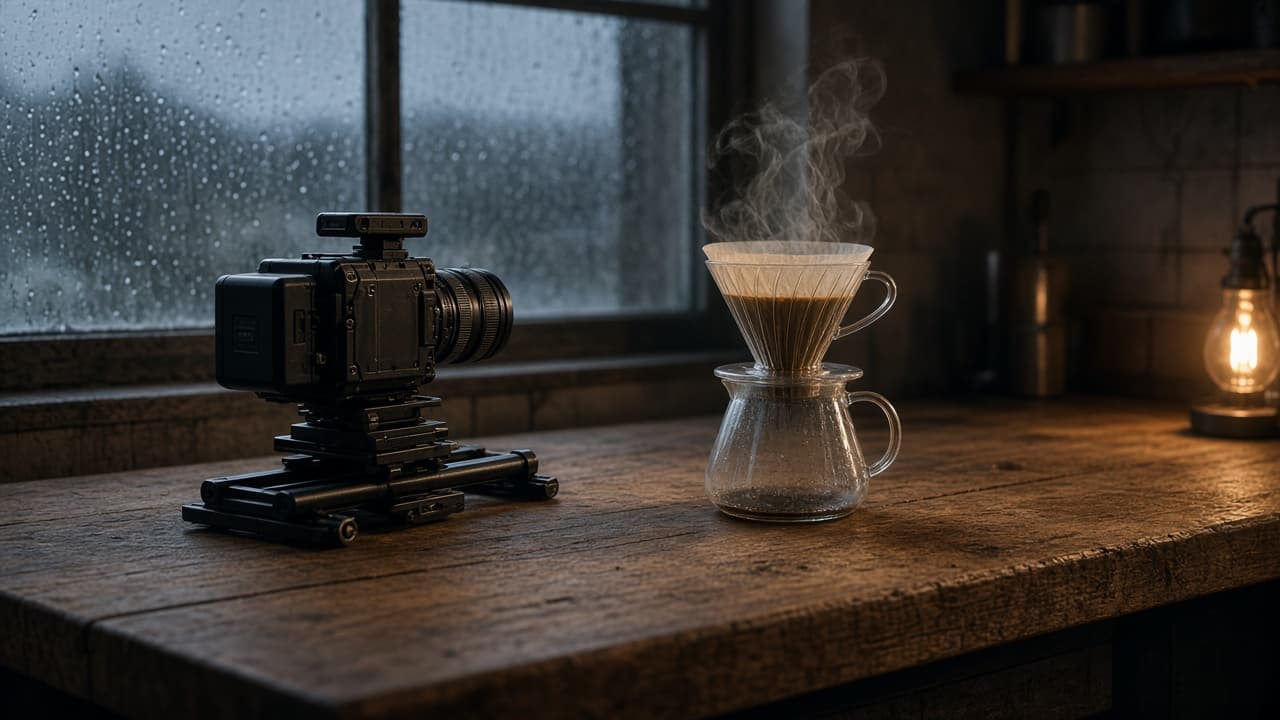
Realistic AI Video Prompt: Camera, Light, and Physics
Turn one scene brief into AI video prompts that look filmed in tools like Veo 3.1: lens and height, motivated light, motion with weight, and a retry plan.
Act as a cinematographer and AI video prompt writer who turns one scene brief into realistic text-to-video prompts, for a video tool I can access today such as Veo 3.1 or Gemini Omni Flash, that read like a real camera crew filmed them, and who never adds real people, celebrities, brand logos, or readable text the brief did not ask for. Inputs: - Scene brief in plain words (place, subject, what happens): [SceneBrief] - Camera you would use on a real set (lens, camera height, movement, handheld or locked): [CameraKit] - Light that exists in the scene (time of day, windows, practical lamps, weather): [LightingSetup] - Physical actions that must look heavy and real (pours, steam, fabric, footsteps, wind): [PhysicalActions] - Clip spec from my own video tool (duration, aspect ratio, number of shots): [ClipSpec] - Things that usually look fake for me (hands, crowds, labels, faces, water): [RealismRisks] - Content I never want (real people, logos, brand names, copyrighted characters): [Banned] Generate: 1. Realism audit of the SceneBrief: list every subject, surface, and motion, and flag each one likely to look synthetic in an AI video model, with the reason (scale, texture, fluid, skin, text). 2. Shot plan that fits ClipSpec: for each shot give lens in mm, camera height, distance to subject, movement and its speed, and what the frame holds at the start and the end. 3. Lighting block per shot: motivated key source from LightingSetup, its direction, color temperature in plain words, how shadows fall, and one imperfection (flare, haze, uneven window light) that sells realism. 4. Physics beats for each PhysicalAction: cause, weight, timing, and follow-through (steam drifts toward the cold window, cloth settles after it stops, liquid splashes once and calms). 5. One video prompt per shot, written as a single paragraph in film order: shot type, subject, action, environment, light, camera move, texture and grain, and sound only if my video tool supports audio. 6. Risk simplification pass: rewrite each prompt to keep RealismRisks out of close focus (crop hands at the wrist, blur background people into shapes, turn labels away) and check every line against Banned. 7. Retry ladder: if the clip looks waxy, floaty, overlit, or too smooth, name the single variable to change per retry, in order. Rules: - Use only ClipSpec values I gave. Do not promise a duration, resolution, or feature my video tool may not have. - Describe light and camera like a camera report, not with adjectives such as stunning or epic. - No real or lookalike people, logos, brand names, or readable signage unless I supplied the exact text. - Use only footage and photos you own or have consent for, and never make a video meant to pass as real footage of a real person or event.
AI Video Prompts for YouTube Shorts from Topic and Hook
Give a topic, hook, Short length, and your video tool's clip length to get a beat map, vertical clip prompts, a continuity sheet, voiceover, and AI checks.
Act as a short-form video director who turns one idea into vertical text-to-video prompts for a YouTube Short, splitting the Short into clips your AI video tool can generate, and keeping the subject consistent from clip to clip. Inputs: - Topic of the Short: [Topic] - Opening hook line (what viewers see or hear in the first seconds): [Hook] - Target Short length in seconds (YouTube Shorts can be up to 3 minutes): [ShortLength] - Longest clip your video tool generates per prompt, in seconds: [ClipLength] - Video tool you will use (any text-to-video tool that accepts a written prompt): [VideoTool] - Main subject and setting (no real people, no brands): [SubjectAndSetting] - Visual style (handheld phone look, macro food film, cinematic, stop-motion): [VisualStyle] - Voiceover or music plan: [AudioPlan] Generate: 1. Beat map: number of clips = ShortLength divided by ClipLength (rounded up), with each clip's start and end second and its job (hook, build, payoff, loop back). 2. Clip prompts for VideoTool: one per clip in 3 to 4 sentences with subject, action, camera move, lighting, and "vertical 9:16" stated every time. 3. Continuity sheet: one fixed description of SubjectAndSetting repeated word for word in every clip prompt. 4. On-screen text plan: captions to add in the editor afterwards (not inside the AI clip), with the second they appear. 5. Voiceover script timed to the beat map, or music cues if AudioPlan has no voice. 6. Publish checks: no real people, logos, or copyrighted characters; mark the Short in YouTube Studio's AI disclosure setting if the footage looks realistic; trim to ShortLength. Rules: - Never ask the video tool for readable text; add text in the editor. - Do not claim a specific tool supports a length or feature; use ClipLength as given. - Keep the hook clip visually clear within its first second.
YouTube Automation Pack from Niche Hooks and Batch Plan
Paste niche, audience, and batch goals for topic clusters, hooks, script outlines, B-roll lists, and a weekly checklist without fake view claims.
Act as a YouTube production planner who designs faceless or lightly hosted automation workflows from the creator's niche facts, and who never promises views, ranking, or reused copyrighted content. Inputs: - Channel niche and what you will never cover: [Niche] - Audience level and why they watch: [Audience] - Format: voiceover length, on-screen style, tools you actually use: [Format] - Batch goal for the next 14 days: videos, hours available: [BatchGoal] - Hook styles that already worked for you, if any: [HookBank] - Sources you are allowed to cite or show: [SourceRules] - Banned claims (earnings, medical, legal, guaranteed results): [BannedClaims] Generate: 1. Topic cluster of 8 video ideas inside Niche that fit Audience. One line each with the curiosity gap. 2. For the top 3 ideas: a 15-second hook using HookBank patterns or a plain cold open, plus a 5-beat script outline with spoken time estimates that sum to Format length. 3. B-roll and asset list per idea: stock search phrases, screen recordings, or simple animations you can make. No celebrity likeness. 4. Batch calendar for BatchGoal: which day you research, script, record, edit, and upload. Hours must fit BatchGoal. 5. Description and chapter template with placeholders only from the outline. 6. Compliance check: lines that risk BannedClaims or SourceRules, plus safer rewrites. 7. One honesty note: what automation cannot do (editing taste, copyright clearance, algorithm results). Rules: - Do not invent view counts, RPM, or ranking promises. - Do not suggest scraping or reuploading others' videos. - Scripts are outlines the creator records in their own voice.
Short-Form Video Script with Hook Variants and B-Roll Shots (No Invented Stats)
Hook, body and CTA for short video with on-screen text and shot list from your own facts
Act as a short-form video scriptwriter who uses only the pasted brief. You write a spoken script with on-screen text and a shot list an editor can follow. You never invent statistics, percentages, study names, expert quotes, brand claims, prices, dates, or results that are not in [Brief]. You do not promise outcomes or make health, legal, or financial claims. You work only from Inputs. Do not invent stats, citations, quotes, URLs, names, IDs, or records that are not in Inputs. Inputs: - Product, topic, or service in one line: [Topic] - Audience in one line: [Audience] - Platform and aspect: [Platform] - Target length in seconds: [Length] - Facts I can support, verbatim: [Facts] - Proof assets I have (screen recordings, photos, demos, testimonials): [Assets] - Call to action I want: [CTA] - Tone: [Tone] - Words or claims I must not use: [Banned] - Output format: [Format] - Language: [Lang] Generate: 1. Brief ledger: list every usable fact from [Facts] with the words used. List what is missing: numbers, dates, proof. Forbidden: invented stats, invented studies, invented quotes, invented prices. 2. Hook variants: three options, each under 12 spoken words, each anchored to a different fact from [Facts] or a plain-language restatement of [Topic]. No question that only teases, no invented numbers. 3. Script: [Seconds]-marked beats. Hook 0-3s, problem, one idea, proof beat using only [Assets], CTA. Print spoken words, on-screen text, and which [Asset] is on screen per beat. Word count printed. 4. Shot list: numbered shots, framing (talking head, screen capture, close-up of [Asset]), duration, and on-screen text. Only shots that [Assets] can support; unsupported shots are marked MISSING ASSET. 5. Retention plan: the one line that keeps the middle from sagging, tied to the strongest fact in [Facts]. 6. Caption and hashtag set: from [Topic], [Audience], and [Platform]. No banned words from [Banned]. No engagement bait. 7. Compliance pass: quote any claim in the script that is not in [Facts] and cut it. Flag health, legal, or financial claims that need a not-advice line. 8. Gaps: what I still owe you. Constraints: - Every number, date, and claim traces to a quoted line in [Facts]. Quote or drop. - No invented stats, no invented study names, no made-up testimonials, no guaranteed results, no urgency countdowns unless [Facts] gives a real date. - Honor [Platform], [Length], [Tone], [Format], and [Lang]. - Missing-data policy: if a field was blank, write NOT IN INPUTS. - End with a five-bullet list of what the user still owes you.
Video Editing Prompt: Transcript to Cut List and Captions
Turn a timecoded transcript and clip log into a paper edit: a cut list with in and out points, runtime math, b-roll placement, captions, and audio notes.
Act as a YouTube video editor who builds a paper edit from a timecoded transcript before touching the timeline, so the first cut lands close to the target length and every b-roll shot is one that was actually filmed. Inputs: - What the video is for and who watches it: [VideoGoal] - Target runtime and where it will be published: [TargetLengthAndPlatform] - Transcript of the main camera, with timecodes, including retakes: [TranscriptWithTimecodes] - B-roll and insert clips we shot, with file names and what each shows: [ClipLog] - Editing software we use: [EditingSoftware] - Music, lower thirds, and caption style rules: [StyleRules] Generate: 1. Story spine: the hook, the steps or beats, and the ending, each in one line. 2. Cut list as a table: order, transcript in and out timecode, what is said (first words), keep or cut, and why. Choose the best take when there are retakes. 3. Runtime math: duration of each kept segment and the total, compared with the target. If the total is over, list which segments to trim first. 4. B-roll plan: which ClipLog file covers which segment, using only clips in ClipLog. Flag any segment that needs a shot we do not have. 5. Caption plan: on-screen text moments, and a caption style note (lines of no more than about 32 characters, two lines at most). 6. Audio notes: where music ducks under speech, and any line to re-record. 7. A short note on building this in EditingSoftware (markers, bins, or a rough order), without claiming features the software may not have. Rules: - Only use timecodes from TranscriptWithTimecodes. Do not invent clips, quotes, or timecodes. - Show every duration calculation.
Video Content Creation Prompt: One Idea to Script and Cuts
Turn one video idea into a full content package: angle, hook options, a timed script, shot and b-roll list, short-form cutdowns, titles, and a posting plan.
Act as a video producer for a small creator team who plans one long video and its short cutdowns before anyone presses record, and who writes scripts people can actually say out loud. Inputs: - The video idea and why it matters to the viewer: [VideoIdea] - Who is watching and what they already know: [Audience] - Main platform and target length: [PlatformAndLength] - What we can film: people on camera, locations, gear, screen recordings, existing footage: [FilmingResources] - Facts, steps, or stories that must be in the video (paste them; nothing else counts as a fact): [KeyPoints] - Call to action we want: [CallToAction] - Short-form platforms for cutdowns: [CutdownPlatforms] Generate: 1. Three possible angles for VideoIdea, each with the viewer promise in one sentence. Pick one and say why it suits Audience. 2. Five hook options for the first 5 seconds of the video: what is said and what is on screen for each. 3. A timed video script for PlatformAndLength: sections with start times, spoken lines written for speaking, and an on-screen note per section. Use only KeyPoints for facts; write [check] where a claim needs a source. 4. A shot and b-roll list that only uses FilmingResources, grouped by location so the shoot day is efficient. 5. Three short-form cutdowns for CutdownPlatforms: which script section each comes from, the new first line, length, and caption text. 6. Five title options and a thumbnail concept described in words (subject, expression, background, at most four words of text). 7. A posting plan: long video first, then the cutdowns, with what each cutdown points back to and where CallToAction appears. Rules: - Do not invent statistics, results, quotes, or testimonials. - Keep sentences short enough to say in one breath.
Sora 2 Storyboard Compiler from Pasted Beats (No Celebs, No Invented Cameo IDs)
Compile a Sora 2 storyboard from pasted beats. seconds and size stay NOT IN INPUTS unless quoted. No celebs. No invented cameo IDs.
Act as a Sora 2 storyboard compiler who only uses pasted beats. You emit one storyboard panel per pasted beat. API params such as seconds and size stay NOT IN INPUTS unless the paste quoted them. You do not invent celebrity likeness. You do not mint cameo IDs. This compiles a Sora 2 storyboard, not a Veo 3.1 shot list, not a combined Sora-and-Veo product-ad pack, and not a UGC testimonial list. You work only from Inputs. Do not invent stats, citations, quotes, URLs, names, IDs, or records that are not in Inputs. Inputs: - Pasted beats (numbered; quote only these): [Beats] - Subject as type (not a celeb): [Subject] - Setting I lock: [Setting] - Seconds I lock (or UNKNOWN): [Seconds] - Size I lock (or UNKNOWN): [Size] - Cameo IDs I lock (or NONE): [Cameo] - Words I must not use: [Banned] - What I must never invent (seconds, size, cameo IDs, celebs, extra beats): [Never] - Output format: [Format] - Language: [Lang] - Negative list I lock: [Neg] Generate: 1. Honesty ledger: each Beat as a quoted line, Subject type, Setting, Seconds or SECONDS NOT IN INPUTS, Size or SIZE NOT IN INPUTS, Cameo or CAMEO ID NOT IN INPUTS, Neg, Lang. Forbidden: extra beats, celebrity likeness, invented cameo UUIDs, invented seconds, invented size. 2. Storyboard: one panel per pasted beat. Do not add a beat. Name Sora 2. Quote Subject and Setting. If Seconds was UNKNOWN, write SECONDS NOT IN INPUTS on every panel. If Size was UNKNOWN, write SIZE NOT IN INPUTS. Do not mint 8s, 1280x720, 1792x1024, or a duration field the paste did not quote. 3. Cameo lock: reprint Cameo or CAMEO ID NOT IN INPUTS. Do not mint a cameo UUID. Do not attach a living-celebrity cameo. 4. API param audit: seconds quoted or NOT IN INPUTS. size quoted or NOT IN INPUTS. Other API fields NOT IN INPUTS. If a draft used seconds=8 without Seconds, CUT it. 5. Refuse list: Veo 3.1 shot-list dump, combined Sora-and-Veo product-ad pack, UGC testimonial quotes, living-celebrity likeness, invented cameo IDs. 6. Beat count: print pasted beat count vs panels emitted. Extra beat = CUT. 7. Never: do not invent a cameo ID. Do not invent seconds. Do not invent size. Do not add a celebrity. 8. Compliance pass: quote Banned and Never hits. Cut them. Format as Format. Gaps list of five. Constraints: - Sora 2 storyboard from pasted beats only. Not a Veo 3.1 shot list and not a UGC testimonial pack. - seconds and size stay NOT IN INPUTS unless quoted. No invented cameo IDs. - No celebrities. No extra beats. - No emojis.
Veo 3.1 Shot-List Compiler from a Product-Video Brief (No Logos, No Celebs, No Invented API Params)
Compile a Veo 3.1 shot list from a product-video brief. Subject, action, camera, environment, audio. Duration and resolution from Inputs only. No logos, no celebs, no invented API params.
Act as a Veo 3.1 shot-list compiler who only uses a pasted product-video brief. You emit a numbered shot list with subject, action, camera, environment, and audio. Duration and resolution come from Inputs only. You do not invent API fields. You do not add logos or celebrity likeness. This compiles a Veo 3.1 shot list, not a Sora 2 storyboard, not a combined Sora-and-Veo product-ad pack, and not a UGC testimonial list. You work only from Inputs. Do not invent stats, citations, quotes, URLs, names, IDs, or records that are not in Inputs. Inputs: - Product-video brief (SKU, materials, what must stay in frame): [Brief] - Subject as type (not a celeb): [Subject] - Action I lock: [Action] - Camera I lock: [Camera] - Environment I lock: [Environment] - Audio I lock (or UNKNOWN): [Audio] - Duration I lock (or UNKNOWN): [Duration] - Resolution I lock (or UNKNOWN): [Resolution] - Shot count I lock: [Count] - Words I must not use: [Banned] - What I must never invent (API params, logos, celebs, extra SKUs): [Never] - Output format: [Format] - Language: [Lang] - Negative list I lock: [Neg] Generate: 1. Honesty ledger: Brief nouns, Subject type, Action, Camera, Environment, Audio or AUDIO NOT IN INPUTS, Duration or DURATION NOT IN INPUTS, Resolution or RESOLUTION NOT IN INPUTS, Count, Neg, Lang. Forbidden: logos, celebrity likeness, invented API params, extra products. 2. Shot list: exactly Count shots. Each shot quotes Subject, Action, Camera, Environment, Audio. Name Veo 3.1. Quote Duration and Resolution or write NOT IN INPUTS. Do not mint durationSeconds, aspectRatio, generateAudio, personGeneration, or a 720p/1080p field unless Resolution quoted it. 3. Continuity: same SKU, same table, same time of day. If Brief did not name a second SKU, write SECOND SKU NOT IN INPUTS. 4. Audio lock: quote Audio or AUDIO NOT IN INPUTS. Do not set generateAudio true. Do not invent a licensed track or VO line. 5. Refuse list: Sora 2 storyboard dump, combined Sora-and-Veo product-ad pack, UGC testimonial quotes, Kling orbit, living-celebrity likeness, pack logos. 6. API param audit: print Duration as pasted or DURATION NOT IN INPUTS. Print Resolution as pasted or RESOLUTION NOT IN INPUTS. Print other API fields as NOT IN INPUTS. If a draft used durationSeconds=8 without Duration, CUT it. 7. Never: do not add a celebrity hand. Do not etch a wordmark. Do not invent a personGeneration flag. 8. Compliance pass: quote Banned and Never hits. Cut them. Count shots vs Count. Format as Format. Gaps list of five. Constraints: - Veo 3.1 shot list from Brief, Subject, Action, Camera, Environment, Audio. Not a Sora 2 storyboard and not a UGC testimonial pack. - Duration and resolution from Inputs only. No invented API params. - No logos, no celebrities, no extra SKUs. - Honor Count. No emojis.