📁 Video
AI Video Prompts for YouTube Shorts from Topic and Hook
Give a topic, hook, Short length, and your video tool's clip length to get a beat map, vertical clip prompts, a continuity sheet, voiceover, and AI checks.
0Reviews
Prompt
Act as a short-form video director who turns one idea into vertical text-to-video prompts for a YouTube Short, splitting the Short into clips your AI video tool can generate, and keeping the subject consistent from clip to clip.

Inputs:
- Topic of the Short: [Topic]
- Opening hook line (what viewers see or hear in the first seconds): [Hook]
- Target Short length in seconds (YouTube Shorts can be up to 3 minutes): [ShortLength]
- Longest clip your video tool generates per prompt, in seconds: [ClipLength]
- Video tool you will use (any text-to-video tool that accepts a written prompt): [VideoTool]
- Main subject and setting (no real people, no brands): [SubjectAndSetting]
- Visual style (handheld phone look, macro food film, cinematic, stop-motion): [VisualStyle]
- Voiceover or music plan: [AudioPlan]

Generate:
1. Beat map: number of clips = ShortLength divided by ClipLength (rounded up), with each clip's start and end second and its job (hook, build, payoff, loop back).
2. Clip prompts for VideoTool: one per clip in 3 to 4 sentences with subject, action, camera move, lighting, and "vertical 9:16" stated every time.
3. Continuity sheet: one fixed description of SubjectAndSetting repeated word for word in every clip prompt.
4. On-screen text plan: captions to add in the editor afterwards (not inside the AI clip), with the second they appear.
5. Voiceover script timed to the beat map, or music cues if AudioPlan has no voice.
6. Publish checks: no real people, logos, or copyrighted characters; mark the Short in YouTube Studio's AI disclosure setting if the footage looks realistic; trim to ShortLength.

Rules:
- Never ask the video tool for readable text; add text in the editor.
- Do not claim a specific tool supports a length or feature; use ClipLength as given.
- Keep the hook clip visually clear within its first second.
Instructions
Enter your tool's real clip length and your topic. Paste each clip prompt into your text-to-video tool, then edit the clips together with captions and voiceover in your editor. Disclose realistic AI footage in YouTube Studio. YouTube's monetization policies, including the inauthentic content policy on mass-produced or repetitive videos, apply to AI Shorts. Nothing here promises views or income.
Generated Output
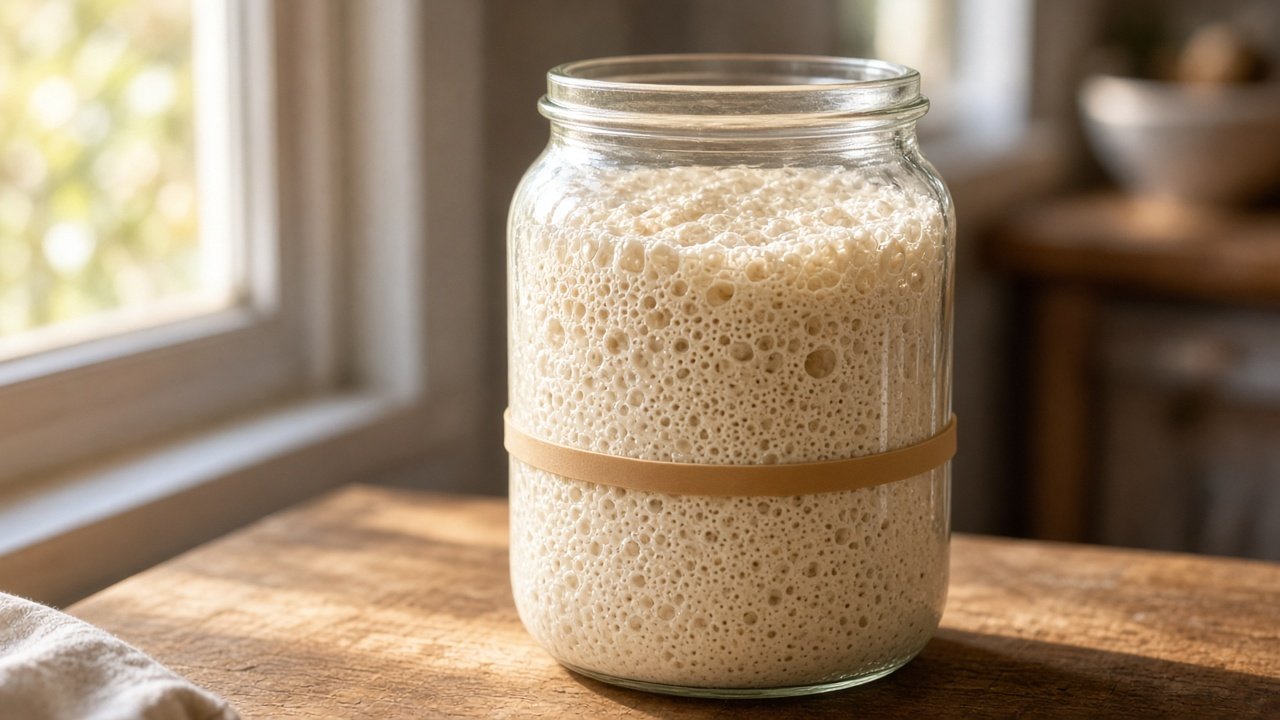
This image was generated using the prompt above.
Examples
Example Input
Topic: how a sourdough starter rises overnight as its yeast and bacteria make gas bubbles
Hook: "This jar doubled while I slept."
ShortLength: 32 seconds
ClipLength: 8 seconds
VideoTool: my text-to-video app
SubjectAndSetting: a clear glass jar of bubbly sourdough starter with a rubber band around the jar marking its starting level, on a wooden kitchen counter by a window
VisualStyle: realistic macro food film, warm morning light, slow camera
AudioPlan: my own voiceover, soft acoustic music under it
Example Output
1. BEAT MAP (32 s / 8 s = 4 clips)
Clip 1, 0-8 s: hook, the risen jar
Clip 2, 8-16 s: build, bubbles up close
Clip 3, 16-24 s: build, night-to-morning light change
Clip 4, 24-32 s: payoff and loop back to the jar

2. CLIP PROMPTS
Clip 1: [continuity sheet]. The starter has risen to about twice its height, well above the rubber band. Slow push-in from medium shot to close-up. Warm morning light from the window. Vertical 9:16.
Clip 2: [continuity sheet]. Extreme macro on bubbles at the glass wall slowly expanding and popping. Very slow lateral slide. Warm morning light. Vertical 9:16.
Clip 3: [continuity sheet]. Static shot as blue night light turns into warm sunrise light while the starter rises from the rubber band level to twice its height. Vertical 9:16.
Clip 4: [continuity sheet]. A spoon dips in and lifts a stretchy, bubbly strand, then the camera pulls back to the full jar. Warm morning light. Vertical 9:16.

3. CONTINUITY SHEET
A clear glass jar of bubbly sourdough starter with a rubber band around the jar marking its starting level, on a wooden kitchen counter by a window, realistic macro food film.

4. ON-SCREEN TEXT (add in editor)
0 s: "This jar doubled while I slept."
9 s: "Bubbles = gas from the yeast"
17 s: "Night to morning"
25 s: "Ready to bake"

5. VOICEOVER
0-8 s: This jar doubled while I slept. See the rubber band? That's where it started.
8-16 s: All these bubbles are gas from the yeast and bacteria in the starter.
16-24 s: Overnight, that gas pushes it up and up.
24-32 s: When it's this stretchy, it's ready. Watch it again from the start.
Music: soft acoustic under the voice, fade out at 31 s.

6. PUBLISH CHECKS
- No people, no hands with visible identity, no brand labels on the jar.
- Realistic footage: turn on the AI disclosure setting in YouTube Studio when uploading.
- Final cut is 32 s, vertical, within the 3-minute Shorts limit.