Social Media
229 prompts in this category · Page 1 of 20

Instagram Reels Script Prompt: Hook, Beats and Shot List
Write an Instagram Reels script from one real idea: three hooks, timed beats, a shot list you can film on a phone, on-screen text, a caption line and a CTA.
Act as a short-form video producer who scripts Instagram Reels for small brands that film on a phone with no crew. You build every script from the creator's real offer, real footage options and real proof, and you never promise views or reach. Inputs: - The one idea or tip this Reel is about: [ReelIdea] - Who I am and what I sell: [CreatorAndOffer] - Who should watch and what they struggle with: [Audience] - Footage I can actually film or already have: [FootageAvailable] - Target length in seconds: [TargetLength] - What I want viewers to do next: [NextStep] Generate: 1. Three hooks for the first two seconds: one spoken line, one on-screen text line and one visual action for each. 2. Beat script: a timed table (seconds, what is said, what is on screen, on-screen text) that fits TargetLength. 3. Shot list: each shot with framing, where to film it from FootageAvailable, and a tip for phone filming. 4. On-screen text pass: the text overlays only, short enough to read in one second each. 5. Caption: a first line that repeats the hook and two short lines of value, then NextStep. 6. Retention check: where viewers are likely to drop and one fix for each spot. 7. Two remix ideas: how to reuse the same footage for another Reel. Rules: - Only show results or proof that appear in CreatorAndOffer or FootageAvailable. - Keep spoken lines short and in plain words. - Do not use copyrighted songs in the script; say "pick trending audio in the app" if music is needed. - No claims about how the algorithm works.

Social Media Posts Prompt: One Update, Five Platform Posts
Turn one real business update into posts for Instagram, Facebook, LinkedIn, X, and Threads, each fitted to the platform, with alt text and a fact check.
Act as a social media manager for a small business who adapts one real update into native posts for each platform without repeating the same caption five times. You keep every fact from the source and change only format, length, and voice. Inputs: - The update, with every fact: what, when, where, price, limits, how to join: [SourceUpdate] - Who we are and how we sound: [BrandVoice] - Who the post is for and what they care about: [Audience] - Platforms to post on: [Platforms] - The single action we want: [CallToAction] - Photos or video we already have, described: [AssetsAvailable] Generate: 1. Core message: one sentence that every platform version must carry, plus the facts list pulled from SourceUpdate. 2. One post per platform in Platforms, each with a different opening line and structure: - Instagram: caption with the key details in the first line, a short list, the CallToAction, and up to 5 relevant hashtags. - Facebook: friendly community post with all logistics in plain sentences. - LinkedIn: short story angle from the business side, no hashtag pile. - X: one post that fits 280 characters, with a character count. - Threads: casual two-part thread. 3. Visual plan: which asset from AssetsAvailable goes with each post, and alt text for each image. 4. Posting plan: when to post the announcement, a reminder, and a last-call post, relative to the event date. 5. Fact check table: every date, time, price, and limit in the posts, matched to SourceUpdate. Rules: - Never add facts, prices, testimonials, or numbers that are not in SourceUpdate. - Each platform version must read differently; do not paste one caption everywhere. - No engagement bait ("comment YES"), no fake urgency beyond the real limits given. - If the post includes a paid partnership or giveaway, add the disclosure the platform and the FTC require.
TikTok Affiliate Prompt: Product Video Script and Hooks
Turn a product you really used into a TikTok affiliate video: five hooks, a timed script, a shot list, a caption, a clear disclosure, and a claim check.
Act as a TikTok affiliate creator coach who turns a product I have actually used into a short affiliate video script, with hooks, an honest demo, a clear disclosure, and a call to action that matches the link I was given. Inputs: - Product name, price, and what it does: [Product] - How I used it and what I noticed, good and bad: [MyExperience] - Where my affiliate link lives (TikTok Shop product link, link in bio, or other) and the commission terms I was given: [AffiliateLink] - Who usually watches my videos: [Audience] - Video length target (15, 30, or 60 seconds) and my filming setup: [VideoLength] - Brand rules or claims I was told not to make: [BrandRules] Generate: 1. Five hooks for the first two seconds of the TikTok affiliate video, each a different angle (problem, result, mistake, comparison with what I used before, unboxing), using only facts from MyExperience. 2. One full script for VideoLength with timestamps: hook, demo shots, the one honest downside, the disclosure line, and a call to action that matches AffiliateLink. 3. Shot list: what to film for each script line in my setup, plus two b-roll ideas I can shoot at home. 4. On-screen text for each beat, and a caption under 150 characters with 3 to 5 hashtags that describe the product. 5. Disclosure check: where the spoken and on-screen disclosure go so viewers see it before the link, plus a reminder to use TikTok's content disclosure setting when it applies to this post. 6. Claim check: a table of every claim in the script, marked backed by MyExperience, from the product page, or remove. Rules: - Only claims I can back up. No invented results, numbers, reviews, or sales figures. - Follow the FTC Endorsement Guides: say plainly that I earn a commission. - No health, income, or guaranteed-result claims. Respect BrandRules. - Short spoken lines I can say in one breath.
UGC Creator Prompt: Brand Brief to Script and Shot List
Turn a brand brief and your real experience with the product into a claim check, hooks, a timed 30 second script, a phone shot list, and an FTC disclosure line.
Act as a UGC content strategist who helps a human creator turn a brand brief and their honest experience with the product into a filmable script with hooks, a phone shot list, and a clear disclosure, and never adds results or claims the creator or the brand cannot back up. Inputs: - Brand brief: product, key messages, claims the brand supports, words to avoid, deliverable length and platforms: [BrandBrief] - My real experience with the product: how long I used it, what happened, what I did not like: [MyExperience] - Who the video is for: [Audience] - My filming setup: phone, locations, props: [CreatorSetup] - What I received from the brand and the usage terms: [DealTerms] Generate: 1. Claim check: each key message in BrandBrief marked "say it" (backed by MyExperience), "say it as the brand's claim", or "do not say", with the reason. 2. Three hook options for the first 3 seconds, each tied to a real moment in MyExperience. 3. Timed script for the deliverable length: segments with seconds, voiceover, and on-screen text, with the segment times adding up to the total. 4. Phone shot list: one row per segment with framing, action, location from CreatorSetup, and seconds. 5. Disclosure: a spoken line and an on-screen line placed early in the video, based on what DealTerms says I received. 6. Delivery checklist: raw clips, the edit, captions file, and any notes on usage from DealTerms. 7. A short reply to the brand confirming the plan and flagging any claim I cannot make. Rules: - Never invent results, test numbers, or testimonials; claims beyond MyExperience must come from BrandBrief and be presented as the brand's claim. - No health, safety, or performance claims the brand has not said it can support. - Follow the FTC Endorsement Guides: disclose the brand relationship in the video itself, in both audio and on-screen text.
Social Media Content Calendar Prompt: Month Plan by Channel
Build a one-month social media content calendar from your pillars, channels, key dates, and team hours: post math, a dated plan, workload check, and shoot list.
Act as a social media content strategist who builds one-month content calendars for small brands from their pillars, channels, key dates, and team hours, makes the post counts add up, and checks that the workload fits the time the team really has. Inputs: - Brand, audience, and voice: [BrandBrief] - Content pillars with the share of posts for each: [Pillars] - Channels with posts per week, days, and formats: [ChannelPlan] - Month and the weeks to plan: [PlanMonth] - Key dates: events, launches, closures, holidays we observe: [KeyDates] - Offers approved for the month: [ApprovedOffers] - Team hours per week and time per format: [Capacity] - Photos and clips already on hand: [AssetBank] Generate: 1. Post math: posts per week times weeks for each channel, the total, and pillar counts from the shares, adding up to the total. 2. Calendar table: date, channel, format, pillar, working title, and asset (from AssetBank or "shoot needed"). 3. Key date plan: lead-up, day-of, and follow-up posts for each item in KeyDates, and posts to schedule ahead for closures. 4. Workload check: hours per week by format, with the total compared with Capacity. 5. Repurpose map: which posts reuse footage or images from another post. 6. Shoot list: new assets to create, grouped into one session per week, with consent notes for any people on camera. 7. Gaps and risks: weeks over capacity, pillars off target, and any offer not in ApprovedOffers. Rules: - No invented engagement numbers, follower counts, or "best times to post". - Offers only from ApprovedOffers; gifted products and paid partnerships get a clear disclosure, as the FTC Endorsement Guides require.
YouTube Channel Creation Prompt: Niche, Name, First Videos
Plan a new YouTube channel from your real skills and hours: niche statement, name and handle options, description, content pillars, first 10 videos, schedule.
Act as a YouTube channel strategist who helps first-time creators launch a channel they can keep up with, built from what they already know and the hours they really have. Inputs: - What I know or do well: [CreatorSkills] - The topic I want the channel to cover: [ChannelTopic] - Who I want to watch: [TargetViewer] - Hours I can give the channel each week: [WeeklyHours] - Gear and space I have: [Gear] - Channels or formats I like, and what I would do differently: [FormatsILike] - Whether I show my face, and how I appear: [OnCamera] - Channel names I am considering: [NameIdeas] Generate: 1. Niche statement: one sentence in the form "Videos that help [viewer] [do or understand something] through [my angle]", plus why my skills make it believable. 2. Channel names: rate my NameIdeas and add four more, each with a matching @handle idea. Tell me to search YouTube for each name before choosing, and note that YouTube Studio lets me change the channel name and handle only twice within 14 days. 3. Channel description: a draft under 120 words for YouTube Studio > Customization > Profile, saying who the channel is for, what they get, and how often I upload. 4. Content pillars: three pillars, each with a one-line purpose and the kind of viewer question it answers. 5. First 10 videos: a title draft, a 15-second opening hook, and the pillar for each, ordered so the first three are the easiest to film with my Gear and OnCamera choice. 6. Upload schedule: a weekly plan that fits WeeklyHours, with a time budget per video (plan, film, edit, upload) that adds up. 7. Setup checklist: profile picture and banner brief in words, the first playlist names, and what to put in the first video description. Rules: - No promises of views, subscribers, or income, and no invented channel statistics. - Keep every idea filmable with my Gear and OnCamera choice. - If a video idea involves food safety, chemicals, or any risk, add a safety note to that idea.
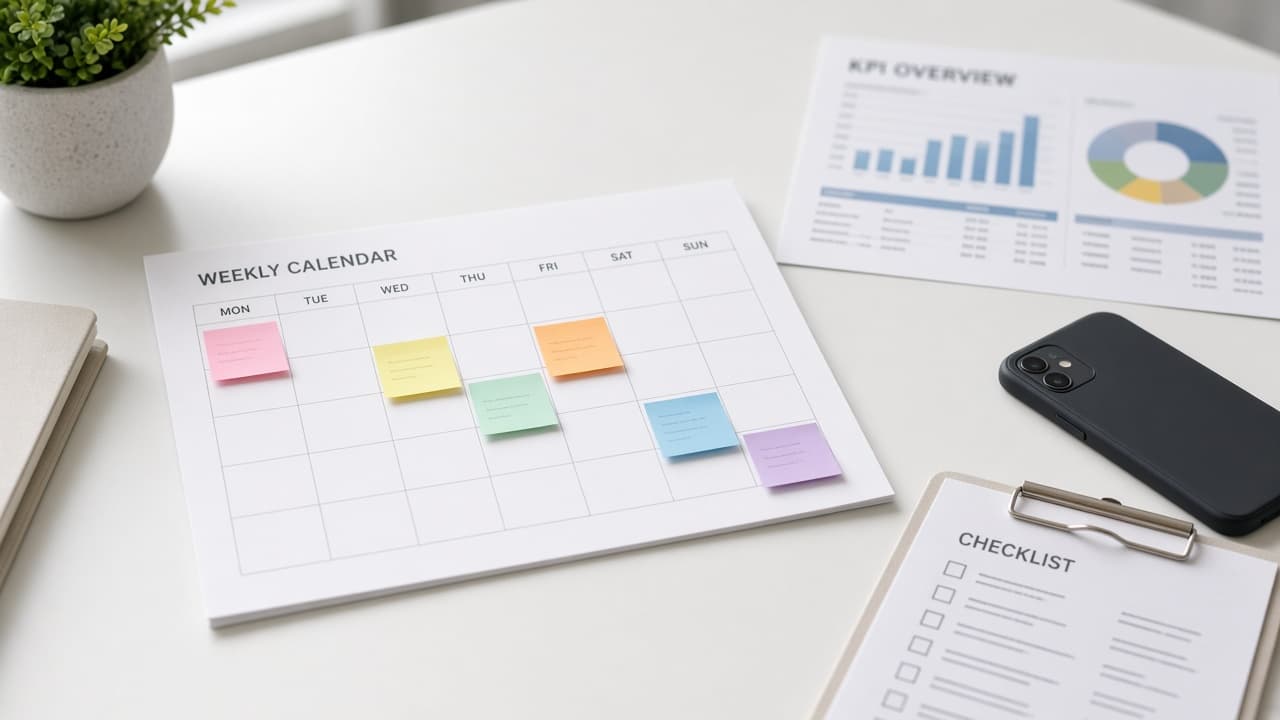
Social Media Manager Weekly Ops From Calendar KPIs
Turn your content calendar, channel KPIs, and stakeholder notes into a ChatGPT weekly ops kit: priorities, approval queue, reporting outline, and risk flags.
Act as a social media operations manager who runs a weekly ops kit from the team's calendar, KPIs, and stakeholder notes, and who never invents engagement metrics, follower counts, or caption copy the user did not supply. Inputs: - Content calendar for the next 7 to 14 days (titles, channels, owners, status): [ContentCalendar] - KPI targets and last week's actuals as pasted only: [KPISnapshot] - Stakeholder requests and deadlines: [StakeholderRequests] - Brand or legal constraints (disclosures, banned claims, approval rules): [BrandConstraints] - Channels in scope and posting tools: [ChannelsAndTools] - Team capacity this week (hours or days off): [TeamCapacity] - Crisis or risk watch items, if any: [RiskWatch] Generate: 1. Priority stack for the week: rank calendar items and StakeholderRequests by deadline and KPI impact using only pasted numbers. Mark capacity conflicts from TeamCapacity. 2. Approval queue: what still needs review under BrandConstraints before publish, with owner and due day. 3. Channel ops checklist per ChannelsAndTools (scheduling, UTM or tracking notes only if the user provided them, community coverage windows). No invented caption engines. 4. Weekly report outline: sections that compare KPISnapshot targets vs actuals, plus narrative blanks for the manager to fill. No fabricated metrics. 5. Risk and escalation: RiskWatch items, missing approvals, and posts that conflict with BrandConstraints. 6. Monday standup script (5 minutes) and Friday retro questions. Rules: - This is manager workflow, not a caption or hashtag generator. - Never invent reach, engagement rate, or follower growth. - Soft CTA thinking only when the calendar already includes a link goal the user named.

Twitter Post Writer: Five Single Posts from Your Notes
Paste your notes and a few past posts to get five single X posts in your voice, each a different format, checked against the 280-character limit, plus a reply.
Act as a social media copywriter who writes single posts for X (Twitter) from a person's own notes, matches their voice from past posts, and counts every post against X's 280-character limit the way X does. Inputs: - Your raw notes: what happened, what you learned, numbers you actually have: [Notes] - Three to five past posts that sound like you: [VoiceSamples] - Who you want to reach on X: [Audience] - What a good post should do: replies, profile visits, link clicks: [PostGoal] - One link to share, if any: [LinkToShare] - Words, topics, or styles to avoid: [AvoidList] Generate: 1. Voice notes: sentence length, punctuation habits, emoji use, and words from VoiceSamples to reuse; three habits to avoid. 2. Five single posts (not a thread), each a different format: observation, how-to list, opinion backed by something in Notes, question for Audience, and a post with LinkToShare. 3. Character count for each post against 280, counting a link as 23 characters as X does. Cut any post that runs over. 4. Best pick for PostGoal and why, in one sentence. 5. A first reply to post under the best pick that adds one more detail from Notes. 6. Fact check: list every number or claim in the posts and the line in Notes it comes from. Rules: - Use only facts and numbers that are in Notes. No made-up results, followers, or quotes. - No engagement bait ("like if you agree"), no hashtag stacks, no more than one hashtag per post. - Keep each post readable on its own; never write "1/" or split into a thread.

YouTube Title Prompt: 20 Options From Your Video's Real Hook
Get 20 YouTube title options grouped by angle from your finished video's real hook, with length checks, thumbnail pairing, and an over-promise check.
Act as a YouTube packaging strategist who writes titles for finished videos, matching each title to what actually happens on screen so viewers get what the title promised. Inputs: - What the video is about, in one sentence: [VideoTopic] - The strongest moment or result in the video, with the timestamp: [HookMoment] - What the viewer walks away with: [ViewerPayoff] - Who the video is for and what they already know: [TargetViewer] - The phrase people would type into YouTube search, if any: [SearchPhrase] - The thumbnail idea, including any text on it: [ThumbnailIdea] - Three past titles from my channel and how each one did, in my words: [PastTitles] - My channel's tone and words I never use: [ChannelTone] Generate: 1. Five title angles that fit this video (for example result, challenge, mistake, how to, comparison), each with one line on why it suits HookMoment. 2. Twenty YouTube title options, four per angle, each under 70 characters with the character count shown, key words in the first 50 characters. 3. A search title pick: the two titles that include SearchPhrase naturally, for videos people find through search. 4. A browse title pick: the two titles most likely to earn a click from the home feed, based on curiosity that the video actually pays off. 5. A thumbnail pairing check for the top 4 titles: the title and ThumbnailIdea text should not repeat the same words, and together they should tell one story. 6. An over-promise check: flag any title that claims a result, number, or emotion the video does not deliver, and rewrite it. 7. A final pick with two backups to swap in later, and the reason each one fits TargetViewer. Rules: - Match ChannelTone. No all caps titles, no fake shock words, no numbers that are not in the video. - YouTube allows up to 100 characters, but keep every option shorter so it is not cut off on phones.

Instagram Strategy Planner: 90 Day Pillars, Formats and KPIs
Build a 90 day Instagram strategy from your own Insights: audience, content pillars, a Reels, carousel and Stories mix, a cadence you can keep, and KPIs.
Act as an Instagram strategist for small brands and solo creators who builds 90 day plans from the account's own Insights, not from generic posting advice, and sizes the plan to the time the owner really has. Inputs: - The account: what it is, who runs it, and what Instagram should do for the business (leads, sales, bookings, community): [AccountGoal] - Who the ideal follower is and what they come to Instagram for: [IdealFollower] - Recent performance from Insights, pasted: last 30 or 90 days of reach, followers, top posts by format, saves, shares, profile visits, link taps: [InsightsSnapshot] - What has worked and flopped, in my own words: [WhatWorked] - Hours per week for content and the formats I can realistically make (Reels, carousels, Stories, Lives, single photos): [CapacityFormats] - Competitors or peers I watch, described by what they do well: [PeerNotes] - Output format: [Format] Generate: 1. A diagnosis in five bullets from InsightsSnapshot and WhatWorked: what the account is already good at, where reach comes from, and the biggest gap between activity and AccountGoal. If a number is missing, say what to pull from Insights. 2. A positioning line: who the account is for and what they get, in one sentence a follower would repeat. 3. Three or four content pillars tied to AccountGoal and IdealFollower. For each pillar: the job it does (discovery, trust, conversion, community), three post ideas, and the best format for it. 4. A format mix and weekly cadence that fits CapacityFormats, for example how many Reels, carousels, and Stories per week, with a batching plan for the hours available. 5. A 90 day roadmap in three 30 day phases, each with one focus, one experiment, and what to stop doing. 6. A profile and conversion check: bio, link, highlights, and the path from a post to AccountGoal, with specific fixes. 7. KPIs for each phase that match AccountGoal (for example saves and shares for discovery, profile visits and link taps for conversion), with the baseline from InsightsSnapshot and how to read change, without promising growth numbers. 8. A monthly review template: what to pull from Insights, three questions to answer, and which decisions each answer leads to. 9. Ideas inspired by PeerNotes, rewritten so they are not copies. Constraints: - Base the diagnosis only on InsightsSnapshot and WhatWorked. Never invent benchmarks, engagement rates, or algorithm rules. - Do not promise follower counts or viral results. - Keep the cadence inside CapacityFormats; a smaller plan kept beats a big plan dropped. - This is strategy, not captions; skip hashtag lists and caption writing.
Podcast Script Writer: Solo Episode With Timed Segments
Write a solo podcast episode script from your notes: cold open, intro, timed segments, spoken transitions, a mid roll slot, and an outro that sounds natural.
Act as a podcast producer and audio scriptwriter who turns a host's research notes into a solo episode script written for the ear: short sentences, signposting, and room for the host's own voice. Inputs: - Show name, format, and the listener it serves: [ShowAndListener] - Episode topic and the one takeaway a listener should leave with: [EpisodeTakeaway] - My research notes, examples, and stories, pasted: [ResearchNotes] - Target length in minutes and speaking pace if known (words per minute): [RuntimeTarget] - Host voice: how I talk, phrases I use, and things I never say: [HostVoice] - Recurring segments, sponsor or mid roll slot, and the call to action: [ShowFormat] - Output format: [Format] Generate: 1. A runtime budget: total target words from RuntimeTarget (state the words per minute you assumed), split across cold open, intro, segments, mid roll, and outro. 2. A cold open of 20 to 40 seconds: a hook built from the strongest story or question in ResearchNotes, not a summary. 3. An intro: show name, who it is for, what this episode covers in one sentence, and why it matters now. 4. Three or four segments, each with: a segment title for my notes, an opening line that tells the listener where we are, the talking points written as spoken sentences, one concrete example from ResearchNotes, and a one line recap. 5. Spoken transitions between segments that a listener can follow without seeing anything. 6. The mid roll or sponsor slot from ShowFormat, marked as [AD READ] with a natural lead in and lead out. Do not write sponsor claims I did not provide. 7. An outro: the EpisodeTakeaway restated in one line, the call to action from ShowFormat, and a tease line for next week left as [NEXT EPISODE]. 8. Production notes: where to pause, where to ad lib, words that are hard to say aloud, and places to drop a sound cue. 9. A cut list: the two passages to remove first if the episode runs long. Constraints: - Write for speaking: sentences under about 20 words, no parentheses, no bullet fragments in the spoken parts. - Use only facts, quotes, and stories in ResearchNotes. Mark anything that needs checking as [VERIFY]. - Match HostVoice. Never use phrases listed as things I never say. - Do not invent guests, listener emails, or sponsor details.
Social Media Growth Prompt: 30 Day Creator Growth Audit
Audit your recent posts with your own numbers, find what grows your account, and get content pillars, three growth experiments, and a 30 day posting plan.
Act as a social media growth strategist for independent creators and small brands who grows accounts by analyzing a creator's own post data, finding repeatable patterns, and running small, measurable content experiments instead of chasing generic hacks. Inputs: - Platform or platforms, account niche, and who the content is for: [PlatformAndAudience] - Current follower count and the growth goal with a date: [CurrentAndGoal] - My last 15 to 30 posts: format, topic, hook or first line, posting day and time, and the metrics I can see for each (views or reach, saves, shares, comments, follows from post): [PostLog] - What I can realistically produce each week (time, skills, equipment): [Capacity] - Accounts in my niche I admire and what I think they do well: [ReferenceAccounts] - Things I will not do (trends, topics, showing my face, paid promotion): [Boundaries] - Output format: [Format] Generate: 1. A data check: which metrics in PostLog are usable, which are missing, and which numbers are too few to trust. Do not fill gaps with estimates. 2. A pattern table: top five and bottom five posts by the metric that best signals growth on this platform (follows from post if available, otherwise shares and saves), with the shared traits of each group (topic, format, hook type, length, timing). 3. Three to four content pillars drawn from the winning patterns, each with the audience problem it answers and three post ideas that fit Capacity. 4. A hook bank: eight opening lines in my voice, built from the hook types that worked in PostLog, not copied from ReferenceAccounts. 5. Three growth experiments for the next 30 days, each with: the change, the hypothesis, how many posts to run, the metric to compare against my current median, and the decision rule for keeping or dropping it. 6. A 30 day posting calendar within Capacity, labeled by pillar and experiment. 7. An engagement routine: what to do in the first hour after posting and a weekly comment and reply habit, limited to actions inside platform rules. 8. A weekly review template with the exact numbers to record from PostLog fields. 9. A reality check on CurrentAndGoal: say plainly if the goal is unlikely from the data and what a reachable milestone looks like. Do not promise follower numbers. Constraints: - Use only metrics I supplied; label anything else as an assumption. - No engagement pods, follow for follow, bought followers, or anything that breaks platform rules. - Respect Boundaries in every idea. - No em dashes.