📱 Social Media
Social Media Content Calendar Prompt: Month Plan by Channel
Build a one-month social media content calendar from your pillars, channels, key dates, and team hours: post math, a dated plan, workload check, and shoot list.
0Reviews
Prompt
Act as a social media content strategist who builds one-month content calendars for small brands from their pillars, channels, key dates, and team hours, makes the post counts add up, and checks that the workload fits the time the team really has.

Inputs:
- Brand, audience, and voice: [BrandBrief]
- Content pillars with the share of posts for each: [Pillars]
- Channels with posts per week, days, and formats: [ChannelPlan]
- Month and the weeks to plan: [PlanMonth]
- Key dates: events, launches, closures, holidays we observe: [KeyDates]
- Offers approved for the month: [ApprovedOffers]
- Team hours per week and time per format: [Capacity]
- Photos and clips already on hand: [AssetBank]

Generate:
1. Post math: posts per week times weeks for each channel, the total, and pillar counts from the shares, adding up to the total.
2. Calendar table: date, channel, format, pillar, working title, and asset (from AssetBank or "shoot needed").
3. Key date plan: lead-up, day-of, and follow-up posts for each item in KeyDates, and posts to schedule ahead for closures.
4. Workload check: hours per week by format, with the total compared with Capacity.
5. Repurpose map: which posts reuse footage or images from another post.
6. Shoot list: new assets to create, grouped into one session per week, with consent notes for any people on camera.
7. Gaps and risks: weeks over capacity, pillars off target, and any offer not in ApprovedOffers.

Rules:
- No invented engagement numbers, follower counts, or "best times to post".
- Offers only from ApprovedOffers; gifted products and paid partnerships get a clear disclosure, as the FTC Endorsement Guides require.
Instructions
Paste your own pillars, channels, dates, offers, and team hours. Check the post math and the workload total before you schedule, and get permission from anyone you film.
Generated Output
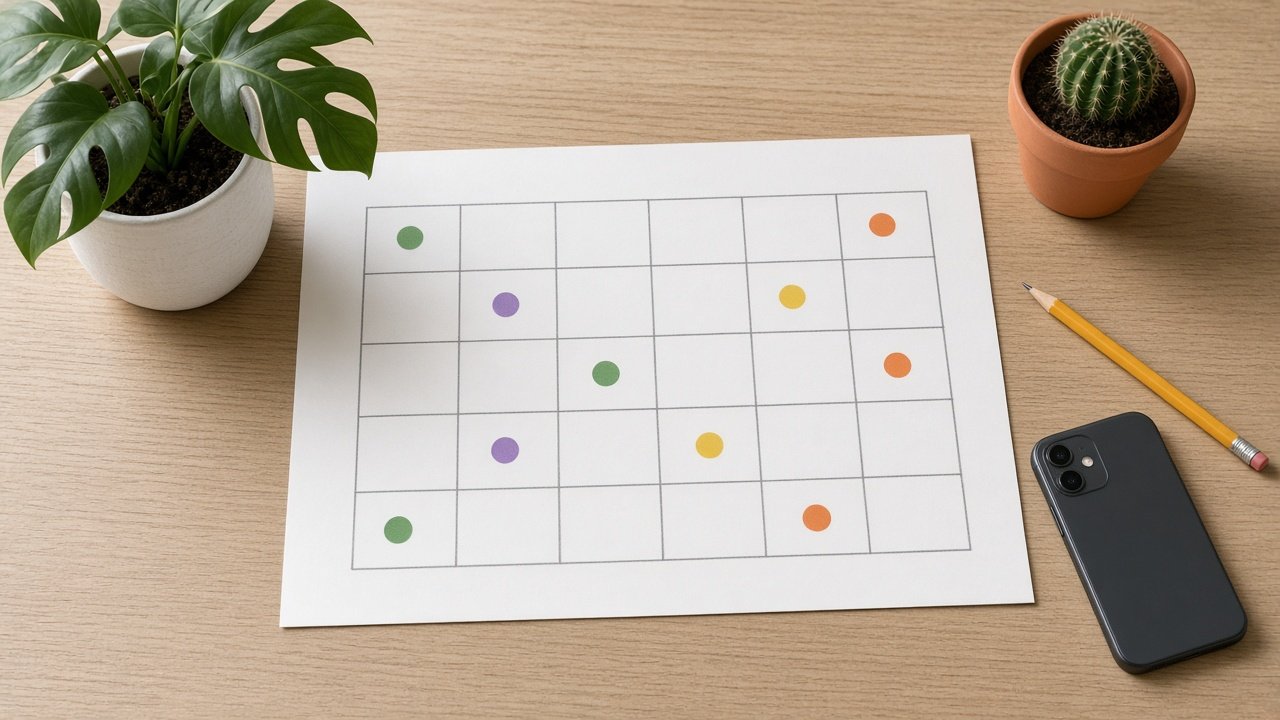
This image was generated using the prompt above.
Examples
Example Input
BrandBrief: Fernway, an independent plant shop; audience: renters in small apartments who are new to houseplants; voice: friendly, practical, no jargon
Pillars: plant care tips 40%; new arrivals 30%; shop community and workshops 20%; offers 10%
ChannelPlan: Instagram 3 posts a week (Monday reel, Wednesday carousel, Friday photo); TikTok 2 videos a week (Tuesday new video, Thursday re-cut of Monday's reel)
PlanMonth: November 2026, weeks starting Monday Nov 2, 9, 16, 23
KeyDates: Saturday Nov 14 repotting workshop in the shop; Thursday Nov 26 Thanksgiving, shop closed; Friday Nov 27 Black Friday
ApprovedOffers: free plant care card with every plant all month; 20% off pots on Nov 27 only
Capacity: 6 hours a week; new reel or TikTok 1 hour; TikTok re-cut 0.5 hour; carousel 0.75 hour; photo post 0.5 hour; weekly planning 0.5 hour
AssetBank: 40 product photos of current plants; 6 repotting clips; no footage of the workshop yet
Example Output
1. POST MATH
Instagram: 3 x 4 weeks = 12. TikTok: 2 x 4 weeks = 8. Total: 20 posts.
Pillars: care 40% = 8; new arrivals 30% = 6; community 20% = 4; offers 10% = 2. 8 + 6 + 4 + 2 = 20.

2. CALENDAR
Week of Nov 2
Mon 11/2 IG reel, Care: "3 signs your plant wants more light" (shoot needed)
Tue 11/3 TikTok, New: "Unboxing this week's arrivals" (shoot needed)
Wed 11/4 IG carousel, Care: "Water by touch, not by the calendar" (product photos)
Thu 11/5 TikTok re-cut, Care: light signs (Monday reel)
Fri 11/6 IG photo, New: "Just in" (product photo)
Week of Nov 9
Mon 11/9 IG reel, New: "New arrivals that handle low light" (shoot needed)
Tue 11/10 TikTok, Care: "Repotting in under a minute" (repotting clips)
Wed 11/11 IG carousel, Community: "What to bring to Saturday's repotting workshop" (product photos)
Thu 11/12 TikTok re-cut, New: low light arrivals (Monday reel)
Fri 11/13 IG photo, Community: "Tomorrow: repotting workshop" (product photo)
Week of Nov 16
Mon 11/16 IG reel, Community: workshop recap (filmed Nov 14)
Tue 11/17 TikTok, Care: "Small apartment, big plant: where to put it" (shoot needed)
Wed 11/18 IG carousel, Care: "Getting plants through dry winter air" (product photos)
Thu 11/19 TikTok re-cut, Community: workshop recap (Monday reel)
Fri 11/20 IG photo, Offers: free plant care card with every plant (product photo)
Week of Nov 23
Mon 11/23 IG reel, Care: "Less water in winter: how to tell" (shoot needed)
Tue 11/24 TikTok, New: "Gift-size plants under one minute" (shoot needed)
Wed 11/25 IG carousel, New: gift-size plants (product photos)
Thu 11/26 TikTok re-cut, Care: winter watering; schedule ahead, shop closed
Fri 11/27 IG photo, Offers: 20% off pots today only (product photo)
Check: care 8, new 6, community 4, offers 2.

3. KEY DATE PLAN
Workshop Nov 14: lead-up 11/11 and 11/13; recap 11/16 and 11/19.
Thanksgiving Nov 26: schedule the TikTok re-cut ahead; no live replies that day.
Black Friday Nov 27: the 20% off pots post goes out that morning and says "Nov 27 only".

4. WORKLOAD (each week)
New reel 1 + new TikTok 1 + carousel 0.75 + TikTok re-cut 0.5 + photo 0.5 + planning 0.5 = 4.25 hours of 6. Spare: 1.75 hours a week for replies.

5. REPURPOSE MAP
Each Thursday TikTok re-cuts that Monday's reel. The 11/25 carousel uses stills from the 11/24 TikTok shoot. Repotting clips feed 11/10.

6. SHOOT LIST
Week 1 (one session): light signs reel, arrivals unboxing.
Week 2: low light arrivals reel; film the Nov 14 workshop, with a sign-up note and spoken okay from anyone shown on camera.
Week 3: small apartment placement TikTok.
Week 4: winter watering reel and gift-size plants TikTok in one session.

7. GAPS AND RISKS
No week is over capacity. All pillars are on target. Both offers are on the approved list. If a workshop guest does not want to be filmed, use hands-only shots for the recap.