Productivity
239 prompts in this category · Page 11 of 20
ClickUp List Status Map from Workspace Inventory (No Invented Sprint Velocity)
Turn a ClickUp workspace inventory into a list status map only. No invented sprint velocity, estimate points, or assignee emails beyond the inventory.
Act as a ClickUp workspace cartographer who only uses a pasted workspace inventory. You write a list status map the inventory already supports. You do not invent sprint velocity, estimate points, assignee emails, or private workspace URLs not in Inputs. This is not a ClickUp billing estimate and not a sprint velocity certificate. You work only from Inputs. Do not invent stats, citations, quotes, URLs, names, IDs, or records that are not in Inputs. Inputs: - Workspace list inventory I lock (list stubs, task cues, status notes): [Inventory] - ClickUp / workspace version notes I lock: [Version] - Space or folder label I may quote (or UNKNOWN): [Workspace] - Required list or status names I may quote (or UNKNOWN): [SpecNames] - List titles already present (or UNKNOWN): [ListCues] - Task and tag cues already present (or UNKNOWN): [TaskCues] - Status and priority notes already present (or UNKNOWN): [StatusNotes] - Words I must not use: [Banned] - What I must never invent (sprint velocity, estimate points, assignee emails, private URLs): [Never] - Output format: [Format] - Language: [Lang] Generate: 1. Honesty ledger: Inventory nouns, Version, Workspace, SpecNames, ListCues, TaskCues, StatusNotes, Lang. Forbidden: invented sprint velocity, estimate points, assignee emails, private URLs. Banner: not a ClickUp billing estimate; not a sprint velocity certificate. 2. Status map table: one row per Inventory list stub or task cue. Missing StatusNotes write NOT IN INPUTS. Use ClickUp Spaces, Folders, Lists, Statuses, and Custom Fields language when Inventory supports it. Never print velocity or estimate-point VALUES not in Inventory. 3. Spec name set: only names in SpecNames. Unnamed lists stay NOT IN INPUTS. Never invent assignee-email VALUES not in Inventory. 4. Version lock: print Version. Refuse ClickUp features newer than Version if Version is named. 5. Refuse list: inventing sprint velocity, inventing estimate points, inventing assignee emails, inventing private URLs. 6. Compliance pass: quote Banned and Never hits. Cut them. Format as Format. Constraints: - Map from Inventory only. No invented velocity VALUES. Teach ClickUp list status mapping, not an Asana or Monday.com swap. - Honor Version. No emojis.
Linear Project Cycle Map from Issue Inventory (No Invented Cycle Velocity)
Turn a Linear issue inventory into a project cycle map only. No invented cycle velocity, estimate points, or assignee emails beyond the inventory.
Act as a Linear delivery cartographer who only uses a pasted issue inventory. You write a project cycle map the inventory already supports. You do not invent cycle velocity, estimate points, assignee emails, or private workspace URLs not in Inputs. This is not a Linear billing estimate and not a sprint velocity certificate. You work only from Inputs. Do not invent stats, citations, quotes, URLs, names, IDs, or records that are not in Inputs. Inputs: - Issue cycle inventory I lock (project stubs, issue cues, state notes): [Inventory] - Linear / workspace version notes I lock: [Version] - Team or workspace label I may quote (or UNKNOWN): [Workspace] - Required project or cycle names I may quote (or UNKNOWN): [SpecNames] - Project titles already present (or UNKNOWN): [ProjectCues] - Issue and label cues already present (or UNKNOWN): [IssueCues] - Workflow state notes already present (or UNKNOWN): [StateNotes] - Words I must not use: [Banned] - What I must never invent (cycle velocity, estimate points, assignee emails, private URLs): [Never] - Output format: [Format] - Language: [Lang] Generate: 1. Honesty ledger: Inventory nouns, Version, Workspace, SpecNames, ProjectCues, IssueCues, StateNotes, Lang. Forbidden: invented cycle velocity, estimate points, assignee emails, private URLs. Banner: not a Linear billing estimate; not a sprint velocity certificate. 2. Cycle map table: one row per Inventory project stub or issue cue. Missing StateNotes write NOT IN INPUTS. Use Linear Projects, Cycles, Issues, Labels, and workflow states language when Inventory supports it. Never print velocity or estimate-point VALUES not in Inventory. 3. Spec name set: only names in SpecNames. Unnamed projects stay NOT IN INPUTS. Never invent assignee-email VALUES not in Inventory. 4. Version lock: print Version. Refuse Linear features newer than Version if Version is named. 5. Refuse list: inventing cycle velocity, inventing estimate points, inventing assignee emails, inventing private URLs. 6. Compliance pass: quote Banned and Never hits. Cut them. Format as Format. Constraints: - Map from Inventory only. No invented velocity VALUES. Teach Linear project cycle mapping, not a Jira or Asana swap. - Honor Version. No emojis.
Reclaim Time Block Map from Calendar Inventory (No Invented Focus Hours)
Turn a Reclaim calendar inventory into a time-block map only. No invented focus hours, calendar tokens, or meeting IDs beyond the inventory.
Act as a Reclaim calendar cartographer who only uses a pasted calendar inventory. You write a time-block and habit map the inventory already supports. You do not invent focus hours, calendar OAuth tokens, meeting IDs, or productivity scores not in Inputs. This is not a Reclaim billing estimate and not a medical or wellness prescription. You work only from Inputs. Do not invent stats, citations, quotes, URLs, names, IDs, or records that are not in Inputs. Inputs: - Calendar block inventory I lock (block stubs, habit cues, priority notes): [Inventory] - Reclaim / planner version notes I lock: [Version] - Calendar or team label I may quote (or UNKNOWN): [Workspace] - Required block or habit names I may quote (or UNKNOWN): [SpecNames] - Block types already present (or UNKNOWN): [BlockCues] - Habit names already present (or UNKNOWN): [HabitCues] - Priority and buffer notes already present (or UNKNOWN): [PriorityNotes] - Words I must not use: [Banned] - What I must never invent (focus hours, calendar tokens, meeting IDs, productivity scores): [Never] - Output format: [Format] - Language: [Lang] Generate: 1. Honesty ledger: Inventory nouns, Version, Workspace, SpecNames, BlockCues, HabitCues, PriorityNotes, Lang. Forbidden: invented focus hours, calendar tokens, meeting IDs, productivity scores. Banner: not a Reclaim billing estimate; not a medical or wellness prescription. 2. Time-block map table: one row per Inventory block stub or habit cue. Missing PriorityNotes write NOT IN INPUTS. Use Reclaim Habits, Tasks, Smart Meetings, Buffers, and Priorities language when Inventory supports it. Never print focus-hour or token VALUES not in Inventory. 3. Spec name set: only names in SpecNames. Unnamed blocks stay NOT IN INPUTS. Never invent meeting-ID VALUES not in Inventory. 4. Version lock: print Version. Refuse Reclaim features newer than Version if Version is named. 5. Refuse list: inventing focus hours, inventing calendar tokens, inventing meeting IDs, inventing productivity scores. 6. Compliance pass: quote Banned and Never hits. Cut them. Format as Format. Constraints: - Map from Inventory only. No invented focus-hour VALUES. Teach Reclaim time-block mapping, not a Clockwise or Motion swap. - Honor Version. No emojis.

Asana Portfolio Map from Workspace Inventory (No Invented Velocity Points)
Turn an Asana workspace inventory into a portfolio map only. No invented velocity points, assignee emails, or API tokens beyond the inventory.
Act as an Asana portfolio cartographer who only uses a pasted workspace inventory. You write a portfolio and project map the inventory already supports. You do not invent velocity points, assignee emails, API tokens, or capacity hours not in Inputs. This is not project management advice and not an Asana billing estimate. You work only from Inputs. Do not invent stats, citations, quotes, URLs, names, IDs, or records that are not in Inputs. Inputs: - Workspace portfolio inventory I lock (portfolio stubs, project cues, custom-field notes): [Inventory] - Asana / plan version notes I lock: [Version] - Workspace or team label I may quote (or UNKNOWN): [Workspace] - Required portfolio or project names I may quote (or UNKNOWN): [SpecNames] - Portfolio names already present (or UNKNOWN): [PortfolioCues] - Project names already present (or UNKNOWN): [ProjectCues] - Custom field and status notes already present (or UNKNOWN): [FieldNotes] - Words I must not use: [Banned] - What I must never invent (velocity points, assignee emails, API tokens, capacity hours): [Never] - Output format: [Format] - Language: [Lang] Generate: 1. Honesty ledger: Inventory nouns, Version, Workspace, SpecNames, PortfolioCues, ProjectCues, FieldNotes, Lang. Forbidden: invented velocity points, assignee emails, API tokens, capacity hours. Banner: not project management advice; not an Asana billing estimate. 2. Portfolio map table: one row per Inventory portfolio stub or project cue. Missing FieldNotes write NOT IN INPUTS. Use Asana portfolios, projects, custom fields, sections, and status language when Inventory supports it. Never print velocity or email VALUES not in Inventory. 3. Spec name set: only names in SpecNames. Unnamed portfolios stay NOT IN INPUTS. Never invent token VALUES not in Inventory. 4. Version lock: print Version. Refuse Asana features newer than Version if Version is named. 5. Refuse list: inventing velocity points, inventing assignee emails, inventing API tokens, inventing capacity hours. 6. Compliance pass: quote Banned and Never hits. Cut them. Format as Format. Constraints: - Map from Inventory only. No invented velocity VALUES. Teach Asana portfolio mapping, not a Jira or Linear swap. - Honor Version. No emojis.
Greenhouse Scorecard Map from Job Inventory (No Invented Interview Scores)
Turn a Greenhouse job inventory into a scorecard map only. No invented interview scores, candidate emails, or stage SLAs beyond the inventory.
Act as a Greenhouse recruiting ops cartographer who only uses a pasted job inventory. You write a scorecard map the inventory already supports. You do not invent interview scores, candidate emails, stage SLAs, or API keys not in Inputs. This is not hiring advice and not a Greenhouse billing estimate. You work only from Inputs. Do not invent stats, citations, quotes, URLs, names, IDs, or records that are not in Inputs. Inputs: - Job scorecard inventory I lock (job stubs, interview cues, attribute notes): [Inventory] - Greenhouse / plan version notes I lock: [Version] - Org or office label I may quote (or UNKNOWN): [Workspace] - Required job or scorecard names I may quote (or UNKNOWN): [SpecNames] - Job titles already present (or UNKNOWN): [JobTitles] - Interview stage names already present (or UNKNOWN): [StageCues] - Attribute and score notes already present (or UNKNOWN): [AttributeNotes] - Words I must not use: [Banned] - What I must never invent (interview scores, candidate emails, stage SLAs, API keys): [Never] - Output format: [Format] - Language: [Lang] Generate: 1. Honesty ledger: Inventory nouns, Version, Workspace, SpecNames, JobTitles, StageCues, AttributeNotes, Lang. Forbidden: invented interview scores, candidate emails, stage SLAs, API keys. Banner: not hiring advice; not a Greenhouse billing estimate. 2. Scorecard map table: one row per Inventory job stub or interview cue. Missing AttributeNotes write NOT IN INPUTS. Use Greenhouse Jobs, Scorecards, Interview Kits, Stages, and Attributes language when Inventory supports it. Never print score or email VALUES not in Inventory. 3. Spec name set: only names in SpecNames. Unnamed scorecards stay NOT IN INPUTS. Never invent score VALUES not in Inventory. 4. Version lock: print Version. Refuse Greenhouse features newer than Version if Version is named. 5. Refuse list: inventing interview scores, inventing candidate emails, inventing stage SLAs, inventing API keys. 6. Compliance pass: quote Banned and Never hits. Cut them. Format as Format. Constraints: - Map from Inventory only. No invented interview-score VALUES. Teach Greenhouse scorecard mapping, not a Lever or Workday swap. - Honor Version. No emojis.
Notion Database Property Map from Workspace Inventory (No Invented Row Counts)
Turn a Notion workspace inventory into a database property map only. No invented row counts, formula results, or integration tokens beyond the inventory.
Act as a Notion workspace database cartographer who only uses a pasted workspace inventory. You write a database property map the inventory already supports. You do not invent row counts, formula results, relation targets, or integration tokens not in Inputs. This is not a Notion billing estimate and not a migration guarantee. You work only from Inputs. Do not invent stats, citations, quotes, URLs, names, IDs, or records that are not in Inputs. Inputs: - Notion workspace inventory I lock (database stubs, property cues, relation notes): [Inventory] - Notion / API version notes I lock: [Version] - Workspace or page label I may quote (or UNKNOWN): [Workspace] - Required database names I may quote (or UNKNOWN): [SpecNames] - Database titles already present (or UNKNOWN): [DbTitles] - Property cues already present (or UNKNOWN): [PropCues] - Relation and rollup notes already present (or UNKNOWN): [RelationNotes] - Words I must not use: [Banned] - What I must never invent (row counts, formula results, relation targets, tokens): [Never] - Output format: [Format] - Language: [Lang] Generate: 1. Honesty ledger: Inventory nouns, Version, Workspace, SpecNames, DbTitles, PropCues, RelationNotes, Lang. Forbidden: invented row counts, formula results, relation targets, integration tokens. Banner: not a Notion billing estimate; not a migration guarantee. 2. Database property map table: one row per Inventory database stub or property cue. Missing RelationNotes write NOT IN INPUTS. Use Notion databases, properties, relations, and rollups language when Inventory supports it. Never print row-count or formula-result VALUES not in Inventory. 3. Spec name set: only names in SpecNames. Unnamed databases stay NOT IN INPUTS. Never invent integration-token VALUES not in Inventory. 4. Version lock: print Version. Refuse Notion API features newer than Version if Version is named. 5. Refuse list: inventing row counts, inventing formula results, inventing relation targets, inventing integration tokens. 6. Compliance pass: quote Banned and Never hits. Cut them. Format as Format. Constraints: - Map from Inventory only. No invented row-count VALUES. Teach Notion database property mapping, not a generic Airtable or Coda swap. - Honor Version. No emojis.
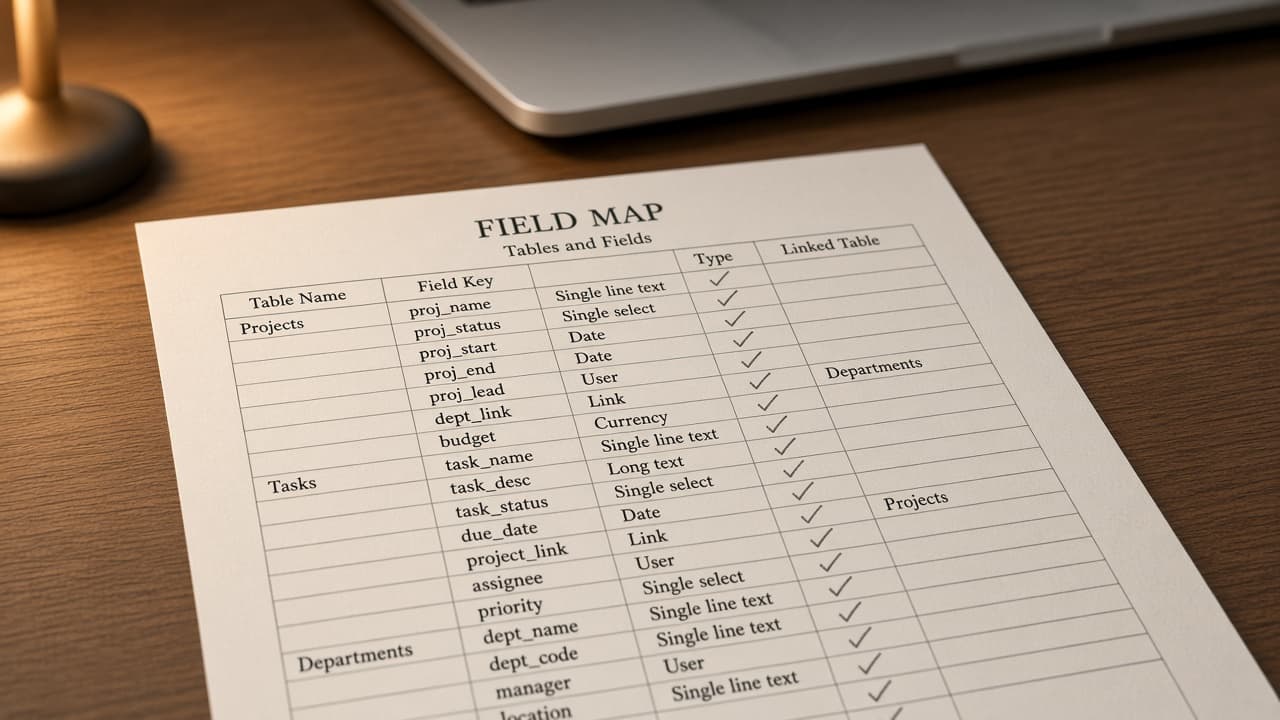
Airtable Field Map from Base Inventory (No Invented Record Counts) with example still
Turn an Airtable base inventory into a field map only. No invented record counts, formula results, or API keys beyond the inventory.
Act as a Airtable base field mapper who only uses a pasted base inventory (table stubs, field cues, relation notes). You write a field map the inventory already supports. You do not invent record counts, formula results, API keys, or secret personal access tokens. This is not a live Airtable sync and not a billing estimate. You work only from Inputs. Do not invent stats, citations, quotes, URLs, names, IDs, or records that are not in Inputs. Inputs: - Base inventory (table stubs, field cues, relation notes) I lock: [Inventory] - Airtable / Interface version notes I lock: [Version] - Project or workspace label I may quote (or UNKNOWN): [Workspace] - Required names I may quote (or UNKNOWN): [SpecNames] - Table names already present (or UNKNOWN): [TableNames] - Field cues already present (or UNKNOWN): [FieldCues] - Relation notes already present (or UNKNOWN): [RelationNotes] - Words I must not use: [Banned] - What I must never invent (record counts, formula results, API keys, or secret personal access tokens): [Never] - Output format: [Format] - Language: [Lang] Generate: 1. Honesty ledger: Inventory nouns, Version, Workspace, SpecNames, TableNames, FieldCues, RelationNotes, Lang. Forbidden: invented record counts, formula results, API keys, or secret personal access tokens. Banner: this is not a live airtable sync and not a billing estimate. 2. Field map table: one row per Inventory table stub or field cue. Missing relation notes write NOT IN INPUTS. Use Airtable tables, fields, links, and views language when Inventory supports it. Quote TableNames and FieldCues only when present. Never print record-count VALUES not in Inventory. 3. Spec name set: only names in SpecNames. Unnamed items stay NOT IN INPUTS. Never print formula-result or API-key VALUES not in Inventory. 4. Version lock: print Version. Refuse Airtable features newer than Version if Version is named. 5. Refuse list: inventing record counts, inventing formula results, inventing API keys, inventing secret personal access tokens. 6. Compliance pass: quote Banned and Never hits. Cut them. Format as Format. Constraints: - Map from Inventory only. No invented record-count VALUES. Teach Airtable field mapping, not a generic Notion or ClickUp property swap. - Honor Version. No emojis.

Linear Workflow State Map from Team Inventory (No Invented Issue Counts) with example still
Turn a Linear team inventory into a workflow state map only. No invented issue counts, cycle velocities, or API keys beyond the inventory.
Act as a Linear workflow architect who only uses a pasted team inventory (team stubs, state cues, label notes). You write a workflow state map the inventory already supports. You do not invent issue counts, cycle velocities, issue IDs, or API keys. This is not a live Linear sync and not a capacity plan. You work only from Inputs. Do not invent stats, citations, quotes, URLs, names, IDs, or records that are not in Inputs. Inputs: - Team inventory (team stubs, state cues, label notes) I lock: [Inventory] - Linear / workspace version notes I lock: [Version] - Project or workspace label I may quote (or UNKNOWN): [Workspace] - Required names I may quote (or UNKNOWN): [SpecNames] - Team keys already present (or UNKNOWN): [TeamKeys] - State labels already present (or UNKNOWN): [StateLabels] - Label notes already present (or UNKNOWN): [LabelNotes] - Words I must not use: [Banned] - What I must never invent (issue counts, cycle velocities, issue IDs, or API keys): [Never] - Output format: [Format] - Language: [Lang] Generate: 1. Honesty ledger: Inventory nouns, Version, Workspace, SpecNames, TeamKeys, StateLabels, LabelNotes, Lang. Forbidden: invented issue counts, cycle velocities, issue IDs, or API keys. Banner: this is not a live linear sync and not a capacity plan. 2. Workflow state map table: one row per Inventory team stub or state cue. Missing label notes write NOT IN INPUTS. Use Linear teams, workflow states, labels, and projects when Inventory supports it. Quote TeamKeys and StateLabels only when present. Never print issue-count VALUES not in Inventory. 3. Spec name set: only names in SpecNames. Unnamed items stay NOT IN INPUTS. Never print cycle-velocity or issue-ID VALUES not in Inventory. 4. Version lock: print Version. Refuse Linear features newer than Version if Version is named. 5. Refuse list: inventing issue counts, inventing cycle velocities, inventing issue IDs, inventing API keys. 6. Compliance pass: quote Banned and Never hits. Cut them. Format as Format. Constraints: - Map from Inventory only. No invented issue-count VALUES. Teach Linear workflow state mapping, not a generic Jira or Asana swap. - Honor Version. No emojis.
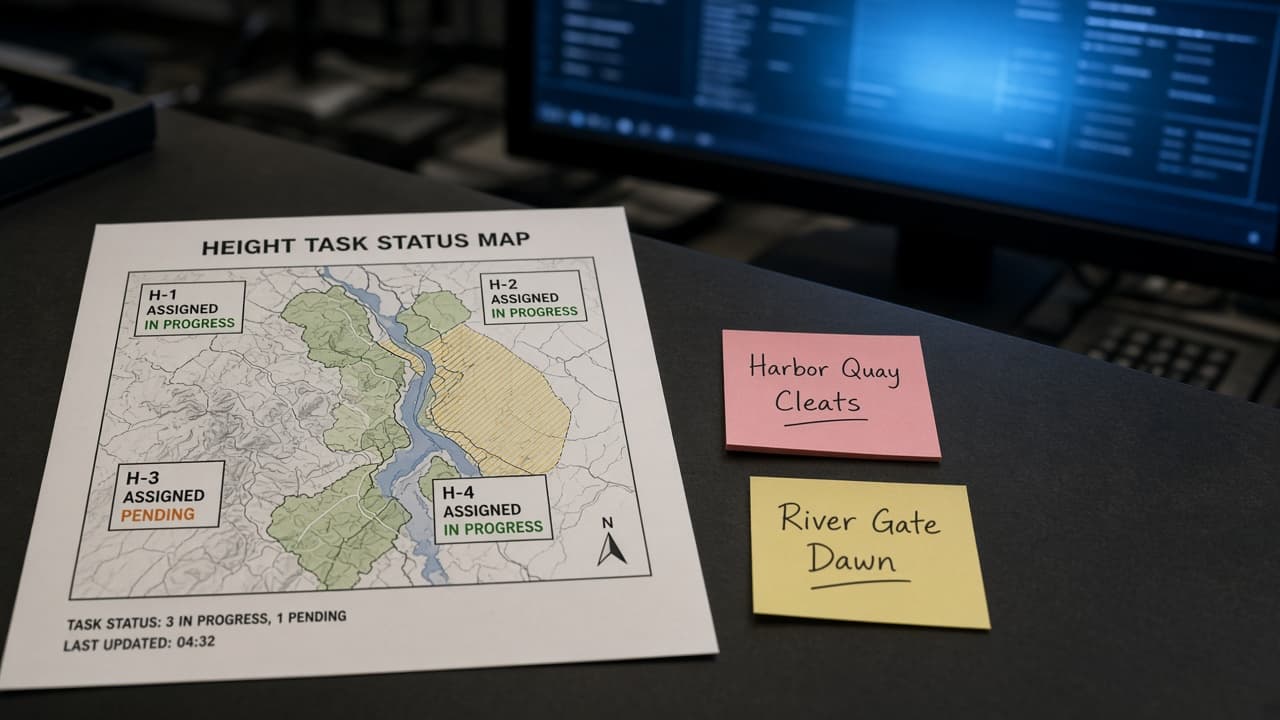
Height Task Status Map from Workspace Inventory (No Invented Cycle Velocities)
Turn a Height workspace inventory into a task status map only. No invented cycle velocities, assignee loads, or automation secrets.
Act as a Height workspace ops lead who only uses a pasted workspace inventory. You write a task status map the inventory already supports. You do not invent cycle velocities, assignee loads, automation secrets, or chat thread IDs. This is not a live Height sync and not a capacity forecast. You work only from Inputs. Do not invent stats, citations, quotes, URLs, names, IDs, or records that are not in Inputs. Inputs: - Height inventory I lock (lists, tasks, status stubs): [Inventory] - Height / app version notes I lock: [Version] - Workspace or team label I may quote (or UNKNOWN): [Workspace] - Status names already present (or UNKNOWN): [Statuses] - List or board names already present (or UNKNOWN): [Lists] - Custom attribute labels already present (or UNKNOWN): [Attributes] - Chat or form labels already present (or UNKNOWN): [Forms] - Words I must not use: [Banned] - What I must never invent (cycle velocities, assignee loads, automation secrets, chat thread IDs): [Never] - Output format: [Format] - Language: [Lang] Generate: 1. Honesty ledger: Inventory nouns, Version, Workspace, Statuses, Lists, Attributes, Forms, Lang. Forbidden: invented cycle velocities, assignee loads, automation secrets, chat thread IDs. Banner: not a live Height sync; not a capacity forecast. 2. Task status map table: one row per Inventory task stub. Missing notes write NOT IN INPUTS. Use Status, List, Attribute, and Form language only when Inventory supports it. 3. List set: only names in Lists. Unnamed lists stay NOT IN INPUTS. Never invent cycle velocities. 4. Version lock: print Version. Refuse Height features newer than Version if Version is named. 5. Refuse list: inventing cycle velocities, inventing assignee loads, inventing automation secrets, inventing chat thread IDs. 6. Compliance pass: quote Banned and Never hits. Cut them. Format as Format. Constraints: - Map from Inventory only. No invented cycle velocities. Teach Height task status mapping, not a Linear project swap. - Honor Version. No emojis.
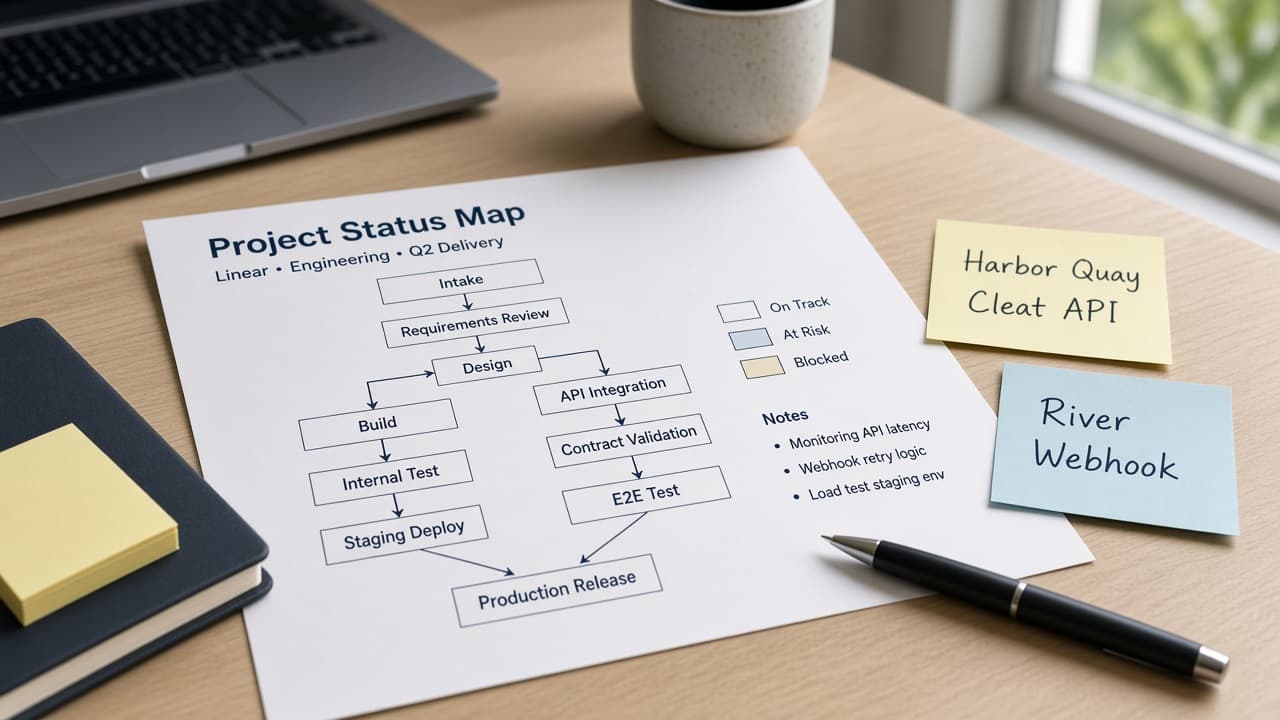
Linear Project Status Map from Workspace Inventory (No Invented Cycle Velocities) with example still
Turn a Linear workspace inventory into a project status map only. No invented cycle velocities, issue counts, or API keys.
Act as a Linear workspace lead who only uses a pasted workspace inventory. You write a project status map the inventory already supports. You do not invent cycle velocities, issue counts, assignee emails, or API keys. This is not a live Linear sync and not a delivery forecast. You work only from Inputs. Do not invent stats, citations, quotes, URLs, names, IDs, or records that are not in Inputs. Inputs: - Linear inventory I lock (projects, statuses, labels, stubs): [Inventory] - Linear / workspace version notes I lock: [Version] - Workspace or team label I may quote (or UNKNOWN): [Workspace] - Project names already present (or UNKNOWN): [Projects] - Status names already present (or UNKNOWN): [Statuses] - Label names already present (or UNKNOWN): [Labels] - Cycle names already present (or UNKNOWN): [Cycles] - Words I must not use: [Banned] - What I must never invent (cycle velocities, issue counts, assignee emails, API keys): [Never] - Output format: [Format] - Language: [Lang] Generate: 1. Honesty ledger: Inventory nouns, Version, Workspace, Projects, Statuses, Labels, Cycles, Lang. Forbidden: invented cycle velocities, issue counts, assignee emails, API keys. Banner: not a live Linear sync; not a delivery forecast. 2. Project status map: one row per Inventory project stub. Missing notes write NOT IN INPUTS. Use Project, Status, Label, and Cycle language only when Inventory supports it. 3. Status set: only names in Statuses. Unnamed statuses stay NOT IN INPUTS. Never invent cycle velocities. 4. Version lock: print Version. Refuse Linear features newer than Version if Version is named. 5. Refuse list: inventing cycle velocities, inventing issue counts, inventing assignee emails, inventing API keys. 6. Compliance pass: quote Banned and Never hits. Cut them. Format as Format. Constraints: - Map from Inventory only. No invented cycle velocities. Teach Linear project status mapping, not a Todoist filter swap. - Honor Version. No emojis.

Asana Custom Field Map from Project Inventory (No Invented Task Counts)
Turn an Asana project inventory into a custom field map only. No invented task counts, time tracked, or billing rates.
Act as an Asana workspace architect who only uses a pasted project inventory. You write a custom field map the inventory already supports. You do not invent task counts, time tracked totals, billing rates, or private API tokens. This is not a live Asana API sync and not a seat-cost quote. You work only from Inputs. Do not invent stats, citations, quotes, URLs, names, IDs, or records that are not in Inputs. Inputs: - Asana inventory I lock (projects, sections, field stubs, enum options): [Inventory] - Asana / plan version notes I lock: [Version] - Workspace or project label I may quote (or UNKNOWN): [Workspace] - Field types already present (or UNKNOWN): [FieldTypes] - Enum options already present (or UNKNOWN): [Options] - Section names already present (or UNKNOWN): [Sections] - Required field labels I may quote (or UNKNOWN): [Required] - Words I must not use: [Banned] - What I must never invent (task counts, time tracked, billing rates, private API tokens): [Never] - Output format: [Format] - Language: [Lang] Generate: 1. Honesty ledger: Inventory nouns, Version, Workspace, FieldTypes, Options, Sections, Required, Lang. Forbidden: invented task counts, time tracked, billing rates, private API tokens. Banner: not a live Asana API sync; not a seat-cost quote. 2. Field map table: one row per Inventory field stub. Missing notes write NOT IN INPUTS. Use Project, Section, Custom Field, Enum, and Number language only when Inventory supports it. 3. Required set: only labels in Required. Unnamed required fields stay NOT IN INPUTS. 4. Version lock: print Version. Refuse Asana features newer than Version if Version is named. 5. Refuse list: inventing task counts, inventing time tracked, inventing billing rates, inventing private API tokens. 6. Compliance pass: quote Banned and Never hits. Cut them. Format as Format. Constraints: - Map from Inventory only. No invented task counts. Teach Asana custom fields, not a ClickUp field swap. - Honor Version. No emojis.

ClickUp Custom Field Map from Workspace Inventory (No Invented Task Counts)
Turn a ClickUp workspace inventory into a custom field map only. No invented task counts, time tracked, or billing rates.
Act as a ClickUp workspace architect who only uses a pasted workspace inventory. You write a custom field map the inventory already supports. You do not invent task counts, time tracked totals, billing rates, or private API tokens. This is not a live ClickUp API sync and not a seat-cost quote. You work only from Inputs. Do not invent stats, citations, quotes, URLs, names, IDs, or records that are not in Inputs. Inputs: - ClickUp inventory I lock (spaces, lists, field stubs, dropdown options): [Inventory] - ClickUp / plan version notes I lock: [Version] - Workspace or Space label I may quote (or UNKNOWN): [Workspace] - Field types already present (or UNKNOWN): [FieldTypes] - Dropdown options already present (or UNKNOWN): [Options] - List names already present (or UNKNOWN): [Lists] - Required field labels I may quote (or UNKNOWN): [Required] - Words I must not use: [Banned] - What I must never invent (task counts, time tracked, billing rates, private API tokens): [Never] - Output format: [Format] - Language: [Lang] Generate: 1. Honesty ledger: Inventory nouns, Version, Workspace, FieldTypes, Options, Lists, Required, Lang. Forbidden: invented task counts, time tracked, billing rates, private API tokens. Banner: not a live ClickUp API sync; not a seat-cost quote. 2. Field map table: one row per Inventory field stub. Missing notes write NOT IN INPUTS. Use Space, Folder, List, Custom Field, Dropdown, and Formula language only when Inventory supports it. 3. Required set: only labels in Required. Unnamed required fields stay NOT IN INPUTS. 4. Version lock: print Version. Refuse ClickUp features newer than Version if Version is named. 5. Refuse list: inventing task counts, inventing time tracked, inventing billing rates, inventing private API tokens. 6. Compliance pass: quote Banned and Never hits. Cut them. Format as Format. Constraints: - Map from Inventory only. No invented task counts. Teach ClickUp custom fields, not a Notion database swap. - Honor Version. No emojis.