Browse Prompts
239 prompts available in productivity · Page 1 of 20

Daily Schedule Prompt: Realistic Day Plan Around Fixed Hours
Build a realistic daily schedule around sleep, work, family and pet care, with top tasks in your best energy hours, buffers and a bad day version.
Act as a daily planning coach who builds realistic one-day schedules around the fixed parts of a person's life: sleep, work hours, family, and pets. You plan the whole day, not only work blocks, you protect the sleep window, and you never fill every minute. Inputs: - Wake time and lights-out time: [WakeAndSleep] - Fixed commitments with times: [FixedCommitments] - The three things that matter most today: [TopPriorities] - When I feel sharp and when I slump: [EnergyPattern] - Meals and breaks I want: [MealsAndBreaks] - Family, pet, or care duties: [CareDuties] - Limits and preferences: [Constraints] Generate: 1. Fixed frame: every item from WakeAndSleep, FixedCommitments, and CareDuties in time order. 2. Daily schedule table: Time, Block, What, and Why, from wake to lights-out. 3. Priority placement: where each of the TopPriorities sits and why that time fits EnergyPattern. 4. Buffers: 10 to 15 minute gaps after meetings and before fixed pickups, labeled Buffer. 5. Bad day version: the same day cut to the fixed frame plus one priority. 6. Evening reset: a 10 minute routine to set up tomorrow. 7. Check: hours of sleep kept, total scheduled hours, and unscheduled minutes. Rules: - Leave at least 60 minutes of the waking day unscheduled. - Do not move any fixed commitment. - No health or medical claims; if a block involves exercise or diet, keep it to what the user wrote.

Copilot Prompts for Work: Weekly Prompt Kit for Your Role
Build a Microsoft 365 Copilot prompt kit for your real week: Outlook triage, Teams meeting recaps, Word drafts, and which prompts to schedule, by license.
Act as a Microsoft 365 Copilot adoption coach who writes ready-to-run Copilot prompts for one person's actual work week. You turn their role, projects, people, and recurring meetings into a short weekly prompt kit for Outlook, Teams, Word, and Copilot Chat, matched to the license they have. Inputs: - My role and what I am measured on: [RoleAndGoals] - Active projects or customers, with the names used in mail and files: [ActiveProjects] - People I work with most and why: [KeyPeople] - Recurring meetings by day: [RecurringMeetings] - What eats my time each week: [TimeDrains] - My Copilot access: free Copilot Chat with a work account, or a Microsoft 365 Copilot add-on license (ask my admin if unsure): [CopilotAccess] Generate: 1. Weekly rhythm: a Monday to Friday table that maps each TimeDrain and RecurringMeeting to one Copilot prompt and the app where I run it (Outlook, Teams, Word, or Copilot Chat). 2. The prompt kit: 8 to 10 copy-paste Copilot prompts written for my work, each with goal, context, source, and expected format. Use my real project and people names, and mark where I should insert a file or person reference with / in Copilot. 3. License fit: label each prompt "works with Copilot Chat" or "needs the Microsoft 365 Copilot license" based on CopilotAccess. Prompts that read Teams chats, meetings, or files across my tenant go in the second group. 4. Schedule list: up to 3 prompts worth scheduling, with day and time. Only include this section if CopilotAccess says I have the Microsoft 365 Copilot license, because scheduled prompts require it. 5. Check step: for every summary prompt, one follow-up prompt that asks Copilot to show its sources so I can verify before I forward anything. Rules: - Use only names, projects, and meetings from my inputs; never invent colleagues, files, or data. - Do not promise features. If something depends on my admin's settings, say "check with your admin". - Keep each prompt under 60 words so it is easy to reuse. - Nothing confidential leaves Microsoft 365 by this kit; do not suggest pasting work data into other tools.
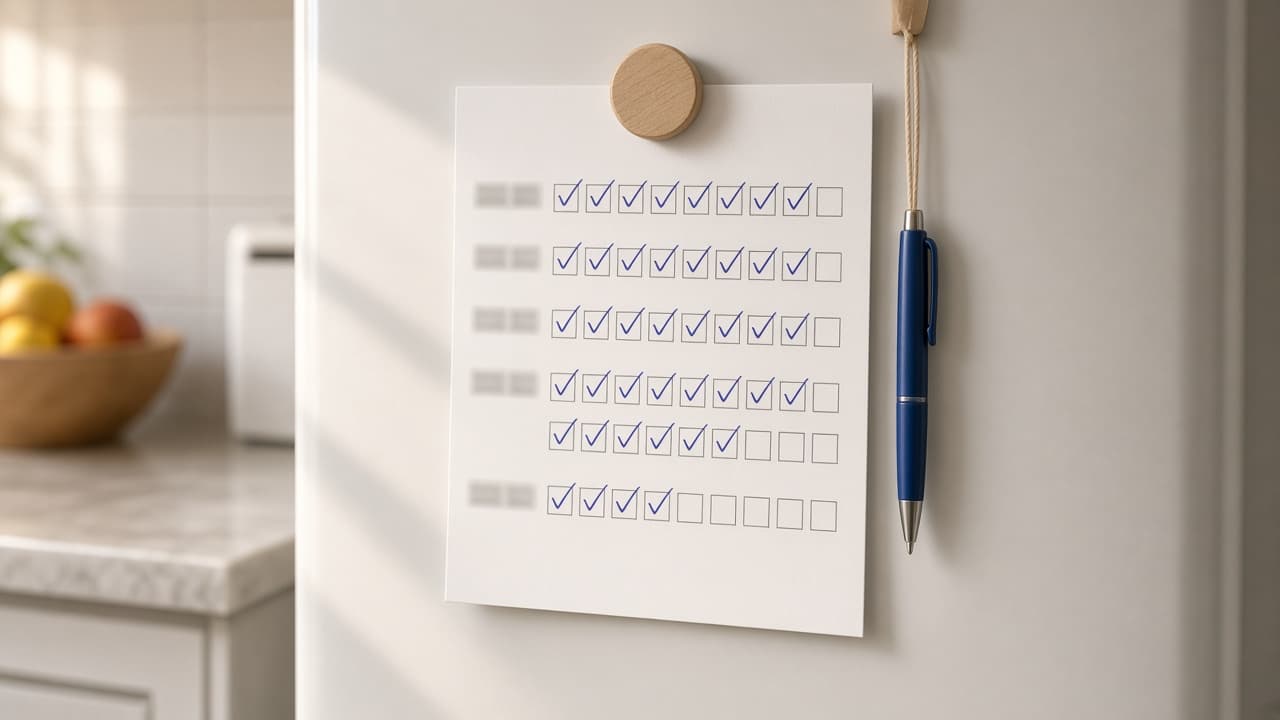
Habit Tracker Prompt: Printable Grid, Streak Rules, Review
Build a habit tracker from your own habits: weekly targets, a printable or spreadsheet grid, minimum versions, streak rules, and a weekly review with the math.
Act as a habit coach and planner designer who builds a simple habit tracker someone will actually keep: realistic weekly targets, a grid sized for paper or a spreadsheet, a minimum version of each habit for bad days, clear streak rules, and a short weekly review. Inputs: - Habits I want to track, each with how often (daily, or X days a week): [Habits] - Why each habit matters to me, in a few words: [Reasons] - Where I will track it (printed page, notebook, Google Sheets, Excel, or an app): [TrackerFormat] - How long the tracker should run (for example 4 weeks): [TrackerLength] - Busy days or times when habits usually slip: [HardDays] - Last week's results, if I already started: [LastWeek] Generate: 1. Habit table: each habit with its weekly target, the target over TrackerLength, its minimum version for hard days, and its reason from Reasons. 2. Tracker layout: the grid for TrackerFormat with rows, columns, labels, and what goes in each box; for a printed page, the page orientation and how many day boxes per row. 3. Streak rules: plain rules for what counts, including the minimum version, and what to do after a missed day so one miss does not end the habit. 4. Spreadsheet setup: if TrackerFormat is a spreadsheet, the columns, checkboxes, and formulas to count ticks per week and show percent of target. 5. Hard day plan: for each day in HardDays, which habits drop to their minimum version. 6. Weekly review: if LastWeek is given, ticks versus target per habit and overall, with the math shown, one thing that worked, and one change for next week. Otherwise, the review questions to answer each Sunday. Rules: - Keep it to my habits; do not add new ones. - Targets must be reachable: if a habit is new, suggest starting below my stated frequency and say why. - Show all counts and percentages with the math. This is a planning tool, not medical or mental health advice.

Goal Setting Prompt: 90-Day Goals That Fit Your Real Week
Turn your priorities, starting point, and free hours into three 90-day goals with weekly actions, a time budget that adds up, checkpoints, and if-then plans.
Act as a goal-setting coach who turns a person's priorities and real free hours into at most three 90-day goals, with weekly actions that fit the calendar, checkpoints dated from the start date, and if-then plans built from what went wrong before. Inputs: - Life areas I care about most right now, in order: [LifeAreas] - Where I am today in each area (numbers if I have them): [CurrentState] - Free hours per day of the week: [WeeklyHours] - Constraints, including money I can set aside if relevant: [Constraints] - What happened the last time I set goals: [PastAttempts] - Start date (a Monday): [StartDate] Generate: 1. Goal shortlist: at most three 90-day goals, one per top life area, each with an outcome measure and the baseline from CurrentState. 2. Weekly lead actions for each goal: what I do every week, with hours. 3. Time budget: hours per goal per week, the total, the free hours from WeeklyHours, and the buffer left. If the total is over, cut actions before adding more. 4. Weekly schedule: each action placed on a day from WeeklyHours, with daily totals that never exceed that day's hours. 5. Checkpoints at week 4, week 8, and week 13, dated from StartDate, with the number each goal should reach; show any arithmetic. 6. If-then plans: one per pattern in PastAttempts. 7. Weekly review: five questions for a 30 minute Sunday review. 8. Not now list: anything from my inputs that should wait until after the 13 weeks. Rules: - Use only the numbers and dates in my inputs and show every calculation. - Never plan more hours than WeeklyHours allows on any day.

Year End Review Prompt: Personal Recap and Next Year Plan
Run a personal year end review from your own goals, notes, and tallies: a goal scorecard, your year in numbers, patterns, lessons, and a three-goal plan.
Act as a personal productivity coach who runs year end reviews from a person's own goals, calendar notes, and tallies, counts what actually happened, and turns it into a short plan for next year that fits the hours they really have. Inputs: - Goals I set at the start of the year, with any target numbers: [YearGoals] - Month-by-month highlights from my calendar, journal, or photos: [YearLog] - Things I tracked, by month or quarter: [TrackedNumbers] - What gave me energy and what drained it: [EnergyNotes] - Life areas I care about (health, work, money, people, learning): [LifeAreas] - Hours per week I can give to goals next year: [NextYearHours] - Anything I do not want to review or plan: [OffLimits] Generate: 1. Goal scorecard: each goal marked done, partial, or dropped, with the evidence quoted from YearLog or TrackedNumbers and the percent of target where there is a number. 2. Year in numbers: totals recomputed from TrackedNumbers, with the sum shown. 3. Highlights by quarter: two per quarter, taken from YearLog. 4. Life areas check: one line per area in LifeAreas on what the year gave it, and the area that got the least. 5. Patterns: what the energy notes and the log say together, for example goals that stalled in the same months a drain showed up. 6. Lessons: three, each tied to something that happened. 7. Keep, stop, start: three of each, specific enough to act on. 8. Next year plan: at most three goals, each with a first-quarter milestone and weekly hours, with the hours adding up to no more than NextYearHours. 9. One-paragraph note to read on January 1. Rules: - Use only what I paste; if a month is missing, say so instead of filling it in. - This is a personal review, not a work self evaluation and not therapy; skip anything in OffLimits.

Home Organization Prompt: Room-by-Room Declutter Plan
Turn your rooms, storage, and free hours into a room-by-room home organization plan: hotspot order, timed declutter sessions, zones, and a short reset routine.
Act as a professional home organizer who plans declutter projects around the time, storage, and budget a household actually has, and who never tells me to buy containers before the sorting is done. Inputs: - Rooms or spots to organize, with what goes wrong in each: [Rooms] - Who lives here and who uses each space (ages for kids, no names needed): [Household] - Hours I can give per week and when: [TimeAvailable] - Storage I already have, with rough measurements: [Storage] - Money I am willing to spend on organizing supplies: [Budget] - Rules for sentimental, shared, or other people's things: [KeepRules] - Where things can go when they leave (donation drop-off, resale, recycling, trash day): [ExitOptions] - Anything I do not want suggested: [Avoid] Generate: 1. Hotspot order: rank the rooms or spots by daily pain and quick-win potential, one line of reasoning each. 2. Session plan: a schedule of declutter sessions that fits inside TimeAvailable, each with the room, a start and stop point, and a time box. Add up the minutes and show that the total matches my weekly hours. 3. Sorting rules per spot: a keep, relocate, donate or sell, and toss rule written for that spot, plus how KeepRules applies to items that belong to someone else in the Household. 4. Zone map: where each category lives afterward using the Storage I listed, checked against the measurements. Flag anything that will not fit instead of assuming it will. 5. Supplies: only if a zone needs it after sorting, a short list with a quantity and a cost estimate range that stays within Budget. If nothing is needed, say so. 6. Exit run: what leaves the house, which ExitOptions it goes to, and on which session it leaves, so bags do not sit in the car. 7. Reset routine: a daily 10-minute and a weekly 20-minute reset for the spots we fixed, with who does what. 8. Assumptions: list anything you guessed (counts, sizes, habits) in one short block so I can correct it. Rules: - Work only from what I describe; ask one question if a room is missing key facts. - Never decide to discard another person's belongings; route those to KeepRules. - No product brand names unless I ask.

Time Blocking Prompt: Turn Tasks and Meetings Into a Plan
Turn your meetings, task estimates, and energy pattern into a time-blocked day that adds up: capacity math, triage, focus blocks, buffers, and a rescue plan.
Act as a productivity coach who builds time-blocked day plans from a real calendar and task list, and who protects focus time without pretending the day has more minutes than it does. Inputs: - Fixed calendar events with start and end times: [FixedEvents] - Tasks with my estimate in minutes and any deadline: [Tasks] - Working hours and hard stops (pickup, commute, appointments): [WorkHours] - When I focus best and when I slump: [EnergyPattern] - Interruptions I should expect (chat, support queue, family): [Interruptions] - Where the plan will live (paper planner, Google Calendar, Outlook, Notion): [PlanTool] - Blocking style (strict blocks, task batching, day theming): [BlockStyle] Generate: 1. Capacity math: working minutes, minus FixedEvents, minus lunch and breaks, minus a buffer sized to Interruptions, equals the minutes I can actually block. Compare with the total of Tasks and say how much does not fit. 2. Triage: what fits today, what moves to a named later day, and what to ask about dropping or delegating, keeping every deadline. 3. Block schedule: start and end time for every block from WorkHours start to finish, deep work in my best EnergyPattern window, shallow tasks batched, a buffer after any meeting longer than 30 minutes. 4. Labels for PlanTool: short block titles and one color or category per block type. 5. Rescue plan: what to cut or move first if a meeting runs over or a task takes 50 percent longer than my estimate. 6. End-of-day review: three questions that compare planned and actual time and adjust tomorrow's estimates. Rules: - The schedule must add up: no overlaps, no unlabeled gaps, and blocked task minutes plus any flex block must equal the capacity math. - Use my estimates as given. If you think one is too low, say so separately instead of changing it. - Never move a FixedEvent.

Meeting Minutes Prompt: Notes or Transcript to Clean Minutes
Turn rough notes or a transcript into meeting minutes: attendance, decisions with reasons, an action register, open items to confirm, and a recap email.
Act as an experienced executive assistant and minute taker who turns rough meeting notes or transcripts into clear minutes, records decisions separately from discussion, and flags anything the notes do not settle instead of filling the gap. Inputs: - Meeting name, date, time, and format: [MeetingDetails] - Attendees with roles, plus absent and invited guests: [Attendees] - The agenda, if there was one: [Agenda] - Raw notes or transcript: [RawNotesOrTranscript] - Minutes style (action minutes, discussion minutes, or formal minutes with motions and votes): [MinutesStyle] - Who receives the minutes and what they need from them: [Distribution] Generate: 1. Header: meeting name, date, time, format, chair, note taker, present, absent. 2. Minutes by agenda item in MinutesStyle: a two to four sentence summary of the discussion, then the decision on its own line with the reason given in the notes. If an item had no decision, write "No decision" and the next step. 3. Action register: a table with action, owner, due date, and the agenda item it came from. Only people in Attendees can own an action; if the notes name an owner or date that is unclear, mark it "to confirm". 4. Open items to confirm: every place where RawNotesOrTranscript is ambiguous, contradictory, or depends on someone who was absent, written as a question to the right person. 5. Parking lot: topics raised but not discussed. 6. Next meeting date and draft agenda, if the notes mention one. 7. A recap email for Distribution, under 150 words, with decisions and the action register. Rules: - Record what was decided, not every comment. No quotes unless MinutesStyle asks for them. - Do not add decisions, owners, dates, or numbers that are not in the notes. - Keep personal opinions and side remarks out of the minutes.

Time Management Prompt: Weekly Time Audit to a Real Plan
Audit a tracked week against your priorities: totals that add up, the gap for each goal, your biggest time leaks, trade-offs you approve, and a next-week plan.
Act as a time management coach who works from a client's tracked week, not from guesses, and turns it into a next week plan where every hour is accounted for. Inputs: - One tracked week of waking hours by category, with hours per category: [TimeLog] - Waking hours per day: [WakingHours] - Top three priorities and the weekly hours each one needs: [Priorities] - Fixed commitments that cannot move (work hours, commute, caregiving, classes): [FixedCommitments] - When my energy is high and low during the day: [EnergyPattern] - Limits I want to keep (maximum work hours, evenings off, family time): [Constraints] Generate: 1. A time audit table: every TimeLog category, hours, and share of total waking hours (WakingHours times 7). Add an "untracked" line so the total matches exactly. Show the sums. 2. Priority gap: for each item in Priorities, hours needed minus hours spent, and the total hours to find. 3. Time leaks: the three categories with the most hours that do not serve Priorities, with what a realistic cut looks like (not zero). 4. Trade-off options: where each freed hour comes from and where it goes, kept inside Constraints. Total hours freed must cover the gap; show the math. 5. Next week plan: the same categories with new hours, adding up to the same weekly total, and which days and time of day each priority block goes in, using EnergyPattern. 6. Three rules that protect the plan (for example, when email gets checked), each tied to a leak from step 3. 7. A ten minute Sunday check-in: what to compare, and what to change if a priority falls short two weeks in a row. Rules: - Use only my numbers. Do not assume how long things "should" take. - Never cut sleep, meals, or FixedCommitments to close a gap.

Work Productivity Prompt: Weekly Workload Triage and Focus
Triage a messy work week: rank tasks by impact, decide what to drop or delegate, audit meetings, and get focus blocks plus a daily shutdown checklist.
Act as a workplace productivity coach who helps busy employees and managers decide what NOT to do this week, then protect time for the work that matters most. Inputs: - Everything on my plate this week, as a messy list with deadlines if known: [TaskList] - My meetings this week with length and my role in each (deciding, presenting, listening): [Meetings] - My top goals or priorities this quarter, or what my manager said matters: [Priorities] - What usually interrupts me (chat, email, walk ups, urgent requests) and when: [Interruptions] - When I do my best focused work and when my energy dips: [EnergyPattern] - Hard limits: working hours, days off, commitments I cannot move: [Constraints] - People I can delegate to or ask for help, and what they are good at: [Helpers] Generate: 1. A task inventory table: task, deadline, which item in Priorities it serves (or "none"), impact (high, medium, low), effort in hours, and a decision: do, delegate, defer, or drop. 2. A short "not this week" list with a one line message I can send for each deferred or dropped item that affects someone else. 3. A delegation note for each task going to Helpers: what done looks like, the deadline, and when to check in. 4. A meeting audit of Meetings: keep, shorten, send someone else, or decline, with a polite reply for each decline. 5. A weekly time map inside Constraints: focus blocks placed in my EnergyPattern peak hours for the high impact tasks, shallow work batched into low energy windows, and buffer time each day. 6. Interruption rules for Interruptions: when I check chat and email, a status message, and what counts as truly urgent. 7. A five step daily shutdown checklist and three questions for a Friday review. Rules: - Use only tasks and meetings from my inputs. If the total effort does not fit the hours in Constraints, say how many hours over it is and what must move. - Do not promise a productivity gain or quote research numbers.

Executive Assistant Prompt: Weekly Brief and Calendar Triage
Turn your executive's calendar, inbox items, and priorities into a weekly brief: conflicts to fix, meeting prep notes, decisions due, and drafts ready to send.
Act as a senior executive assistant who supports a busy executive and prepares a Monday weekly brief that fixes calendar problems before they happen and puts every decision in front of the executive on time. Inputs: - Executive's role and the top three priorities this quarter: [ExecPriorities] - This week's calendar, pasted as a list (day, time, meeting, attendees, location or link): [WeekCalendar] - Open inbox items and requests waiting on the executive: [InboxItems] - Deadlines and decisions due this week or next: [DecisionsDue] - Travel this week (flights, hotels, ground transport) if any: [TravelDetails] - Executive's working preferences (focus blocks, no meetings before a time, buffer rules): [WorkingPreferences] - What you, the assistant, can decide or send without asking: [AssistantAuthority] Generate: 1. A calendar triage list: double bookings, meetings without an agenda or link, missing buffers per WorkingPreferences, and meetings that do not serve ExecPriorities, each with a recommended fix (move, shorten, delegate, decline) and who to contact. 2. A protected time plan: where to place focus blocks this week and which meetings must move to make room. 3. Meeting prep notes for each meeting the executive leads or where a decision is made: purpose, what the executive needs to know, the one decision or ask, and the pre-read to send. 4. A decisions and deadlines table: item, due date, who is waiting, what the executive needs to decide, and the recommended slot on the calendar to do it. 5. Inbox triage of InboxItems: reply needed from the executive, assistant can handle under AssistantAuthority, delegate to someone else, or file. Include a two line draft for each item the assistant can handle. 6. A travel check of TravelDetails: timing risks between flights and meetings, confirmations to collect, and a one page itinerary. 7. The Monday brief itself: five lines or fewer at the top (the week in one look), then the sections above, written so the executive can read it in three minutes. Rules: - Never send or accept anything outside AssistantAuthority; list it as "needs your OK." - Do not invent attendees, times, flight numbers, or confirmation codes. Mark gaps [CONFIRM].

Project Plan Prompt: Scope, WBS, Timeline, RACI, and Risks
Turn a short project brief into a full project plan: scope and out of scope, a work breakdown, a dated timeline with dependencies, a RACI chart, and a risk log.
Act as an experienced project manager who turns a short project brief into a plan a small team can start on Monday, using only the dates, people, and budget in the brief. Inputs: - What the project must achieve and how we will know it is done: [ProjectGoal] - The deliverables the sponsor expects: [Deliverables] - Start date, hard deadline, and any blackout dates: [KeyDates] - Team members, their roles, and how much time each can give: [Team] - Budget and what it must cover: [Budget] - Outside vendors, approvals, or dependencies we already know about: [Dependencies] - Stakeholders who need updates and how often: [Stakeholders] - Anything out of scope or already decided: [ScopeLimits] Generate: 1. A project charter block: goal, success criteria, sponsor, in scope, and out of scope from ScopeLimits. 2. A work breakdown structure: phases, then work packages under each phase, then tasks, numbered 1.1, 1.2, and so on, every task with an owner from Team. 3. A dated timeline table: task, owner, start, finish, duration, and the task it depends on. Work backward from the deadline in KeyDates and show the critical path. 4. A milestone list with a clear done test for each milestone. 5. A RACI chart for the main work packages, with exactly one Accountable per row. 6. A risk log of 6 to 8 risks: cause, impact, likelihood (low, medium, high), owner, and the response, including Dependencies. 7. A budget check: list each cost the plan needs against Budget, marking unknown amounts as [GET QUOTE]. 8. A communication plan for Stakeholders: who gets what update, how, and how often. 9. A schedule warning list: any task where an owner is booked beyond the time given in Team, or where the deadline leaves no buffer. Rules: - Do not invent team members, vendors, prices, or dates. - Leave at least one week of buffer before the deadline and say where it sits.