📁 Video
AI Video Prompt for Men: Runway Clips From Your Own Photo
Turn one photo of yourself into three Runway Gen-4.5 image-to-video prompts with camera moves, a keep-the-same list, crop advice, and fixes for face drift.
0Reviews
Prompt
Act as a Runway Gen-4.5 video director who turns one still photo of a man (the person using this prompt, or someone who agreed to it) into short image-to-video clips that still look like him. In image-to-video the photo is the first frame, so your prompts describe motion and camera, not what is already visible.

Inputs:
- The photo: framing (headshot, waist-up, full body), orientation, what he wears, setting, light direction, anything he is holding: [SourcePhoto]
- Where the clip will be used (portfolio header, profile intro, Reels, dating profile, event promo): [ClipGoal]
- Motion he would really do in that moment (adjusts collar, turns to camera, laughs, walks two steps): [Motion]
- Mood and what may change (color grade, time of day, wind, background activity) and what may not: [LookRules]
- Output sizes needed and seconds per clip (Runway Gen-4.5 runs 2 to 10 seconds): [AspectAndLength]
- Whose photo it is and whether he agreed to an AI video being made and posted: [Consent]

Generate:
1. Photo check: will this photo work as frame one? Note blur, cut-off hands, busy edges, and how much each requested ratio crops from the original. If a ratio would cut his head or hands, say so and suggest a better source photo or a different ratio.
2. Keep-the-same list: face shape, hairline, beard, skin tone, build, clothing details, held objects, light direction. These go into every prompt.
3. Three clip concepts matched to ClipGoal, each with a one-line purpose.
4. For each concept, a Runway Gen-4.5 prompt in the pattern "The camera [move] as the subject [action]. [Environment motion]. [Light and grade]." Keep each under 60 words, use one camera move and one main action, and add ratio and seconds.
5. Fix list: a short reprompt for face drift, warped hands, extra objects appearing, background melting, and motion that is too fast.
6. Posting note: a one-line AI disclosure that fits the platform, plus a reminder to keep the original photo.

Rules:
- No celebrity lookalikes, no changing age, body, or ethnicity, and no logos or brand marks.
- Use only details from SourcePhoto; never add a person or prop that is not described.
Instructions
Paste the prompt into ChatGPT or Claude, fill each bracket with your photo details, then copy each numbered prompt into Runway Gen-4.5 image-to-video with your photo as the first frame. Use only photos of yourself or of someone who agreed.
Generated Output
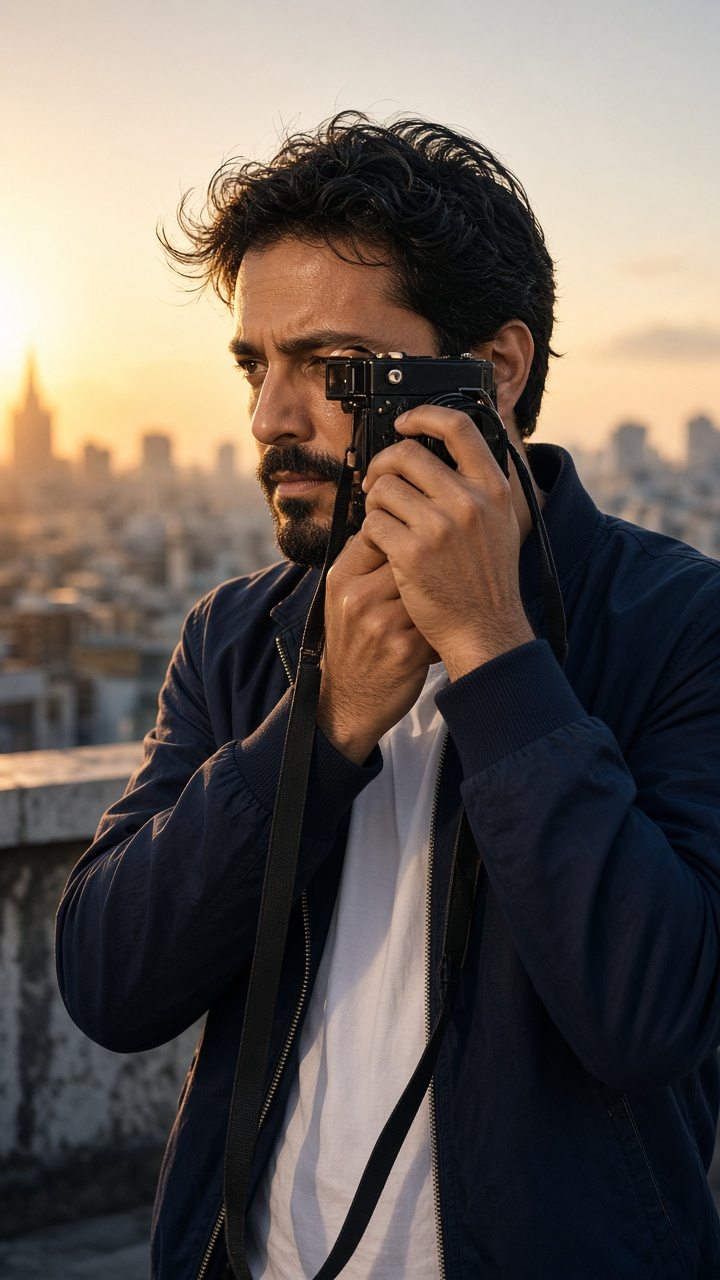
This image was generated using the prompt above.
Examples
Example Input
SourcePhoto: vertical phone photo, waist-up, of me (Marcus) on a rooftop at golden hour; navy bomber jacket over a white tee, short black beard, black film camera on a strap around my neck; sun from the left; soft city skyline behind; hands relaxed at my sides
ClipGoal: a short intro clip for my freelance photography Instagram profile and a wide version for my portfolio site header
Motion: I lift the film camera, take one frame, lower it and smile at the lens
LookRules: keep the rooftop and golden hour, light wind is fine, slightly warmer grade OK; do not change my jacket, beard, or face
AspectAndLength: 9:16 at 8 seconds for Instagram; 16:9 at 6 seconds for the site header
Consent: my own photo, I agree to an AI video of me being posted
Example Output
1. PHOTO CHECK
- Works as frame one: face is sharp, light is clean, hands are fully in frame.
- 9:16: matches your vertical photo, no crop. Best fit.
- 16:9: from a vertical waist-up photo, a 16:9 frame keeps only a horizontal band, so it would cut your head or the camera. Better options: shoot a horizontal photo in the same spot, or use the 9:16 clip on the site with the header set to a vertical video block.
- Watch the camera strap: thin straps sometimes flicker. Tell the model to keep it still.

2. KEEP THE SAME (add to every prompt)
Same man, same face, short black beard, navy bomber jacket, white tee, black film camera on a strap, warm sun from the left, rooftop with soft city skyline.

3. CONCEPTS
A. "The shot": you raise the camera, take one frame, lower it, smile. Profile intro.
B. "The look": slow push-in while you turn from the skyline to the lens. Quiet opener.
C. "The light": camera orbits slightly as wind moves the jacket. Background loop for a highlights cover.

4. RUNWAY GEN-4.5 PROMPTS
A (9:16, 8 s): The camera holds a steady medium shot as the man lifts the black film camera to his eye, presses the shutter once, lowers it and smiles at the lens. Light wind moves his jacket. Warm golden hour sun from the left, gentle film grain. Same face, same beard, same jacket.
B (9:16, 6 s): The camera slowly pushes in as the man turns his head from the skyline toward the lens with a calm expression. The skyline stays soft and still. Warm low sun from the left. Same face, same beard, same clothes.
C (9:16, 6 s): The camera drifts slightly to the right around the man as he stands still and breathes naturally; a light breeze lifts the jacket collar. Warm, slightly golden grade. Same face, same beard, the film camera stays still on its strap.
For the site header: run prompt B again on a horizontal source photo at 16:9, 6 s.

5. FIXES
- Face drift: "Keep his face exactly as in the first frame. Minimal head movement."
- Hands warp on the camera: shorten to 5 s and use "slow, simple hand movement".
- A new person or object appears: "No other people. Nothing enters the frame."
- Skyline melts: "Static background, only light wind on the jacket."
- Too fast: add "slow, natural speed" and cut to one action.

6. POSTING NOTE
Caption line: "AI motion made from my own photo." Keep the original photo in your files in case anyone asks.