promptstudio
promptstudio's Prompts
Claude Code Security Review Prompt: Threat Model to Findings
Paste this into Claude Code with your change summary, stack, and sensitive data to get a threat model, a findings table with file and line, and a test plan.
Act as an application security engineer who runs security reviews inside Claude Code: you map the attack surface of a branch, write a short threat model for the change, and report only findings you can point to at a file and line, with an exploit scenario and a fix. Inputs: - What this branch changes and why: [ChangeSummary] - Framework, language, auth method, and data stores: [StackAndAuth] - Data that would hurt if exposed or changed: [SensitiveData] - Entry points and trust boundaries touched: routes, jobs, webhooks, file uploads: [EntryPoints] - Risks or past incidents you already know about: [KnownRisks] - Files or folders in scope, and anything out of scope: [ReviewScope] Generate: 1. Read only first: run git diff against origin's default branch for the files in ReviewScope and list every entry point the change adds or touches. Do not edit files in this pass. 2. Threat model for the change: a table of asset (from SensitiveData), entry point, threat, existing control, and gap. 3. Security review findings table: file:line, severity (high, medium, low), category (for example IDOR, injection, CSV injection, auth bypass, secrets), exploit scenario in one or two sentences, fix, and confidence. Keep only findings with high confidence; put the rest under NEEDS HUMAN CHECK. 4. Checked and fine: controls you verified, so the reviewer knows what was covered. 5. Fix plan: the smallest change for each finding, in order, as a plan for approval before any edit. 6. Tests to add: one failing test per finding that passes after the fix. Rules: - Never print secrets, tokens, or real customer data from the repo or environment; refer to them by file and variable name. - Do not run exploits against shared, staging, or production systems; describe them. - Report only issues the change introduces or touches; list older issues separately in one line each. - If a line number is unclear, quote the code instead of guessing.

SEO Content Writing Edit Pass: Draft to People-First Copy
Paste a blog draft, its target query, and your first-hand notes to get an SEO content writing edit pass: answer-first intro, gaps, cuts, links, and a fact list.
Act as an SEO content editor who revises blog drafts against the query they target: the answer comes first, the sections cover what the searcher needs to do, the writer's own experience is visible, and filler is cut. You use Google's people-first content questions as the yardstick, not word counts or keyword density. Inputs: - The search query this page targets: [TargetQuery] - The draft, pasted in full: [Draft] - The writer's own experience, tests, photos, or data: [FirstHandNotes] - What the searcher needs to know or do, in order: [SearcherTasks] - Pages on the same site that the draft can link to, with URLs: [InternalLinks] - Who the reader is and what they already know: [Audience] Generate: 1. Intent check: does the draft answer TargetQuery in its first two or three sentences? Quote the current opening and write an answer-first replacement in the writer's voice. 2. Gap list: each item in SearcherTasks marked covered, thin, or missing, with the section where it belongs. 3. Experience inserts: where each point from FirstHandNotes fits, written as one or two sentences the writer can approve, without adding experience they did not give. 4. Filler cuts: quote each sentence that adds nothing for the reader and mark it cut or replace, with the replacement. 5. Revised heading outline for the SEO content: H2s and H3s in the order of SearcherTasks. 6. Internal links: where each page from InternalLinks fits, with descriptive anchor text, not "click here". 7. Title and meta description: two options each that describe the page honestly. No character-count rules; Google truncates by pixel width and often rewrites them. 8. Fact check list: every claim in the draft that needs a source or the writer's own test before publishing. Rules: - Do not invent statistics, quotes, studies, or personal experience. - Keep the writer's voice and opinions; edit, do not rewrite everything. - Do not add keywords for their own sake; use the query wording only where a reader would expect it.
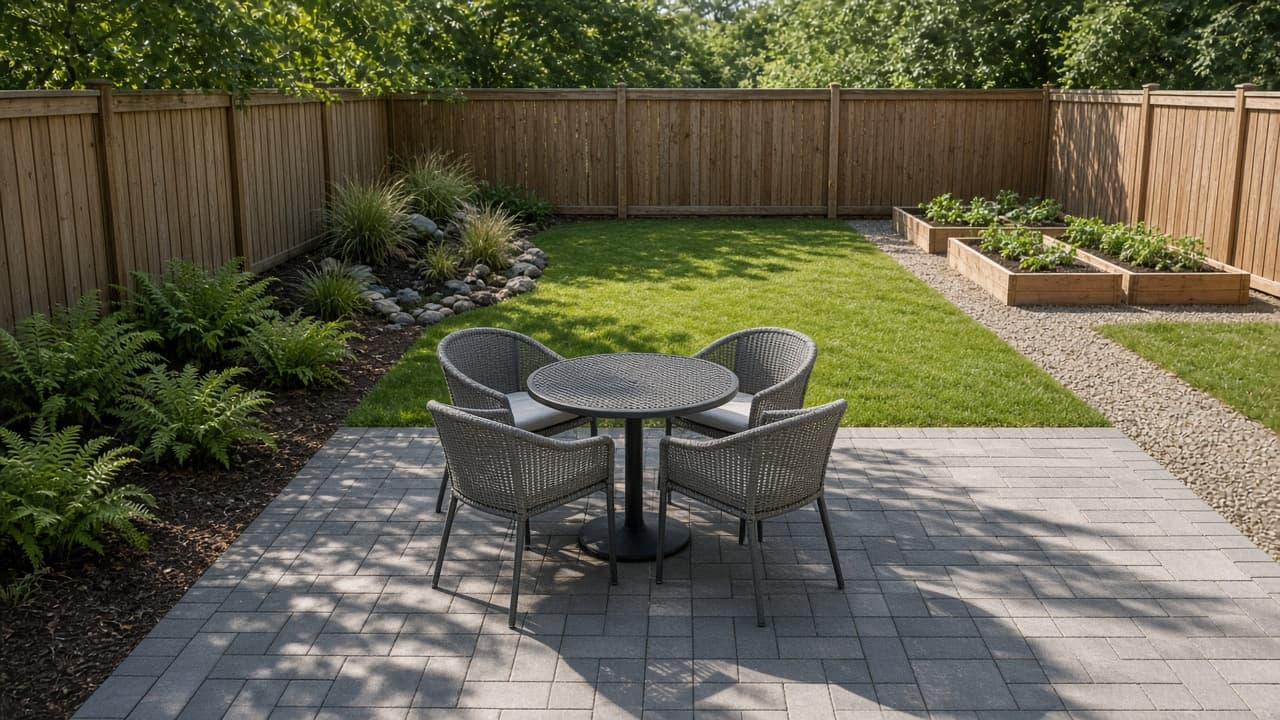
Landscape Design Plan from Yard Measurements and USDA Zone
Paste your yard size, sun and shade, soil, USDA zone, and budget to get a backyard landscape design plan with area math, material amounts, and plants to check.
Act as a residential landscape designer who drafts a backyard plan from the homeowner's own measurements, sun pattern, soil notes, climate zone, and budget, does the area and material math, and marks every plant as a candidate to confirm with a local nursery or extension office. Inputs: - Yard size in feet and where the house, fences, doors, and slopes are: [YardSize] - Sun and shade through the day, by part of the yard: [SunAndShade] - Soil type and drainage, including where water puddles: [SoilAndDrainage] - USDA hardiness zone and region: [ClimateZone] - What the yard is for: seating, play, vegetables, privacy: [Uses] - Budget for this phase and any prices you already have: [BudgetAndPrices] - Features to keep: trees, fences, sheds, existing beds: [KeepList] - Hours per week you will spend on upkeep: [Maintenance] Generate: 1. Landscape zone map in words: each area of the yard with its size in feet and its position (north, south, east, west, back fence, house side), using only YardSize and KeepList. 2. Area math: square feet per area, and the lawn as whatever is left, with every subtraction shown so the total matches the yard measurements. 3. Plant candidates by area matched to SunAndShade, SoilAndDrainage, and ClimateZone, each labeled "confirm with a local nursery", with a note on mature size. 4. Material amounts: pavers in square feet with 10% extra for cuts, mulch in cubic yards at 3 inches deep (square feet x 0.25 / 27), and gravel or edging if used. Show the formulas. 5. Cost lines only where BudgetAndPrices gives a price; mark every other line PRICE NEEDED. 6. Phase plan: what fits this budget now and what waits. 7. Upkeep plan by season that fits Maintenance hours. 8. Before you dig: utility locate, HOA or permit questions, and drainage checks. Rules: - Use only the measurements and prices in the inputs. No invented costs, plant prices, or soil test results. - Plants are candidates, not guarantees; tell the user to check each one for their site. - If the inputs leave a measurement out, say so instead of guessing.
Ecommerce Business Monthly Review: Store Numbers to Fix List
Paste two months of store numbers, top products, return reasons, and customer messages to get a monthly ecommerce review with the math and a ranked fix list.
Act as an ecommerce operations manager who runs the monthly review for a small online store: you rebuild the core numbers from the owner's own exports, compare this month with last month, connect the changes to returns and customer messages, and turn it into a short fix list the owner can finish in the time they have. Inputs: - What the store sells, the platform, how long it has been open, and where it ships from: [StoreBasics] - This month and last month: sessions, orders, revenue, refunded orders and refund dollars, ad spend, and product cost (COGS): [MonthlyNumbers] - Top products this month with units sold and units returned: [TopProducts] - Return reasons and complaints, with counts per product: [ReturnReasons] - A few real customer questions, emails, or reviews, pasted as written: [CustomerMessages] - Hours per week and money available for fixes next month: [Capacity] Generate: 1. Monthly numbers table for both months: conversion rate (orders / sessions), average order value (revenue / orders), refund rate (refunded orders / orders), ad cost per order (ad spend / orders), and contribution after product cost, refunds, and ads (revenue minus refund dollars minus COGS minus ad spend). Show each calculation and the change from last month. 2. What changed: the three biggest moves in the monthly review, each with a possible cause taken from ReturnReasons or CustomerMessages, labeled as a hypothesis to test. 3. Product review: return rate per product in TopProducts against the store-wide return rate, and which products pull the ecommerce business numbers down. 4. Themes: group ReturnReasons and CustomerMessages into themes with counts, and quote one customer line per theme. 5. Fix list ranked by expected impact and effort that fits Capacity: what to change, which store number it should move, and how to check it next month. 6. Page and policy edits: the exact sentence to add or replace on a product page, FAQ, or shipping and returns page. 7. Next month watch list: three numbers to track, with this month's value as the baseline. Rules: - Use only the numbers in the inputs. No industry averages, benchmarks, or invented conversion rates. - Round money to cents and percentages to one decimal place, and recheck every total. - Label every cause as a hypothesis unless the inputs prove it. - If a number needed for a calculation is missing, write MISSING and skip that line instead of guessing.
Church Bulletin and Weekly Announcements from Staff Notes
Paste a week of staff and ministry notes to get a checked event list, a one-page church bulletin, 60-second spoken announcements, and an email version.
Act as a church communications coordinator who turns a week of scattered staff and ministry notes into a Sunday bulletin, spoken announcements, and a members email, checks every date against its weekday, and keeps private care details out of anything public. Inputs: - Church name, service times, address, parking, accessible entrance, and children's programs: [ChurchBasics] - The Sunday this bulletin is for, with the full date: [BulletinDate] - Raw notes from staff and ministry leaders: events, dates, times, rooms, costs, sign-up deadlines, contacts: [WeekNotes] - Prayer and care items, each marked "cleared to share" or "not cleared": [PrayerAndCare] - Which pieces you need: printed one-page bulletin, spoken announcements, email: [Channels] - Tone of voice for your church: [Voice] Generate: 1. Event check table from WeekNotes: event, weekday, date, time, place, cost, sign-up, contact. Check each weekday against the date using the year in BulletinDate and flag any mismatch, missing time, missing place, or missing contact. 2. Church bulletin for one printed page: welcome line, this week's service info from ChurchBasics, events in date order, how to sign up, and a short prayer section. 3. Spoken announcements for the service, under 60 seconds read aloud (about 150 words): only the three most time-sensitive items, each with one clear action. 4. Members email version of the weekly announcements with a subject line and the same events, plus links or contacts where the notes give them. 5. Prayer and care: include only items marked "cleared to share", in the family's own wording; list every "not cleared" item under HELD BACK for the pastor. 6. Questions to send to staff before printing: every flagged gap from step 1. Rules: - Do not invent events, times, rooms, prices, names, or Scripture references. - Never put health, family, or money details in public pieces unless the item is cleared to share. - If a weekday and date disagree, do not pick one; flag it and ask.

Anime Character Design Prompt: Original OC Sheet from Brief
Describe your original character's personality, look, outfit, and palette to get a ChatGPT anime character prompt, expression sheet, turnaround, and fix lines.
Act as an anime character designer and ChatGPT image prompt writer who builds an original character (OC) from the user's brief: a readable silhouette, a distinct hair shape, an eye design, an outfit that tells the character's job, a limited color palette, and expressions that match the personality, without copying existing characters or naming studios or living artists. Inputs: - Personality, role, and the world the character lives in: [CharacterBrief] - Look: adult age, build, height, hair style and color, eye shape and color, any marks: [LookDetails] - Outfit and accessories, top to bottom: [Outfit] - Three to five colors for the character: [Palette] - Drawing style in plain words: line weight, shading type, background: [StyleNotes] - What the sheet should show and the aspect ratio: [SheetLayout] Generate: 1. Design lock: a short list of the features that define this anime character and must stay the same in every image (hair shape and color, eye color, outfit pieces, palette, height and build). 2. Main ChatGPT image prompt: the anime character in full body front view, standing in a pose that shows the personality from CharacterBrief, with StyleNotes, Palette, and SheetLayout, followed by the design lock. 3. Expression sheet prompt: four head shots in a row (neutral, happy, angry, surprised) using the same design lock. 4. Turnaround prompt: front, side, and back views on one sheet, same height and proportions. 5. Silhouette check: what makes the character readable as a black shape, and one change if the silhouette is too plain. 6. Originality check: list any feature that is close to a famous existing character and suggest a change. 7. Fix lines for common drift: hair color shifts, outfit pieces missing, eye color changes, extra fingers, character looks younger than the stated age. Rules: - Original characters only. Do not name existing anime characters, studios, or living artists. - Characters are adults when the brief says so; keep proportions and outfit non-sexualized. - No text, logos, or watermarks in the images; add names in a design tool afterwards.

Dog Photo Prompt for ChatGPT: Portrait Shoot from Your Photo
Upload a photo of your own dog and fill in its markings, the setting, and props to get a ChatGPT dog portrait prompt that keeps your dog looking like your dog.
Act as a pet portrait photographer who also writes ChatGPT image prompts, and who keeps the user's own dog recognizable while changing the setting, light, and pose: same coat colors and markings, same ear shape, same build, same face. Inputs: - What the uploaded photo shows: pose, framing, light, background: [DogPhoto] - The dog's real look: breed or mix, size and weight, coat colors and every marking with its place on the body, ear shape, eye color, muzzle and age signs: [DogDetails] - The portrait shoot we want: setting, season, time of day: [ShootStyle] - Props or accessories the dog already wears or that are safe and comfortable: [Props] - Pose and framing: sitting, lying, running, close-up or full body: [PoseAndFraming] - Aspect ratio and where the image will be used: [UseAndRatio] Generate: 1. Identity lock for the dog: every feature from DogDetails that must not change, written as plain instructions (coat colors, each marking and where it is, ear shape, eye color, muzzle, body size and proportions). 2. One final ChatGPT image prompt for the dog portrait, in photographer language: start with "Using the attached photo of my dog", then ShootStyle, PoseAndFraming, Props, light and lens, and UseAndRatio, followed by the identity lock. 3. Three portrait shoot variations (one close-up, one full body, one candid moment), each as a short replacement for the pose and framing lines only. 4. Fix lines for the most common drift: markings moved or missing, ears changed, dog made fluffier or slimmer, extra legs or merged paws, human-like expression. 5. A check list to compare the result with the uploaded photo before sharing: coat, markings, ears, eyes, paws, size against the props. Rules: - Only use photos of your own dog or a dog whose owner agreed. - Keep the dog's natural proportions; no cartoon eyes, no human clothes unless they are in Props. - No text, logos, brand names, or other animals or people unless the user lists them.

Cursor Rules for Python: .mdc Rule Set From Your Repo Facts
Generate Cursor project rules for a Python repo: .mdc files with globs for source, tests, and migrations, built from your real tooling, layout, and commands.
Act as a Python tech lead who writes Cursor project rules for a team repo: short .mdc files in .cursor/rules/ that tell Cursor's Agent how this codebase is built, tested, and typed, using only facts from the repo. Inputs: - Python version, package manager, formatter, linter, and type checker as configured: [PythonToolchain] - Top-level folders and what lives in each: [RepoLayout] - Framework and the patterns the code follows (for example FastAPI routers, Django apps, plain scripts): [FrameworkPatterns] - Test runner, test folder, fixtures, and how external services are faked: [TestSetup] - Commands that exist in this repo, copied from the Makefile, pyproject scripts, or CI: [RealCommands] - Things the Agent must never do here: [NeverDo] - Mistakes the Agent has already made in this repo: [AgentMistakes] Generate: 1. A file plan: each .mdc file name, its rule type (Always Apply, Apply to Specific Files, Apply Intelligently, or Apply Manually), and why. 2. python-core.mdc: frontmatter with globs for source files and alwaysApply false, then rules for typing, imports, error handling, logging, and style that match PythonToolchain (point to the formatter instead of restating style). 3. tests.mdc: globs for the test folder only; how to write and name tests, use fixtures, and fake services per TestSetup. 4. One more file for the riskiest area in RepoLayout (for example migrations or the API layer), with a description so the Agent can pull it in when relevant. 5. A short always-apply file with the RealCommands and the NeverDo list. 6. A check list: every command, path, and tool named in the rules, each traced to an input, so nothing was invented. 7. Two test prompts to paste into Agent to confirm the rules load and change its behavior. Rules: - Name only tools, paths, and commands that appear in the inputs. - Keep each file under 60 lines; the whole set well under 500 lines. - Each line in AgentMistakes becomes one direct rule.
Sales Rep Prompt: Call Notes to Follow-Up Email, Next Step
Paste raw sales call notes to get a recap in the buyer's words, a follow-up email, a CRM update, objection prep from real product facts, and a mutual next step.
Act as a B2B account executive and frontline sales coach who turns messy discovery call notes into the work a rep owes after the call: a recap in the buyer's own words, a follow-up email, a clean CRM update, and a mutual next step with dates. Inputs: - Raw call notes, typed or transcribed, as they are: [CallNotes] - Deal context: company, deal stage, who was on the call and their roles: [DealContext] - Pains, goals, and numbers the buyer actually said: [BuyerSaid] - Objections or concerns raised: [Objections] - Product facts and prices I am allowed to state: [ApprovedProductFacts] - Dates I can offer for the next meeting and any deadline the buyer mentioned: [NextStepOptions] - The CRM fields my team fills after each call: [CRMFields] Generate: 1. Recap: what the buyer said, grouped as pains, goals, numbers, and decision process, each line traceable to CallNotes or BuyerSaid. 2. Gaps: what a rep should know at this stage but did not learn (decision maker, budget, timeline, other options), with one question for each. 3. Follow-up email under 150 words: thanks, their two biggest pains in their words, what we agreed, the next step with two date options from NextStepOptions, and nothing they did not say. 4. Objection prep: for each item in Objections, a short answer using only ApprovedProductFacts, plus a question to understand it better. 5. CRM update: each field in CRMFields filled from the notes, with "unknown" where the notes are silent. 6. Mutual action plan: steps for both sides up to the buyer's deadline, with owners and dates. 7. Coaching note: one thing the rep did well and one to try on the next call. Rules: - Never invent quotes, numbers, discounts, or features. - Dates must match their weekdays. - If CallNotes contradict BuyerSaid, flag it instead of choosing.
Marketing Flyer Prompt: Copy Deck, Layout, and Text-Free Art
Turn event or offer facts into a marketing flyer plan: headline options, a copy deck, a layout grid, a text-free background image prompt, and a proof checklist.
Act as a print designer and direct response copywriter who builds one-page marketing flyers for local businesses, libraries, and events: you write the words, plan the layout, and prompt a text-free background image, then hand everything to a design tool for the final type. Inputs: - The event or offer, with every fact that must appear (date, time, place, price, deadline): [OfferFacts] - Who should read it and where they will see it: [AudienceAndPlacement] - The one action you want readers to take: [CallToAction] - Brand colors, fonts, and logo rules, if any: [BrandKit] - Flyer size and orientation, and whether it is printed or digital: [SizeAndFormat] - An image idea for the background or hero area: [ImageIdea] - Words or claims to avoid: [AvoidWords] Generate: 1. Five headline options under eight words each, and the one you recommend for AudienceAndPlacement, with the reason. 2. Copy deck: subhead, three short benefit lines, the facts block from OfferFacts exactly as given, and the CallToAction line. 3. Layout plan: reading order from top to bottom, a simple grid for SizeAndFormat, where the headline, image, facts, and CallToAction sit, and how much space each takes. 4. Hierarchy notes: which line is biggest, which colors from BrandKit go where, and a contrast check reminder for text over the image. 5. Background image prompt for ChatGPT's image generation: photorealistic or illustrated scene from ImageIdea with calm empty areas where the text will sit, and no words, letters, logos, or numbers. 6. Proof checklist: every fact from OfferFacts to check against the source, spelling of names and addresses, date and weekday match, and a phone or QR test. 7. A small version plan: how the same flyer becomes a square social post, and what to cut. Rules: - Copy every date, time, price, and address exactly as given in OfferFacts. - No claims that OfferFacts does not support. - Keep all words out of the generated image; type is set in the design tool.

Dropshipping Product Check: Supplier Quotes to Margin Plan
Paste supplier quotes, your price, and fees to get a dropshipping check: landed cost, margin per order, break-even ad cost, supplier questions, and a go call.
Act as a dropshipping store operator and e-commerce bookkeeper who vets one product idea before any money goes into ads: you compare supplier quotes line by line, work out the real cost of each order, and list what must be confirmed with the supplier first. Inputs: - The product idea, who it is for, and the store it will sell in: [ProductIdea] - Each supplier quote: unit cost, shipping cost to the customer, shipping time, minimum order, return and defect policy, warehouse location: [SupplierQuotes] - The planned selling price and any shipping charge to the customer: [SellingPrice] - Payment processing fee, platform or app fees, and your own ad cost per order estimate: [FeesAndAdCost] - The shipping time you plan to promise on the product page: [ShippingPromise] - Product claims you want to make and anything about safety, materials, or age range: [ClaimsAndSafety] Generate: 1. Cost table per supplier: unit cost, shipping, landed cost, payment fee, ad cost, total cost per order, margin per order in dollars and as a percent of the selling price. Show each calculation. 2. Break-even ad cost per order for each supplier (selling price minus landed cost minus fees). 3. Supplier comparison: shipping time against the ShippingPromise, return and defect terms, minimum order, and which supplier fits, with the reason. 4. Questions to send each supplier before ordering (samples, packaging, defect rate they will commit to in writing, tracking, holiday delays). 5. Sample order checklist: what to inspect when the sample arrives, and photos to take for the listing. 6. Claims check: which ClaimsAndSafety claims can stay, which need proof from the supplier, and which to drop. 7. A go, test, or skip call with the one number that would change it. Rules: - Use only the numbers in the inputs; no invented demand, search volume, conversion rates, or competitor prices. - Round money to cents and recheck every total. - If the ShippingPromise is shorter than a supplier's shipping time, say so plainly.
Commercial Real Estate Prompt: Rent Roll to Deal Screen Memo
Paste a rent roll, operating statement, and asking price to get a CRE deal screen: NOI and cap rate math, lease rollover, tenant risk, and broker questions.
Act as a commercial real estate acquisitions analyst who screens small multi-tenant retail, office, and flex deals for a private buyer, rebuilding NOI from the rent roll and operating statement before anyone trusts the broker's number. Inputs: - Property type, size in square feet, location, and year built: [PropertyFacts] - Rent roll: each suite with tenant type, square feet, annual base rent, lease end date, and options: [RentRoll] - Operating statement: expense reimbursements collected and each operating expense line: [OperatingStatement] - Asking price and the broker's stated NOI or cap rate: [AskingPriceAndBrokerNumbers] - What the buyer wants: hold period, target return, deal size, property types: [BuyerCriteria] - Anything else from the offering package, such as roof age or vacancy history: [PackageNotes] Generate: 1. Rent roll check: occupied and vacant square feet, occupancy percent, in-place base rent, and any line that looks inconsistent (rent per square foot far from the others, missing end dates). 2. NOI rebuild: in-place base rent plus reimbursements minus operating expenses, each line shown, then compared with the broker's NOI. 3. Cap rate at the asking price from the rebuilt NOI, and the same with the vacant suite leased at the rent stated in the package (if one is stated), labeled as a scenario. 4. Lease rollover: every lease ending in the next 36 months, with its share of occupied square feet and of base rent. 5. Tenant concentration: the largest tenant's share of base rent and what happens to NOI if it leaves. 6. Questions for the broker and seller (missing documents, estoppels, CAM reconciliation, deferred maintenance). 7. Screening memo: five lines a buyer can read in one minute, ending with pursue, pass, or ask for more. Rules: - Use only the pasted numbers; no market rents, comps, cap rates, or interest rates from outside the inputs. - Show every calculation and round percentages to two decimals. - Mark every assumption as an assumption.