How to Use the Folding Carton Spec Sheet Writer Prompt Before You Send Packaging Files to a Converter
Prepare the spec sheet a packaging designer sends with artwork to a folding carton converter: carton style, inside dimensions in the L x W x D convention, board grade and caliper, panel map with tuck, dust, and glue flaps, bleed and safe zones, print and finish callouts on separate dieline layers, and a proof checklist so the first press run fits the product.
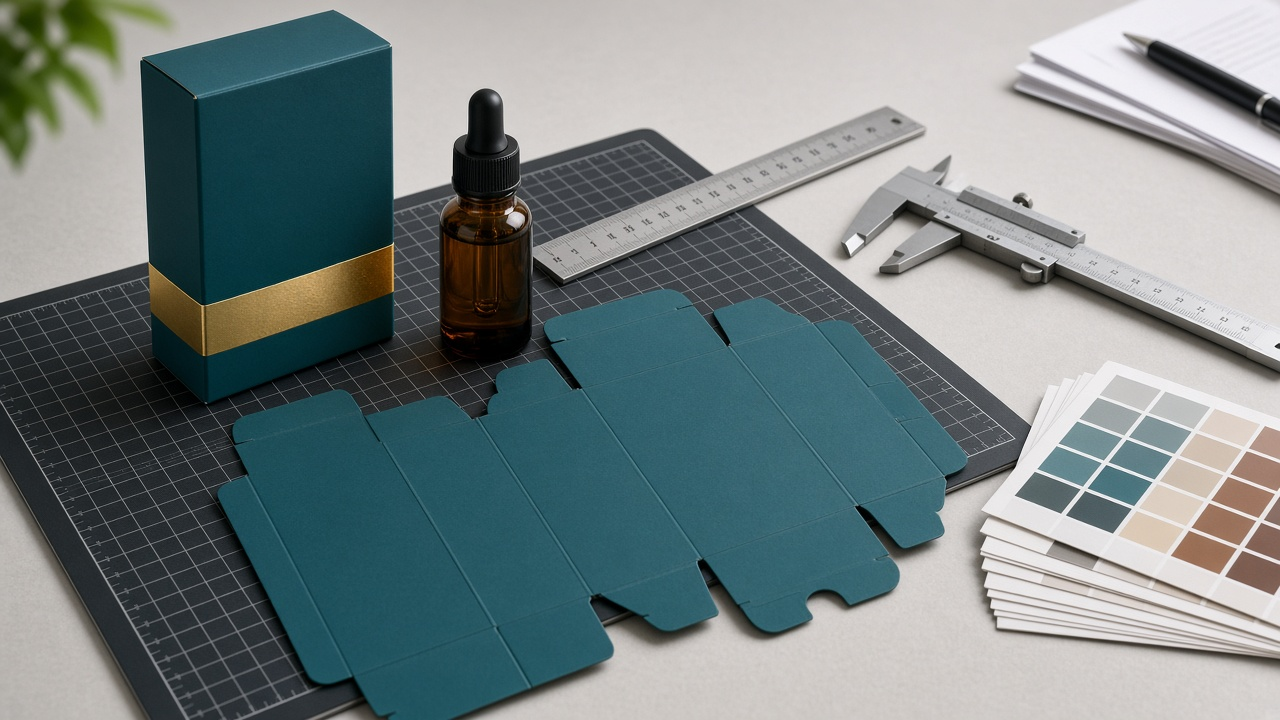
Packaging artwork can look perfect on screen and still fail at the converter. The box is a few millimeters too tight, the glue flap is covered in ink, the foil is on the same layer as the print, or the barcode sits across a fold. Most of these problems come from a missing or incomplete spec sheet. The Folding Carton Spec Sheet Writer: Reverse Tuck End Box Dimensions, Board Caliper, Bleed and Safe Zones, Glue Flap, and Dieline Layer Notes prompt prepares the sheet a packaging production designer would send with the files, so the converter can quote it, preflight it, and run it without surprises.
What the prompt produces
- Sizing that turns your product's measurements into inside dimensions in the L x W x D convention.
- Style notes for the carton style, including which panel each tuck flap hinges on and how the dust flaps and glue flap work.
- A panel map showing the order of panels across the flat and which artwork goes on each.
- File setup rules for bleed, safe zone, dieline layers, and finish masks.
- Print and finish callouts for colors, foil, spot UV, coating, and areas that must stay unprinted.
- A converter spec table they can quote from directly.
- A proof checklist for fit, barcode, and folding orientation.
How to fill the inputs
ProductSize is the measured size and weight of the product, plus any insert. Measure the widest point and include caps, droppers, or pumps. CartonStyle is the style you want, such as reverse tuck end, straight tuck end, or tuck top auto bottom. BoardSpec is the board grade and caliper your converter offers.
PrintSpec lists the print method, colors, and finishes. ConverterRules are the converter's file rules: bleed, safe zone, minimum type size, and layer names. Ask for these before you start artwork. OnPackContent lists everything that must appear on the box, such as the barcode, net quantity, ingredients, and distributor details.
Reading the example output
The example is a reverse tuck end carton for a 30 mL glass serum bottle on 18 point SBS board:
- Clearance is added before dimensions are fixed. A little space around the bottle and above the dropper gives inside dimensions of 39 x 39 x 116 mm.
- The style notes match how a reverse tuck end works. The top tuck hinges on the back panel and the bottom tuck on the front, so the box opens from opposite sides.
- The panel map keeps the barcode off the front. It goes on a side panel with its quiet zones, while the front carries the brand, product name, and net quantity.
- Every finish has its own layer. Cut and crease are on dieline layers set to overprint, and foil and spot UV each have a separate layer with only the shapes they cover.
- Some items are left to the converter. Caliper allowances, foil registration tolerance, and grain direction are flagged for confirmation, because the converter owns the die.
Tips for better results
- Measure the real product, not the supplier's catalog numbers.
- Ask the converter for their standard dieline in your style and size before you build artwork.
- Order a plain white sample and test it with the product before printing.
- Scan the barcode from a printed proof, not just the screen.
Mistakes to avoid
- Do not print or coat glue areas.
- Do not put finish shapes on the same layer as printed artwork.
- Do not guess dimensions the prompt marks NEED MEASURE.
Who it is for
Packaging designers, brand owners launching a first boxed product, print buyers, and freelance designers working with folding carton converters.
Related PromptDig links
Open the Folding Carton Spec Sheet Writer: Reverse Tuck End Box Dimensions, Board Caliper, Bleed and Safe Zones, Glue Flap, and Dieline Layer Notes prompt and start with your product measurements. For more prompts made for designers, Browse more prompts. If you have a packaging or print production prompt others would find useful, Share a prompt.