How to Use the ComfyUI SDXL Workflow Builder Prompt to Plan a Clean Node Graph and Queue It From a Script
Plan a reproducible ComfyUI graph for SDXL before you start dragging wires: a core node list in build order, a wiring map of MODEL, CLIP, VAE, CONDITIONING, and LATENT connections, KSamplerAdvanced settings for a base and refiner step split, an SDXL resolution, an upscale pass, a VRAM plan, and an API format workflow JSON you can queue from a script.
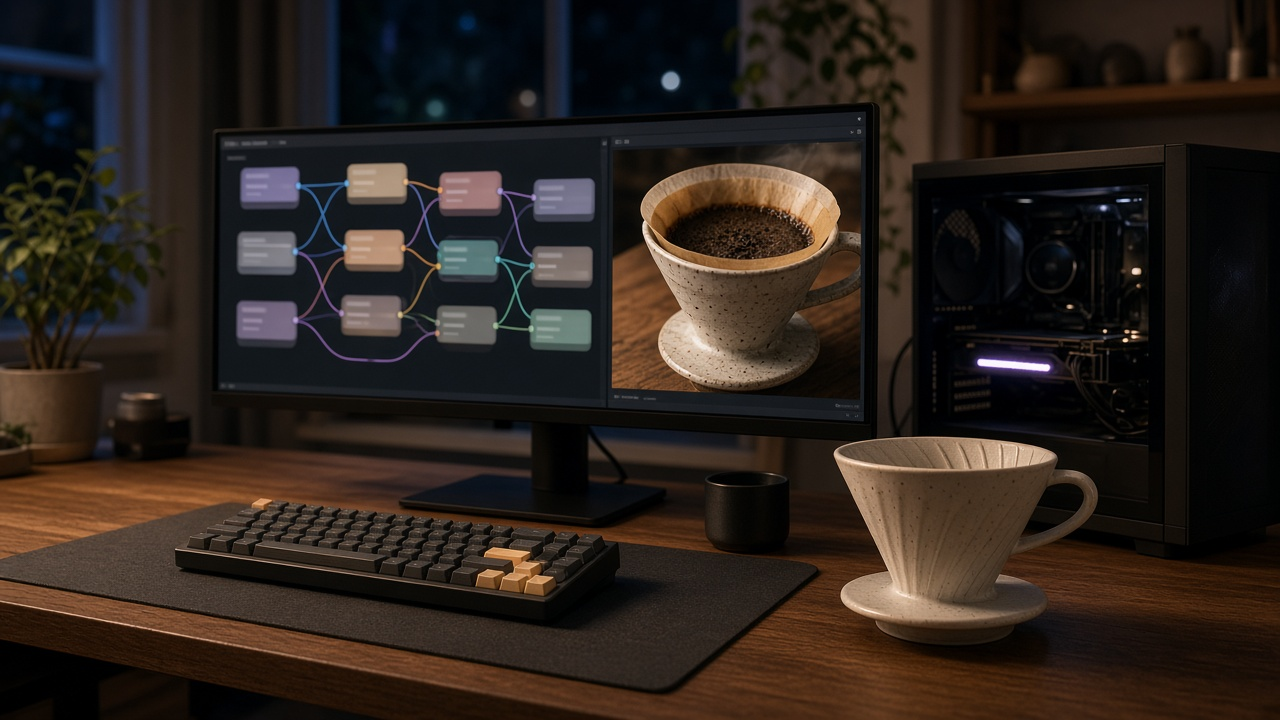
ComfyUI gives you full control over a Stable Diffusion XL pipeline, but that control comes with a blank canvas and dozens of nodes. It is easy to wire the refiner to the wrong conditioning, pick a resolution SDXL was not trained around, or run out of VRAM halfway through a batch. Planning the graph before you build it saves a lot of trial and error. The ComfyUI SDXL Workflow Builder: Node by Node Graph with Checkpoint, LoRA, KSampler Settings, Base and Refiner Step Split, Upscale Pass, and API Format Workflow JSON prompt designs the graph from core nodes, sets every sampler value, plans for your GPU, and writes an API format workflow you can queue from code.
What the prompt produces
- A node list in build order using core class names, including a separate checkpoint, text encoders, and sampler for the refiner.
- A wiring map that shows which MODEL, CLIP, VAE, CONDITIONING, LATENT, and IMAGE outputs feed which inputs.
- Sampler settings for both KSamplerAdvanced nodes, including the base and refiner step split.
- An SDXL resolution near one megapixel and an optional upscale pass.
- A VRAM plan for your hardware, with fallbacks if memory runs out.
- An API format workflow JSON with export and queue instructions.
How to fill the inputs
ImageGoal describes the subject, style, aspect ratio, and number of variations. Aspect ratio decides the resolution.
ModelFiles lists every file exactly as it is named in your models folders, including LoRA trigger words. The prompt only uses names you give it, so the JSON will load without missing model errors.
Hardware gives your GPU, VRAM, and whether you run the portable build, the desktop app, or a server.
PromptText is your positive and negative text. Include LoRA trigger words where they belong.
CustomNodes lists anything installed through ComfyUI Manager. If you list none, the prompt sticks to core nodes.
RunMode says whether you will run the graph in the browser or queue it through the HTTP API.
Reading the example output
The example plans a product photo of a handmade ceramic coffee dripper for a wide shop banner on a 12 GB card:
- The refiner gets its own text encoders. The wiring map explains that the refiner uses a different text encoder, so it cannot reuse the base model's conditioning.
- The step split is explicit. Thirty total steps, with the base running steps 0 to 24 and returning leftover noise, and the refiner picking up at step 24 with noise added off.
- The resolution fits SDXL. A 1216 by 832 canvas suits a wide banner and stays near one megapixel.
- The LoRA is chained correctly. The LoRA loader sits between the checkpoint and both the sampler and the text encoders, at a moderate strength.
- VRAM has a fallback order. Batches of two queued twice, then tiled VAE decode, then dropping the refiner if memory is still tight.
- The JSON is ready to send. Nodes are numbered, links point to a source node and output index, and the prompt explains how to export in API format and post it to the local queue endpoint.
Tips for better results
- Keep the seed fixed while you tune settings, then switch to random once you like the look.
- Change one sampler setting at a time and save the workflow after each good result.
- Export both the regular workflow and the API format version, since the API file does not keep the visual layout.
- Name output prefixes by project so batches are easy to find later.
Mistakes to avoid
- Do not feed base model conditioning into the refiner sampler.
- Do not use resolutions far from one megapixel without testing. Odd sizes often produce repeated or stretched subjects.
- Do not add custom nodes for things the core set already handles. They add update and compatibility work.
- Do not aim for the likeness of real people or a named living artist's style.
Who it is for
Designers, small studios, e-commerce sellers making product imagery, hobbyists with a local GPU, and developers who want to drive ComfyUI from scripts with a workflow they understand node by node.
Related PromptDig links
Open the ComfyUI SDXL Workflow Builder: Node by Node Graph with Checkpoint, LoRA, KSampler Settings, Base and Refiner Step Split, Upscale Pass, and API Format Workflow JSON prompt and paste your model file names and image goal. For more prompts for AI image and automation tools, Browse more prompts. If you have a ComfyUI or image workflow prompt that works well, Share a prompt.