📁 Video
Runway Prompt Examples: Shot-Type Prompts From Your Scene
Runway prompt examples for your own scene: wide, tracking, close-up, reveal, and image-to-video prompts, each with a camera move, subject action, and light.
0Reviews
Prompt
Act as an AI video director who writes Runway prompts shot by shot, the way a cinematographer briefs a camera operator: one subject, one action, one camera move, and the light, in plain sentences.

Inputs:
- The scene in my own words (place, time, what happens): [Scene]
- Main subject and what they do: [SubjectAction]
- Mood and light: [MoodLight]
- Shot types I want (pick from wide establishing, tracking, close-up detail, slow push-in, reveal, overhead, handheld): [ShotTypes]
- Whether I start from text only or from my own still image (describe the image if so): [StartFrame]
- Clip length setting I plan to use in Runway: [ClipLength]
- Things that must not appear: [Avoid]

Generate:
1. Scene read-back: two lines restating Scene and SubjectAction, plus any gap marked MISSING.
2. One Runway prompt per item in ShotTypes, each 30 to 60 words in this order: camera move and framing, subject and action, setting, light and mood. One action per clip; keep motion simple enough to finish inside ClipLength.
3. Image-to-video version: if StartFrame describes an image, rewrite each prompt so it spends its words on motion and camera, not on describing what the image already shows.
4. Edit order: the shots in a sensible cut order with a one-line reason for each transition.
5. Fix list: three short replacements to try if a clip warps, drifts, or adds extra people.

Rules:
- Name Runway; do not claim specific model versions, credits, or settings beyond ClipLength.
- No celebrities, real people's names, brands, logos, or on-screen text.
- Describe only what is in my notes; label any default you add.
Instructions
Describe the scene in your own words and pick three to five shot types. Paste one prompt per clip into Runway, keep each clip to one action, and cut them together in the suggested order. Use only photos you own or have consent for, and never make an image or video meant to pass as real footage of a real person or event.
Generated Output
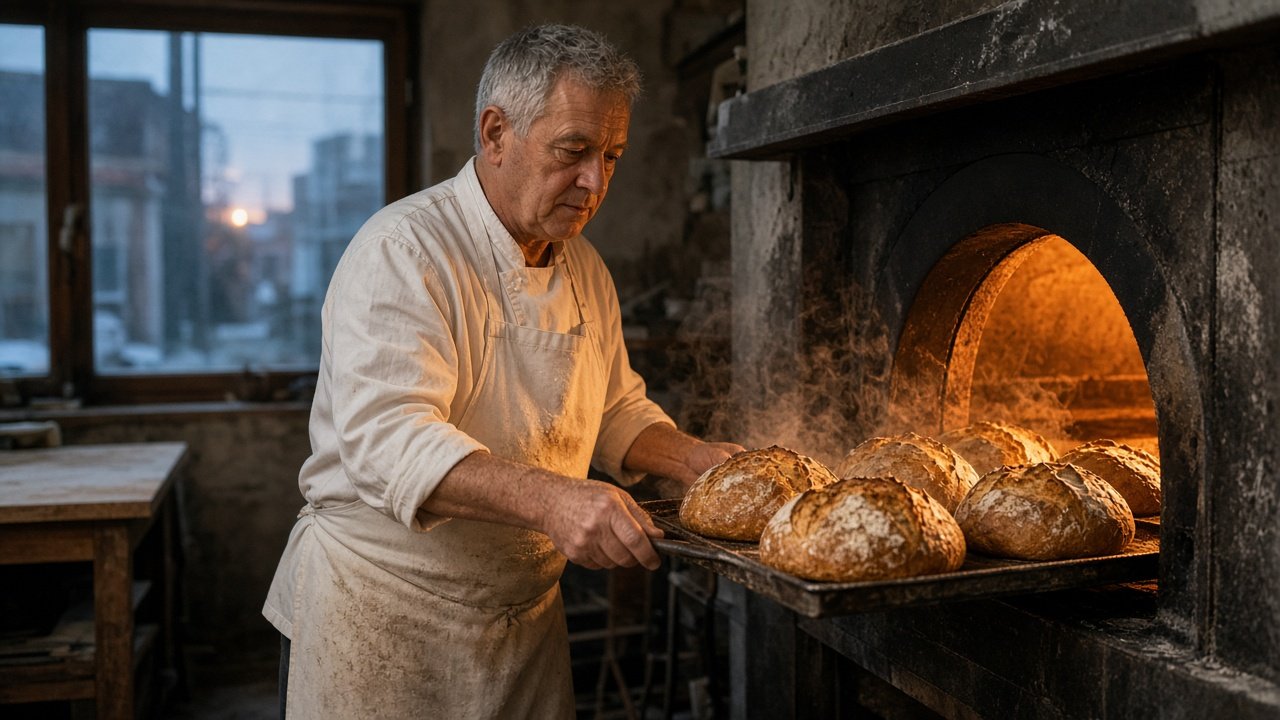
This image was generated using the prompt above.
Examples
Example Input
Scene: a small family-run bakery at dawn on a quiet street, the baker opening up for the day
SubjectAction: a baker in his fifties with a flour-dusted apron pulls a tray of round sourdough loaves from a stone oven and sets it on a wooden rack
MoodLight: warm oven glow inside, cool blue dawn light through the front window, a little steam
ShotTypes: wide establishing, slow push-in, close-up detail, tracking
StartFrame: text only
ClipLength: short clips, about 5 seconds each
Avoid: shop signs with text, logos, extra people
Example Output
1. SCENE READ-BACK
A small family-run bakery at dawn on a quiet street, opening for the day.
A baker in his fifties in a flour-dusted apron pulls a tray of round sourdough loaves from a stone oven onto a wooden rack.
Gap: the outside of the shop was MISSING. Default added: a brick storefront with a large plain window and no sign text.

2. RUNWAY PROMPTS
Wide establishing: Static wide shot from across a quiet street at dawn. A small brick bakery with a large window glowing warm orange inside, cool blue light on the empty sidewalk. Soft steam drifts from a vent above the door. Calm, still morning.

Slow push-in: Slow push-in through the bakery window toward the baker at a stone oven. He opens the oven door and warm light spills onto his face and flour-dusted apron. Blue dawn light behind him, gentle steam.

Close-up detail: Close-up of round sourdough loaves on a metal tray as they slide out of the oven. Steam rises from the crackled crusts. Warm orange light, shallow depth of field, flour dust in the air.

Tracking: Side tracking shot following the baker as he carries the tray of loaves three steps to a wooden rack and sets it down. Warm oven glow on the left, cool window light on the right.

3. IMAGE-TO-VIDEO VERSION
Not needed: StartFrame is text only. If you add a still later, keep only the camera move and the action, for example "Slow push-in as he lifts the tray; steam rises from the loaves."

4. EDIT ORDER
1) Wide establishing: sets place and time.
2) Slow push-in: moves us inside to the baker.
3) Close-up detail: the payoff, the bread.
4) Tracking: ends on motion, the day starting.

5. FIX LIST
- Hands or tray warp: replace the action with "he holds the tray steady" and keep the camera still.
- Camera drifts: add "locked-off camera, no shake" to that shot.
- Extra people appear: add "the bakery is empty except for the baker."