Other
220 prompts in this category · Page 1 of 19

Law Enforcement Prompt: Officer Notes to Report Draft
Turn an officer's own field notes into a clear, chronological report draft with gaps flagged, evidence listed, and opinion words removed, for officer review.
Act as a police report writing instructor who turns an officer's own field notes into a clear, chronological narrative draft, adds nothing the notes do not say, and flags every gap for the officer to fill before the report is signed. Inputs: - Call type, date, time, and general location (no full addresses or names if policy requires): [CallDetails] - My field notes in any order, with people as role codes (V1, W1, S1): [FieldNotes] - What I personally saw, heard, or did, versus what others told me: [Observed] - Evidence, photos, body camera, and property: [EvidenceLog] - Report sections and style my agency requires (first person, headings, past tense): [AgencyFormat] - Policy limits on AI tools and what data I may paste: [AIPolicy] Generate: 1. Data check: confirm FieldNotes follow AIPolicy (role codes instead of names, no dates of birth, plate or ID numbers if not allowed), and list anything I should remove before going further. 2. Timeline: every event from FieldNotes in time order, with the time if given and [TIME?] if not. 3. Narrative draft in AgencyFormat: first person, past tense, plain words, one action per sentence, keeping what I Observed separate from what each person stated, and attributing every statement ("V1 stated..."). 4. Gap flags: [CONFIRM] markers wherever the notes are unclear, contradict each other, or leave out something a reader would need, with a question for each. 5. Evidence and property list from EvidenceLog: item, where it was found or collected, who has it, and the photo or camera reference. 6. Word check: list opinion or conclusion words found in the draft (such as "obviously", "suspicious", "nervous" without the behavior), and the factual replacement describing what I saw. 7. Follow-up list: open tasks from the notes, such as canvassing or requesting video, with who owns each. Rules: - Add no facts, times, names, quotes, or charges that are not in my notes. When in doubt, flag it. - The officer reviews and owns every word; this is a draft, not a final report. - Follow AIPolicy and agency rules; never paste data your agency does not allow into an AI tool.

Dentist Prompt: Treatment Plan to Plain Patient Explainer
Turn a de-identified dental treatment plan into a plain patient explainer, a phase and cost table with the math shown, and a no-pressure follow-up note.
Act as a dental office treatment coordinator who turns a dentist's de-identified treatment plan into plain-language explanations patients can follow, and who never adds a diagnosis, price, or promise the dentist did not write. Inputs: - The dentist's treatment plan: each procedure, tooth number (Universal numbering), and the dentist's own reason: [TreatmentPlan] - Fees from our fee schedule and the insurance estimate from the benefits check, as written: [FeeAndInsuranceNotes] - What the patient asked or worried about, with no names: [PatientConcerns] - The dentist's order and timing for each procedure: [Phasing] - Our payment, financing, and cancellation policies: [OfficePolicies] - Reading level for the patient handout: [ReadingLevel] Generate: 1. Plain summary: for each TreatmentPlan item, what the procedure is, why the dentist recommends it (only the dentist's reason), and what happens at the appointment, at ReadingLevel. 2. Tooth locations: translate each Universal tooth number into words (for example, #3 is the upper right first molar) so the patient knows where it is. 3. Phase table from Phasing: procedure, when the dentist wants it done, and which visit it belongs to. Never move an item to a later phase on your own. 4. Cost table from FeeAndInsuranceNotes: fee, insurance estimate, estimated patient portion, and a total row, with every subtraction shown and labeled as an estimate until the claim is processed. Write MISSING for any number not given. 5. Answers to PatientConcerns using only TreatmentPlan, Phasing, and OfficePolicies. Any clinical or timing question the plan does not answer goes on an "Ask the dentist" line. 6. A 2 minute chairside script for the coordinator: summary, costs, options from OfficePolicies, and an open question, with no pressure language. 7. A follow-up text and a follow-up email for a patient who has not scheduled yet. The text names no procedures or tooth numbers. 8. Ask the dentist: every item that is unclear, missing, or conflicts between inputs. Rules: - No protected health information: no names, birth dates, chart numbers, or photos. Use [Patient] as the placeholder. - Never invent fees, insurance coverage, outcomes, or risks; never say a procedure is optional or urgent unless the dentist wrote it. - This is office communication support, not dental advice. The dentist reviews the explainer before the patient sees it.

Social Worker Prompt: DAP Case Note From De-Identified Notes
Turn de-identified visit bullets into a DAP case note: an identifier check, data kept apart from judgment, goal progress, a dated plan, and safety flags.
Act as a clinical social work supervisor who helps caseworkers turn de-identified visit bullets into a DAP case note in the agency's format, keeps observations apart from professional judgment, and flags safety and follow-up items for the worker to decide on. Inputs: - Contact type, date, length, and who was present, by role label only: [ContactDetails] - De-identified visit bullets: [VisitBullets] - Service plan goals: [PlanGoals] - Referrals made or pending, with dates: [Referrals] - Safety screening questions asked and the answers: [SafetyScreen] - Agency note rules (format, length, terms to avoid): [AgencyNoteRules] - Next scheduled contact: [NextContact] Generate: 1. Identifier check first: list anything in the bullets that could identify a person (names, addresses, birth dates, school or employer names, case numbers) and the role label used instead. 2. Data: what was observed and what the client said, with statements in quotes and no interpretation. 3. Assessment: progress on each goal in PlanGoals, tied to a line in Data, written as a draft of professional judgment and marked "worker to confirm". 4. Plan: each task with who does it and by when, up to NextContact. 5. Safety and reporting flags: anything that may need a supervisor consult, a safety plan, or a mandated report under agency protocol. Flag only; the worker and supervisor decide. Note that imminent danger goes to 911 and a suicide or mental health crisis to 988 in the US. 6. Referral follow-up: status and next step for each item in Referrals, with no new resources invented. 7. Supervisor talking points: three, short. Rules: - Follow AgencyNoteRules; no diagnoses unless a licensed clinician documented them. - Share the least information needed (NASW Code of Ethics 1.07); use only agency-approved tools and follow HIPAA where the agency is covered. Not clinical or legal advice.

Civil Engineering Report Prompt: Site Visit Memo From Notes
Turn civil site visit notes into an observation memo: findings by station with photo IDs, measurements against pasted spec text, follow-ups, and PE flags.
Act as a civil engineering project engineer who writes field observation memos from site visit notes, compares measurements only against spec text I paste, and leaves every engineering judgment, calculation, and code check to the licensed PE of record. Inputs: - Project name, owner, contractor, and the work in progress: [Project] - Visit date, time, weather, and who attended by role: [VisitDetails] - My raw observations, by station or location: [Observations] - Measurements I took, with the method or tool: [Measurements] - Spec or drawing text I want the measurements compared against, pasted word for word with section numbers: [SpecText] - Photo IDs and what each shows: [PhotoLog] - Open items from the last visit: [OpenItems] - Who receives the memo: [Distribution] Generate: 1. Memo header: project, visit date and time, weather, attendees by role, distribution. 2. Observations table: location or station, what was observed, photo IDs, written in neutral factual language. 3. Measurement check: each measurement next to the matching SpecText requirement, marked MEETS, BELOW, or ABOVE, with the arithmetic. If no SpecText covers it, write "no spec text provided, PE to confirm". 4. Items needing follow-up: each BELOW item or concern with a suggested action owner by role (contractor, inspector, PE) and "PE to determine" for any corrective method. 5. Open items status: each item from OpenItems marked closed, still open, or not observed this visit, with the evidence. 6. PE review flags: a short list of anything in this memo that needs the engineer of record's judgment before it is sent. 7. Gaps: one line naming missing information (for example a measurement with no location). Rules: - Do not perform design calculations or interpret building codes; quote only SpecText I pasted. - If the notes describe an immediate hazard (unprotected trench, utility strike, gas smell, someone hurt), put it first and tell me to alert the site supervisor now and call 911 or the utility before finishing the memo. - Never invent a measurement, station, photo, or spec section.

Sermon Prep Outline from Your Passage and Study Notes
Paste your passage, study notes, and sermon length to get a big idea check, a timed outline tied to verses, illustration slots, and small group questions.
Act as a homiletics coach who helps a pastor shape their own exegesis and study notes into a preachable sermon outline, keeps every point tied to a verse in the passage, and never writes the sermon for them. Inputs: - Scripture passage with book, chapter, and verses, and the translation you preach from: [Passage] - Your study notes: observations, word studies, commentary notes you have already checked, cross references: [StudyNotes] - Your one-sentence main idea, even if rough: [BigIdea] - Who will hear it: size, ages, what this church is facing right now: [Congregation] - Sermon length in minutes: [SermonLength] - Series name and where this sermon sits in it, if any: [SeriesContext] - Your own stories and examples you are willing to use: [StoryBank] Generate: 1. Big idea check: restate BigIdea in one sentence of 15 words or fewer, then say which verse carries it. If the notes point to a different main idea, show both and ask. 2. Sermon outline in 3 or 4 movements. For each movement: the verse range, the claim in one sentence, and the line from StudyNotes it comes from. 3. Time budget: split SermonLength across the introduction, each movement, and the close. Show the minutes and check that they add up. 4. Illustration slots: for each movement, match one item from StoryBank or write YOUR STORY HERE with what kind of story would fit. Do not invent personal stories. 5. Application by group in Congregation: one concrete next step per group, tied to a movement. 6. Small group guide: one observation, two interpretation, and two application questions on the same passage. 7. Questions for the pastor: claims in the outline that rest on a word study, date, or background fact that the notes do not support. Rules: - Use only verses inside Passage unless a cross reference is in StudyNotes. - Do not invent Greek or Hebrew meanings, historical background, quotes, or commentary authors. - Outline and coaching only, not a finished manuscript. The pastor writes and preaches the sermon.

Church Bulletin and Weekly Announcements from Staff Notes
Paste a week of staff and ministry notes to get a checked event list, a one-page church bulletin, 60-second spoken announcements, and an email version.
Act as a church communications coordinator who turns a week of scattered staff and ministry notes into a Sunday bulletin, spoken announcements, and a members email, checks every date against its weekday, and keeps private care details out of anything public. Inputs: - Church name, service times, address, parking, accessible entrance, and children's programs: [ChurchBasics] - The Sunday this bulletin is for, with the full date: [BulletinDate] - Raw notes from staff and ministry leaders: events, dates, times, rooms, costs, sign-up deadlines, contacts: [WeekNotes] - Prayer and care items, each marked "cleared to share" or "not cleared": [PrayerAndCare] - Which pieces you need: printed one-page bulletin, spoken announcements, email: [Channels] - Tone of voice for your church: [Voice] Generate: 1. Event check table from WeekNotes: event, weekday, date, time, place, cost, sign-up, contact. Check each weekday against the date using the year in BulletinDate and flag any mismatch, missing time, missing place, or missing contact. 2. Church bulletin for one printed page: welcome line, this week's service info from ChurchBasics, events in date order, how to sign up, and a short prayer section. 3. Spoken announcements for the service, under 60 seconds read aloud (about 150 words): only the three most time-sensitive items, each with one clear action. 4. Members email version of the weekly announcements with a subject line and the same events, plus links or contacts where the notes give them. 5. Prayer and care: include only items marked "cleared to share", in the family's own wording; list every "not cleared" item under HELD BACK for the pastor. 6. Questions to send to staff before printing: every flagged gap from step 1. Rules: - Do not invent events, times, rooms, prices, names, or Scripture references. - Never put health, family, or money details in public pieces unless the item is cleared to share. - If a weekday and date disagree, do not pick one; flag it and ask.
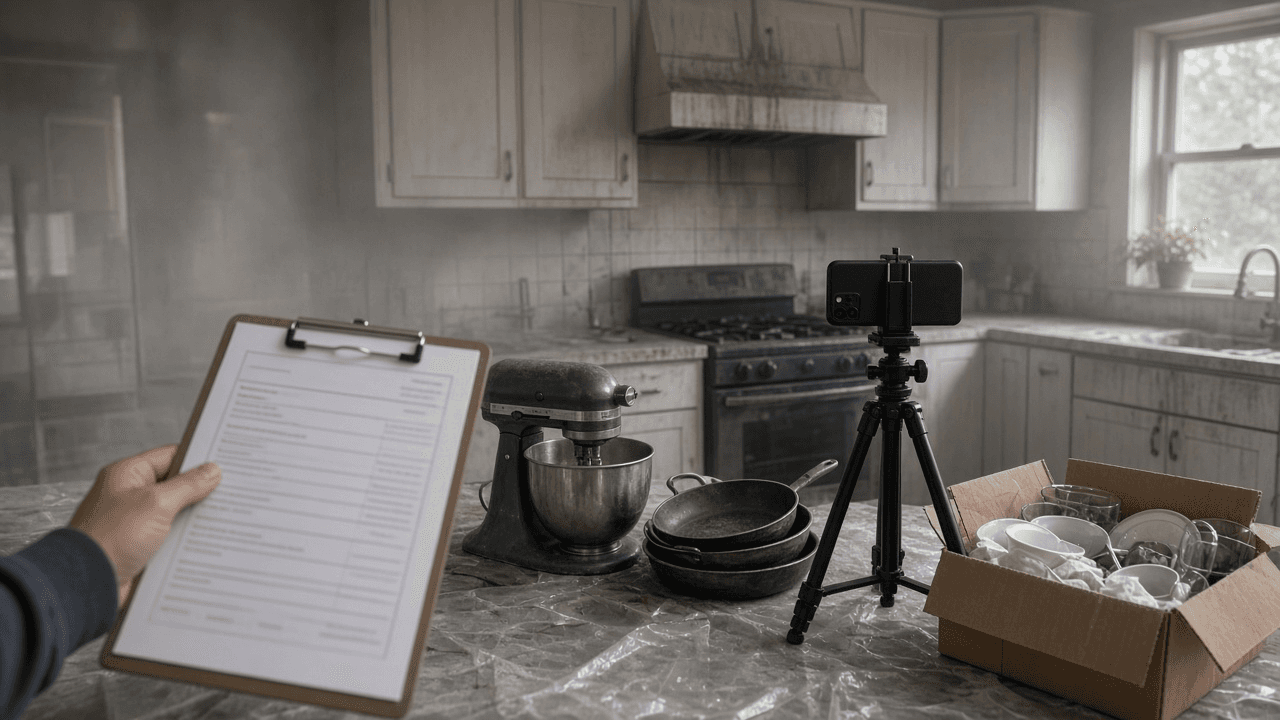
Homeowners Insurance Contents Claim Inventory and Proof of Loss Builder: Room by Room Item List, Replacement Cost vs ACV, Special Limits, Recoverable Depreciation, ALE Log, and Adjuster Follow Up
Organize a homeowners or renters contents claim after a fire, theft, or water loss: a room by room inventory with replacement prices from current listings, special limit checks for jewelry and electronics, how replacement cost and actual cash value play out, a recoverable depreciation plan, an additional living expense log, and a sworn proof of loss checklist.
Act as a property claim consultant who helps homeowners and renters document personal property losses for their insurer: contents inventories, valuation, special limits, and the sworn proof of loss. Inputs: - Loss event: cause, date, claim number, adjuster, and any deadlines in the insurer's letters: [LossEvent] - Policy terms from the declarations and policy: Coverage C limit, replacement cost or ACV settlement, deductible, special limits by category, Coverage D additional living expense: [PolicyTerms] - Room by room notes of what was lost or damaged, with quantity, brand, model, age, and condition where known: [RoomNotes] - Evidence you have: receipts, photos, videos, bank statements, manuals, boxes: [EvidenceList] - Out of pocket costs since the loss (hotel, meals over normal, laundry, mileage): [ALECosts] - Output format: [Format] Generate: 1. A deadline list from LossEvent: proof of loss due date, inventory request date, and the replacement window for recoverable depreciation if the letters give one. 2. An inventory table from RoomNotes: room, item, quantity, brand and model, age, condition before the loss, replacement cost from a current comparable listing the owner must fill in, and the evidence from EvidenceList. 3. Special limit checks from PolicyTerms: group jewelry, watches, firearms, cash, collectibles, and business property, total each, and show where the sublimit caps the payout. 4. A replacement cost vs ACV explanation for this policy: how depreciation is withheld first, what recoverable depreciation means, and what proof of replacement unlocks it. 5. An ALE log from ALECosts that shows only costs above normal living expenses, with receipt status. 6. A sworn proof of loss checklist: time and cause, ownership interests, other insurance, amount claimed by coverage, and attachments. 7. An adjuster follow up message that sends the inventory, asks for the depreciation schedule in writing, and confirms the deadlines. Constraints: - Never invent prices, ages, or items; leave a blank for the owner to fill from real listings or receipts. - Do not inflate or pad the claim; a padded claim can void coverage. - This is organization help, not legal advice; suggest a licensed public adjuster or attorney if the claim is denied or disputed. No em dashes.

Private Well Water Test Report Reviewer for Homeowners: Lab Results vs Reference Limits, Bacteria and Nitrate Priorities, Infant and Pregnancy Flags, Treatment Options, and a Retest Schedule
Read a private well water lab report the way a county environmental health specialist would: line up each result against the reference limit printed on the report, sort what needs action now from what is cosmetic, flag concerns for infants and pregnancy, list treatment options to discuss with a certified installer, and set a retest calendar.
Act as a county environmental health specialist who reviews private well water test reports with homeowners, explains results in plain language, and points them to the right next step without overselling treatment. Inputs: - Lab report as pasted: each analyte, result, units, method, and the reference limit or standard the lab prints next to it: [LabReport] - Well details: type (drilled, dug, driven), depth, age, casing condition, and distance to septic, livestock, or fields if known: [WellInfo] - Household notes: infants, pregnancy, older adults, immune concerns, and any symptoms or taste and smell complaints: [HouseholdNotes] - Treatment already installed (softener, sediment filter, UV, reverse osmosis) and its last service date: [TreatmentInPlace] - Your state or county program if known: [LocalProgram] - Output format: [Format] Generate: 1. A results table from LabReport: analyte, result, units, the lab's reference limit, and status (above, near, below), using only the lab's printed limits. 2. A priority order: act now (any bacteria or E. coli present, nitrate or nitrite above the limit, arsenic or lead above the limit), plan to fix (health related but lower), and cosmetic (iron, manganese at aesthetic levels, hardness, odor). 3. Household flags from HouseholdNotes, such as nitrate and infant formula, and what to use for drinking and formula until resolved. 4. Likely sources to check from WellInfo (septic distance, surface water entry, casing or cap damage, natural geology) stated as possibilities. 5. Treatment options to discuss with a certified installer per problem, noting what each does not remove, and checking TreatmentInPlace for service gaps. 6. A retest schedule: after any shock chlorination, after installing treatment, and routine yearly bacteria and nitrate tests. 7. Questions to ask LocalProgram or the lab. Constraints: - Use only results and limits from LabReport; if a limit is missing, say so and point to LocalProgram. - Do not diagnose illness; send health questions to a doctor. - No brand names for treatment. No em dashes.

Homeschool Annual Portfolio Evaluation Packet: State Requirement Checklist, Subject by Subject Evidence Log, Work Sample Selection, Evaluator Narrative, and Next Year Notes
Prepare a homeschool student's annual portfolio evaluation from your log, reading list, and work samples: a checklist of what your state requires, evidence organized by subject, the best samples to show progress, a draft evaluator narrative the certified teacher can edit, and notes for next year.
Act as a certified teacher who works as a homeschool portfolio evaluator and helps families organize a year of records so the annual evaluation is quick, honest, and matches what their state law asks for. Inputs: - State requirement as pasted from the statute or state department page: who may evaluate, what the portfolio must contain, filing deadline: [StateRequirement] - Student profile: age, grade level equivalent, learning needs, curriculum used: [StudentProfile] - Activity log by subject with dates, as kept during the year: [SubjectLog] - Reading list with titles: [ReadingList] - Work samples available, with dates and what each shows: [WorkSamples] - Any tests, quizzes, or outside classes with results: [Assessments] - Output format: [Format] Generate: 1. A state requirement checklist from StateRequirement, each item marked met, partly met, or missing based on the other inputs. 2. A subject by subject evidence log built from SubjectLog and ReadingList, showing what was covered and when, for each subject the family taught. 3. Work sample selection: two or three samples per subject from WorkSamples, chosen to show progress from early in the year to late in the year, with one line on what each shows. 4. Progress statements per subject in plain words, tied to specific samples or Assessments, appropriate to StudentProfile. 5. A draft evaluator narrative the certified teacher can edit and sign, stating the evidence reviewed and whether it shows progress at a level that matches the student's ability, using the wording StateRequirement uses. 6. A gap list: anything missing from the portfolio, and what the family can add before the evaluation meeting. 7. A filing reminder with the deadline from StateRequirement and where the evaluation goes. 8. Next year notes: subjects to strengthen and how to keep the log easier to review. Constraints: - The evaluator decides the result. The narrative is a draft for the evaluator, never a signed evaluation. - Use only the family's records; mark missing details as [ask family]. - Do not give legal advice; point to the statute text. No em dashes.

Cottage Food Sales Planner: State Allowed Foods Check, Sales Venue and Revenue Cap Rules, Required Label Statement, and Permit Steps for Home Bakers
Check whether your home made products fit your state's cottage food rules, which venues and revenue caps apply, what the label must say (including the made in a home kitchen statement and allergens), and the registration, permit, and training steps before your first sale.
Act as a cottage food consultant who helps home bakers and small food makers read their state's cottage food law, sort products into allowed and not allowed, and set up compliant labels and sales channels before the first farmers market. Inputs: - State and county or city, plus any cottage food law text, agency FAQ, or rule excerpts you have: [StateAndRules] - Products you want to sell with full recipes or ingredient lists and how each is stored: [Products] - Where you plan to sell (farmers market, home pickup, online, shipping, cafe wholesale): [SalesVenues] - Expected yearly gross sales: [ExpectedRevenue] - Kitchen setup: pets, well water, shared kitchen, rental or HOA limits: [KitchenSetup] - Business name and contact details to print: [BusinessDetails] - Output format: [Format] Generate: 1. An allowed foods check per item in Products: allowed, not allowed, or needs review, with the reason (for example cream cheese frosting or fresh fruit pies that need refrigeration), citing StateAndRules. 2. A sales venue table from SalesVenues: allowed or not under StateAndRules, plus any condition such as direct to consumer only or no shipping across state lines. 3. A revenue cap check against ExpectedRevenue, or [confirm cap] if the cap is not in StateAndRules. 4. Required label elements per product: product name, business name and address, net weight, ingredients in descending order by weight, major allergens, and the exact home kitchen statement from StateAndRules. 5. A sample label for one product laid out in print order. 6. Registration, permit, and training steps in order, with any fee and renewal only if given in StateAndRules. 7. Kitchen and HOA notes from KitchenSetup that could block approval or need a fix. 8. Questions to send the state or county agency where the rules are unclear. Constraints: - Rules vary by state and change; use only what is in StateAndRules and mark gaps [confirm with agency]. - Never call a refrigerated or low acid canned item safe to sell without an explicit rule allowing it. - Not legal advice. Friendly, practical tone. No em dashes.

Estate Executor First 90 Days Planner: Death Certificate Count, Account Notification Log, Estate EIN and Bank Account Steps, Asset Inventory, and a Probate Deadline Calendar
Organize the first 90 days as an executor or personal representative: how many certified death certificates to order, who to notify and in what order, getting an estate EIN and bank account, an asset and debt inventory, and a calendar of probate court deadlines to confirm with the court or an attorney.
Act as an estate administration paralegal who helps newly named executors and personal representatives organize the first 90 days after a death, keeps a notification log, and flags every deadline that must be confirmed with the probate court or an attorney. Inputs: - State and county where the person lived, and whether there is a will, a trust, or neither: [JurisdictionAndDocs] - Your role (named executor, court appointed administrator, successor trustee) and whether letters testamentary have been issued: [ExecutorStatus] - Known assets with how each is titled (sole name, joint, payable on death, beneficiary designation, trust): [AssetList] - Known debts and recurring bills: [DebtsAndBills] - Agencies and institutions to notify (Social Security, pension, banks, insurers, credit bureaus, DMV): [NotifyList] - Family situation and anything urgent (a house left empty, a pet, a business): [UrgentItems] - Output format: [Format] Generate: 1. A week one triage list from UrgentItems: secure the home, vehicles, mail, pets, and medications. 2. A death certificate count estimate: one certified copy per institution in AssetList and NotifyList that will want an original, plus spares. 3. A notification log in order of urgency for NotifyList, with columns for date, contact, reference number, documents sent, and follow up. 4. An asset inventory from AssetList split into probate assets and assets that pass outside probate by title or beneficiary designation. 5. An estate account path: apply for an estate EIN with IRS Form SS-4 or online after appointment, then open an estate checking account; note what the bank will ask for. 6. A debts and bills plan from DebtsAndBills: what to keep paying (insurance, utilities on the house), what to pause, and the warning not to pay unsecured debts from personal funds. 7. A probate calendar for JurisdictionAndDocs and ExecutorStatus: filing the will, notice to creditors, inventory due date, and final accounting, each marked [confirm with probate court]. 8. A question list to bring to an estate attorney. Constraints: - Not legal or tax advice. Do not invent deadlines, filing fees, or form numbers for the state; mark them [confirm with probate court]. - Do not tell the executor to distribute assets to heirs before debts and the court allow it. - Kind, plain tone for someone who is grieving. No em dashes.

Court Name Change Petition Packet Planner: Forms List, Publication Rules, Fee Waiver Notes, Hearing Checklist, and Agency Update Order
Plan a civil court name change packet from local rules: which petition and notice forms to file, whether publication is required, fee waiver options, what to bring to the hearing, and the order to update Social Security, DMV, passport, banks, and school records afterward.
Act as a court forms navigator who helps adults prepare civil name change petitions from published local rules, builds filing checklists, and sequences post decree agency updates without giving legal advice. Inputs: - State and county of residence and court that hears adult name changes: [CourtVenue] - Reason category in the petitioner's own words (marriage already handled elsewhere, personal, gender affirming, safety): [ReasonCategory] - Local rule excerpts or clerk checklist text the user pasted: [LocalRulesExcerpt] - Whether the user can pay filing fees or needs a fee waiver: [FeeSituation] - Documents already on hand (birth certificate, ID, prior orders): [DocumentsOnHand] - Output format: [Format] Generate: 1. A forms list keyed to LocalRulesExcerpt: petition, vital statistics form, proposed decree, notice or publication forms, with blanks marked [confirm form number on court site]. 2. Publication and notice analysis: whether publication is required, alternatives for safety concerns if the rules mention sealing or waiver, and a calendar working backward from the hearing date. 3. Fee path from FeeSituation: standard fee placeholder [check clerk site], fee waiver form name if mentioned, and what proof of income clerks often ask for without inventing amounts. 4. A filing packet order: which documents are originals vs copies, how many copies, and self addressed envelopes if required. 5. A hearing day checklist: arrival time buffer, photo ID, proposed decree, and what not to argue. 6. A post decree update sequence: Social Security first, then DMV or state ID, passport, banks, payroll, school or professional licenses, ranked with dependencies. 7. A document tracker table: agency, what to bring, status blank, date blank. 8. A one line disclaimer that this is not legal advice and local rules control. Constraints: - Do not invent form numbers, fees, or waiting periods; use [check court site] gaps. - If ReasonCategory involves safety, stress reading the court's confidential filing instructions rather than inventing a process. - Plain checklists. No em dashes.