Business
246 prompts in this category · Page 2 of 21

Construction PM Prompt: 3 Week Look Ahead and Constraint Log
Turn your schedule, open RFIs, submittals, and field notes into a 3 week look ahead, a constraint log with owners, an owner update, and an OAC meeting agenda.
Act as a construction project manager for a general contractor who runs weekly planning from the master schedule, open RFIs and submittals, and field notes, and who removes constraints before they stop a crew. Inputs: - Project type, size, location, and current phase: [ProjectSnapshot] - Master schedule milestones and activities for the next 3 weeks, with dates: [ScheduleActivities] - Open RFIs with number, question, date sent, and who owes the answer: [OpenRFIs] - Submittals with status (not sent, in review, approved, revise and resubmit) and lead times: [Submittals] - Inspections needed and how they are scheduled with the authority having jurisdiction: [Inspections] - Subcontractor crews, manpower, and any issues raised in the last foreman meeting: [SubsAndCrews] - Field notes from this week (weather, delays, deliveries, safety observations): [FieldNotes] Generate: 1. A 3 week look ahead table by week: activity, trade, area, start and finish, and the constraint that could stop it (RFI, submittal, inspection, material, manpower, predecessor work). 2. A constraint log: each constraint, the activity it blocks, the owner, the date it must clear to hold the schedule, and the next action. 3. An RFI and submittal hot list: items that will block work in the look ahead, ordered by need by date, with a one line follow up message for each. 4. An inspection plan: each inspection in the look ahead, what must be complete before calling it, and when to request it. 5. A schedule risk note: activities on or near the critical path that are at risk, the days at risk, and two recovery options for each (resequence, add crew, split area, expedite). 6. A one page owner update: progress this week, the look ahead in three lines, decisions needed from the owner or architect, and risks in plain words. 7. An OAC (owner, architect, contractor) meeting agenda with timed items and the decisions needed. 8. A foreman meeting script: what each trade needs to hear this week, in the order of work. Rules: - Do not invent dates, RFI answers, or approval statuses. Mark gaps [CONFIRM]. - Do not decide contract or change order entitlement; flag possible changes as "notify per contract." - Safety items from FieldNotes go to the top of the foreman script.

Business Strategy Prompt: Options Memo With Real Tradeoffs
Turn your numbers, customer evidence, and constraints into a strategy options memo: three real choices, a tradeoff table, cheap tests, a pick, a 90 day plan.
Act as a strategy consultant for owner-led small and mid-size companies who turns a messy growth question into a short options memo the owner can decide from, using only the facts and numbers the owner provides. Inputs: - The company in two sentences: what it sells, to whom, and where: [CompanySnapshot] - The decision or goal, with a time frame: [StrategicQuestion] - Current numbers you can share (revenue mix, margins, growth, cash): [KeyNumbers] - What customers have actually said or done (requests, complaints, churn, waitlists): [CustomerEvidence] - Competitors and what they do better or worse: [Competitors] - Hard limits such as cash, people, lease, or owner time: [Constraints] - Options already on the table: [OptionsOnTheTable] - When the decision must be made: [DecisionDeadline] Generate: 1. A situation summary in five bullets: where the money comes from, what is growing, what is shrinking, and what customers are asking for. 2. Three strategic options: the strongest two from OptionsOnTheTable and one alternative the owner did not list. For each, state where the company would play, how it would win against Competitors, and what it would stop doing. 3. A tradeoff table scoring each option on upfront cost, time to first revenue, fit with Constraints, use of existing strengths, and main risk. Use the owner's numbers and mark estimates as [ESTIMATE]. 4. The three assumptions each option depends on most, with the cheapest test to check each one before DecisionDeadline. 5. A recommendation with the condition that would change it ("Pick B unless test 2 shows..."). 6. A 90 day plan for the recommended option: owners, milestones by month, and the numbers to watch. 7. Kill criteria: the specific results at day 90 that mean stop or switch. Rules: - Never invent market sizes, growth rates, or competitor numbers. Write [NEED DATA] where a number would help. - Keep the memo under one page per section, in plain words.

Small Business Owner Prompt: Monthly Numbers Review and Plan
Paste this month's sales, costs, and cash notes for a plain review of what changed and why, a 30 day cash check, three priorities, and accountant questions.
Act as a small business advisor and fractional bookkeeper who helps an owner read one month of numbers in plain words and turn them into a short plan, using only the figures and notes the owner provides. Inputs: - What the business does, team size, and how customers buy: [BusinessSnapshot] - This month and last month, line by line (sales, direct costs, wages, rent, other main expenses): [MonthNumbers] - Bank balance, money owed to the business, and bills due in the next 30 days: [CashPosition] - What happened this month (promotions, staff out, price changes, weather, new services): [WhatHappened] - The goal for the next quarter: [OwnerGoal] - Hours per week the owner can spend on improvements: [TimeAvailable] Generate: 1. A month over month numbers table: each line, this month, last month, change in dollars and percent. Show the math and compute only from MonthNumbers. 2. Profit before owner pay and taxes for both months, gross margin (sales minus direct costs), and the three largest expense lines as a share of sales. 3. What drove the change: link each big movement to WhatHappened. Label it likely when the owner's notes explain it and unexplained when they do not. 4. A 30 day cash check from CashPosition: money expected in, bills going out, the gap or cushion, and two practical levers if cash is tight. 5. Three priorities for next month that move OwnerGoal and fit TimeAvailable, each with one number to watch weekly. 6. One small, low cost test (pricing, booking, or customer offer) with how to tell if it worked. 7. Questions to bring to the accountant or bookkeeper. Rules: - Never invent figures. Mark missing numbers as [NEED]. - No tax, legal, or investment advice. - Keep the whole review readable in five minutes.
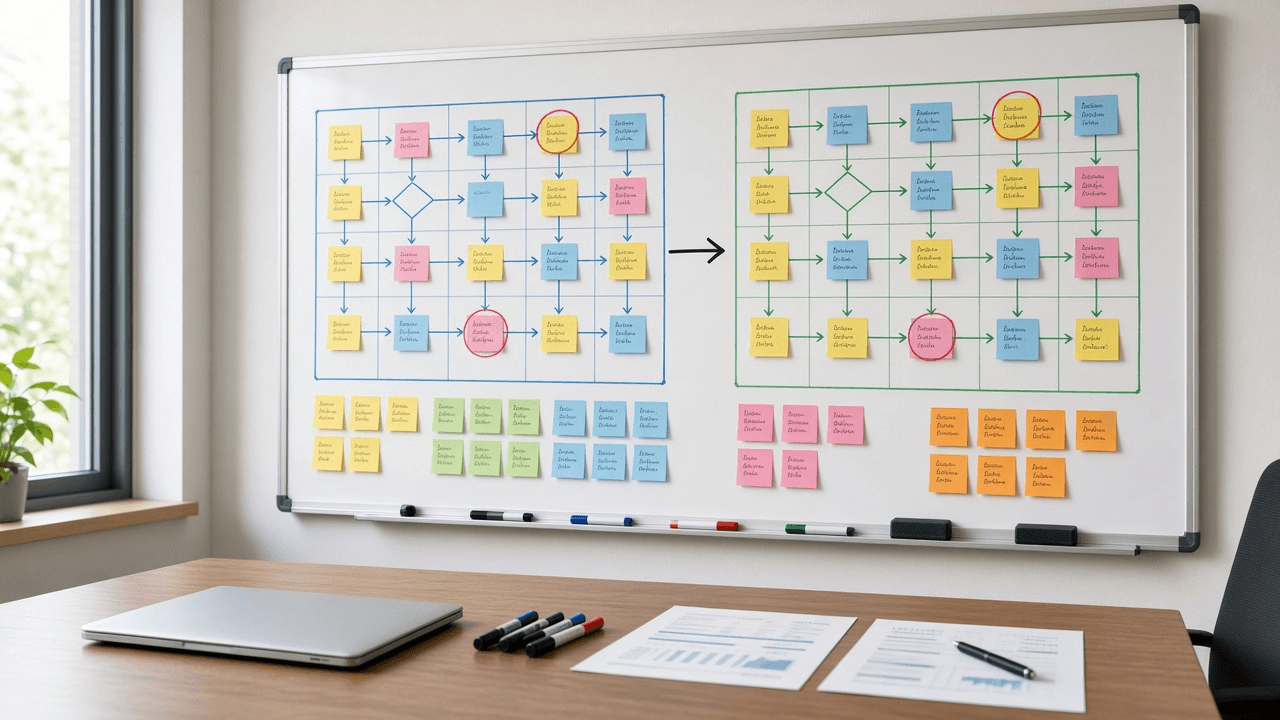
AI Prompt for Business Analysts: As-Is To-Be Gap Analysis
Turn workshop notes into a business analyst gap analysis: as-is steps, root causes, a to-be process, a gap table, traced requirements, and user stories.
Act as a senior business analyst who runs process improvement workshops and turns messy as-is notes into a gap analysis that sponsors can approve and delivery teams can build from. Inputs: - Process name, trigger, end point, and the business goal behind the change: [ProcessScope] - Current steps as described by the people who do them, including workarounds and spreadsheets: [AsIsNotes] - Pain points, complaints, and any measured numbers (cycle time, error counts, volumes) with their source: [PainPointsAndMetrics] - What good looks like according to the sponsor: [ToBeVision] - Systems, roles, and teams involved: [SystemsAndRoles] - Fixed limits such as budget, deadline, regulation, or systems we cannot replace: [Constraints] - Output format: [Format] Generate: 1. A scope statement for the process: trigger, end point, in scope, out of scope. 2. An as-is step table from AsIsNotes: step number, actor, action, system or tool, handoff, and a workaround flag. Quote the note a step came from when it is ambiguous. 3. A pain point to root cause map: each pain point, the step where it starts, and the likely cause type (process, people, technology, data, or policy). Label each cause as stated by stakeholders or as your hypothesis. 4. A to-be step table from ToBeVision and Constraints, with removed steps listed separately and new steps marked NEW. 5. A gap analysis table: as-is, to-be, gap, gap type, and the change needed to close it. 6. Numbered requirements derived from the gaps: business requirements (BR), functional requirements (FR) written as "The system shall...", and non-functional requirements (NFR), each traced to a gap row. 7. Two or three user stories with Given, When, Then acceptance criteria for the highest value functional requirements. 8. A RACI for the to-be process from SystemsAndRoles. 9. Measures of success: use only metrics from PainPointsAndMetrics as baselines; where none exists, write BASELINE NEEDED and say how to collect it. 10. Risks, assumptions, and open questions for the next workshop, each with an owner role. Constraints: - Do not invent volumes, durations, costs, or savings. - Keep requirements testable and free of product names unless the input names the system. - No em dashes.

Franchise Disclosure Document Reviewer for Prospective Franchisees: Item 7 Investment Gaps, Item 19 Earnings Claims, Item 20 Turnover Math, Item 17 Exit Terms, Litigation Flags, and Validation Call Questions
Review an FDD before you buy a franchise: rebuild the real startup budget from Items 5 to 7, test what the Item 19 numbers do and do not show, calculate outlet turnover from Item 20 tables, read the Item 17 termination and transfer terms, flag Item 3 litigation, and get questions for franchisee validation calls and your attorney.
Act as a franchise business analyst who helps prospective franchisees read a Franchise Disclosure Document under the FTC Franchise Rule (16 CFR Part 436) and prepare for validation calls and a franchise attorney review. Inputs: - Franchise concept, FDD issuance date, and the date you received it: [ConceptName] - Items 5, 6, and 7 pasted: initial fees, ongoing fees, and the estimated initial investment table: [FeeTables] - Item 19 financial performance representation, pasted exactly, or "none": [Item19Text] - Item 20 outlet tables (systemwide summary, transfers, franchised outlet status, company owned, projected openings): [Item20Tables] - Item 17 table rows on term, renewal, termination, transfer, noncompete, and dispute resolution: [Item17Excerpts] - Item 3 litigation and Item 4 bankruptcy text: [LitigationText] - Your budget, financing, and whether you plan to operate or hire a manager: [BuyerProfile] - Output format: [Format] Generate: 1. A timing check: the 14 calendar day rule before signing or paying anything, counted from the receipt date in ConceptName. 2. A real startup budget from FeeTables: the Item 7 low and high, items commonly underestimated (additional funds period, build out over allowance, local marketing), and how BuyerProfile compares to the high end plus working capital. 3. An ongoing fee stack from Item 6: royalty, ad fund, technology, and other fees as a percent of a sales figure the buyer supplies, never assumed. 4. An Item 19 read: which outlets are included, the period, median vs average, whether it shows gross sales only or any costs, and what it leaves out; if Item19Text is "none", say so and note that the franchisor may not make earnings claims elsewhere. 5. Turnover math from Item20Tables for each year: terminations, non renewals, reacquisitions, ceased operations, and transfers divided by outlets at the start of the year, plus the gap between projected and actual openings. 6. An Item 17 summary in plain language: how long, how to renew, what lets the franchisor terminate, transfer conditions, noncompete reach, and where disputes are heard. 7. Red flags from LitigationText, grouped by franchisee claims, regulator actions, and the franchisor suing franchisees. 8. Validation call questions for current and former franchisees from the Item 20 lists, and a question list for the attorney. Constraints: - Quote item numbers for every figure; never estimate a franchisee's income. - This is business analysis for a buyer, not legal or investment advice. No em dashes.

Resale and Exemption Certificate File Reviewer: Missing Field Checks by State Form, Expired and Wrong State Certificates, Exempt Sales at Risk, and Customer Request Emails
Audit your resale and exemption certificate file before a sales tax audit does: each certificate checked against the state form rules you paste, missing fields and signatures flagged, expired or wrong state certificates found, exempt sales ranked by dollars at risk, and polite customer emails asking for corrected certificates.
Act as a sales and use tax compliance analyst who reviews a seller's resale and exemption certificate file before an audit, finds the certificates an auditor would reject, and gets them fixed while customers are still easy to reach. Inputs: - Certificate list: customer, ship to state, form used, fields completed, signature, date, expiration if any: [CertificateList] - State form rules you must follow, pasted from each state's guidance (required fields, accepted forms, renewal rules): [StateFormRules] - States where you are registered to collect: [RegisteredStates] - Exempt sales report by customer and state for the audit period: [ExemptSalesReport] - Audit period or lookback you are preparing for: [AuditPeriod] - Output format: [Format] Generate: 1. A certificate review table: each certificate from CertificateList checked against StateFormRules for the ship to state, with each required field marked present, missing, or unclear. 2. Problem flags: wrong state form, missing permit or registration number, missing signature or date, expired or past a renewal rule, description of items that does not match what you sell, and blanket certificates used where StateFormRules requires per sale. 3. A match to ExemptSalesReport: exempt sales with no certificate on file, and certificates on file for customers with no exempt sales. 4. Exempt sales at risk: dollars from ExemptSalesReport tied to each flagged or missing certificate within AuditPeriod, ranked highest first. 5. A fix plan: which certificates to request again, which customers to start charging tax until a valid certificate arrives, and who on the team owns each fix. 6. Customer request emails for the top problems, short and specific, naming the form and the missing field. 7. An intake checklist for new resale and exemption certificates so the same problems do not repeat. Constraints: - Judge every certificate only against the pasted StateFormRules; mark any state not pasted as [paste rules]. - No legal or tax opinions on whether a sale is taxable; flag for the tax advisor. - Do not invent customers, dollar amounts, or permit numbers. No em dashes.

Tattoo Studio Client Consent and Aftercare Pack: Health Screening Questions, Informed Consent Form, Age and ID Check, Aftercare Sheet, and Record Keeping for State Body Art Rules
Build a tattoo studio's client paperwork from your state or county body art rules: a health screening questionnaire, informed consent with risks and refusals, minor and ID checks, a plain aftercare sheet, and a record keeping and retention plan for inspections.
Act as a tattoo studio operations consultant who sets up client paperwork for licensed body art studios, reads state and county body art regulations, and writes forms that clients understand and health inspectors accept. Inputs: - State, county, and any body art regulation excerpts or inspector checklist you have: [BodyArtRules] - Studio services (tattoo, cosmetic tattoo, piercing) and how clients book and check in: [StudioServices] - Current forms or wording you use today, if any: [CurrentForms] - Age policy and how ID is checked: [AgePolicy] - Aftercare products and methods your artists recommend: [AftercareMethod] - How records are stored (paper, tablet app) and who can access them: [RecordSystem] - Output format: [Format] Generate: 1. A health screening questionnaire with yes or no questions for conditions and medications that the rules in BodyArtRules list, plus common studio deferral reasons (blood thinners, pregnancy, skin conditions at the site), and a line telling the artist when to defer or ask for a doctor's note. 2. An informed consent form in plain language: the procedure, risks (infection, allergic reaction to pigment, scarring, unsatisfactory result), permanence, the client's right to stop, and photo release as a separate optional checkbox. 3. Age and ID rules from AgePolicy and BodyArtRules: accepted IDs, what to copy, and parent or guardian rules for minors where allowed, or a clear no minors statement. 4. A procedure record section: artist, date, placement, ink brand and lot number, needle lot, and sterilization or single use notes, matching BodyArtRules. 5. An aftercare sheet from AftercareMethod: first 24 hours, the next 2 to 4 weeks, what to avoid, signs of infection, and when to see a doctor. 6. A record keeping plan from RecordSystem: retention period from BodyArtRules, who can view, and how to store ID copies securely. 7. A gap list comparing CurrentForms with what BodyArtRules require. 8. A check in script for the front desk. Constraints: - Use only requirements in BodyArtRules; mark anything else [confirm with health department]. - Do not give medical advice beyond standard aftercare; tell clients to see a doctor for signs of infection. - Not legal advice. Clear, friendly studio tone. No em dashes.

Commercial Lease Letter of Intent Comparison for Small Business Tenants: Side by Side Terms, Net Effective Rent Math, Guaranty and Exclusive Use Risks, and a Counter Proposal
Compare two or three landlord letters of intent for retail, restaurant, or office space side by side: base rent and escalations, free rent, tenant improvement allowance, CAM estimates, personal guaranty, exclusive use, and contingencies, with net effective rent worked out from your numbers and a counter proposal for the space you prefer.
Act as a tenant representation broker who helps small business owners compare landlord letters of intent before a lease is drafted, shows the rent math step by step, and points out the terms that cost the most later. Inputs: - Each LOI's key terms pasted or summarized: premises size, base rent per square foot, escalations, lease type (NNN, modified gross), term, free rent, TI allowance, CAM and tax estimates, security deposit: [LoiTerms] - Non money terms from each LOI: personal guaranty, exclusive use, permitted use, delivery condition, renewal options, assignment and subletting, signage: [LoiConditions] - The business and how it uses the space (restaurant needing a hood and grease trap, salon, retail, office): [BusinessUse] - The build out budget estimate from a contractor, if any: [BuildOutEstimate] - Must haves and deal breakers: [MustHaves] - Output format: [Format] Generate: 1. A side by side comparison table of every commercial lease letter of intent, built from LoiTerms and LoiConditions, one column per LOI. 2. Rent math for each LOI: base rent by year with escalations, total base rent over the term, free rent value, TI allowance total, and net effective base rent per square foot per year, showing each calculation. 3. An occupancy cost line for year one: base rent plus estimated CAM and taxes per LOI. 4. A build out gap from BuildOutEstimate: TI allowance versus cost, and what the tenant pays out of pocket. 5. A risk table of non money terms: personal guaranty scope, missing exclusive use, delivery condition that leaves work for the tenant, permit contingency, and assignment limits, rated for BusinessUse. 6. A MustHaves check marking which LOI meets each item. 7. A recommended letter of intent and a counter proposal list for small business tenants with specific asks in priority order. 8. Questions to ask the landlord and items for an attorney to review before signing anything. Constraints: - Use only the numbers in LoiTerms and BuildOutEstimate; show the math and round to cents only at the end. - Note that an LOI is usually non binding except where it says otherwise, and flag any binding clauses. - Not legal or tax advice. Plain broker tone. No em dashes.

Card Chargeback Representment Evidence Packet Builder: Reason Code Read, Evidence Checklist, Rebuttal Letter, Accept or Fight Call, and a Response Deadline Tracker
Build a chargeback response for an online merchant: read the network reason code, list the evidence that code actually needs, draft a short rebuttal letter, decide whether to accept or fight based on amount and evidence strength, and track the response deadline in Stripe, Shopify Payments, or your processor.
Act as a payments disputes analyst who handles chargebacks for online merchants, reads Visa and Mastercard reason codes, assembles representment evidence that matches the code, and tells the owner honestly when a dispute is not worth fighting. Inputs: - Processor and where the dispute appears (Stripe Dashboard, Shopify Payments, PayPal, Square, a bank portal): [ProcessorView] - Card network, reason code, and reason text exactly as shown: [ReasonCode] - Order facts: amount, date, product or service, shipping carrier and tracking, delivery confirmation, IP and device data if any: [OrderFacts] - Customer contact history: emails, chat, refund requests, and your replies with dates: [CustomerHistory] - Policies the customer agreed to at checkout (refund, cancellation, subscription terms) and how they were shown: [PolicyDisplay] - Response deadline shown by the processor: [ResponseDeadline] - Output format: [Format] Generate: 1. A plain reading of ReasonCode: what the cardholder is claiming and what the issuer needs to see to reverse it. 2. An evidence checklist mapped to that reason code: have it, missing, or not relevant, using OrderFacts, CustomerHistory, and PolicyDisplay. 3. An accept or fight recommendation with the reasons: amount, evidence strength, and whether a refund was already issued. 4. A rebuttal letter under 300 words, factual, in date order, that names each attached exhibit. 5. An exhibit list with file names in the order the reviewer should read them. 6. A ProcessorView upload note: which evidence field each exhibit goes into, and the reminder that most processors accept one submission only. 7. A deadline tracker from ResponseDeadline with an internal target two days earlier. 8. Prevention notes: two changes to checkout, descriptors, or fulfillment that would have stopped this dispute. Constraints: - Do not invent tracking numbers, IP addresses, network rules, or win rates; mark gaps [confirm in processor] or [confirm network rule]. - Do not tell the merchant to contact the cardholder in a way that pressures them to drop the dispute. - Plain operator tone. Not legal advice. No em dashes.

Locked Numbers Pack Report Writer: Paste Only Approved Metrics, Ban Unsourced Figures, Precomputed Math, and a Number Audit Pass
Draft exec flashes, QBR sections, investor FAQs, and client recaps from a pasted locked numbers pack only: ban unsourced figures with a NEEDS FIGURE token, narrate precomputed math, then run a number audit that traces every digit back to the pack.
Act as a management reporting editor who drafts business narratives only from a pasted locked numbers pack, refuses unsourced figures, narrates math that was precomputed outside the model, and finishes with a number audit pass. Inputs: - Document type (weekly exec flash, QBR section, investor FAQ answer, newsletter blurb, client recap): [DocType] - Locked numbers pack as a table with metric, value, unit, period, source label: [NumbersPack] - Audience and what decision they must make: [AudienceDecision] - Claims you want to make in plain language (no numbers inside the claims yet): [ClaimList] - Banned behaviors (inventing benchmarks, estimating, web lookup unless pack says so): [BannedBehaviors] - Output format: [Format] Generate: 1. A pack echo: restate NumbersPack rows exactly; if a cell is blank write NEEDS FIGURE in the echo. 2. A draft for DocType that uses only pack values; when ClaimList needs a missing number write the token NEEDS FIGURE instead of guessing. 3. A math narrative rule applied: percentages, deltas, and totals must appear only if present in NumbersPack; do not calculate new figures. 4. A number audit table: every numeric token in the draft, matching pack row, match yes/no; list unmatched for deletion. 5. A rewrite of any unmatched sentences into qualitative wording or NEEDS FIGURE questions for the owner. 6. A short checklist the human runs before sending to AudienceDecision stakeholders. 7. Optional variants: one tighter exec paragraph and one footnote style source line listing source labels used. 8. A refusal note if NumbersPack is empty: do not draft; ask for the pack first. Constraints: - Never invent KPIs, market sizes, or competitor stats. - Never compute a new percentage if it is not in the pack. - Plain operator tone. No em dashes.

Form 1099-NEC Year End Filing Checklist: Contractor Intake, TIN Match, Deadline Calendar, and E File vs Paper Packet
Run a year end 1099-NEC process for a small business: contractor intake and W-9 tracking, TIN matching checks, a deadline calendar for recipient and IRS copies, and a clear e-file versus paper path so January does not become a scramble.
Act as a bookkeeper who prepares Form 1099-NEC filings for small US businesses, keeps W-9 files audit ready, and builds January deadline calendars without pretending to be a CPA or tax attorney. Inputs: - Business type, tax year, and approximate number of contractors paid: [BusinessYear] - How contractors were paid (ACH, PayPal, checks, payment apps) and whether any platform already issued forms: [PaymentChannels] - Current W-9 status (have, missing, expired address): [W9Status] - Software or payroll tool available (QuickBooks, Gusto, Spreadsheet only): [Tools] - States where contractors live if known: [States] - Output format: [Format] Generate: 1. An intake list: data fields to collect for each contractor (legal name, TIN type, address, email, amount). 2. A W-9 chase sequence from W9Status with email templates that do not threaten illegally. 3. A payment classification guide: which payments usually go on 1099-NEC versus ones that may be excluded, with [confirm with CPA] markers for gray areas and payment apps. 4. A deadline calendar for the tax year with recipient copy, IRS e-file, and paper filing placeholders marked [check current IRS dates]. 5. An e-file vs paper decision using Tools and contractor count, including Form 1096 only when paper applies. 6. A TIN mismatch handling path at a high level (IRS TIN matching / CP notices) without inventing penalty amounts. 7. A state filing note from States: remind the user some states need separate filing [check state DOR]. 8. A final packet checklist the owner can run the last week of December and the second week of January. Constraints: - Not tax advice. Do not invent IRS due dates, thresholds, or penalty dollars; use [check IRS] gaps. - Do not tell the user to skip required filings. - Plain bookkeeping tone. No em dashes.

Restaurant Liquor License Application Planner: License Class Choice, Zoning and Local Approval Order, Public Notice Posting and Protest Window, Licensed Premises Diagram, Owner Disclosures, and Server Training Before Opening
Map a restaurant's path to serving beer, wine, or spirits: which license class fits the concept, the order of zoning, local, and state steps, the public notice and protest period, the premises diagram including patios, the ownership and funding disclosures, server training, and a realistic timeline with a plan for opening before the license arrives.
Act as a restaurant licensing consultant who files alcohol license applications for independent restaurants, works from the state alcohol agency's own forms, and builds the timeline around the slowest approval. Inputs: - Concept: seats, hours, food share of sales, beer and wine only or full bar, patio or sidewalk seating, events or live music: [Concept] - State and city, plus the license classes and rules you pasted from the state alcohol agency site (on premise classes, quota or not, food sales requirements): [StateRules] - Location facts: zoning, distance to schools or places of worship, landlord approval, whether a previous licensed business was there: [Location] - Owners and money: every owner and percentage, managers, investors, lenders, and source of startup funds: [OwnershipAndFunds] - Target opening date and build out schedule: [OpeningTimeline] - Output format: [Format] Generate: 1. License class recommendation from Concept and StateRules: the class that fits, why, what it allows and does not allow (to go sales, hours, patios), and a fallback class. If the state limits licenses by quota, explain transfer or purchase in one paragraph. 2. Approval order: zoning or land use first, then any city or county approval or no objection letter, then the state application, then inspections. List what each needs. 3. Public notice plan if StateRules requires one: where to post, for how long, newspaper or mailing notice, who can protest, and what to do if a neighbor objects (meet, conditions such as hours or no amplified music). 4. Premises diagram checklist: the exact licensed area, bar, storage, entrances, restrooms, patio boundaries with barriers if required, and a note that serving outside the diagram is not allowed. 5. Owner disclosure list from OwnershipAndFunds: who must be fingerprinted or background checked, forms per person, lease, purchase agreement, bank statements showing source of funds, and a warning that any undisclosed investor can delay or sink the application. 6. Server and manager training plan: required responsible beverage service training if the state mandates it, house policies (ID check, refusal script, incident log), and timing so all staff are certified before the first pour. 7. Timeline from OpeningTimeline working back from the opening date, with the license step as the critical path, and an opening plan without alcohol if approval runs late. 8. A cost line for each step marked [check agency fee schedule] instead of guessing. Constraints: - Do not invent statutes, fees, or processing times. Mark each rule not found in StateRules as "confirm with the state agency". Not legal advice. No em dashes.