How to Use the Museum Exhibit Label Writer Prompt to Turn Catalog Records Into Labels Visitors Actually Read
Turn curator notes and catalog records into a full label set for a small museum, historical society, or gallery: a one sentence big idea, an introductory panel and section panels written to your word limits, object labels with tombstone data in house style, plus large print and audio description versions and a fact check list for the curator.
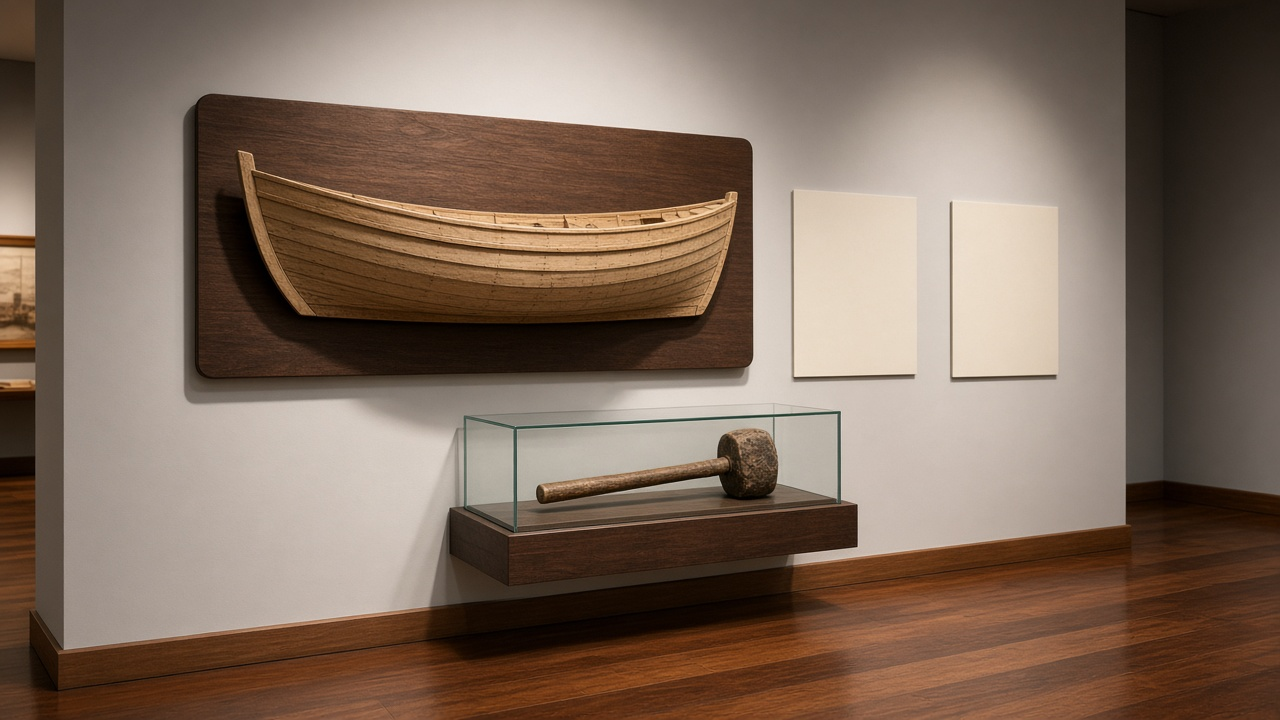
Most museum visitors read a label standing up, for a few seconds, before moving on. A label that opens with a date range, a donor name, and a paragraph of context loses them before the interesting part. The Museum Exhibit Label Writer: Object Labels with Tombstone Data, Introductory and Section Panels to Word Count, Reading Level Checks, Large Print and Audio Description Versions prompt takes your catalog records and curator notes and turns them into a complete label set: a big idea, panels written to your word limits, object labels with correct tombstone data, accessible versions, and a fact check table your curator can sign off on.
What the prompt produces
- A one sentence big idea that every label must support, plus a list of objects that do not fit it.
- An introductory panel and section panels written to the exact word limits you set, with word counts shown.
- Object labels with the tombstone block in your house style, followed by interpretive text that starts with what the visitor can see.
- Language checks for sentence length, jargon, and an approximate reading grade.
- Careful attribution that keeps attributed to, workshop of, and ca. exactly as your records support.
- A large print version and audio description scripts for the objects you name.
- A fact check table linking every claim to a source, with anything unsourced flagged.
How to fill the inputs
ExhibitBigIdea is the exhibit title plus the one thing visitors should leave understanding. Write it plainly. The prompt sharpens it into a sentence with a subject, an active verb, and a consequence.
ObjectRecords should be copied from your collections database: object name, maker or attribution, date, materials, dimensions, credit line, and accession number. The prompt builds tombstones only from this field, so anything missing stays blank.
CuratorNotes holds research, oral history quotes, and document references with their sources. Quotes are used verbatim, so paste them exactly.
LabelHierarchy sets the word limit for each level. If your design team has a limit for captions or a title panel, include it.
Audience tells the prompt who you are writing for. School groups and adult visitors in the same gallery is a common mix, and the prompt writes for both.
HouseStyle gives the tombstone order and how you write dates and credit lines.
AccessNeeds lists the versions you need, such as a large print booklet or audio description for specific objects.
Reading the example output
The example covers a small boatbuilding exhibit with a half hull model, a caulking mallet, and a boatyard photograph:
- The big idea is short and active. Families built river boats by hand, and their skills shaped river trade.
- The intro panel opens with the objects, asking visitors to look at the tools before giving any dates.
- The section panel uses the oral history quote exactly as recorded, with the speaker and year.
- Each object label starts with a question or an observation, such as why a builder needed only half a boat.
- The half hull model keeps attributed to, because the record does not confirm the maker as fact.
- Jargon like oakum is defined in place, so the label works for a fourth grader and an adult.
- The audio description covers shape, color, size, and material before meaning.
- The fact check table marks two intro claims as unsourced, so the curator knows what to confirm before printing.
Tips for better results
- Give real word limits from your designer. Labels written without limits always run long.
- Paste full catalog records even if some fields are empty. Blank fields are safer than guessed ones.
- Run the prompt per section if your exhibit is large, keeping the big idea the same each time.
- Read every label aloud. If you run out of breath, the sentence is too long.
- Ask for a Spanish translation brief separately once the English text is approved.
Mistakes to avoid
- Do not let the prompt fill in missing dates or makers. Leave them for the curator.
- Do not write interpretation for sacred or culturally sensitive objects without community consultation.
- Do not skip the fact check table, even for a small exhibit.
- Do not open labels with the credit line or accession number. That information belongs in the tombstone.
Who it is for
Exhibit writers at small and mid sized museums, historical society volunteers, university gallery staff, curators who write their own labels, and interpretive planners preparing text for design.
Related PromptDig links
Open the Museum Exhibit Label Writer: Object Labels with Tombstone Data, Introductory and Section Panels to Word Count, Reading Level Checks, Large Print and Audio Description Versions prompt and paste your catalog records. For more writing prompts, Browse more prompts. If you have a writing prompt that works well for you, Share a prompt.