AI Video Prompt for Men: 12 Clip Ideas From Your Own Photo
12 copy-paste AI video prompts for men that turn your own photo into Runway Gen-4.5 clips, with camera moves, crop advice, a worked example, and quick fixes.
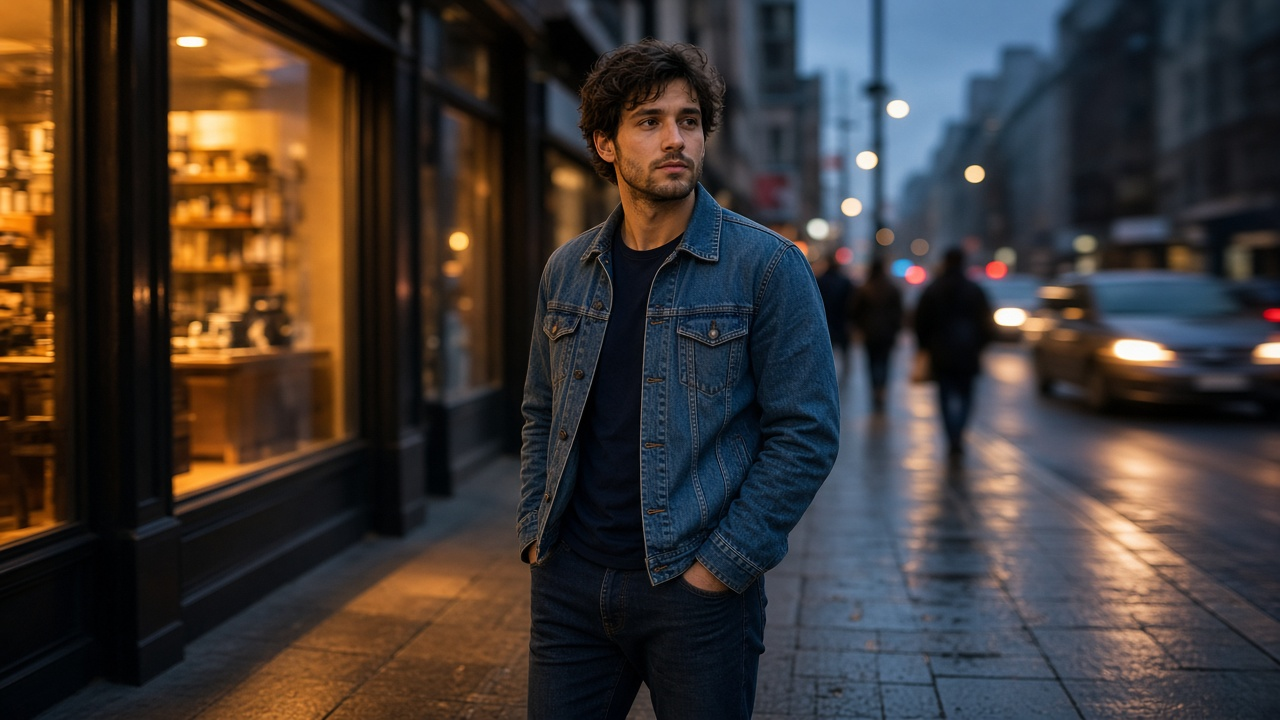
An AI video prompt for men works best when it starts from a real photo of you and only describes the motion and camera you want, because in image-to-video the photo becomes the first frame. The 12 prompts below are written for Runway Gen-4.5 image-to-video, use one camera move and one action each, and keep your face, beard, and clothes the same. Fill the brackets, attach your own photo, and render a short clip.
How to use these prompts
Runway's own guidance for image-to-video is to focus the prompt on motion, since the picture already shows the subject and setting. Runway Gen-4.5 makes clips of 2 to 10 seconds and supports 16:9, 9:16, 1:1, 4:3, 3:4, and 21:9 for image-to-video. A simple pattern holds up well: the camera does one thing, the subject does one thing, then one line for environment and light. Add a short "same face, same beard, same jacket" line at the end so the model does not drift.
Use only photos of yourself, or of someone who agreed to an AI clip being made and posted. If you want still image looks first, start with the image prompts for men from your photo, then animate the one you like.
Profile and intro clips
1. The slow turn
The camera slowly pushes in as the man turns his head from [where he is looking] toward the lens with a calm, relaxed expression. The background stays soft and still. [Light description]. Same face, same hair, same clothes. [9:16], [6] seconds.
2. The real laugh
The camera holds a steady medium close-up as the man reacts to something off camera and breaks into a natural laugh, then looks back at the lens. Small shoulder movement only. [Light description]. Same face and beard. [9:16], [5] seconds.
3. The two-step walk-in
The camera stays still at chest height as the man takes two slow steps toward it and stops in a medium shot, hands relaxed. [Setting] stays steady behind him. [Light description]. Same face, same [jacket or shirt]. [9:16], [6] seconds.
Style and outfit clips
4. Jacket adjust
The camera tilts up slowly from the [jacket detail] to the man's face as he straightens his collar with one hand and looks at the lens. Fabric moves naturally. [Light description]. Same clothing details, no new accessories. [3:4 or 9:16], [6] seconds.
5. Wind and light
The camera drifts slightly to the right around the man as he stands still and breathes naturally; a light breeze moves his hair and [clothing]. [Time of day] light from the [direction]. Static background. [9:16], [6] seconds.
6. Watch or cuff check
The camera holds a close medium shot as the man lifts his left wrist, glances at his [watch or cuff], then looks up and smiles slightly. Slow, simple hand movement. [Light description]. Same face, same [item]. [1:1], [5] seconds.
Work, hobby, and creator clips
7. Tool of the trade
The camera holds a steady medium shot as the man lifts the [object already in his hands in the photo], uses it once, lowers it and looks at the lens. [Light description]. The [object] keeps its exact shape. Same face and clothes. [9:16], [8] seconds.
8. Desk to camera
The camera slowly pushes in as the man looks up from his [laptop, notebook, or workbench] and leans back with a small nod to the lens. Nothing else in the room moves. [Light description]. Same face, same shirt. [16:9], [6] seconds.
9. Gym or trail moment
The camera tracks slowly alongside the man as he [one movement he really does, such as tying a shoe or stretching an arm] and then stands up and looks ahead. Natural speed, no extra people. [Light description]. Same face and build. [9:16], [6] seconds.
Event and announcement clips
10. Wide header loop
The camera slowly pans left to right across the scene as the man stands at [position] looking out at [view]. Gentle environment motion only: [clouds, water, traffic blur]. [Light description]. [16:9 or 21:9], [8] seconds. Use a horizontal source photo.
11. Speaker intro
The camera holds a steady medium shot as the man looks at the lens, gives a short nod and a small smile, as if about to speak. No lip movement. [Light description]. Same face, same [blazer or shirt]. [16:9], [4] seconds.
Fix a clip that went wrong
12. The repair reprompt
Same shot as before, but keep his face exactly as in the first frame with minimal head movement, no other people, nothing new entering the frame, static background, slow natural speed, and only one action: [the action]. [Ratio], [shorter length, such as 5] seconds.
Worked example
Marcus has a vertical, waist-up phone photo of himself on a rooftop at golden hour: navy bomber jacket, white tee, short black beard, and a black film camera on a strap. He wants an 8 second clip for his photography profile. Using prompt 7, his filled version reads: "The camera holds a steady medium shot as the man lifts the black film camera to his eye, presses the shutter once, lowers it and smiles at the lens. Light wind moves his jacket. Warm golden hour sun from the left. Same face, same beard, same jacket. 9:16, 8 seconds."
The flagship prompt also flagged a problem before he spent credits: a 16:9 version of a vertical waist-up photo would cut off his head or the camera, so the site header needs a horizontal source photo instead. The full plan, with three concepts and a fix list, is in the AI video prompt for men flagship.
Tips for better results
Pick a sharp photo with both hands fully in frame, since cut-off or blurry hands get worse once they move. Keep to one action per clip; two actions in 6 seconds usually rush. If the face changes, shorten the clip and ask for minimal head movement before you change anything else. Add a short AI disclosure when you post, and keep the original photo.
The same prompts work in other image-to-video tools with small edits. See the Runway prompt examples for more shot types, the Seedance prompts guide if you use Seedance 2.5, and the realistic AI video prompt for light and physics details.
More video prompts
Find more clip and shot prompts in the Video prompts hub, browse all prompts, or share your own prompt with the community.