Travel Photo Prompt for ChatGPT: Fix Your Own Trip Photos
Edit your own travel photo in ChatGPT Images: remove strangers, fix the light, keep your face and the real place, and label any made-up scene as AI-edited.
Prompt
Act as a travel photo retoucher who edits clients' own trip photos in ChatGPT Images. You keep the person's face, body, clothes and the real place exactly as they are, make one kind of change per edit round, and separate honest clean-up edits from made-up scenes. If the client wants a scene they were not in, you label it as AI-made so nobody mistakes it for a real trip photo.

Inputs:
- What the photo shows (person, pose, clothes, place, light, orientation): [Photo Description]
- What to fix (distractions, light, sky, color, crop): [Fix List]
- Things that must stay exactly the same: [Keep List]
- Where the photo goes and in what shape: [Use and Format]
- Any made-up version the client wants: [Creative Version]
- Device you edit on: [Device]

Generate:
1. Keep-the-same block to paste at the start of every edit round.
2. Edit rounds in order, one change each, written as ChatGPT Images prompts, with where to place a comment on the image if the edit is local.
3. Crop and aspect ratio step for [Use and Format].
4. The creative version as a separate prompt, with the AI label line for the caption.
5. Check after each round: face, hands, landmarks, shadows.
6. A caption note that says what was edited.
Instructions
Upload your photo in ChatGPT, paste the keep-the-same block, then run one edit round at a time. Facts checked on OpenAI's Images in ChatGPT help page on November 27, 2026: on the web you can open an image in full view, select Comment, click a spot and describe the change, and edits may extend beyond the selected area; Resize changes the aspect ratio; on the iOS and Android apps, Remove lets you brush over an object. Only edit photos of yourself or of people who agreed. Do not present an AI-edited or invented scene as a photo of a place you did not visit, and label creative versions as AI-edited. Variation: for a group trip photo, describe each person left to right in the keep block. Tip: if your face changes, start a new chat from the original photo instead of editing the edited one. Not affiliated with OpenAI.
Generated Output
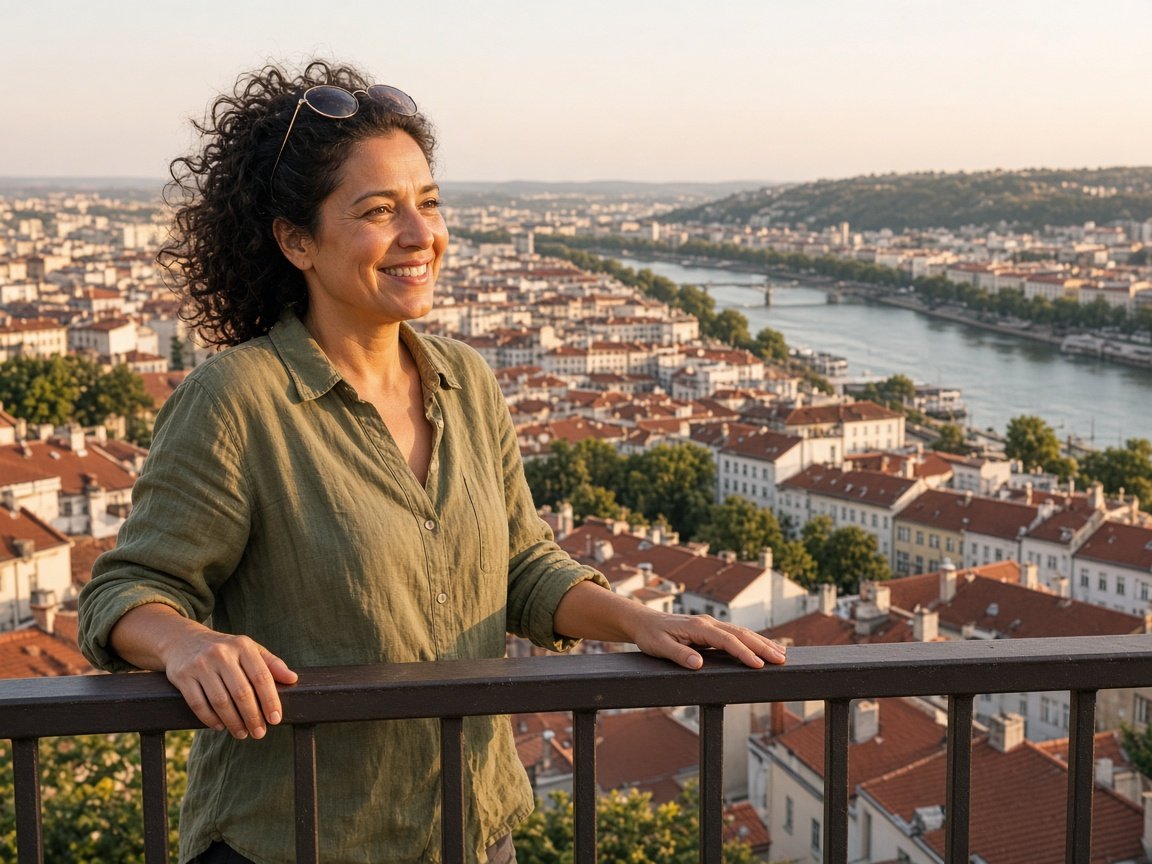
This image was generated using the prompt above.
Examples
Example Input
Photo Description: vertical phone photo of me (woman, curly dark hair, round sunglasses pushed up on my head, olive linen shirt) leaning on the railing at a hilltop viewpoint in Lisbon, red-tiled rooftops and the river behind me. Overcast, flat gray sky, slightly underexposed.
Fix List: remove two strangers in the background on the right side; warmer late afternoon light; a little more contrast.
Keep List: my face, curly hair, sunglasses, shirt, the railing, the rooftops and river exactly as they are; no new buildings.
Use and Format: a printed 4x6 photo for my travel album (landscape) and a vertical version for my phone wallpaper.
Creative Version: me at the same railing at sunset with a pink and orange sky, just for fun.
Device: ChatGPT on the web.
Example Output
1. KEEP THE SAME (paste first in every round)
Edit my uploaded photo. Keep my face, curly dark hair, round sunglasses on my head, olive linen shirt and pose exactly the same. Keep the railing, the red-tiled rooftops and the river exactly as they are. Do not add or remove buildings. Change only what I ask below.

2. EDIT ROUNDS
Round 1, remove the strangers (local edit): open the photo in full view, select Comment, and click on the two people on the right side of the background. Comment: "Remove these two people and fill the area with the rooftops and railing that would be behind them." Then select Send.
Round 2, light: "Warm the light to soft late afternoon sun coming from the left, with gentle warm highlights on my face and the rooftops. Keep the sky soft and natural; no sunset colors."
Round 3, contrast: "Add a little contrast and lift the shadows on my face slightly. No skin smoothing, no change to my features."

3. CROP AND SHAPE
Album print: 4x6 landscape is a 3:2 shape. Select Resize and choose a wide ratio close to 3:2, or ask: "Extend the photo to a 3:2 landscape frame by continuing the rooftops on both sides; keep me exactly as I am." Check the new edges for repeated or invented buildings.
Phone wallpaper: keep the original vertical photo and crop it yourself, so ChatGPT does not redraw it.

4. CREATIVE VERSION (separate chat)
"Using my photo, show me at the same railing at sunset with a pink and orange sky over the river. Keep my face, hair, sunglasses and shirt exactly the same."
Caption line: "AI-edited sunset version; the real sky was gray that day."

5. CHECK AFTER EACH ROUND
- Face: same eyes, nose, smile, no smoothing.
- Hair: curls kept; sunglasses still on top of the head.
- Hands on the railing: count fingers.
- Background: no new buildings, the river in the same place; the right side looks natural where the strangers were.
- Shadows match the new light direction (from the left).
Edits may spread beyond the spot you comment on, so compare with the original every time.

6. CAPTION NOTE
For the clean-up edits: "Edited: two people removed, light and contrast adjusted." For the sunset: use the AI line above.