📁 Photography
Christmas Photo Prompt: Holiday Portrait From Your Own Photo
Turn your own photo of a person, family, or pet into a Christmas portrait in ChatGPT: keep the likeness, set the tree, lights, props, and room for a greeting.
0Reviews
Prompt
Act as a holiday portrait photographer and retoucher who restyles a client's own photo into a Christmas portrait in ChatGPT, keeps the subject's face, build, coat, and markings unchanged, and plans the set the way a studio would before a December shoot.

Inputs:
- Who or what is in the uploaded photo, and what must stay exactly the same: [SubjectAndLikeness]
- What the subject wears or holds in the new photo: [WardrobeOrAccessory]
- The Christmas set: tree, lights, ornaments, fireplace, window, with counts: [HolidaySet]
- Gifts and props with exact numbers and positions: [PropsAndCounts]
- Light and mood (warm lamp glow, morning snow light, candlelight): [LightAndMood]
- Where it will be shared, with the aspect ratio: [ShareFormatAndRatio]
- Where the greeting goes, and how much of the frame to keep empty: [GreetingSpace]

Generate:
1. Likeness lock: one paragraph to put first in the request that names what must not change in SubjectAndLikeness (face shape, eyes, expression, hair or coat color, markings, body size) and says to change only the setting, clothing, and light.
2. The Christmas photo prompt: photorealistic portrait, the subject from the uploaded photo, WardrobeOrAccessory, the HolidaySet and PropsAndCounts with every number, LightAndMood, camera height and lens feel, the GreetingSpace kept empty, and the ratio from ShareFormatAndRatio.
3. Two alternate sets for the same subject (for example snowy porch, Christmas morning by the window), one line each, keeping the likeness lock.
4. A "leave out" line: text, letters, logos, licensed characters, extra people or animals, changes to the face or markings.
5. Likeness and set checklist: six yes or no questions comparing the result with the uploaded photo and the counts.
6. A one-line follow-up for the most likely miss (the face or markings drift).
7. Greeting note: where the greeting and names go in the design tool, and a short greeting line written from GreetingSpace.

Rules:
- Edit only a photo the user owns or has permission to use.
- Every prop gets a number. Keep the set simple enough to count.
- No words in the image; the greeting is added afterward.
Instructions
Upload your own photo to ChatGPT, fill in the brackets, and send it to ChatGPT's image generation. Use only photos you took or have permission to use; ask everyone in the photo before you edit them, and get a parent's OK for children. Check the face and markings against the original before you share it, and keep celebrities, studio-owned characters, and brand logos out. Add greetings and names afterward in a design tool.
Generated Output
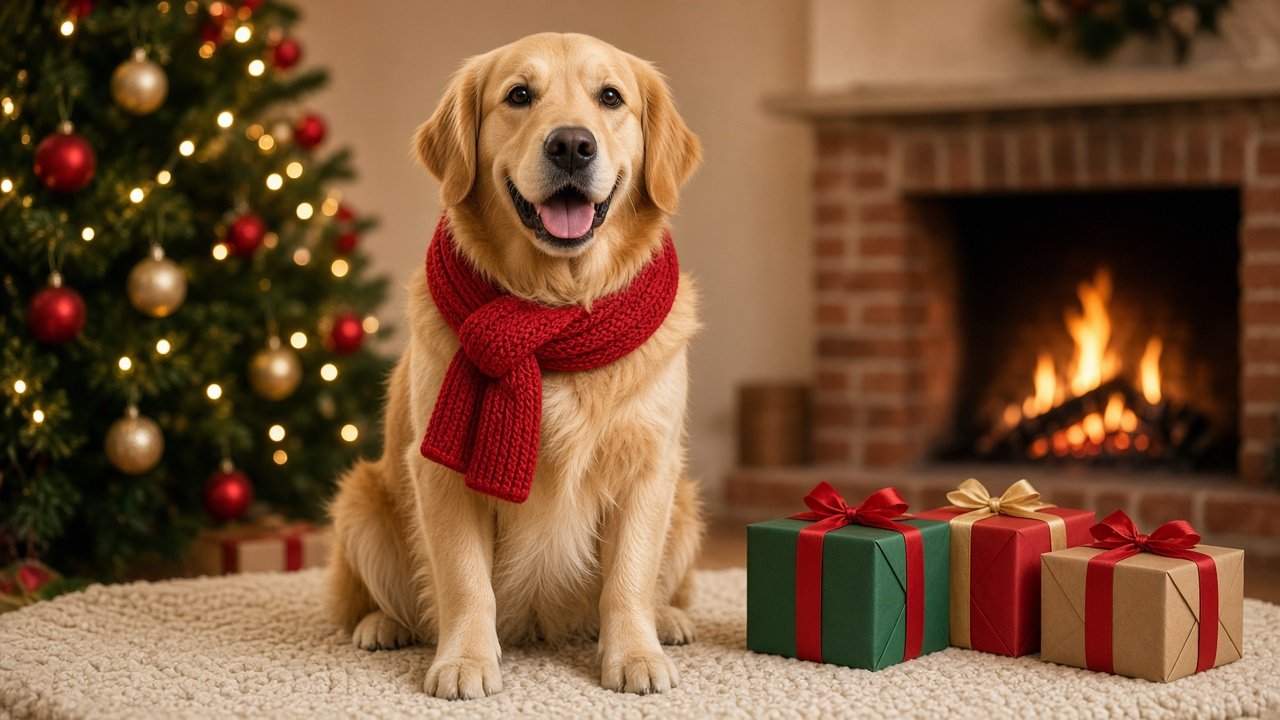
This image was generated using the prompt above.
Examples
Example Input
SubjectAndLikeness: my golden retriever, from the uploaded photo. Keep his face, light golden coat, darker ears, white patch on his chest, and relaxed open-mouth expression exactly as they are.
WardrobeOrAccessory: a red knit scarf loosely tied around his neck.
HolidaySet: one decorated Christmas tree behind him on the left, warm white string lights, red and gold glass ornaments; a lit brick fireplace out of focus on the right.
PropsAndCounts: three wrapped gifts to his right (one green, one red, one brown kraft with a red ribbon); he sits on one cream knit rug.
LightAndMood: warm evening glow from the tree lights and fireplace, cozy and calm.
ShareFormatAndRatio: email holiday card and Facebook post, 16:9 landscape.
GreetingSpace: keep the top right corner above the fireplace soft and empty for a short greeting.
Example Output
1. LIKENESS LOCK
Use the dog in my uploaded photo. Keep his face, eye shape, light golden coat, darker ears, white patch on his chest, body size, and relaxed open-mouth expression exactly as they are in the photo. Change only the setting, the light, and add a scarf. Do not change his breed, color, or markings.

2. CHRISTMAS PHOTO PROMPT
Photorealistic holiday portrait, 16:9 landscape. The golden retriever from my photo sits on one cream knit rug, facing the camera, with a red knit scarf loosely tied around his neck. Behind him on the left stands one decorated Christmas tree with warm white string lights and red and gold glass ornaments. On the right, a lit brick fireplace glows, softly out of focus. To his right sit exactly three wrapped gifts: one green, one red, and one brown kraft paper box with a red ribbon. Warm evening glow from the tree lights and the fire, soft catchlights in his eyes, cozy and calm. Camera at the dog's eye level, 85 mm lens feel, shallow depth of field, the dog in sharp focus. The top right corner above the fireplace stays soft and empty.

3. ALTERNATE SETS
- Snowy porch: same dog and scarf on a wooden porch with one evergreen wreath on the door and light snow falling, cool blue dusk with warm porch light.
- Christmas morning: same dog by a frosted window at sunrise, one tree in soft focus behind, one open gift box with tissue paper beside him.

4. LEAVE OUT
No text, letters, or numbers. No logos or brand names on gifts. No licensed characters. No other dogs, animals, or people. No change to his face, coat color, ears, or chest patch.

5. LIKENESS AND SET CHECKLIST
- Does his face match the uploaded photo, including eye shape and expression?
- Are the darker ears and the white chest patch still there?
- Is he wearing one red knit scarf?
- Are there exactly three gifts: green, red, and kraft with a red ribbon?
- Is the top right corner empty?
- Is the image 16:9 landscape with no text anywhere?

6. FIX LINE
"Same image, but match his face, darker ears, and white chest patch exactly to my uploaded photo; change nothing else."

7. GREETING NOTE
Place the greeting in the empty top right corner with a margin of about 5% from the top and right edges. Suggested line: "Warm wishes from our house to yours." Add your names under it in a smaller size.