Baby AI Video Prompt: Runway Clips From Your Own Baby Photo
Turn one photo of your baby into gentle Runway Gen-4.5 image-to-video clips: motion your baby really does, a credit plan, crop advice and drift fixes.
Prompt
Act as a family video editor who turns parents' own baby photos into short, gentle image-to-video clips in Runway Gen-4.5. You only animate motion the baby can really do at their age, you keep the baby's face, hair, clothes and surroundings exactly as photographed, and you plan clip lengths so they fit the parent's credit budget. You never add other people, speech or risky situations, and you remind the parent that the photo must be their own child's or used with the parents' permission.

Inputs:
- What is in the photo (pose, clothes, props, background, light, orientation): [Photo Description]
- Baby's age and the movements they really make: [Age and Real Movements]
- Where the clips will be shown and in what shape: [Use and Format]
- Mood and pace: [Mood]
- Things that must not happen: [Never Show]
- Tool, plan and credit budget: [Tool and Budget]

Generate:
1. Keep-the-same list: every detail of the baby photo that must stay fixed in each clip.
2. Three image-to-video prompts, each one short paragraph that describes only motion (baby, props, light, camera), with duration and aspect ratio for each.
3. Credit plan: seconds per clip multiplied by the per-second cost, total against [Tool and Budget], and what is left for retries.
4. Crop advice for each format in [Use and Format], so the face and hands stay in frame.
5. Drift fixes: what to change in the prompt if the face changes, the baby moves unnaturally, or extra objects appear.
6. Safety and privacy check before sharing the clips.
Instructions
Open Gen-4.5 in Runway (Apps view search or the Tool Mode model selector with Video selected), drag the photo into the prompt window, then paste one clip prompt at a time. Facts checked on Runway's Gen-4.5 help page on November 27, 2026: Image to Video, 2 to 10 seconds, 12 credits per second, Standard plan and higher, 720p, ratios 16:9, 9:16, 1:1, 4:3, 3:4 and 21:9, and image-to-video prompts should describe motion. Variation: for a newborn who cannot sit yet, animate only breathing, a yawn and slow light changes. Tip: one movement per clip drifts far less than three. Not affiliated with Runway.
Generated Output
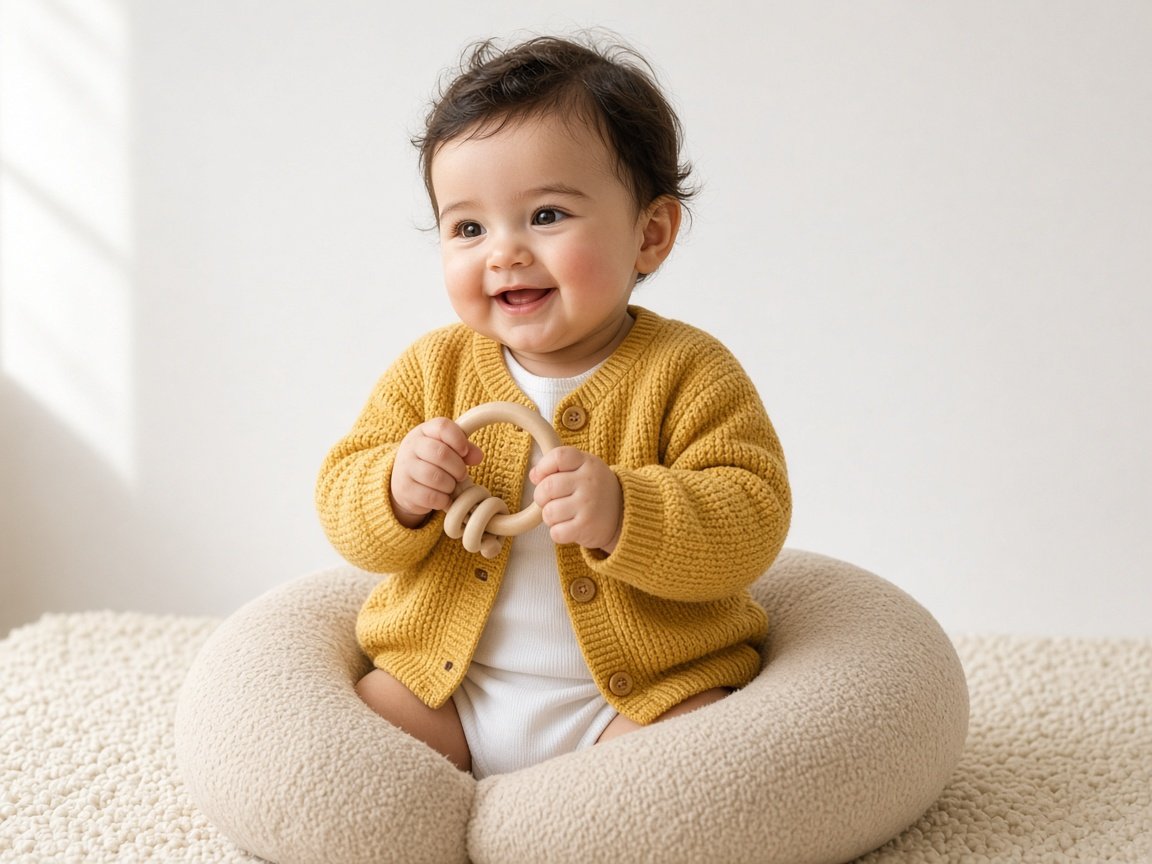
This image was generated using the prompt above.
Examples
Example Input
Photo Description: vertical phone photo (3:4) of a 7-month-old girl sitting on a cream wool rug, supported by a beige nursing pillow around her waist. She wears a mustard knit cardigan over a white onesie, holds a wooden ring rattle with both hands and smiles at the camera. Soft window light comes from the left; a plain white wall behind her.
Age and Real Movements: 7 months. She sits only with support, shakes and mouths toys, kicks her legs, turns her head toward voices, smiles and laughs. She does not stand, crawl or talk yet.
Use and Format: one clip for a 3:4 family album slideshow, and one 9:16 version for a private story shared with grandparents.
Mood: calm, warm, real; slow camera.
Never Show: standing or walking, speech or lip-sync, other people or hands entering the frame, changes to her face or hair, toys she is not holding.
Tool and Budget: Runway Gen-4.5 Image to Video on a Standard plan, 200 credits to spend on this photo.
Example Output
1. KEEP THE SAME
Same baby girl, same face and hair, mustard knit cardigan over a white onesie, wooden ring rattle held in both hands, cream wool rug, beige nursing pillow around her waist, plain white wall, soft window light from the left. No new objects, no other people.

2. IMAGE-TO-VIDEO PROMPTS
Clip A (5 seconds, 3:4): The baby shakes the wooden ring rattle up and down twice, then brings it toward her mouth and smiles. Her legs give one small kick. The camera holds still. Soft window light from the left stays constant.
Clip B (4 seconds, 3:4): The baby slowly turns her head a little to the left as if hearing a voice, then looks back at the camera and laughs. Only her head and shoulders move. Locked-off camera.
Clip C (6 seconds, 3:4): A very slow push-in from medium shot to a closer shot of the baby's face and hands. She holds the rattle still and blinks once. Light and background unchanged.

3. CREDIT PLAN
Gen-4.5 costs 12 credits per second.
Clip A: 5 x 12 = 60. Clip B: 4 x 12 = 48. Clip C: 6 x 12 = 72.
Total: 15 seconds = 180 credits, leaving 20 of your 200. The shortest retry (2 seconds = 24 credits) would not fit, so generate Clip A first, check it, and drop Clip C if A needs a second take.

4. CROP ADVICE
3:4 album: keep the photo as it is; Runway matches the input image's ratio by default.
9:16 story: crop the photo to 9:16 yourself before uploading, keeping the top of her head and both hands with the rattle inside the frame. Changing the ratio in Runway crops the input for you, and the crop may cut off the rattle.

5. DRIFT FIXES
- Face changes: shorten the clip to 4 seconds and remove the push-in; add "her face stays exactly as in the photo".
- Unnatural motion (arms too fast, body rises): describe smaller motion, for example "shakes the rattle gently once", and repeat "she stays seated, supported by the pillow".
- Extra objects or hands appear: add "nothing enters the frame; no other people or hands".

6. SAFETY AND PRIVACY
Use only photos of your own child or with the parents' permission. Share the 9:16 version only with the grandparents' private audience, and check the platform's privacy settings before posting. Skip any result that shows her standing, alone near water, or in an unsafe position.