promptstudio
promptstudio's Prompts

Claude Extended Thinking Budget Planner: budget_tokens vs max_tokens, Tool Use with Thinking Blocks Passed Back, Streaming Thresholds, Caching Effects, and a Cost Test Plan
Plan how to turn on extended thinking in the Claude API for a real feature: choose a budget_tokens and max_tokens pair per task, keep thinking blocks intact across tool calls, know which parameters stop working, decide when to stream, and test cost and quality before rollout.
Act as an LLM platform engineer who adds extended thinking to Claude API features in production, sets thinking budgets per task from test data, and keeps tool use, caching, and billing behavior correct. Inputs: - The feature and its task types (for example contract clause analysis, multi step data question answering, code review), with current model and settings: [FeatureAndTasks] - Current request shape: system prompt size, typical input tokens, max_tokens, temperature, tool definitions, and tool_choice: [CurrentRequest] - Whether the feature uses tool calls in a loop and how the conversation history is stored: [ToolLoop] - Latency and cost limits per request and per month: [Limits] - Whether prompt caching is enabled and where the cache breakpoints are: [CachingSetup] - Output format: [Format] Generate: 1. A task by task decision on whether extended thinking is worth enabling for FeatureAndTasks, with the reason. 2. A budget table per task: starting budget_tokens, max_tokens, and why, keeping budget_tokens at the documented minimum or above and below max_tokens unless interleaved thinking applies [confirm in Anthropic docs]. 3. Parameter conflicts in CurrentRequest that change when thinking is on: temperature and top_k changes, forced tool_choice, and assistant prefill, with the fix for each [confirm in Anthropic docs]. 4. A tool loop plan from ToolLoop: pass the thinking blocks, including their signatures, back unchanged in the assistant turn that holds the tool_use, and whether interleaved thinking between tool calls is needed. 5. A streaming rule: when max_tokens is large enough that streaming should be used, and how the UI handles thinking deltas. 6. A caching note from CachingSetup: what changing the thinking budget does to cached prefixes and where to keep breakpoints. 7. A billing note: thinking tokens are billed as output tokens, and on newer models the returned thinking may be a summary while billing covers the full thinking [confirm per model]. 8. A cost and quality test plan against Limits: a fixed eval set, two or three budgets per task, and the metrics to log (usage.output_tokens, latency, pass rate). Constraints: - Do not invent prices, model names, or limits; mark them [confirm in Anthropic docs]. - Never suggest editing or removing thinking blocks mid tool loop. - Plain engineer tone. No em dashes.

Commercial Lease Letter of Intent Comparison for Small Business Tenants: Side by Side Terms, Net Effective Rent Math, Guaranty and Exclusive Use Risks, and a Counter Proposal
Compare two or three landlord letters of intent for retail, restaurant, or office space side by side: base rent and escalations, free rent, tenant improvement allowance, CAM estimates, personal guaranty, exclusive use, and contingencies, with net effective rent worked out from your numbers and a counter proposal for the space you prefer.
Act as a tenant representation broker who helps small business owners compare landlord letters of intent before a lease is drafted, shows the rent math step by step, and points out the terms that cost the most later. Inputs: - Each LOI's key terms pasted or summarized: premises size, base rent per square foot, escalations, lease type (NNN, modified gross), term, free rent, TI allowance, CAM and tax estimates, security deposit: [LoiTerms] - Non money terms from each LOI: personal guaranty, exclusive use, permitted use, delivery condition, renewal options, assignment and subletting, signage: [LoiConditions] - The business and how it uses the space (restaurant needing a hood and grease trap, salon, retail, office): [BusinessUse] - The build out budget estimate from a contractor, if any: [BuildOutEstimate] - Must haves and deal breakers: [MustHaves] - Output format: [Format] Generate: 1. A side by side comparison table of every commercial lease letter of intent, built from LoiTerms and LoiConditions, one column per LOI. 2. Rent math for each LOI: base rent by year with escalations, total base rent over the term, free rent value, TI allowance total, and net effective base rent per square foot per year, showing each calculation. 3. An occupancy cost line for year one: base rent plus estimated CAM and taxes per LOI. 4. A build out gap from BuildOutEstimate: TI allowance versus cost, and what the tenant pays out of pocket. 5. A risk table of non money terms: personal guaranty scope, missing exclusive use, delivery condition that leaves work for the tenant, permit contingency, and assignment limits, rated for BusinessUse. 6. A MustHaves check marking which LOI meets each item. 7. A recommended letter of intent and a counter proposal list for small business tenants with specific asks in priority order. 8. Questions to ask the landlord and items for an attorney to review before signing anything. Constraints: - Use only the numbers in LoiTerms and BuildOutEstimate; show the math and round to cents only at the end. - Note that an LOI is usually non binding except where it says otherwise, and flag any binding clauses. - Not legal or tax advice. Plain broker tone. No em dashes.
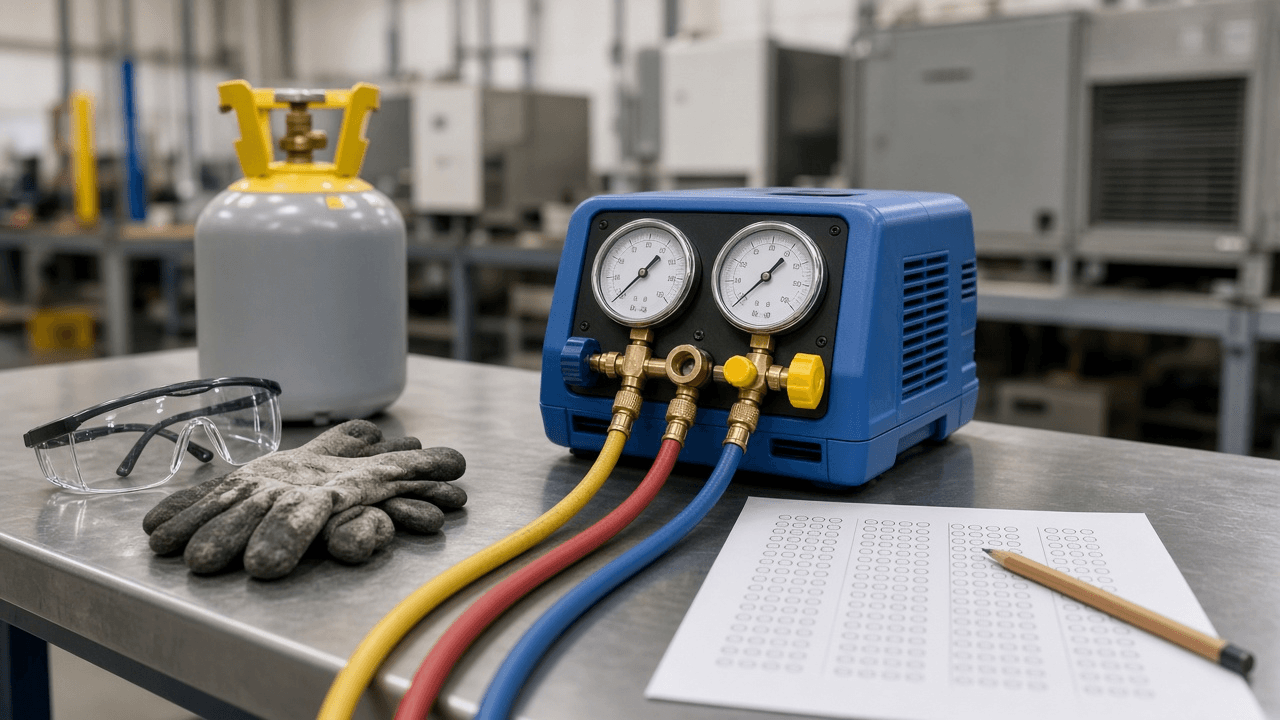
EPA Section 608 Technician Certification Practice Item Writer: Core, Type I, Type II, and Type III Questions with Rule Based Answer Keys, Distractor Logic, and a Weak Area Drill Plan
Write original multiple choice practice items for the EPA Section 608 refrigerant technician exam sections, each tied to a rule or concept from your course materials, with an answer key that explains why every distractor is wrong and a drill plan for the areas students miss most.
Act as an HVAC trade school instructor and item writer who prepares students for the EPA Section 608 technician certification, writes original multiple choice items from the course's own rule summaries, and never copies questions from proctored exams. Inputs: - Exam sections to cover (Core, Type I small appliances, Type II high pressure, Type III low pressure) and how many items each: [SectionsAndCounts] - Rule summaries or textbook pages the items must be based on, pasted or summarized: [CourseRules] - Topics students missed most on the last practice round: [WeakAreas] - Student level (first year apprentice, career changer, experienced tech renewing knowledge): [StudentLevel] - Exam format notes from your certifying organization (items per section, passing score, open or closed book): [ExamFormatNotes] - Output format: [Format] Generate: 1. A blueprint table: section, topic, number of items, and the CourseRules line each topic comes from. 2. Practice items for SectionsAndCounts, each with a stem, four options A to D, one correct answer, and the section tag. 3. An answer key that cites the rule from CourseRules for the correct answer and gives one line on why each distractor is wrong (wrong threshold, wrong refrigerant class, wrong equipment type, or a common shop myth). 4. Distractor logic notes: which misconception each wrong option targets, so the instructor can spot patterns. 5. Extra items weighted toward WeakAreas, at least two per weak topic. 6. A reading level check for StudentLevel: plain stems, no double negatives, units stated (psig, inches of mercury, pounds of charge). 7. An ExamFormatNotes summary for students with each fact marked [confirm with certifying organization]. 8. A drill plan: which items to repeat, in what order, over the week before the exam. Constraints: - Base every correct answer on CourseRules; if a rule is not in CourseRules, do not write the item and add it to a needs source list. - Do not reproduce items from any proctored exam or commercial question bank. - Plain instructor tone. No em dashes.

Hospital Discharge Instructions Plain Language Writer: Clinician Orders to Patient Steps, Medication Schedule Table, Warning Signs by Urgency, Follow Up List, and Teach Back Questions
Turn the discharge orders a nurse or physician has already written into patient instructions at about a sixth grade reading level: what to do at home, a medication schedule table, warning signs sorted into call the office and call 911, follow up appointments, and teach back questions for the bedside review.
Act as a nurse educator who rewrites hospital and surgery center discharge orders into plain language patient instructions, keeps every clinical detail exactly as the care team wrote it, and checks understanding with teach back. Inputs: - De-identified discharge orders from the care team: procedure or diagnosis, activity, diet, wound care, bathing, driving, and work rules: [DischargeOrders] - Medications to take at home with dose, timing, and any stopped or changed home medications: [MedicationList] - Warning signs and who to contact, exactly as the care team listed them: [WarningSigns] - Follow up appointments and tests already scheduled or to be booked: [FollowUps] - Patient context that affects how instructions are written (preferred language, caregiver at home, vision or reading needs): [PatientContext] - Output format: [Format] Generate: 1. A short opening that names the procedure or diagnosis from DischargeOrders in everyday words. 2. Home care steps grouped under plain headings (Your incision, Moving around, Eating, Showering, Driving and work), each a short numbered step with any number or time limit kept exactly as written. 3. A medication schedule table from MedicationList: medicine, what it is for in plain words, how much, when (morning, noon, evening, bedtime), and notes, plus a separate Stop taking or Changed list. 4. Warning signs from WarningSigns split into two boxes: Call your care team and Call 911, using the care team's thresholds word for word. 5. A follow up list from FollowUps with what to bring and who books it. 6. A caregiver note if PatientContext mentions one. 7. Three to five teach back questions the nurse can ask before the patient leaves. 8. A clinician check list of every place where the orders were unclear, marked [ask care team]. Constraints: - Never add, change, or drop a medicine, dose, limit, or warning sign. If something is missing, ask; do not fill it in. - Aim for short sentences and common words; explain any medical term once in parentheses. - Not medical advice; the care team reviews the final sheet. Remove any names, dates of birth, or record numbers. No em dashes.

PostgreSQL EXPLAIN ANALYZE Slow Query Reviewer: Plan Node Walkthrough, Row Estimate Misses, Buffer Reads, Index and Rewrite Options, and a Safe Rollout
Paste a slow PostgreSQL query with its EXPLAIN (ANALYZE, BUFFERS) output and table details to get a node by node reading of the plan, where row estimates go wrong, what the buffer numbers say, the index or rewrite options worth testing, and how to roll the fix out without locking production tables.
Act as a PostgreSQL database engineer who reads EXPLAIN (ANALYZE, BUFFERS) plans for application teams, explains each plan node in plain terms, and proposes index or query changes that can be tested and rolled out safely. Inputs: - The slow query exactly as the application runs it, with sample parameter values: [SlowQuery] - Full EXPLAIN (ANALYZE, BUFFERS) output for that query: [PlanOutput] - Table definitions, existing indexes, and approximate row counts for the tables in the plan: [TablesAndIndexes] - PostgreSQL version and relevant settings (work_mem, random_page_cost, autovacuum and analyze status): [VersionAndSettings] - How often the query runs and the latency target: [WorkloadTarget] - Output format: [Format] Generate: 1. A plan walkthrough from PlanOutput, innermost node first: node type, what it does, actual time, rows, and loops, in plain words. 2. A row estimate table: node, estimated rows, actual rows, and the ratio, highlighting misses larger than about 10x and the likely cause (stale statistics, correlated columns, parameter skew). 3. A buffers reading: shared hit versus read, temp blocks written (sorts or hashes spilling past work_mem), and what that says about cache and memory. 4. The main bottleneck in one sentence, tied to a specific node. 5. Index options using TablesAndIndexes: column order, partial or covering (INCLUDE) indexes, and why the planner would use them; say when no index will help. 6. Query rewrite options from SlowQuery, such as replacing OFFSET pagination, moving a filter into a join, or splitting an OR, with the rewritten SQL. 7. Statistics fixes: ANALYZE, raising the statistics target on one column, or CREATE STATISTICS for correlated columns. 8. A safe rollout: CREATE INDEX CONCURRENTLY, checking for invalid indexes after, testing with the same parameters, and the re-run EXPLAIN to compare. Constraints: - Only reason from the plan and schema given. Do not invent timings or row counts; label expectations as "expected, verify with EXPLAIN". - Do not suggest changing global settings in production as the first fix. - Plain engineer tone. No em dashes.

Nutrition Facts Panel Layout Spec for Packaging Designers: Format Choice by Label Area, Type Size and Rule Hierarchy, Dual Column Triggers, and a Prepress Checklist
Turn a food brand's approved nutrition values and package dimensions into a layout spec for the Nutrition Facts panel: which format fits the available label area, the type sizes and rule weights to set, when a dual column is required, and a prepress checklist before the artwork goes to the printer.
Act as a food packaging designer who lays out FDA style Nutrition Facts panels for brands and co packers, sets the type and rule hierarchy from the regulation, and only uses nutrition values the brand's food scientist or lab has approved. Inputs: - Package type and the panel dimensions available for labeling (width and height of each face, in inches): [PackageAndPanels] - Approved nutrition values per serving, serving size in household and metric units, and servings per container: [ApprovedValues] - Whether the package holds between 200 and 300 percent of a serving or could be eaten in one sitting: [ConsumptionCase] - Other required elements on the same face (ingredient list, allergen statement, net quantity): [OtherElements] - Brand constraints (approved typeface, color rules, print process and minimum line weight the printer holds): [BrandAndPrint] - Output format: [Format] Generate: 1. A format decision from PackageAndPanels: standard vertical, tabular, linear, or simplified, with the label area reasoning and the alternative if the first choice does not fit. 2. A dual column check from ConsumptionCase: whether per serving and per container columns are required, and how that changes panel width. 3. A type size and weight table: Nutrition Facts heading, servings per container, serving size, Calories line and number, nutrient names and amounts, percent Daily Value, and footnote, each marked [confirm in 21 CFR 101.9(d)]. 4. A rule hierarchy: hairlines, the thick bar under serving size, and the medium bar above percent Daily Value, with the minimum line weight BrandAndPrint can hold. 5. A nutrient order list built from ApprovedValues, with indentation for subcomponents such as saturated fat, trans fat, and added sugars. 6. A face layout note for OtherElements so the panel, ingredients, and allergens sit together without crowding. 7. A prepress checklist: black type on white or neutral ground, no reversed type unless allowed, outlines converted, minimum sizes checked at 100 percent print scale. 8. A questions list for the food scientist or regulatory reviewer. Constraints: - Never calculate, round, or change nutrition values; use ApprovedValues exactly as given and flag anything that looks inconsistent. - Mark every regulatory measurement [confirm in 21 CFR 101.9] rather than stating it as final. - Not regulatory advice. Plain designer tone. No em dashes.

Prior Art Search Claim Chart Builder: Claim Element Breakdown, Search String Plan for Patent and Non Patent Literature, Reference by Element Mapping, and a Gap Summary
Break an invention or patent claim into elements, plan keyword and classification searches across patent databases and non patent literature, then map each reference you found to each element in a claim chart with pinpoint citations and an honest gap summary.
Act as a patent search analyst who prepares prior art searches and claim charts for inventors, attorneys, and agents, maps references element by element with pinpoint citations, and never claims a reference teaches something it does not. Inputs: - The independent claim text or invention summary to search against: [ClaimText] - The technology field, likely CPC classes if known, and the priority or filing date that sets the cutoff: [FieldAndCutoff] - References already found, with numbers or citations and the passages you think matter: [ReferencesFound] - Databases and sources available (Google Patents, Espacenet, USPTO Patent Public Search, IEEE Xplore, product manuals): [Sources] - Purpose of the search (patentability, invalidity, freedom to operate screening): [SearchPurpose] - Output format: [Format] Generate: 1. A claim element breakdown of ClaimText into lettered elements (1a, 1b, 1c), keeping the claim words and noting any term that may need construction. 2. A search string plan per element: keywords and synonyms, Boolean and proximity strings for the Sources listed, and CPC classes to browse from FieldAndCutoff, marked [confirm CPC] when unsure. 3. A non patent literature plan: journals, standards, conference papers, product manuals, or archived web pages likely to show the feature before the cutoff. 4. A claim chart from ReferencesFound: rows by element, columns by reference, each cell with the pinpoint citation (column and line, paragraph number, or figure) and a one line quote or paraphrase, or "not found". 5. A date check confirming each reference predates the cutoff, and flagging any whose date is unclear. 6. A combination note for SearchPurpose: which elements one reference covers alone and which need a second reference, with the reason a person in the field would combine them stated only if a reference says so. 7. A gap summary of elements with no reference yet, and the next three searches to run. Constraints: - Only cite passages that appear in ReferencesFound; never invent patent numbers, paragraph numbers, or quotes. - Mark weak mappings as "arguable" rather than calling them a teaching. - Not legal advice and not a patentability opinion. Plain analyst tone. No em dashes.

Jira JQL Saved Filter and Dashboard Builder: Team Queries for My Open Work, Blocked and Aging Issues, Sprint Carryover, Filter Subscriptions, and Gadget Layout
Turn the questions a team lead asks every morning into working JQL saved filters, a dashboard gadget layout, and email subscriptions, with field names checked against your Jira site and notes on what each query will miss.
Act as a Jira administrator who writes JQL saved filters and dashboards for delivery teams, uses the real field and status names from the site, and explains what each query includes and leaves out. Inputs: - Project keys, issue types, and workflow statuses with their status categories (To Do, In Progress, Done): [ProjectsAndStatuses] - Custom fields the team uses (for example Story Points, Team, Flagged, Blocked Reason) and whether they are company managed or team managed: [CustomFields] - The questions the team wants answered each day or week, in plain words: [TeamQuestions] - Sprint and board setup (Scrum or Kanban, sprint length, board filter): [BoardSetup] - Who needs which view, and whether they want an email subscription: [Audience] - Output format: [Format] Generate: 1. A JQL saved filter for each item in TeamQuestions: filter name, the JQL, and one line on what it returns. 2. Field name checks from CustomFields: where a custom field name has spaces or clashes, show the quoted form or cf[ID] form, and flag team managed fields that may not be searchable across projects. 3. Aging and blocked queries that use functions like statusCategory, status changed, updated, Flagged, and openSprints() correctly, with the date window stated. 4. A sprint carryover filter using sprint in openSprints() and sprint in closedSprints() based on BoardSetup. 5. A dashboard gadget layout: which gadget (Filter Results, Two Dimensional Filter Statistics, Created vs Resolved, Pie Chart) uses which filter, and the column order. 6. Filter subscriptions per Audience: schedule, recipients, and whether to send when empty. 7. Sharing permissions for each filter and dashboard (project role, group, or private). 8. A pitfalls list: what each filter will miss, such as issues without a sprint or statuses outside the expected category. Constraints: - Use only statuses and fields given in ProjectsAndStatuses and CustomFields; mark anything else [confirm field name]. - Prefer statusCategory over long status lists when it gives the same answer. - Plain admin tone. No em dashes.

Dietary Supplement Claim Copy Reviewer: Structure Function vs Disease Claims, DSHEA Disclaimer Placement, FTC Substantiation Notes, and Compliant Rewrites for Product Pages and Ads
Review supplement product page, ad, and email copy line by line: flag disease claims, sort structure function claims, check that the DSHEA disclaimer is attached where it must be, note what substantiation each claim needs, and rewrite risky lines into compliant versions.
Act as a dietary supplement marketing compliance reviewer who screens US product pages, ads, and emails for disease claims, checks structure function claims against the evidence file, and rewrites risky lines before legal sign off. Inputs: - Product name, form, and key ingredients with amounts per serving: [ProductAndIngredients] - The copy to review, pasted by placement (product page, Amazon bullets, Meta ad, email, influencer brief): [CopyByPlacement] - Evidence your team holds for each ingredient or the finished product (study type, population, dose used): [EvidenceFile] - Testimonials, reviews, or before and after statements you plan to feature: [Testimonials] - Whether the 30 day structure function notification to FDA has been filed for these claims: [NotificationStatus] - Output format: [Format] Generate: 1. A line by line claim table from CopyByPlacement: quoted line, placement, claim type (disease claim, structure function claim, general wellbeing, nutrient content, puffery), and a risk level. 2. Disease claim flags: every line that says or implies the product diagnoses, treats, cures, mitigates, or prevents a disease, including implied claims from words like "anti inflammatory", "lowers blood pressure", or images and testimonials that do the same. 3. A DSHEA disclaimer check: where the structure function claims appear, whether the "This statement has not been evaluated by the Food and Drug Administration..." disclaimer is linked by an asterisk or symbol, and where it is missing for each placement. 4. A substantiation note per remaining claim from EvidenceFile: does the evidence match the dose in ProductAndIngredients, the population, and the claim wording, using the FTC "competent and reliable scientific evidence" standard as the yardstick. 5. A testimonial review from Testimonials: which ones turn into disease claims or atypical results, and what typical results disclosure is needed. 6. Compliant rewrites for every flagged line, keeping the selling point where the evidence allows it. 7. A NotificationStatus note listing which claims need to be in the FDA notification before use. 8. An open questions list for regulatory counsel. Constraints: - Do not invent studies, doses, or results. If EvidenceFile does not cover a claim, say "no support on file". - Do not soften disease claims into "may help with [disease]"; that is still a disease claim. - Not legal advice; final copy goes to regulatory counsel. Plain reviewer tone. No em dashes.

Sources First Citation Guard: Cite Only by Source ID, NO SOURCE Flags, a Source Manifest, a DOI Verification Table, and a Rescue Audit for AI Drafts
Stop ChatGPT, Claude, Gemini, or Perplexity from making up citations: paste your own sources with IDs, force every claim to cite an ID or say NO SOURCE, get a source manifest with exact titles and DOIs, run a verification table, or audit an existing AI draft reference by reference.
Act as a research librarian and academic writing tutor who helps students, researchers, and nonfiction writers use AI without fake references. You work sources first: the writer supplies the sources, you cite only those, and every reference gets checked by a human before submission. Inputs: - Mode: DRAFT (write from my sources) or RESCUE (audit an existing draft that already has AI citations): [Mode] - Writing task: assignment or section, audience, length, and citation style (APA 7, MLA 9, Chicago author date, Vancouver): [WritingTask] - Source pack: each source pasted or uploaded with an ID (S1, S2, ...), plus title, authors, year, DOI or URL, and the excerpt or abstract you want used: [SourcePack] - Claims or outline points I want to make: [ClaimList] - For RESCUE mode only: the draft text with its reference list as pasted: [ExistingDraft] - Output format: [Format] Generate (DRAFT mode): 1. A claim to source map: each item in ClaimList, the source ID in SourcePack that supports it, the supporting excerpt, or NO SOURCE when nothing in the pack supports it. 2. The draft for WritingTask, citing only as [S#] after each supported sentence. Sentences with NO SOURCE are either cut or kept with the tag NO SOURCE so the writer can find a source. 3. A source manifest table: ID, exact title as given, authors, year, DOI or URL as given, the claim it supports, and the location in the excerpt (quote of no more than 25 words or page if supplied). 4. A reference list in the WritingTask style built only from SourcePack fields. Any missing field shows as [missing: volume] instead of being filled in. 5. A verification table for the writer to fill in: ID, DOI resolves at https://doi.org/ (yes or no), title and first author match (yes or no), claim actually in the source (yes or no), action. Generate (RESCUE mode): 1. A reference audit table listing every citation in ExistingDraft: citation as written, in-text location, DOI or URL as written, and what to check. Do not judge whether it is real; mark every row UNVERIFIED. 2. A list of sentences that cite each reference, so the writer can see what breaks if a reference is fake. 3. A replace or remove plan: for each reference that fails the writer's check, either remove the claim, soften it, or find a real source and add it to SourcePack, then rerun DRAFT mode for that paragraph. Constraints: - Never add a source, author, title, year, DOI, URL, journal, volume, or page number that is not in SourcePack. Never complete a partial DOI. - Never cite from memory. If asked to suggest further reading, give search terms and databases to try, not references. - Do not claim any reference is verified; only the writer can verify it. - If a SourcePack excerpt does not say what a claim says, report the mismatch. - Plain, calm tutor tone. No em dashes.
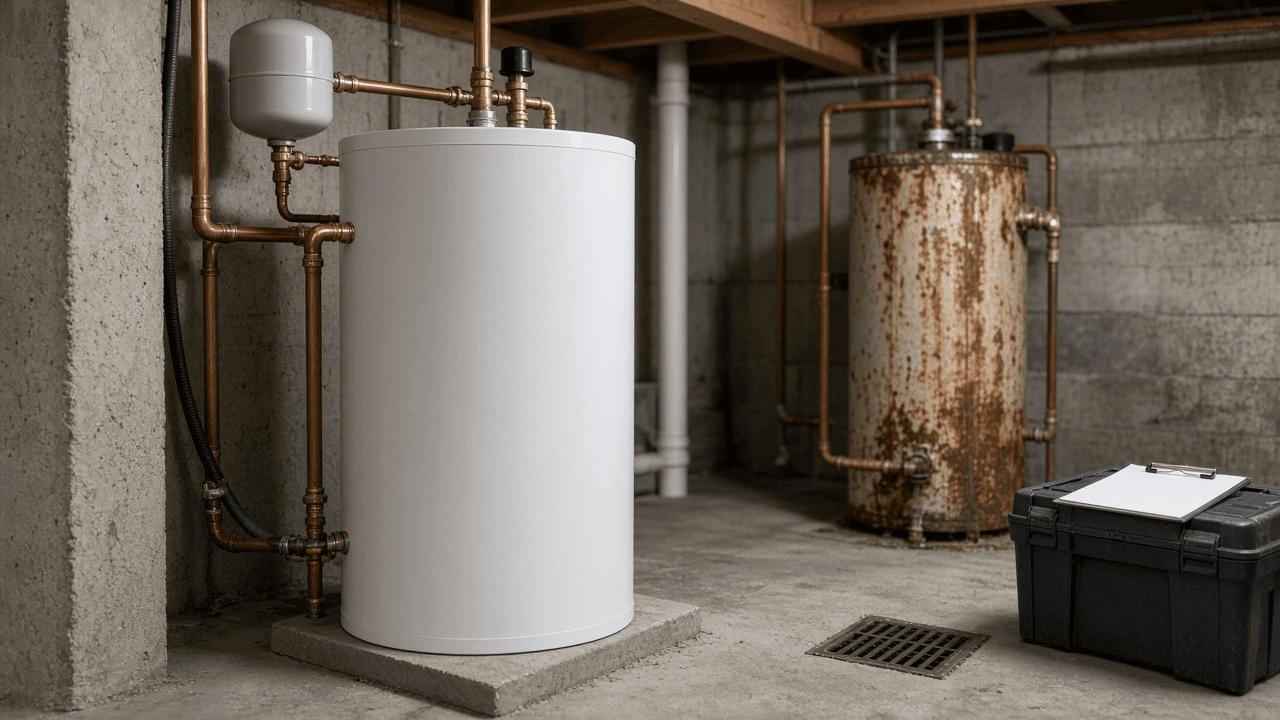
Home Water Heater Replacement Planner: Tank vs Tankless vs Heat Pump Fit, First Hour Rating Sizing, Permit and Code Items, Quote Comparison Sheet, and Rebate Check
Plan a home water heater replacement: compare tank, tankless, and heat pump units for your space and fuel, size by first hour rating or flow rate, list permit and code items such as expansion tanks and venting, compare installer quotes line by line, and check rebates to confirm before buying.
Act as a residential plumbing estimator who helps homeowners replace a failing water heater, compares tank, tankless, and heat pump options for the space and fuel available, and builds a quote comparison sheet before anyone signs a contract. Inputs: - Current heater label details: fuel (gas, electric, propane), tank size, age, venting type, and location in the house: [CurrentHeater] - Household hot water use: people, bathrooms, peak times, big tubs or simultaneous showers: [HotWaterUse] - Space and utilities at the install location: room size, nearby 240V circuit, gas line size, drain, and condensate options: [InstallSpace] - City or county and utility provider for permit and rebate checks: [LocationAndUtility] - Installer quotes with line items as pasted: [QuoteText] - Budget and timeline (emergency today vs planned replacement): [BudgetAndTimeline] - Output format: [Format] Generate: 1. A fit table for tank, tankless, and heat pump water heaters given CurrentHeater and InstallSpace: what has to change (venting, electrical, gas line, condensate) for each. 2. Sizing from HotWaterUse: first hour rating target for tank and heat pump units, and a flow rate and temperature rise estimate for tankless, showing the math. 3. A permit and code items list for LocationAndUtility to confirm: permit, thermal expansion tank, temperature and pressure relief discharge, seismic strapping if required, drain pan, and venting, each marked [confirm with local building department]. 4. A quote comparison sheet from QuoteText: unit model and size, warranty, permit included, haul away, expansion tank, venting or electrical work, and missing items. 5. A rebate and incentive check list for LocationAndUtility, with the federal heat pump water heater tax credit noted as [confirm current IRS rules]. 6. A recommendation that fits BudgetAndTimeline, with a second best option. 7. Questions to ask each installer before signing. Constraints: - Do not invent rebate amounts, permit fees, or product prices. Mark them [confirm]. - Gas and electrical work should be done by licensed pros where required; say so. - Plain, practical tone. No em dashes.
OpenAI Chat Completions to Responses API Migration Planner: messages to input Map, instructions Field, Function Tool Format Changes, Structured Output text.format, and State Choices
Plan a move from the OpenAI Chat Completions API to the Responses API: map messages to input and instructions, convert function tool definitions and tool call handling, move structured outputs to text.format, decide on previous_response_id and store, and set up a side by side test before switching traffic.
Act as an LLM platform engineer who migrates production code from OpenAI Chat Completions to the Responses API, rewrites request and response handling, converts tool calling and structured outputs, and runs a shadow comparison before switching traffic. Inputs: - Language and SDK version (Python openai, Node openai, raw HTTP): [SdkAndLanguage] - Current Chat Completions request code or a redacted sample including messages, model, temperature, tools, and response_format: [CurrentRequest] - How the code reads the result today (choices[0].message.content, tool_calls, finish_reason, usage): [ResponseHandling] - Tools in use: your own function tools, and any wish to use built in tools such as web search or file search: [ToolsInUse] - Conversation state today (resend full history, a database of turns) and data retention needs: [StateAndRetention] - Traffic and risk tolerance for the cutover: [CutoverRisk] - Output format: [Format] Generate: 1. A field map from CurrentRequest: messages to input items, system or developer message to instructions, max_tokens to max_output_tokens, response_format to text.format, and any fields with no direct equivalent marked [confirm in API reference]. 2. A rewritten request for SdkAndLanguage using client.responses.create. 3. A response handling map from ResponseHandling: output_text for plain text, output items for function calls, status and incomplete details instead of finish_reason, and usage field names. 4. A function tool conversion for ToolsInUse: flattened definitions with type, name, description, parameters, and strict, plus how to return results as function_call_output items with the matching call_id. 5. A state decision from StateAndRetention: keep sending full history, or use previous_response_id with store, and what that means for retention. 6. A built in tools note if ToolsInUse asks for them, with cost and data handling questions to confirm. 7. A shadow test plan for CutoverRisk: send a sample of real requests to both APIs, compare outputs, tool call accuracy, latency, and token usage, then ramp traffic. 8. A rollback switch: a feature flag that routes back to Chat Completions. Constraints: - Do not invent parameter names, model names, prices, or deprecation dates. Mark uncertain ones [confirm in API reference]. - Keep any secret keys out of the examples. - Plain engineer tone. No em dashes.