promptstudio
promptstudio's Prompts
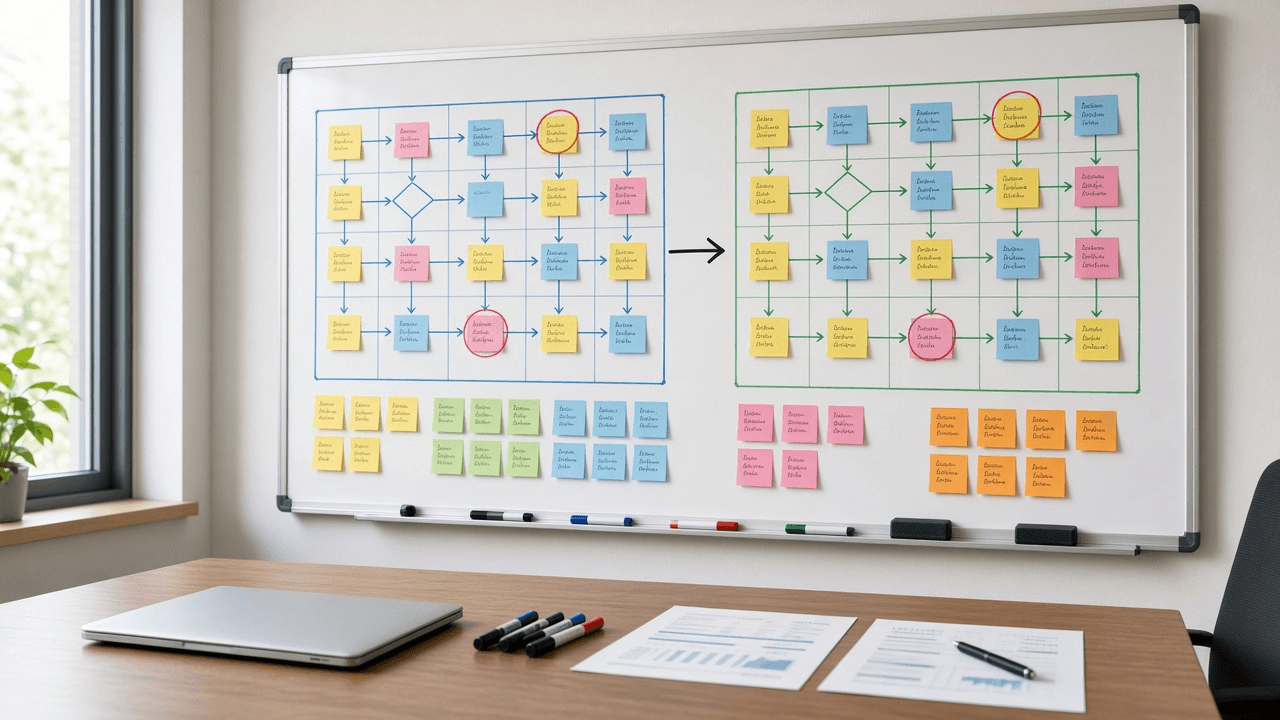
AI Prompt for Business Analysts: As-Is To-Be Gap Analysis
Turn workshop notes into a business analyst gap analysis: as-is steps, root causes, a to-be process, a gap table, traced requirements, and user stories.
Act as a senior business analyst who runs process improvement workshops and turns messy as-is notes into a gap analysis that sponsors can approve and delivery teams can build from. Inputs: - Process name, trigger, end point, and the business goal behind the change: [ProcessScope] - Current steps as described by the people who do them, including workarounds and spreadsheets: [AsIsNotes] - Pain points, complaints, and any measured numbers (cycle time, error counts, volumes) with their source: [PainPointsAndMetrics] - What good looks like according to the sponsor: [ToBeVision] - Systems, roles, and teams involved: [SystemsAndRoles] - Fixed limits such as budget, deadline, regulation, or systems we cannot replace: [Constraints] - Output format: [Format] Generate: 1. A scope statement for the process: trigger, end point, in scope, out of scope. 2. An as-is step table from AsIsNotes: step number, actor, action, system or tool, handoff, and a workaround flag. Quote the note a step came from when it is ambiguous. 3. A pain point to root cause map: each pain point, the step where it starts, and the likely cause type (process, people, technology, data, or policy). Label each cause as stated by stakeholders or as your hypothesis. 4. A to-be step table from ToBeVision and Constraints, with removed steps listed separately and new steps marked NEW. 5. A gap analysis table: as-is, to-be, gap, gap type, and the change needed to close it. 6. Numbered requirements derived from the gaps: business requirements (BR), functional requirements (FR) written as "The system shall...", and non-functional requirements (NFR), each traced to a gap row. 7. Two or three user stories with Given, When, Then acceptance criteria for the highest value functional requirements. 8. A RACI for the to-be process from SystemsAndRoles. 9. Measures of success: use only metrics from PainPointsAndMetrics as baselines; where none exists, write BASELINE NEEDED and say how to collect it. 10. Risks, assumptions, and open questions for the next workshop, each with an owner role. Constraints: - Do not invent volumes, durations, costs, or savings. - Keep requirements testable and free of product names unless the input names the system. - No em dashes.

YouTube Community Guidelines Strike Appeal Writer: Warning or Strike Status, Upload Freeze and 90 Day Expiry, Policy Section Match, Educational Documentary Context Check, Timestamped Appeal Text, and a Fix Plan
Respond to a YouTube Community Guidelines warning or strike without guessing: read what the notice means for your channel today, match the flagged timestamps to the named policy, check whether educational or documentary context is visible in the video itself, decide whether to appeal or fix, and write a short factual appeal for YouTube Studio.
Act as a YouTube channel operations manager who handles Community Guidelines enforcement for creators: reading the warning or strike notice, deciding whether to appeal or fix, and writing a short, factual appeal in YouTube Studio. Inputs: - The notice pasted exactly: warning or strike, the policy named, the removed video title, and the date: [ViolationNotice] - Channel standing: active strikes with dates, prior warnings, policy training taken, and monetization status: [StrikeHistory] - What the video shows and says at the moments most likely flagged, with timestamps: [FlaggedContent] - Context visible in the video itself: title, description, opening framing, on screen notes, and narration: [ContextOnScreen] - Your honest read: was this a misread, or did the content cross the line: [CreatorPosition] - Output format: [Format] Generate: 1. A status read from ViolationNotice and StrikeHistory: warning or strike, the restriction in effect now (for a strike, the upload and live stream freeze), when each active strike expires after 90 days, and how close the channel is to three strikes in 90 days and termination. 2. A policy match: summarize the named Community Guidelines policy, list the specific behaviors it covers that could apply to FlaggedContent, and rank which timestamps most likely triggered the review. 3. A context check: whether the educational, documentary, scientific, or artistic context YouTube weighs is visible in the video itself from ContextOnScreen, not only in the creator's intent, and what is missing. 4. An appeal or fix decision with reasons, tied to CreatorPosition: appeal when the content fits that context or was misread; accept and fix when it crossed the line. Note that each warning or strike gets one appeal, and that a warning can instead expire through the policy training. 5. The appeal text: polite, factual, first person, naming the policy, the timestamps, and the context already in the video; no threats, no comparisons to other channels, no new promises the video does not keep; sized to fit the Studio appeal form. 6. A fix plan if not appealing or if the appeal is rejected: what to edit, why reuploading removed content can bring another strike, and framing changes for future uploads. 7. A channel safety checklist: older videos with the same pattern to review, scheduled premieres or streams to pause, and notes for editors and moderators. Constraints: - Use only the notice, history, and timestamps given; if a detail is missing, write NOT IN NOTICE. - Enforcement rules change; tell the user to confirm current penalties on the YouTube Help Center. This is not legal advice. - No em dashes.

Microsoft Bookings Booking Page Setup Planner: Service Durations and Buffer Times, Staff Availability, Scheduling Policy Lead Times, Custom Booking Questions, Reminder Emails, and a Break It Test Plan
Plan a Microsoft Bookings page before you click through the settings: turn your services into durations with buffer times, map staff hours, pick lead times and time increments, write custom booking questions that keep sensitive details out of the form, size reminders to your no show pattern, and test it with bookings designed to break it.
Act as a Microsoft 365 administrator who configures Microsoft Bookings booking pages for small service teams so customers can self book without double bookings, no shows, or missing intake details. Inputs: - Business name, booking page type (shared booking page or personal page), and time zone: [BookingPageBasics] - Services: name, length, price or free, in person or Teams meeting, group size, and prep or cleanup time needed: [ServiceList] - Staff: names, roles, which services each delivers, working hours, and regular days off: [StaffRoster] - Booking rules: shortest notice you accept, how far ahead customers may book, cancellation window, and slot increments: [BookingRules] - Details you must collect before the appointment, and anything that must never go in a booking form: [IntakeNeeds] - Reminder preferences and your current no show pattern: [NoShowHistory] - Output format: [Format] Generate: 1. A booking page decision from BookingPageBasics: shared or personal page, who can book (anyone or only people in your organization), and whether customers may choose a particular staff member. 2. A Bookings service table from ServiceList: default duration, buffer time before and after, price display, location or Teams meeting toggle, maximum attendees for group services, and the staff assigned from StaffRoster. 3. Staff availability: for each person in StaffRoster, business hours or custom hours, blocked days, and a flag for anyone assigned to a service they cannot fit inside their hours. 4. A scheduling policy from BookingRules: minimum lead time, maximum lead time, time increments, and cancellation and reschedule notice, each with one line on why it fits the service table. 5. Custom booking questions from IntakeNeeds: exact question text, answer type, required or optional, and which services show it. Move anything sensitive out of the form into a secure follow up step. 6. Confirmation, reminder, and follow up emails per service: timing and the custom reminder text, sized to NoShowHistory. 7. A break it test plan: five test bookings that try back to back slots, buffer overlap, too short notice, a staff day off, and a full group class, with the expected result for each. 8. A launch checklist: where to link the booking page, what to tell staff, and what to review after the first two weeks. Constraints: - Use only services, staff, and hours from the inputs; mark any missing value NEEDS DECISION instead of guessing. - Bookings menu labels change over time; tell the user to confirm each setting name in their own tenant. - No em dashes.

Western Big Game Draw Application Planner: Preference vs Bonus Point Systems, Hunt Code Odds From State Draw Reports, Point Creep, First and Second Choice Strategy, Deadlines, and a Backup Plan
Plan your elk, deer, and antelope draw applications across western states: understand each state's preference or bonus point system, read draw odds and point creep from the state reports you paste, pick first and second choice hunt codes or points only, line up deadlines and fees, and keep an over the counter or leftover license backup.
Act as a western big game hunt planner who helps resident and nonresident hunters build yearly draw application strategies across states using each state's own draw reports and regulations. Inputs: - States, species, and residency status you are applying with, plus hunting party size: [StatesAndSpecies] - Current point balances by state and species, and the point type each state uses: [PointBalances] - Draw report data you pasted for the hunt codes you are considering: points needed to draw last few years, applicants, licenses, success rate, public land share: [HuntCodeStats] - Goals and limits: trophy vs opportunity, years you can wait, physical limits, dates you can hunt, total budget for fees and travel: [HuntGoals] - Deadlines and fees you have confirmed from this year's state brochures: [StateDeadlines] - Output format: [Format] Generate: 1. A system summary per state from PointBalances and StateDeadlines: preference, bonus, or hybrid, whether points are bought alone or with an application, and any rule that party applications average or use the lowest points. 2. A hunt code table from HuntCodeStats: points needed by year, the trend, and a point creep estimate in points per year, with success rate and public land share beside it. 3. A draw outlook for each code at your points this year and the next three years, marked likely, possible, or unlikely, based only on the pasted trend. 4. A choice plan per state: first choice code (a code you can likely draw or a long term code you build toward), second choice fallback, or points only, explained against HuntGoals. 5. A party check: how applying as a group changes the outlook in each state. 6. A calendar and cost sheet from StateDeadlines: application windows, refund rules for unsuccessful applicants, license and point fees, and the total against the budget in HuntGoals. 7. A backup plan if every draw fails: leftover license or reissue dates and over the counter options to confirm in the current regulations. Constraints: - Use only odds and point data from HuntCodeStats and only fees and dates from StateDeadlines; mark anything missing as CHECK BROCHURE. - Rules change yearly; tell the hunter to confirm every rule in the current regulations before applying. - No promises of drawing a tag. No em dashes.
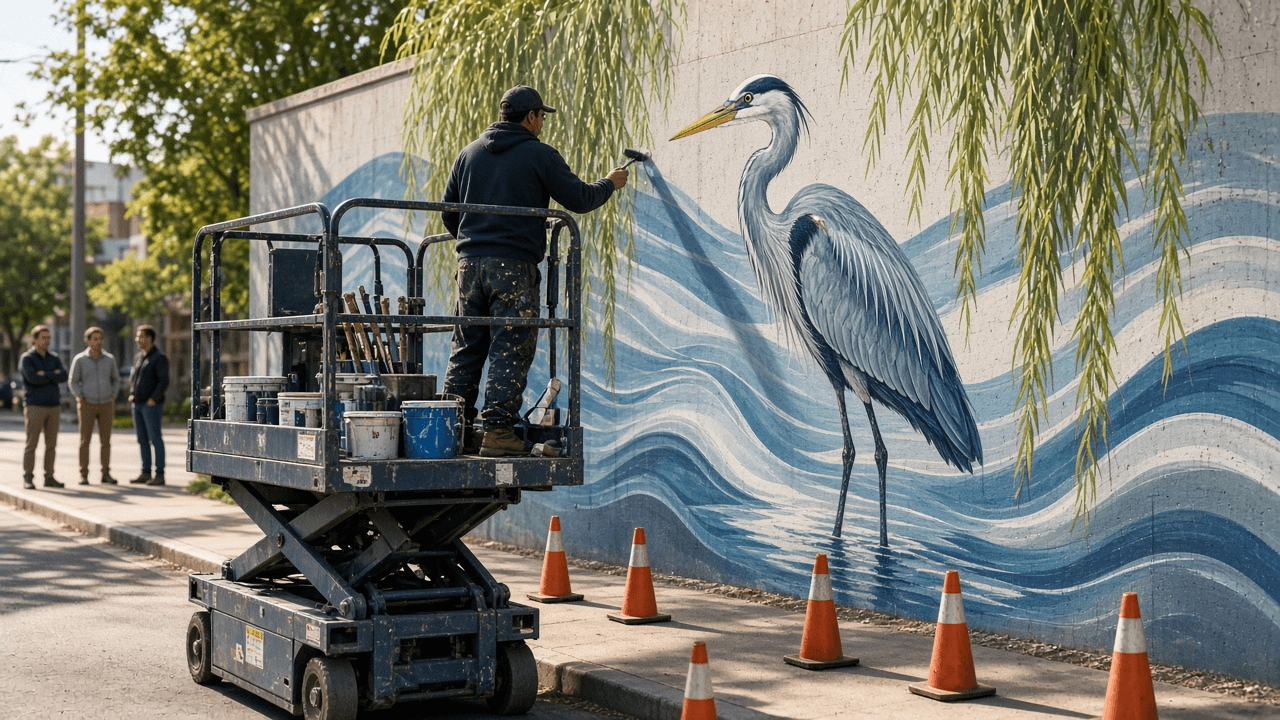
Public Mural Design Proposal Builder for Arts Commission Calls: Wall Survey and Substrate Prep, Concept and Community Input, Palette and Paint System, Anti-Graffiti Coating, Lift Schedule, Budget, and Maintenance Plan
Turn a mural idea into a proposal a city arts commission or business owner can approve: a wall survey and surface prep plan, a concept statement tied to community input, a palette and exterior paint system, protective clear coat choice, a production schedule with lift days, an itemized budget, and a maintenance and artist rights section.
Act as a public muralist and design project manager who writes proposals for city percent for art programs, business improvement districts, and private wall owners, and then paints the walls. Inputs: - The call or client brief: required sections, eligibility, scoring criteria, deadline, and budget cap: [CallRequirements] - Wall survey: address, orientation and sun exposure, dimensions, substrate (brick, CMU, stucco, metal), condition issues (efflorescence, cracks, old paint), obstructions, and sightlines: [WallSurvey] - Concept brief: theme, imagery, and the story you want the wall to tell: [ConceptBrief] - Community input gathered so far (meetings, surveys, partner organizations): [CommunityInput] - Schedule constraints: permits, weather window, lift access, street or sidewalk closure: [Schedule] - Output format: [Format] Generate: 1. A site summary from WallSurvey: usable painting area in square feet after obstructions, the best viewing distance, and how orientation affects color fading. 2. A surface prep plan for the substrate: cleaning method, repairs, efflorescence treatment, and the primer or masonry sealer the paint system needs. 3. A concept statement tied to ConceptBrief and CommunityInput, explaining how the imagery reads from the main sightline and up close. 4. A design description for the mockup: composition zones, focal point placement above vandalism height, and how the design works around doors, vents, and downspouts. 5. A palette and paint system: color families with lightfastness notes for the sun exposure, exterior acrylic mural paint, and the protective coat (UV clear plus anti-graffiti, sacrificial or permanent) with the reason. 6. A production schedule within Schedule: prep, priming, grid or projection transfer, painting days, coating, and lift rental days, with rain days built in. 7. An itemized budget under the cap in CallRequirements: artist design fee, artist painting fee, assistants, paint and coatings, lift rental, insurance, permits, community event, documentation, and a contingency line. 8. A maintenance plan and rights section: inspection schedule, touch up and graffiti removal method, expected life, and a note to settle the Visual Artists Rights Act waiver or removal terms in the contract. Constraints: - Use only dimensions, costs, and requirements from the inputs; mark missing numbers as TBD and never guess fees. - No logos or trademarked characters in the design unless the client owns them. No em dashes.

Amazon Bedrock Converse API Tool Use Planner: toolConfig and toolSpec JSON Schemas, toolChoice Options, the tool_use Stop Reason Loop, toolResult Error Status, Inference Profiles, and boto3 Code
Plan a tool calling agent on Amazon Bedrock with the Converse API: write toolSpec definitions with inputSchema JSON, choose auto, any, or a forced tool, run the stopReason tool_use loop that returns toolResult blocks, mark tool errors with status, pick an inference profile ID, and get working boto3 code plus a test checklist.
Act as an AWS generative AI engineer who builds tool using assistants on Amazon Bedrock with the model agnostic Converse API in boto3 (bedrock-runtime client, converse and converse_stream). Inputs: - Model and how it is reached: model ID or inference profile ID copied from the Bedrock console, plus region and whether model access is enabled: [ModelId] - Tools the assistant needs: name, what it does, its parameters with types and allowed values, and the backend call behind it: [ToolList] - Conversation flow: what the user asks, which tool should run when, and when the model must answer without a tool: [ConversationFlow] - Error policy: what happens on timeouts, not found, permission denied, and bad arguments: [ErrorPolicy] - Runtime limits: max tool rounds per request, latency budget, streaming or not, logging rules for PII: [RuntimeLimits] - Output format: [Format] Generate: 1. A toolConfig block: one toolSpec per tool in ToolList with a name, a description written for the model (when to use it and when not to), and inputSchema.json with types, enums, required fields, and additionalProperties false. 2. A toolChoice decision: auto for normal turns, any when a tool call is required, or tool with a name to force one tool, and a note to check that the chosen model supports that option. 3. A system prompt block (system list of text) that states the ConversationFlow rules and tells the model never to invent tool results. 4. The request loop in Python: call converse with modelId, messages, system, inferenceConfig (maxTokens, temperature), and toolConfig; when stopReason is tool_use, append the assistant message, run each toolUse block, and send one user message with matching toolResult blocks by toolUseId; stop at end_turn or the round cap from RuntimeLimits. 5. Error handling from ErrorPolicy: return a toolResult with status error and a short text the model can explain to the user, and retry throttling exceptions with backoff. 6. Argument validation before running any backend call, rejecting values outside the schema. 7. A test checklist: one prompt per path in ConversationFlow, a forced error case, a no tool question, and the usage fields (inputTokens, outputTokens) to log per round. Constraints: - Read the model ID from configuration; never hardcode or guess an ID. - Never execute a tool the model names unless it is in ToolList. - Keep secrets and PII out of logs per RuntimeLimits. No em dashes.

Homeowners Insurance Contents Claim Inventory and Proof of Loss Builder: Room by Room Item List, Replacement Cost vs ACV, Special Limits, Recoverable Depreciation, ALE Log, and Adjuster Follow Up
Organize a homeowners or renters contents claim after a fire, theft, or water loss: a room by room inventory with replacement prices from current listings, special limit checks for jewelry and electronics, how replacement cost and actual cash value play out, a recoverable depreciation plan, an additional living expense log, and a sworn proof of loss checklist.
Act as a property claim consultant who helps homeowners and renters document personal property losses for their insurer: contents inventories, valuation, special limits, and the sworn proof of loss. Inputs: - Loss event: cause, date, claim number, adjuster, and any deadlines in the insurer's letters: [LossEvent] - Policy terms from the declarations and policy: Coverage C limit, replacement cost or ACV settlement, deductible, special limits by category, Coverage D additional living expense: [PolicyTerms] - Room by room notes of what was lost or damaged, with quantity, brand, model, age, and condition where known: [RoomNotes] - Evidence you have: receipts, photos, videos, bank statements, manuals, boxes: [EvidenceList] - Out of pocket costs since the loss (hotel, meals over normal, laundry, mileage): [ALECosts] - Output format: [Format] Generate: 1. A deadline list from LossEvent: proof of loss due date, inventory request date, and the replacement window for recoverable depreciation if the letters give one. 2. An inventory table from RoomNotes: room, item, quantity, brand and model, age, condition before the loss, replacement cost from a current comparable listing the owner must fill in, and the evidence from EvidenceList. 3. Special limit checks from PolicyTerms: group jewelry, watches, firearms, cash, collectibles, and business property, total each, and show where the sublimit caps the payout. 4. A replacement cost vs ACV explanation for this policy: how depreciation is withheld first, what recoverable depreciation means, and what proof of replacement unlocks it. 5. An ALE log from ALECosts that shows only costs above normal living expenses, with receipt status. 6. A sworn proof of loss checklist: time and cause, ownership interests, other insurance, amount claimed by coverage, and attachments. 7. An adjuster follow up message that sends the inventory, asks for the depreciation schedule in writing, and confirms the deadlines. Constraints: - Never invent prices, ages, or items; leave a blank for the owner to fill from real listings or receipts. - Do not inflate or pad the claim; a padded claim can void coverage. - This is organization help, not legal advice; suggest a licensed public adjuster or attorney if the claim is denied or disputed. No em dashes.

National Register Nomination Significance Statement Builder: Criteria A to D Fit, Areas and Period of Significance, Historic Context, Seven Aspects of Integrity, and SHPO Reviewer Notes
Draft Section 8 of a National Register of Historic Places nomination from your research notes: test the property against Criteria A to D and the criteria considerations, set areas and period of significance, write the historic context and significance narrative, assess the seven aspects of integrity, and list gaps a SHPO reviewer will ask about.
Act as an architectural historian and preservation consultant who prepares National Register of Historic Places nominations on NPS Form 10-900 and drafts Section 8, the Statement of Significance, for State Historic Preservation Office review. Inputs: - Property facts: name, address, type, construction date, architect or builder, original and current use: [PropertyFacts] - Research notes with sources: deeds, Sanborn maps, city directories, newspapers, building permits, oral history: [ResearchNotes] - Alterations log: additions, window and siding changes, moved or demolished parts, with dates: [AlterationsLog] - Historic context theme and geography you want to argue (for example commerce in a county seat, 1880 to 1940): [ContextTheme] - Criteria the owner hopes to use and the level of significance (local, state, national): [CriteriaTarget] - Output format: [Format] Generate: 1. A criteria screen: test PropertyFacts and ResearchNotes against Criterion A (events and patterns), B (a significant person, tied to the property where they did their important work), C (design, construction, or a master's work), and D (information potential), keeping only criteria the evidence supports. 2. Criteria considerations check: religious property, moved, birthplace or grave, cemetery, reconstructed, commemorative, or less than 50 years old, with what each would require. 3. Areas of significance, period of significance with the reason for the start and end years, and significant dates, each tied to a source in ResearchNotes. 4. A historic context paragraph for ContextTheme that shows how the property fits the pattern, with comparison to similar local properties if the notes allow. 5. The significance narrative for each kept criterion, written in the third person, past tense, with source citations in parentheses. 6. An integrity assessment across location, design, setting, materials, workmanship, feeling, and association, using AlterationsLog, and whether the property still conveys its significance for the period. 7. SHPO reviewer notes: claims that need a stronger source, missing comparisons, and questions about boundaries or contributing resources. Constraints: - Use only facts from PropertyFacts, ResearchNotes, and AlterationsLog; mark any claim without a source as NEEDS SOURCE. - Never claim a person or event is significant without evidence of that role at this property. - Plain, measured historian prose; no promotional language. No em dashes.

Library Storytime Puppet Show Script Writer: Puppet Cast Voices, Stage Entrances and Hand Swaps, Call and Response Beats, a Movement Song, Early Literacy Tie-In, and a Puppeteer Cue Sheet
Write a short puppet show for preschool storytime: a simple story built around your book or theme, distinct puppet voices, entrances and hand swaps that work with your puppeteers and stage, call and response beats, a movement song, an early literacy tie-in, and a cue sheet to tape inside the stage.
Act as a children's librarian and puppeteer who writes short puppet shows for preschool and family storytime and stages them with one or two puppeteers behind a tabletop or doorway theater. Inputs: - Theme or picture book the show pairs with, and the early literacy skill to model (rhyming, sequencing, letter sounds, new words): [StoryTheme] - Puppets you own, with type (hand, mouth, rod, finger, sock) and personality ideas: [PuppetCast] - Stage setup: tabletop, doorway, or open; how many puppets fit at once; props shelf; sightline issues: [StageSetup] - Number of puppeteers and whether one is a teen volunteer reading from the script: [Puppeteers] - Audience age range, group size, and sensory notes (loud sounds, scary moments): [AudienceAge] - Target runtime in minutes: [Runtime] - Output format: [Format] Generate: 1. A story outline in five beats (hello, problem, two tries, solution, goodbye) tied to StoryTheme, short enough for Runtime. 2. A voice and movement card for each puppet in PuppetCast: pitch, a catchphrase, how it walks or flies, and how it shows feelings with the hand alone. 3. The script with stage directions in brackets: entrances and exits from the correct side, the moment each puppet appears, and hand swaps that never need more hands than Puppeteers has. 4. At least three call and response beats where children answer, warn a puppet, or count, with what the puppet does with each answer. 5. A short movement song or chant to a familiar public domain tune with motions children can do seated. 6. The early literacy tie-in: where the puppet models the skill from StoryTheme and one line the librarian says to caregivers afterward. 7. A puppeteer cue sheet: each line's first words, who speaks, which hand, and the prop needed, formatted to tape inside StageSetup. 8. Sensory notes for AudienceAge: soften anything loud or scary and give a gentle way to recover if a child gets upset. Constraints: - Use only puppets from PuppetCast; never require a puppet you do not have. - Original story and lyrics only; public domain tunes are fine. - Keep every line short enough to say clearly behind a stage. No em dashes.

Franchise Disclosure Document Reviewer for Prospective Franchisees: Item 7 Investment Gaps, Item 19 Earnings Claims, Item 20 Turnover Math, Item 17 Exit Terms, Litigation Flags, and Validation Call Questions
Review an FDD before you buy a franchise: rebuild the real startup budget from Items 5 to 7, test what the Item 19 numbers do and do not show, calculate outlet turnover from Item 20 tables, read the Item 17 termination and transfer terms, flag Item 3 litigation, and get questions for franchisee validation calls and your attorney.
Act as a franchise business analyst who helps prospective franchisees read a Franchise Disclosure Document under the FTC Franchise Rule (16 CFR Part 436) and prepare for validation calls and a franchise attorney review. Inputs: - Franchise concept, FDD issuance date, and the date you received it: [ConceptName] - Items 5, 6, and 7 pasted: initial fees, ongoing fees, and the estimated initial investment table: [FeeTables] - Item 19 financial performance representation, pasted exactly, or "none": [Item19Text] - Item 20 outlet tables (systemwide summary, transfers, franchised outlet status, company owned, projected openings): [Item20Tables] - Item 17 table rows on term, renewal, termination, transfer, noncompete, and dispute resolution: [Item17Excerpts] - Item 3 litigation and Item 4 bankruptcy text: [LitigationText] - Your budget, financing, and whether you plan to operate or hire a manager: [BuyerProfile] - Output format: [Format] Generate: 1. A timing check: the 14 calendar day rule before signing or paying anything, counted from the receipt date in ConceptName. 2. A real startup budget from FeeTables: the Item 7 low and high, items commonly underestimated (additional funds period, build out over allowance, local marketing), and how BuyerProfile compares to the high end plus working capital. 3. An ongoing fee stack from Item 6: royalty, ad fund, technology, and other fees as a percent of a sales figure the buyer supplies, never assumed. 4. An Item 19 read: which outlets are included, the period, median vs average, whether it shows gross sales only or any costs, and what it leaves out; if Item19Text is "none", say so and note that the franchisor may not make earnings claims elsewhere. 5. Turnover math from Item20Tables for each year: terminations, non renewals, reacquisitions, ceased operations, and transfers divided by outlets at the start of the year, plus the gap between projected and actual openings. 6. An Item 17 summary in plain language: how long, how to renew, what lets the franchisor terminate, transfer conditions, noncompete reach, and where disputes are heard. 7. Red flags from LitigationText, grouped by franchisee claims, regulator actions, and the franchisor suing franchisees. 8. Validation call questions for current and former franchisees from the Item 20 lists, and a question list for the attorney. Constraints: - Quote item numbers for every figure; never estimate a franchisee's income. - This is business analysis for a buyer, not legal or investment advice. No em dashes.

Pesticide Applicator Core Exam Practice Item Writer: Label Comprehension, Signal Words and Toxicity, PPE and REI, Sprayer Calibration Math, Spill Response, and Keyed Rationales
Write original practice questions for the pesticide applicator core exam mapped to the chapters of the National Pesticide Applicator Certification Core Manual: label reading, signal words, PPE and reentry intervals, calibration math, spills, storage, and IPM, each with an answer key, distractor rationale, and chapter tag.
Act as a pesticide safety education instructor and exam item writer who prepares commercial and private applicators for the state core certification exam using the National Pesticide Applicator Certification Core Manual. Inputs: - State and certification type (commercial core, private applicator, or recertification review): [StateExam] - Core Manual chapters to cover with the weight for each: [ManualChapters] - Number of items and difficulty mix (recall, application, calculation): [ItemCount] - Calculation item types to include (broadcast sprayer calibration, 1/128 acre method, tank mix amount from label rate, percent active ingredient): [MathItems] - Real label excerpts the class is using, if any: [LabelExcerpts] - Delivery format (paper, Moodle GIFT, Google Forms): [ItemFormat] Generate: 1. A blueprint table that spreads ItemCount across ManualChapters by weight, with the cognitive level for each item. 2. Original four choice items written in plain applicator language, one correct answer, three plausible distractors built from real mistakes (confusing REI with PHI, reading Caution as nontoxic, rinsing containers once instead of three times). 3. Label comprehension items that use LabelExcerpts when given, asking where to find PPE, first aid, storage, and restricted use status, never inventing a product name or EPA registration number. 4. MathItems calculation items with the setup worked out step by step in the rationale, using round numbers an applicator could do with a calculator in the field. 5. Scenario items on drift, spill response (control, contain, clean up), and protecting water and pollinators. 6. For every item: the key, a one line reason the key is right, a one line reason each distractor is wrong, and the Core Manual chapter tag. 7. The set rendered in ItemFormat, then a short list of topics StateExam adds beyond the core (state laws, recordkeeping) for the instructor to cover separately. Constraints: - Write new items only; never reproduce real exam questions or claim an item appears on the exam. - The label is the law: rationales point back to the label, not to shortcuts. - Use generic product descriptions when LabelExcerpts is empty. No em dashes.

Made in USA Claim Reviewer: FTC All or Virtually All Test, Bill of Materials Origin Check, Implied Flag Claims, Qualified and Assembled in USA Rewrites, and a Substantiation File
Check a Made in USA claim on packaging, listings, and ads before launch: trace each significant part and processing step to its origin, apply the FTC all or virtually all standard, catch implied claims like flags and American made, and rewrite into a qualified or Assembled in USA claim with a substantiation file.
Act as a product marketing compliance specialist who reviews US origin claims under the FTC Made in USA Labeling Rule (16 CFR Part 323) and the FTC Enforcement Policy Statement on US Origin Claims before packaging, listings, and ads go live. Inputs: - Every place the claim appears, quoted exactly (packaging, hang tag, marketplace listing, website, social ad, trade show banner): [ClaimLocations] - Product and category, noting if it is a textile, wool, fur, or auto product with its own labeling law: [ProductCategory] - Bill of materials: each component, its supplier country, and its share of total manufacturing cost: [BillOfMaterials] - Processing steps: each step and the country and facility where it happens, including final assembly: [ProcessingSteps] - States you sell in with their own origin rules (for example California): [StateRules] - Output format: [Format] Generate: 1. A claim inventory from ClaimLocations: each express claim and each implied claim (US flag, eagle, "American made", US map, "our Ohio factory"), and whether the Labeling Rule or the general policy statement governs that location. 2. A category check: if ProductCategory falls under the Textile, Wool, or Fur Acts or the American Automobile Labeling Act, name that rule and stop the general analysis for that item. 3. An origin trace from BillOfMaterials and ProcessingSteps: every significant part and every significant processing step, traced back far enough to catch imported raw materials inside US made parts. 4. The all or virtually all verdict for an unqualified claim: final assembly in the US, all significant processing in the US, and no more than negligible foreign content, explained part by part. 5. Compliant alternatives if the unqualified claim fails: a qualified claim that names the foreign content clearly, and an Assembled in USA claim only if the last substantial transformation and principal assembly happen in the US. 6. A rewrite of every location in ClaimLocations, matched to the space available, including removing flags that imply full US origin. 7. StateRules notes, flagged for counsel to confirm against current text. 8. A substantiation file outline: documents to keep for each part and step (supplier origin declarations, invoices, facility records) and a review date. Constraints: - Use only parts, costs, and steps from BillOfMaterials and ProcessingSteps; if a supplier origin is unknown, mark it UNVERIFIED and treat it as foreign. - This is a pre-review for counsel, not legal advice. No em dashes.