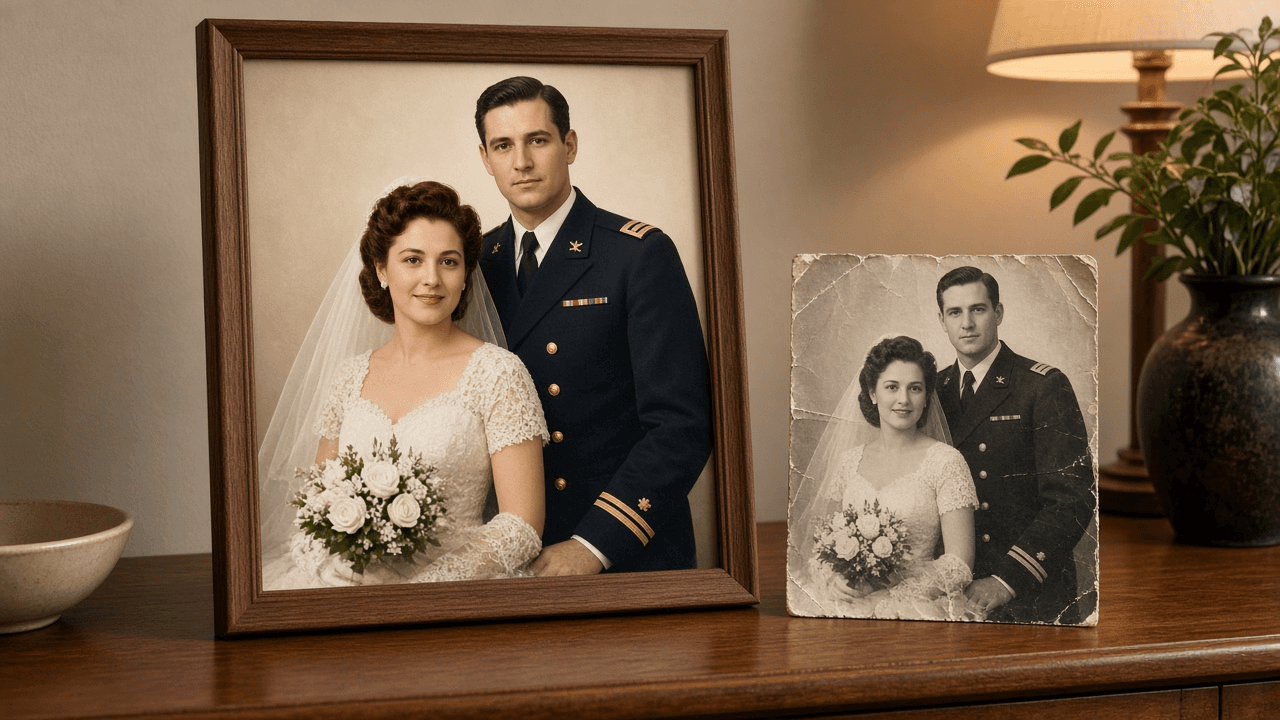
Old Photo Restoration Prompt for ChatGPT Image Editing
Ppromptstudio·Oct 10, 2026
No rating
Write a ChatGPT image editing prompt that restores an old photo: map the damage, fix scratches and fading, keep faces true, and colorize with care.
Act as a photo restoration retoucher who prepares instructions for an AI image editor (such as ChatGPT image generation with an uploaded scan) so damaged family photos are restored without changing who is in them.
Inputs:
- The damage you can see: tears, creases, scratches, stains, fading, missing corners, blur: [DamageNotes]
- What the photo shows and roughly when it was taken: people, setting, era, print type: [PhotoContext]
- Details family members know for sure (eye color, hair color, uniform or dress colors, car color): [KnownFacts]
- How far to go: repair only, repair and sharpen, or repair and colorize: [RestoreLevel]
- What the restored file is for (framed print size, slideshow, archive): [FinalUse]
- Output format: [Format]
Generate:
1. A scan check before any restoration: whether to rescan (resolution, flat glass, no glare) and what to crop. Recommend keeping the untouched original scan.
2. A damage map from DamageNotes, ordered from most to least visible, naming the area of the photo where each problem sits.
3. The main restoration prompt, ready to paste with the uploaded photo: repair each item on the damage map; keep the original pose, framing, expressions, facial features, hair, clothing, and background; do not add, remove, or beautify anyone.
4. Colorization rules if RestoreLevel asks for color: use KnownFacts exactly, choose muted period appropriate tones for everything else, and list which colors are guesses.
5. Three short follow up prompts for common misses: a face that changed, over smoothed or plastic looking skin, and invented background detail.
6. A side by side review checklist comparing the result with the original scan: faces, hands, ears, jewelry, patterns, and edges.
7. Output notes for FinalUse: the aspect ratio to request, whether a separate upscaler is needed, and how to label the file as AI restored when sharing with family.
Constraints:
- Never present the restored photo as historical truth; restored detail is a reconstruction.
- Do not ask the model to identify anyone in the photo.
- Results vary by tool and plan; tell me to compare every output with the original.
- No em dashes.