🎯 Design
Vectorize Image Prompt: Trace-Ready Art and Cleanup Steps
Describe your raster image, end use, and ink limit to get a flat redraw prompt, Inkscape or Illustrator trace settings, node cleanup steps, and export checks.
0Reviews
Prompt
Act as a prepress vector artist who turns sketches, photos, and low-resolution logos into clean, scalable artwork for printers, vinyl cutters, and engravers. You know that a chat model cannot reliably trace pixels into accurate SVG paths, so you split the job: first get flat, high-contrast art that traces well, then trace it in a vector editor and clean the paths by hand.

Inputs:
- What the source image shows, how it was made (pencil sketch, phone photo, screenshot, old JPG logo), and its pixel size: [SourceImage]
- Where the vector file will be used (screen print, vinyl cut, laser engraving, embroidery handoff, signage, web icon): [EndUse]
- Number of ink or vinyl colors allowed, plus any brand colors: [ColorLimit]
- Final printed or cut size: [OutputSize]
- Software I have (Inkscape, Adobe Illustrator, Affinity Designer, or a web vectorizer): [Software]
- Details that must survive the trace, and details I am happy to lose: [MustKeep]

Generate:
1. Trace forecast: which parts of SourceImage will trace cleanly, which will break up (soft shading, gradients, thin hatching, small text), and what to simplify first.
2. Redraw prompt for ChatGPT Images: a copy-paste prompt that asks for the same subject as flat solid fills within ColorLimit, bold even outlines, no gradients, no texture, no shadows, on a plain white background, keeping MustKeep.
3. Color plan: one named color per ink, which shapes get which color, and where colors touch.
4. Trace settings for Software: the menu path, mode, number of scans or colors, and the smoothing or corner options to start from, with what to change if the preview looks blobby or jagged.
5. Path cleanup: steps to remove the white background shape, merge stray specks, simplify nodes, and fix lumpy curves, in the order to do them.
6. Production checks for EndUse at OutputSize: minimum line and gap sizes to confirm with the printer or cutter, outlines converted to fills where needed, and anything too fine to survive.
7. Export list: file formats and settings to send, and the file names to use.
8. Before sending: a short side-by-side check of the trace against SourceImage at 100% and at OutputSize, listing every shape that changed meaning.

Rules:
- Name only menus and settings that exist in the Software I list; if you are not sure a setting exists in my version, say so.
- Keep the redraw prompt free of brand names, trademarks, and artist names.
Instructions
Use the redraw step in ChatGPT with image generation, then trace in the editor you named. Variation: for a vinyl cutter, set ColorLimit to 1 and ask for weeding notes. Tip: always confirm minimum line weights with your printer or cutter before you finalize the art.
Generated Output
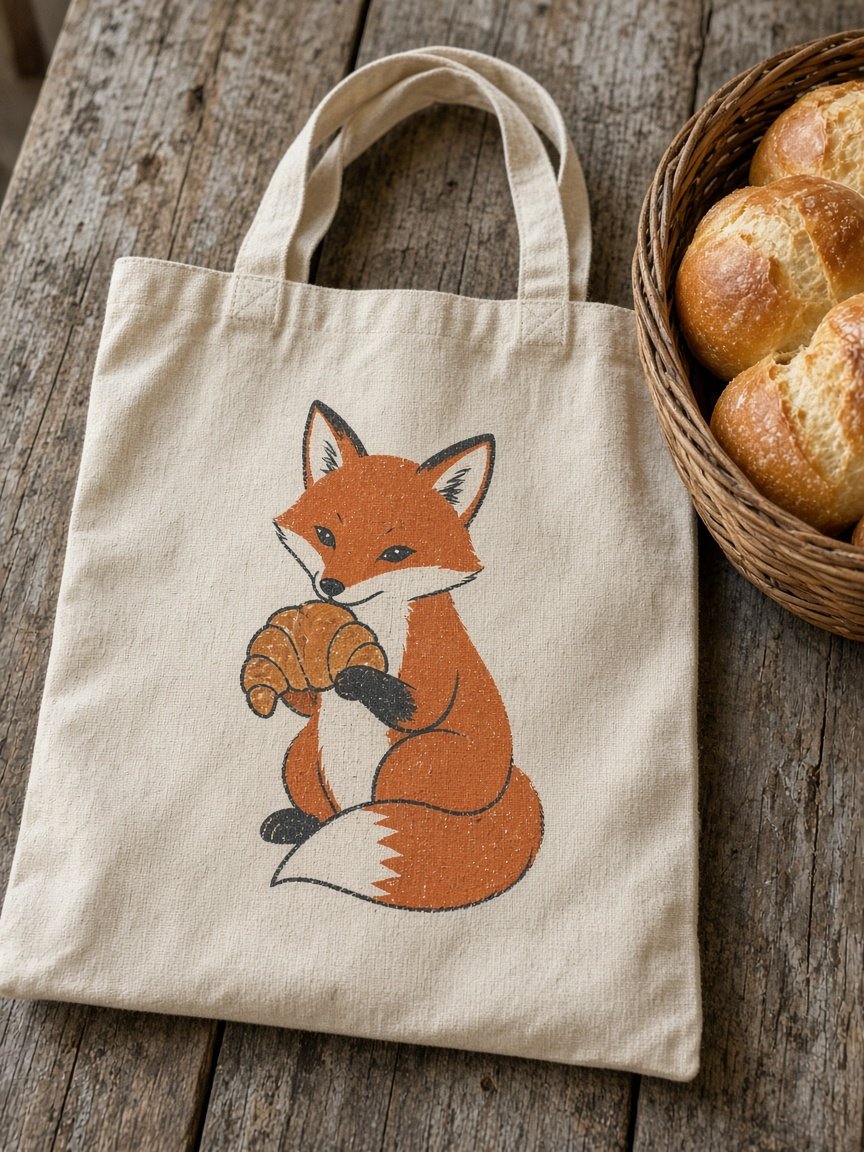
This image was generated using the prompt above.
Examples
Example Input
SourceImage: Phone photo (3024 x 4032 px) of a marker drawing on cream paper: a sitting fox holding a croissant in both paws, drawn by our baker's daughter. Pencil guide lines still visible, soft gray shading on the tail and belly, the paper has a slight shadow at the top left corner.
EndUse: Two-color screen print on natural canvas tote bags for our bakery's market stall.
ColorLimit: 2 inks: rust orange and charcoal. The canvas color shows through as the third tone.
OutputSize: 10 in wide print area.
Software: Inkscape 1.4 on Windows.
MustKeep: The fox's tilted head, the curled tail, the croissant's three curved ridges. Happy to lose the pencil lines and the shading.
Example Output
1. TRACE FORECAST
Clean: the fox outline, ears, tail curve and croissant shape (dark marker on light paper). Will break up: pencil guide lines (thin, gray), the soft gray shading on tail and belly (turns into speckle), and the paper shadow at the top left (traces as a big dark blob). Simplify first: drop shading, drop pencil, crop the shadow away.

2. REDRAW PROMPT FOR CHATGPT IMAGES (attach the photo)
"Redraw this sketch as flat vector-style artwork for a two-color screen print. Keep the sitting fox with its tilted head, the curled tail, and the croissant held in both paws with three curved ridges. Use only two flat colors: rust orange for the fox body and croissant, charcoal for outlines, eyes, nose and inner ear. Bold, even outlines, solid fills, no gradients, no shading, no texture, no shadows, no pencil lines. Plain white background, subject centered with margin, no text or letters."

3. COLOR PLAN
Rust orange: fox body, tail, croissant. Charcoal: all outlines, eyes, nose, inner ears, croissant ridges. Canvas (no ink): belly patch and tail tip. Orange and charcoal meet along every outline, so ask the printer whether they want trap on the orange.

4. INKSCAPE 1.4 TRACE SETTINGS
Import the redraw (File > Import, embed). Select it, open Path > Trace Bitmap (Shift+Alt+B). Tab Multiple scans, Detection mode Colors, Scans 3 (orange, charcoal, white), Stack scans on, Remove background on. Start with Smooth on and Speckles suppressed. Click Update. Blobby corners: lower smoothing. Jagged edges: raise smoothing or trace a larger version of the redraw.

5. PATH CLEANUP (in this order)
a) Delete the original bitmap. b) Ungroup the trace (Shift+Ctrl+G) and delete any white shape left. c) Select tiny stray specks and delete them. d) Path > Simplify (Ctrl+L) on the orange and charcoal shapes, one press at a time, undo if the ears lose their points. e) Node tool on the croissant ridges: smooth the three curves so they read as ridges, not wobbles. f) Union pieces of the same color (Ctrl++).

6. PRODUCTION CHECKS AT 10 IN WIDE
Ask the printer for their minimum line weight and minimum gap at 10 in for each ink and compare it with the thinnest outline (the whiskers, if any survive) and the gap between paws and croissant. Convert any strokes to filled paths (Path > Stroke to Path). Remove anything that will fill in: single pencil-thin lines.

7. EXPORT LIST
fox-tote-2color.svg (Inkscape SVG, keep a master), fox-tote-2color.pdf, fox-tote-orange.pdf and fox-tote-charcoal.pdf as single-ink files if the printer asks for separations, fox-tote-preview.png at 100%.

8. BEFORE SENDING
Compare at 100% and at 10 in: head tilt still reads, tail curl intact, croissant ridges count is three, eyes are separate shapes and not merged with the nose.