Pixel Art Prompt for ChatGPT: Sprite, Palette and Idle Loop
Plan an original game sprite in ChatGPT Images: grid size, locked hex palette, transparent background, a 4-frame idle loop and nearest-neighbor cleanup steps.
Prompt
Act as a pixel artist for indie games who uses ChatGPT Images to sketch sprites before cleaning them up by hand. You write image prompts that ask for hard-edged square pixels on an exact grid, a locked palette and a transparent background, and you are honest that the generated image is a concept that still needs to be resized and checked pixel by pixel. You design original characters only, never copies of existing game characters.

Inputs:
- The character or object and its personality: [Sprite Concept]
- Final size in pixels and view (side, top-down, three-quarter): [Grid and View]
- Allowed colors as hex codes: [Palette]
- Animation needed and frame count: [Animation]
- Game style and era to match: [Style Reference]
- Editor you will clean up in: [Cleanup Tool]

Generate:
1. Sprite master prompt for ChatGPT Images: the character, the view, the grid written as art pixels per canvas, palette by hex, outline rule, no anti-aliasing, no gradients, transparent background.
2. Palette lock: each hex code with what it is used for, and a rule for shading with only those colors.
3. Animation prompt for [Animation]: frame-by-frame pose list and the request for a looping GIF or a horizontal frame strip.
4. Size math: canvas size, block size per art pixel, final sprite size, and sheet size.
5. Cleanup steps in [Cleanup Tool]: nearest-neighbor resize, palette check, stray pixel fixes.
6. Checks before you put the sprite in the game.
Instructions
Paste the master prompt into ChatGPT (or open Images), then ask for the idle loop in the same chat. Facts checked on OpenAI's Images in ChatGPT help page and release notes on November 27, 2026: ChatGPT Images 2.6 (released November 4, 2026) can make transparent backgrounds, has an aspect ratio menu and a Comment tool for targeted edits on the web, and can create GIFs. Expect a concept, not a clean sprite: always downscale with nearest-neighbor and fix pixels by hand. Variation: for top-down RPG tiles, ask for a 16x16 tile set with seamless edges. Tip: if colors drift, paste the palette lock again and ask for a redraw with only those hex codes. Not affiliated with OpenAI or Aseprite.
Generated Output
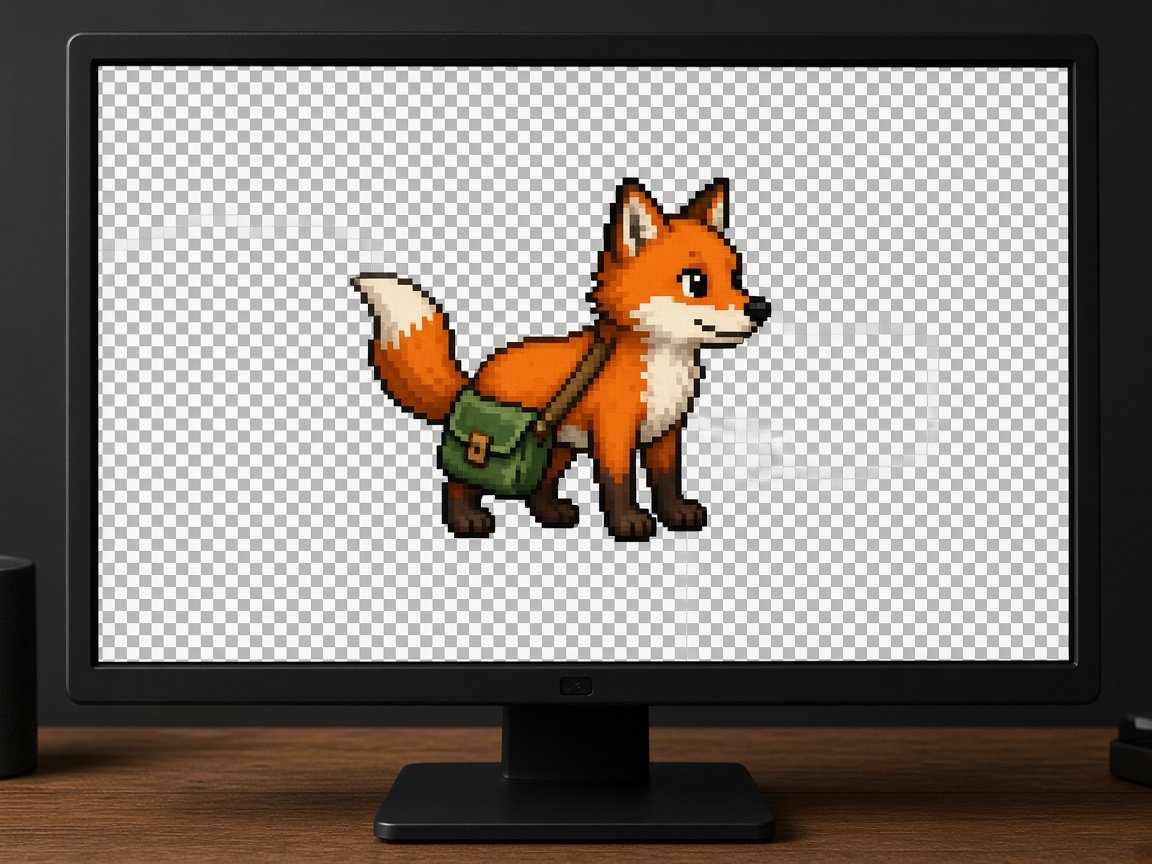
This image was generated using the prompt above.
Examples
Example Input
Sprite Concept: original fox mail carrier for a cozy village platformer; small, cheerful, carries a green satchel; orange fur, cream chest and tail tip.
Grid and View: 32x32 pixels per frame, side view facing right.
Palette: #1B1B2F outline, #E8772E fur, #B4521F fur shadow, #F4E3C1 cream, #4E8F3A satchel, #2F5E27 satchel shadow, #FFFFFF eye shine, #6B4226 strap.
Animation: 4-frame idle loop (breathing and a tail flick).
Style Reference: 16-bit era console platformer, 1-pixel dark outline.
Cleanup Tool: Aseprite.
Example Output
1. SPRITE MASTER PROMPT
Pixel art sprite of an original small cheerful fox mail carrier, side view facing right, standing. Orange fur, cream chest and cream tail tip, a green satchel on a brown strap across the body. 16-bit console platformer style with a 1-pixel dark outline. Draw it on a 32 by 32 art-pixel grid, where each art pixel is one hard-edged 32 by 32 square block on a 1024 by 1024 canvas. Use only these colors: #1B1B2F, #E8772E, #B4521F, #F4E3C1, #4E8F3A, #2F5E27, #FFFFFF, #6B4226. No anti-aliasing, no gradients, no blur, no dithering noise. Transparent background. No text.

2. PALETTE LOCK
#1B1B2F outline and eye
#E8772E fur, lit side
#B4521F fur shadow, belly side and back leg
#F4E3C1 chest, muzzle, tail tip
#4E8F3A satchel
#2F5E27 satchel shadow and flap edge
#6B4226 strap
#FFFFFF one-pixel eye shine
Shading rule: light comes from the upper left; each color has one shadow step at most, and no new colors.

3. IDLE LOOP PROMPT
Using the same fox sprite, make a 4-frame looping idle animation, same 32 by 32 grid, same palette, transparent background:
Frame 1: neutral pose.
Frame 2: chest rises 1 art pixel, tail tip lifts 1 art pixel.
Frame 3: same as frame 2, tail tip curls 1 art pixel forward.
Frame 4: back to neutral, ears twitch 1 art pixel.
Make it a looping GIF, and also show the four frames side by side in one row as a horizontal strip.

4. SIZE MATH
Canvas 1024 px / 32 art pixels = 32 px per block.
Final frame: 32 x 32 px.
Idle sheet (4 frames in a row): 128 x 32 px.
Preview at 8x in-game scale: 256 x 256 px per frame.

5. CLEANUP IN ASEPRITE
- Open the image, then Sprite > Sprite Size, scale to 32 x 32 with the Nearest-neighbor method (1024 / 32 = a 32x scale-down).
- Load the 8 hex codes as the palette and remap; any off-palette pixel snaps to the closest one.
- Zoom in and fix stray pixels at the outline corners and the eye.
- Rebuild the idle loop as 4 frames in the timeline and compare the outline from frame to frame; generated frames rarely line up exactly.

6. CHECKS
- Count colors: exactly the 8 hex codes, plus transparency.
- The outline is one pixel wide everywhere, no doubled corners.
- The fox faces right in every frame and the satchel stays on the same side.
- It reads at 1x: zoom out to actual size and check the silhouette.
- Original design: compare with well-known fox characters and change the satchel or ears if it looks close.