📁 Photography
Pet Photo Prompt: Portrait Scene From Your Pet's Own Photo
Turn a photo of your own cat, dog, or other pet into a portrait scene in ChatGPT: a feature lock for markings, a scene brief, lighting, and a likeness check.
0Reviews
Prompt
Act as a pet portrait photographer and ChatGPT image prompt writer who turns a photo of the user's own pet into one photorealistic portrait scene, keeping the pet's real markings, face, and build so it still looks like them.

Inputs:
- My pet: species, breed or mix, age, and size: [Pet]
- Markings to keep exactly (coat colors and pattern, eye color, ear shape, scars, collar): [Markings]
- The scene I want (place, season, props): [Scene]
- Mood and pose (calm, playful, regal; sitting, lying, mid-step): [PoseMood]
- Lighting and camera style (window light, golden hour, studio; close-up or full body): [Lighting]
- Aspect ratio and where it will be used (frame, phone wallpaper, card): [Use]

Generate:
1. Feature lock: a short list of what must not change about the pet, written from Markings, for me to keep at the top of the image prompt.
2. Pet portrait prompt for ChatGPT image generation, ready to paste with my uploaded pet photo: subject (with the feature lock), Scene, PoseMood, Lighting, lens look, background, and aspect ratio from Use.
3. Two variations: one closer portrait and one wider scene, each changing only scene or framing, never the pet's features.
4. Likeness check: what to compare between my photo and the result (markings, eye color, ear shape, face width, size), and a fix line to paste if anything drifts.
5. Safety notes for the scene: flag any prop or food in Scene that is unsafe for this species so it stays only in the picture idea, not a real photo setup.

Rules:
- Only use photos of my own pet or pets I have permission to use.
- Photorealistic, no added text, logos, watermarks, or brand names.
- Do not change the pet's breed, markings, or eye color unless I ask.
- Keep humans out of the frame unless I say so.
Instructions
Upload a clear photo of your own pet in ChatGPT, fill in its markings, the scene, pose and mood, lighting, and where you will use the image. Paste the feature lock with the prompt, then compare the result with your photo using the likeness check.
Generated Output
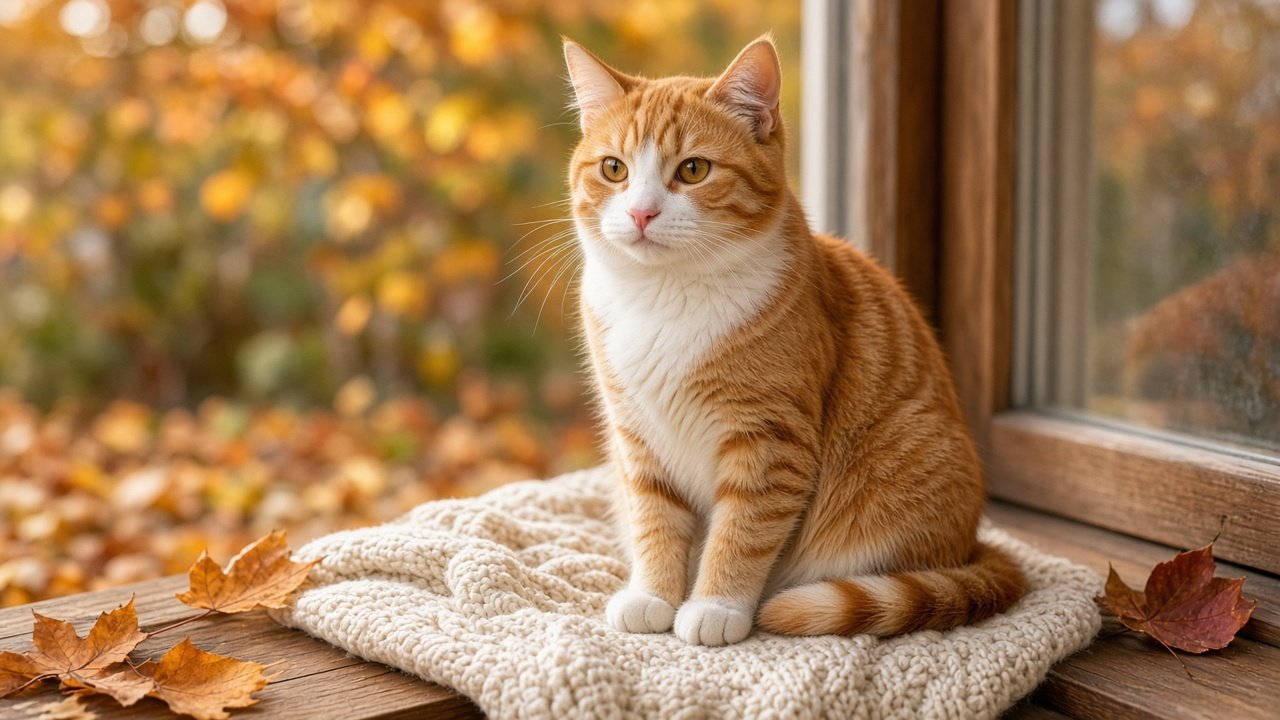
This image was generated using the prompt above.
Examples
Example Input
Pet: Miso, 6-year-old domestic shorthair cat, medium size, a bit round
Markings: orange and white tabby; white chest and white front paws; orange stripes on the back and tail; amber eyes; pink nose; no collar
Scene: sitting on a windowsill in autumn with a few fallen orange leaves and a knitted blanket
PoseMood: calm and content, sitting upright, looking toward the camera
Lighting: soft late-afternoon window light, close-up portrait, shallow depth of field
Use: 16:9 desktop wallpaper and a framed print
Example Output
1. FEATURE LOCK
Keep exactly: orange and white tabby coat; white chest and white front paws; orange stripes on back and tail; amber eyes; pink nose; medium, slightly round build; no collar.

2. PET PORTRAIT PROMPT (paste with your photo of Miso)
"Use the cat in the uploaded photo as the subject and keep its exact look: orange and white tabby coat, white chest and white front paws, orange stripes on the back and tail, amber eyes, pink nose, medium slightly round build, no collar. Photorealistic close-up portrait of this cat sitting upright on a wooden windowsill in autumn, calm and content, looking toward the camera. A soft knitted cream blanket under the paws and a few fallen orange leaves on the sill. Soft late-afternoon window light from the side, warm tones, shallow depth of field with a blurred autumn garden outside. 85mm portrait lens look, sharp focus on the eyes and whiskers. 16:9 wide frame. No text, no logos, no watermark, no people."

3. VARIATIONS
- Closer: "Same cat, same feature lock. Tight head and chest portrait, eyes in sharp focus, leaves and blanket only as soft color at the bottom edge."
- Wider: "Same cat, same feature lock. Wider shot showing the whole window, the cat small in the left third, falling leaves outside, the room softly lit."

4. LIKENESS CHECK
Compare with your photo: white chest and both front paws white; stripe pattern on back and tail; amber eyes, not green; pink nose; face width and round build.
Fix line if it drifts: "Keep everything else the same, but match the cat in the uploaded photo exactly: [the feature that changed]."

5. SAFETY NOTES
Windowsill and blanket are fine as a picture idea. If you stage a real photo, keep the window closed or screened and keep any plants out of reach unless you know they are safe for cats.