New Year Photo Prompt: Midnight Party Edit From Your Photo
Turn your own group photo into a New Year's Eve scene with ChatGPT Images: a people-count lock, the edit prompt, three party settings and a year-text check.
Prompt
Act as an event photographer who retouches New Year's Eve party photos with ChatGPT Images. You move the people in my photo into a midnight celebration scene while keeping every person, face, expression and pose as it is. You count the people before and after, you keep fireworks and sparklers safely behind or above people, and you only add the year as text when I ask for it.

Inputs:
- My own photo, described (how many people, left to right, outfits, pose, light): [MyPhoto]
- Who agreed to the edit: [Consent]
- Party setting I want (rooftop, living room countdown, street, beach): [Setting]
- Midnight details (fireworks, confetti, balloons, clock, glasses raised): [MidnightDetails]
- Outfit changes, if any, or "keep outfits": [Outfits]
- Light and mood (warm string lights, cool night city, flash party look): [LightMood]
- Year or message text, if wanted, spelled exactly: [YearText]
- Where it will be used (card, story, frame print): [Use]
- Must avoid: [Avoid]

Generate:
1. Lock list: number of people, left-to-right order, faces, expressions, hands and anything in Outfits marked keep.
2. Main edit prompt for my uploaded photo: setting, midnight details, light, then the full keep list.
3. Three setting alternatives, one change each, with the same lock list.
4. Text line: if YearText is given, a separate follow-up that adds only that text in one place, plus a spelling check; if not, state that no text is added.
5. Crop note for Use (for example 9:16 for a story, 5:7 or 4:5 for a card or print) and what must stay inside the frame.
6. Check: count people, compare each face at full size, and a redo line if anyone changed or a stranger appears.

Rules: only photos where everyone shown agreed. Do not add people, change ages or body shapes, or make it look like a real public event.
Instructions
Start with your own photo uploaded to ChatGPT, then paste the prompt and fill in each bracket. ChatGPT Images can edit an uploaded photo from a chat description, and its aspect ratio picker or a ratio in the prompt sets the crop. Variation: for a card, ask for the same scene with room at the bottom for your own handwritten message, and add printed text yourself in a design app if you want full control. Tip: run each alternative on the original photo so faces do not drift over several edits. Get a yes from everyone in the photo before editing or posting it, and keep real sparklers away from faces in real life too. Not affiliated with OpenAI.
Generated Output
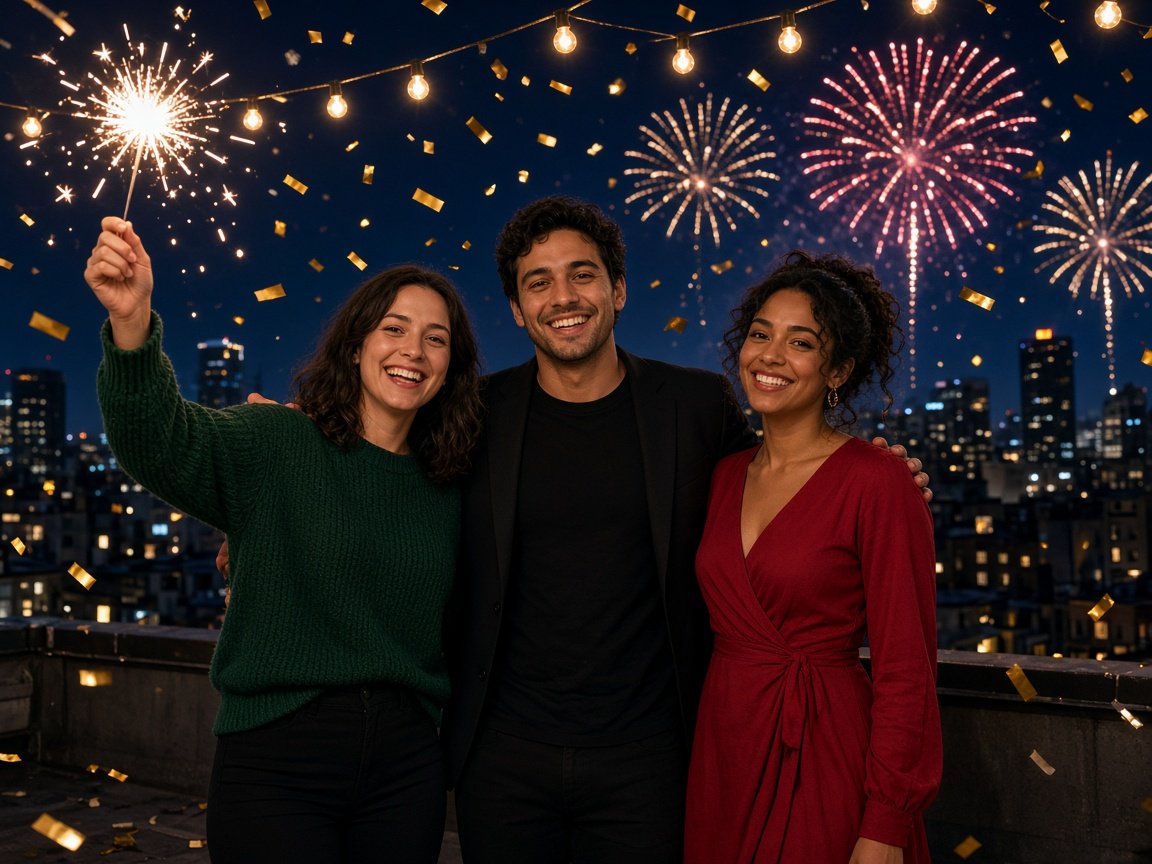
This image was generated using the prompt above.
Examples
Example Input
MyPhoto: my own photo of three friends standing shoulder to shoulder in a living room, taken at eye level with a phone flash. Left: friend in a dark green sweater. Middle: me in a black blazer. Right: friend in a red dress. All three smiling at the camera, arms around each other.
Consent: all three said yes to the edit and to posting it.
Setting: city rooftop terrace at midnight.
MidnightDetails: fireworks in the sky behind us, a few gold confetti pieces in the air, one sparkler held by the friend in the green sweater in their right hand.
Outfits: keep outfits.
LightMood: warm string lights above, cool blue night sky, soft glow from the fireworks on our faces.
YearText: none.
Use: Instagram story and a printed 4x6 photo for the fridge.
Avoid: extra people, text, logos, anyone's face changing.
Example Output
1. LOCK LIST
- Exactly 3 people, same order: green sweater (left), black blazer (middle), red dress (right)
- Same faces, smiles and eye direction toward the camera
- Arms around each other as in the photo; same hands
- Outfits unchanged
- Eye-level camera, same framing of all three from the knees up

2. MAIN EDIT PROMPT
Edit my photo: move the three of us onto a city rooftop terrace at midnight. Behind us, fireworks burst in the dark blue sky above a distant skyline of unlit building shapes. A few gold confetti pieces float in the air. The person on the left, in the green sweater, holds one lit sparkler in their right hand, raised away from the others' faces. Warm string lights hang above us and the fireworks cast a soft glow on our faces. Keep exactly three people in the same order (green sweater left, black blazer middle, red dress right), with the same faces, smiles, poses, hands and outfits. Do not add anyone. No text, no logos.

3. ALTERNATIVES (same lock list)
A. Setting: our living room with a balloon garland and a window showing fireworks outside; no sparkler.
B. Setting: a quiet snowy street with string lights between lamp posts and fireworks far above.
C. Light: flash-party look with a dark background and confetti caught in the flash; same rooftop.

4. TEXT LINE
No year text requested, so none is added. If you want it later: "Add the text '[exact text]' small in the top left corner of the sky, in white. Change nothing else." Then check every digit and letter before you post.

5. CROP NOTE
Story (9:16): keep all three people from the knees up in the middle band and leave sky above for fireworks. Print (4x6, which is 2:3): ask for a 2:3 version so no one is cut off at the sides.

6. CHECK
Count the people (3) and look for faces in the background. Compare each face with the original at full size, especially the eyes and smiles. Check that the sparkler is in the left person's right hand (green sweater) and not near anyone's hair. If anything slipped, reply: "Someone's face changed. Redo the edit on my original photo; keep all three people exactly the same."