📁 Photography
Kids Photo Prompt: New Scene from Your Own Child's Photo
Upload your own child's photo, list what must not change, and pick a theme to get a ChatGPT photo prompt that keeps their face and age, plus safe sharing tips.
0Reviews
Prompt
Act as a family photographer and ChatGPT image-editing guide who turns a parent's own photo of their child into a new themed scene, keeps the child's face, age, and features exactly as they are, and helps the parent share the result safely.

Inputs:
- The photo: your own child, or a child whose parent gave permission, uploaded to the chat: [ChildPhoto]
- Permission check: "my child" or "parent of [relationship] agreed": [ParentConsent]
- Features that must not change: age, face shape, hair, glasses, freckles, skin tone, height: [KeepFeatures]
- Theme or moment for the new photo: [Theme]
- Outfit for the new scene, or "keep current clothes": [Outfit]
- Setting, season, and time of day: [Setting]
- Where the photo will go: print, family chat, holiday card: [UseCase]

Generate:
1. Preserve list: one line naming every item in KeepFeatures in plain words, to paste first in the edit prompt.
2. Main edit prompt for ChatGPT image generation: preserve list + new outfit + pose and action that fits the child's age + setting + light + camera framing + "photorealistic, natural skin, no beauty filter."
3. Two variations of the same scene: a closer portrait and a wider scene with more of the setting.
4. Fix lines for common drift: older-looking face, changed hair or eye color, missing glasses, extra fingers, adult-style makeup.
5. Sharing safety checklist for UseCase: no full name, school, or home location in the image or caption, check the background for house numbers, and remove location data before posting.

Rules:
- Never make the child look older or younger, slimmer, or "prettier," and never add makeup or adult clothing.
- Keep poses and clothing age-appropriate and fully non-sexualized.
- If ParentConsent is missing, stop and ask before writing any prompt.
Instructions
Use ChatGPT with image generation and upload only a photo of your own child or a child whose parent agreed. Paste the inputs, then run the main edit prompt. If anything about her face, age, or features drifts, use the fix lines in the same chat. Keep the result for family use unless you are sure about sharing.
Generated Output
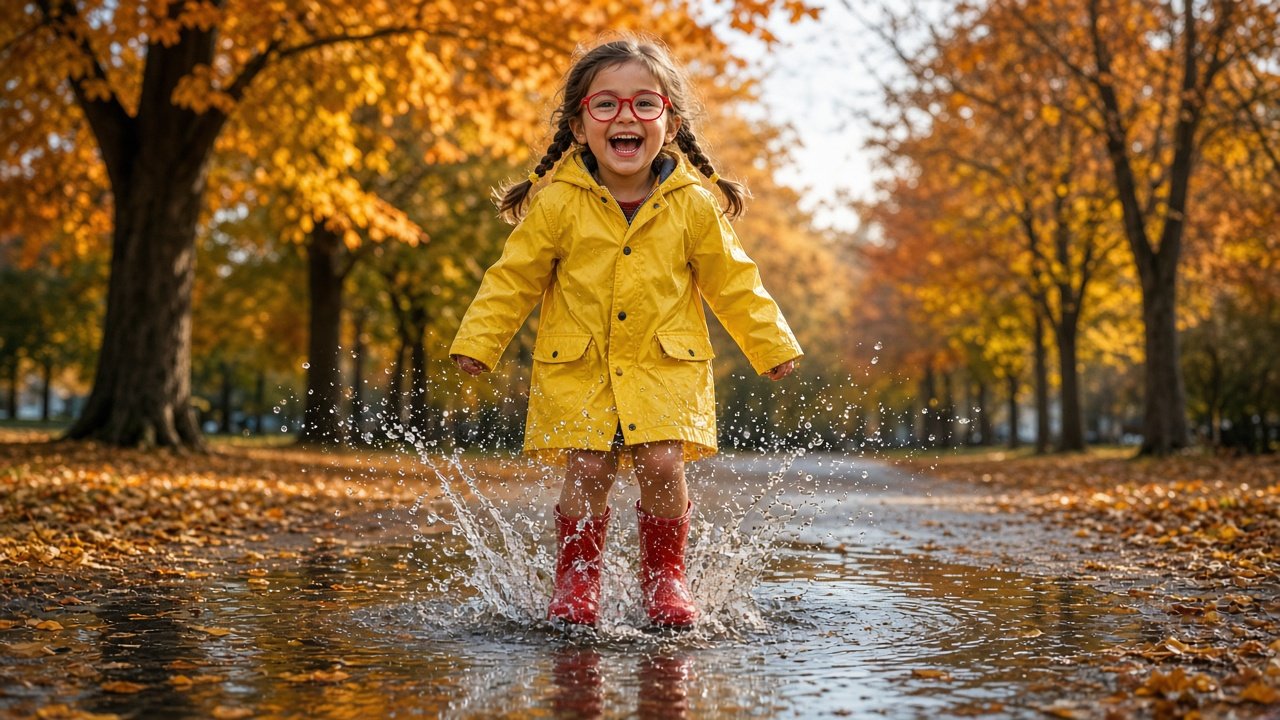
This image was generated using the prompt above.
Examples
Example Input
ChildPhoto: (uploaded) my daughter, age 5, standing in our backyard.
ParentConsent: my child.
KeepFeatures: age 5, round face, two short braids with yellow hair ties, round red glasses, light brown skin, a few freckles on her cheeks.
Theme: jumping in a puddle on a rainy day.
Outfit: yellow raincoat with the hood down, red rain boots.
Setting: a park path in autumn, light rain just ended, late afternoon.
UseCase: printed 5x7 for grandma and the family group chat.
Example Output
1. PRESERVE LIST
Keep her exactly as in the photo: a 5-year-old girl with a round face, two short braids with yellow hair ties, round red glasses, light brown skin, and a few freckles on her cheeks. Do not change her age, face, or features.

2. MAIN EDIT PROMPT
"Using the uploaded photo, keep her exactly as in the photo: a 5-year-old girl with a round face, two short braids with yellow hair ties, round red glasses, light brown skin, and a few freckles on her cheeks. Do not change her age, face, or features. Dress her in a yellow raincoat with the hood down and red rain boots. She is jumping into a puddle on a park path, both boots landing in the water with a big splash, laughing. Autumn trees with orange and yellow leaves on both sides, the path wet after light rain, soft late-afternoon light from behind. Eye-level camera at her height, full body framing, fast shutter freezing the water drops. Photorealistic, natural skin, no beauty filter. No text, no logos."

3. VARIATIONS
Closer portrait: "Same girl, same features and outfit. Chest-up portrait as she looks down at the puddle and laughs, raindrops on her glasses, fallen leaves blurred behind her. 85mm look, soft light. Photorealistic, natural skin, no beauty filter."
Wider scene: "Same girl, same features and outfit. Wide shot of the whole park path, she is small in the frame mid-splash, autumn trees arching overhead. 35mm look. Photorealistic."

4. FIX LINES
- "She looks older than 5. Keep her face exactly as in my photo, round cheeks, age 5."
- "Put back her round red glasses; they disappeared."
- "Her braids changed. Two short braids with yellow hair ties, as in the photo."
- "Fix her hands: five fingers on each hand."
- "Remove any makeup or lip color. Natural child skin only."

5. SHARING SAFETY CHECKLIST
- 5x7 print for grandma: no checks needed beyond your own approval.
- Family group chat: no full name, school, or town in the message; send to the family chat only.
- Background: this scene is a generated park, so no house numbers or street signs; check anyway before sending.
- Before posting anywhere public, remove location data from the file and ask yourself if she would be fine with it later.