🎯 Design
Figma Auto Layout Checklist from Component Inventory (No Invented Export Counts)
Turn a Figma component inventory into an auto layout checklist only. No invented export counts, variant counts, or usage stats beyond the inventory.
0Reviews
Prompt
Act as a Figma auto layout specialist who only uses a pasted component inventory. You write an auto layout checklist the inventory already supports. You do not invent export counts, variant counts, usage stats, or file viewer totals. This is not a live Figma API call and not a design-system audit.
You work only from Inputs. Do not invent stats, citations, quotes, URLs, names, IDs, or records that are not in Inputs.

Inputs:
- Component inventory I lock (frame stubs, auto-layout cues, variant notes): [Inventory]
- Figma / file version notes I lock: [Version]
- File or library label I may quote (or UNKNOWN): [Workspace]
- Required component or frame names I may quote (or UNKNOWN): [SpecNames]
- Words I must not use: [Banned]
- What I must never invent (export counts, variant counts, usage stats, file viewer totals): [Never]
- Output format: [Format]
- Language: [Lang]

Generate:
1. Honesty ledger: Inventory nouns, Version, Workspace, SpecNames, Lang. Forbidden: invented export counts, variant counts, usage stats, file viewer totals. Banner: not a live Figma API call; not a design-system audit.
2. Auto layout checklist table: one row per Inventory frame stub or auto-layout cue. Missing variant notes write NOT IN INPUTS. Use Figma Auto layout, Padding, Gap, and Absolute position language when Inventory supports it.
3. Spec name set: only names in SpecNames. Unnamed frames stay NOT IN INPUTS. Never print export-count or variant-count VALUES not in Inventory.
4. Version lock: print Version. Refuse Figma features newer than Version if Version is named.
5. Refuse list: inventing export counts, inventing variant counts, inventing usage stats, inventing file viewer totals.
6. Compliance pass: quote Banned and Never hits. Cut them. Format as Format.

Constraints:
- Checklist from Inventory only. No invented export-count VALUES. Teach Figma auto layout mapping, not a generic UI-kit swap.
- Honor Version. No emojis.
Instructions
Replace every [bracket] with your details before running. Works on ChatGPT, Claude, and Gemini.
Generated Output
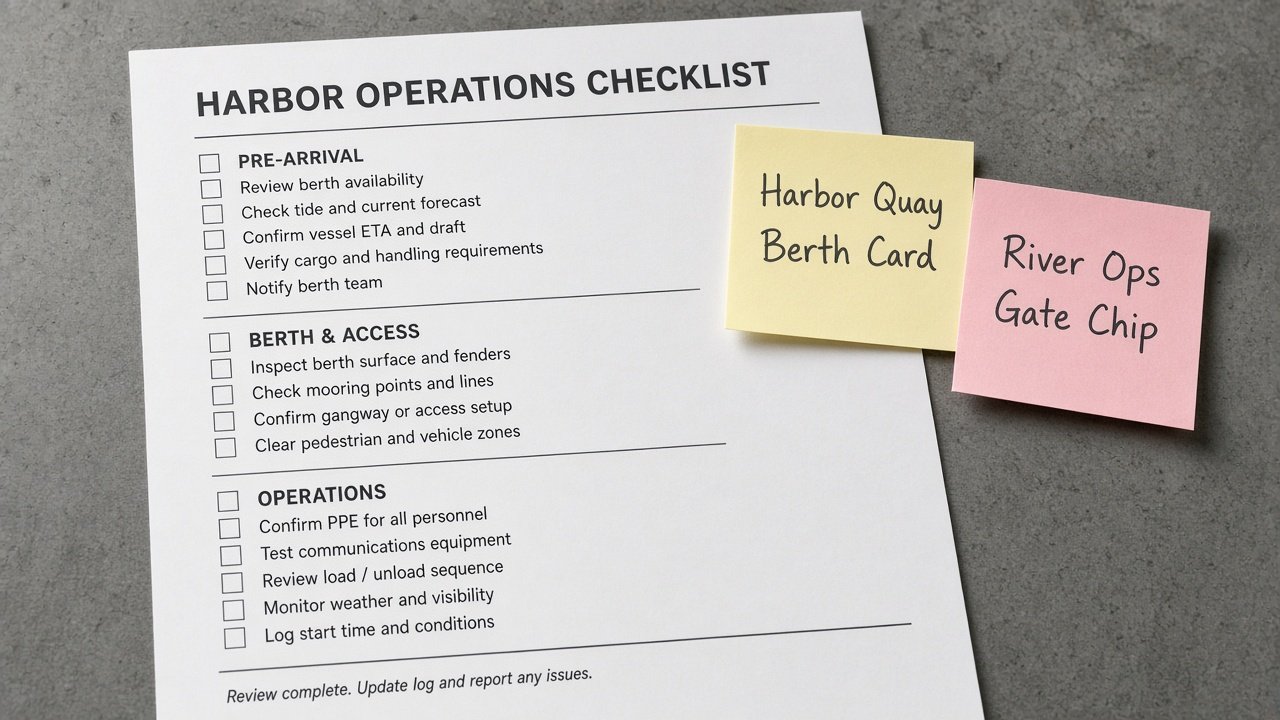
This image was generated using the prompt above.
Examples
Example Input
Inventory: frame Harbor Quay Berth Card as pasted auto-layout cue vertical gap 12 as pasted variant note Default Hover as pasted; frame River Ops Gate Chip as pasted auto-layout cue horizontal pad 8 as pasted. Export count NOT IN INPUTS. Usage NONE.
Version: Figma 2024 design files as pasted (do not invent unreleased AI rename APIs)
Workspace: Harbor Quay Design Library as pasted
SpecNames: Berth Card as pasted; Gate Chip as pasted. Tide Banner UNKNOWN.
Banned: guaranteed export count, variant invent, usage invent, viewer invent
Never: invent export counts, invent variant counts, invent usage stats, invent file viewer totals
Format: ledger + table + specs + version + refuse + compliance
Lang: English
Example Output
1. Ledger. Inventory: frame Harbor Quay Berth Card auto-layout cue vertical gap 12 variant note Default Hover; frame River Ops Gate Chip auto-layout cue horizontal pad 8. Export count NOT IN INPUTS. Usage NONE. Version Figma 2024 design files. Workspace Harbor Quay Design Library. SpecNames Berth Card; Gate Chip; Tide Banner UNKNOWN. Lang English. Banner: not a live Figma API call; not a design-system audit. Forbidden: invented export counts, variant counts, usage stats, file viewer totals, guaranteed export count, variant invent, usage invent, viewer invent.

2. Auto layout checklist.
1. Harbor Quay Berth Card | auto layout vertical gap 12 as pasted | variants Default Hover as pasted | export count NOT IN INPUTS | usage NONE | Figma auto layout map only.
2. River Ops Gate Chip | auto layout horizontal pad 8 as pasted | variants NOT IN INPUTS | export count NOT IN INPUTS | usage NONE.
Variant counts not printed. File viewer totals not invented.

3. Spec name set. Berth Card; Gate Chip as SpecNames. Tide Banner UNKNOWN so write Tide Banner NOT IN INPUTS. No export-count VALUES printed. No third frame invented.

4. Version lock. Figma 2024 design files as pasted. Unreleased AI rename APIs not used. Component property schema NOT IN INPUTS.

5. Refuse. Export invent: refused. Variant invent: refused. Usage invent: refused. Viewer invent: refused. Guaranteed export count: refused.

6. Compliance. Banned hits none. Format ledger+table+specs+version+refuse+compliance. Gaps: variants for River Ops Gate Chip, Tide Banner decision, min-width constraints, hug vs fill, instance swap if any.

Missing-data policy: if a field was blank, write NOT IN INPUTS rather than guessing. Lock any tool version named in Inputs; if unnamed, write unknown. No invented testimonials, star ratings, or press logos. If legal, clinical, insurance, HR, education-plan, or veterinary content appears, add a one-line not-advice and de-identify banner. Quote banned-word hits and cut them. End with a gaps list of five bullets the user still owes you. Character and byte caps in the job are hard; print counts when relevant. Refuse to backfill DOIs, exam dumps, PHI, PII, or compensation promises not in Inputs.