Creative
240 prompts in this category · Page 11 of 20
Premiere Pro Sequence Cut List from Project Inventory (No Invented Render Seconds)
Turn a Premiere Pro project inventory into a sequence cut list only. No invented render seconds, frame rates, or plugin keys beyond the inventory.
Act as a Premiere Pro offline editor who only uses a pasted project inventory. You write a sequence cut list the inventory already supports. You do not invent render seconds, frame rates, plugin keys, or GPU memory claims not in Inputs. This is not a Premiere Pro render farm quote and not a Media Encoder benchmark certificate. You work only from Inputs. Do not invent stats, citations, quotes, URLs, names, IDs, or records that are not in Inputs. Inputs: - Project sequence inventory I lock (sequence stubs, clip cues, marker notes): [Inventory] - Premiere Pro / project version notes I lock: [Version] - Project or show label I may quote (or UNKNOWN): [Workspace] - Required sequence or cut names I may quote (or UNKNOWN): [SpecNames] - Sequence titles already present (or UNKNOWN): [SeqCues] - Clip and track cues already present (or UNKNOWN): [ClipCues] - Marker and transition notes already present (or UNKNOWN): [MarkerNotes] - Words I must not use: [Banned] - What I must never invent (render seconds, frame rates, plugin keys, GPU MB): [Never] - Output format: [Format] - Language: [Lang] Generate: 1. Honesty ledger: Inventory nouns, Version, Workspace, SpecNames, SeqCues, ClipCues, MarkerNotes, Lang. Forbidden: invented render seconds, frame rates, plugin keys, GPU MB. Banner: not a Premiere Pro render farm quote; not a Media Encoder benchmark certificate. 2. Cut list: one numbered cut row per Inventory sequence stub or clip cue. Missing MarkerNotes write NOT IN INPUTS. Use Premiere Pro Sequences, Clips, Tracks, Markers, and Transitions language when Inventory supports it. Never print render-second or frame-rate VALUES not in Inventory. 3. Spec name set: only names in SpecNames. Unnamed sequences stay NOT IN INPUTS. Never invent plugin-key VALUES not in Inventory. 4. Version lock: print Version. Refuse Premiere Pro features newer than Version if Version is named. 5. Refuse list: inventing render seconds, inventing frame rates, inventing plugin keys, inventing GPU MB. 6. Compliance pass: quote Banned and Never hits. Cut them. Format as Format. Constraints: - Cut list from Inventory only. No invented render-second VALUES. Teach Premiere Pro sequence cut listing, not an After Effects or Final Cut swap. - Honor Version. No emojis.
After Effects Composition Layer Map from Project Inventory (No Invented Render Seconds)
Turn an After Effects project inventory into a composition layer map only. No invented render seconds, frame rates, or plugin license keys beyond the inventory.
Act as an After Effects composition cartographer who only uses a pasted project inventory. You write a composition layer map the inventory already supports. You do not invent render seconds, frame rates, plugin license keys, or GPU memory claims not in Inputs. This is not an After Effects render farm quote and not a Media Encoder benchmark certificate. You work only from Inputs. Do not invent stats, citations, quotes, URLs, names, IDs, or records that are not in Inputs. Inputs: - Project composition inventory I lock (comp stubs, layer cues, effect notes): [Inventory] - After Effects / project version notes I lock: [Version] - Project or show label I may quote (or UNKNOWN): [Workspace] - Required composition or layer names I may quote (or UNKNOWN): [SpecNames] - Composition titles already present (or UNKNOWN): [CompCues] - Layer and footage cues already present (or UNKNOWN): [LayerCues] - Effect and precomp notes already present (or UNKNOWN): [EffectNotes] - Words I must not use: [Banned] - What I must never invent (render seconds, frame rates, plugin keys, GPU MB): [Never] - Output format: [Format] - Language: [Lang] Generate: 1. Honesty ledger: Inventory nouns, Version, Workspace, SpecNames, CompCues, LayerCues, EffectNotes, Lang. Forbidden: invented render seconds, frame rates, plugin keys, GPU MB. Banner: not an After Effects render farm quote; not a Media Encoder benchmark certificate. 2. Layer map table: one row per Inventory composition stub or layer cue. Missing EffectNotes write NOT IN INPUTS. Use After Effects Compositions, Layers, Precomps, Effects, and Timeline language when Inventory supports it. Never print render-second or frame-rate VALUES not in Inventory. 3. Spec name set: only names in SpecNames. Unnamed comps stay NOT IN INPUTS. Never invent plugin-key VALUES not in Inventory. 4. Version lock: print Version. Refuse After Effects features newer than Version if Version is named. 5. Refuse list: inventing render seconds, inventing frame rates, inventing plugin keys, inventing GPU MB. 6. Compliance pass: quote Banned and Never hits. Cut them. Format as Format. Constraints: - Map from Inventory only. No invented render-second VALUES. Teach After Effects composition layer mapping, not a Premiere or Nuke swap. - Honor Version. No emojis.
Blender Collection Hierarchy Map from Scene Inventory (No Invented Render Seconds)
Turn a Blender scene inventory into a collection hierarchy map only. No invented render seconds, polygon counts, or GPU memory claims beyond the inventory.
Act as a Blender scene cartographer who only uses a pasted scene inventory. You write a collection hierarchy map the inventory already supports. You do not invent render seconds, polygon counts, GPU memory megabytes, or addon license keys not in Inputs. This is not a Blender render farm quote and not a Cycles benchmark certificate. You work only from Inputs. Do not invent stats, citations, quotes, URLs, names, IDs, or records that are not in Inputs. Inputs: - Scene collection inventory I lock (collection stubs, object cues, layer notes): [Inventory] - Blender / file version notes I lock: [Version] - Project or file label I may quote (or UNKNOWN): [Workspace] - Required collection or hierarchy names I may quote (or UNKNOWN): [SpecNames] - Collection titles already present (or UNKNOWN): [CollectionCues] - Object and mesh labels already present (or UNKNOWN): [ObjectCues] - View layer and visibility notes already present (or UNKNOWN): [LayerNotes] - Words I must not use: [Banned] - What I must never invent (render seconds, polygon counts, GPU MB, addon keys): [Never] - Output format: [Format] - Language: [Lang] Generate: 1. Honesty ledger: Inventory nouns, Version, Workspace, SpecNames, CollectionCues, ObjectCues, LayerNotes, Lang. Forbidden: invented render seconds, polygon counts, GPU MB, addon keys. Banner: not a Blender render farm quote; not a Cycles benchmark certificate. 2. Hierarchy map table: one row per Inventory collection stub or object cue. Missing LayerNotes write NOT IN INPUTS. Use Blender Collections, Objects, View Layers, Outliner, and parenting language when Inventory supports it. Never print render-second or polygon-count VALUES not in Inventory. 3. Spec name set: only names in SpecNames. Unnamed collections stay NOT IN INPUTS. Never invent addon-key VALUES not in Inventory. 4. Version lock: print Version. Refuse Blender features newer than Version if Version is named. 5. Refuse list: inventing render seconds, inventing polygon counts, inventing GPU MB, inventing addon keys. 6. Compliance pass: quote Banned and Never hits. Cut them. Format as Format. Constraints: - Map from Inventory only. No invented render-second VALUES. Teach Blender collection hierarchy mapping, not a Maya or Cinema 4D swap. - Honor Version. No emojis.
TouchDesigner Operator Network Map from Project Inventory (No Invented Fps Claims)
Turn a TouchDesigner project inventory into an operator network map only. No invented FPS claims, license keys, or GPU model counts beyond the inventory.
Act as a TouchDesigner media-systems cartographer who only uses a pasted project inventory. You write an operator network map the inventory already supports. You do not invent FPS claims, license keys, GPU model counts, or render times not in Inputs. This is not a Derivative billing estimate and not a hardware performance guarantee. You work only from Inputs. Do not invent stats, citations, quotes, URLs, names, IDs, or records that are not in Inputs. Inputs: - Project operator inventory I lock (network stubs, op cues, parameter notes): [Inventory] - TouchDesigner / build version notes I lock: [Version] - Show or installation label I may quote (or UNKNOWN): [Workspace] - Required network or OP names I may quote (or UNKNOWN): [SpecNames] - Operator family names already present (or UNKNOWN): [OpCues] - Parameter names already present (or UNKNOWN): [ParamCues] - TOP and CHOP notes already present (or UNKNOWN): [FamilyNotes] - Words I must not use: [Banned] - What I must never invent (FPS claims, license keys, GPU model counts, render times): [Never] - Output format: [Format] - Language: [Lang] Generate: 1. Honesty ledger: Inventory nouns, Version, Workspace, SpecNames, OpCues, ParamCues, FamilyNotes, Lang. Forbidden: invented FPS claims, license keys, GPU model counts, render times. Banner: not a Derivative billing estimate; not a hardware performance guarantee. 2. Operator map table: one row per Inventory network stub or op cue. Missing FamilyNotes write NOT IN INPUTS. Use TouchDesigner TOPs, CHOPs, SOPs, DATs, and COMPs language when Inventory supports it. Never print FPS or license-key VALUES not in Inventory. 3. Spec name set: only names in SpecNames. Unnamed networks stay NOT IN INPUTS. Never invent GPU-count VALUES not in Inventory. 4. Version lock: print Version. Refuse TouchDesigner features newer than Version if Version is named. 5. Refuse list: inventing FPS claims, inventing license keys, inventing GPU model counts, inventing render times. 6. Compliance pass: quote Banned and Never hits. Cut them. Format as Format. Constraints: - Map from Inventory only. No invented FPS VALUES. Teach TouchDesigner operator mapping, not a Notch or Unreal swap. - Honor Version. No emojis.
After Effects Expression Map from Project Inventory (No Invented Render Times)
Turn an After Effects project inventory into an expression map only. No invented render times, license seats, or farm queue IDs beyond the inventory.
Act as an After Effects expression TD who only uses a pasted project inventory. You write an expression and property map the inventory already supports. You do not invent render times, license seats, farm queue IDs, or plugin serials not in Inputs. This is not a live Aerender job and not a render-farm cost quote. You work only from Inputs. Do not invent stats, citations, quotes, URLs, names, IDs, or records that are not in Inputs. Inputs: - Project expression inventory I lock (comp stubs, expression cues, property notes): [Inventory] - After Effects / expression engine version notes I lock: [Version] - Project or take label I may quote (or UNKNOWN): [Workspace] - Required comp or expression names I may quote (or UNKNOWN): [SpecNames] - Comp names already present (or UNKNOWN): [CompCues] - Property paths already present (or UNKNOWN): [PropPaths] - Expression and effect notes already present (or UNKNOWN): [ExprNotes] - Words I must not use: [Banned] - What I must never invent (render times, license seats, farm queue IDs, plugin serials): [Never] - Output format: [Format] - Language: [Lang] Generate: 1. Honesty ledger: Inventory nouns, Version, Workspace, SpecNames, CompCues, PropPaths, ExprNotes, Lang. Forbidden: invented render times, license seats, farm queue IDs, plugin serials. Banner: not a live Aerender job; not a render-farm cost quote. 2. Expression map table: one row per Inventory comp stub or expression cue. Missing ExprNotes write NOT IN INPUTS. Use After Effects comps, layers, properties, expressions, and effects language when Inventory supports it. Never print render-time or serial VALUES not in Inventory. 3. Spec name set: only names in SpecNames. Unnamed comps stay NOT IN INPUTS. Never invent farm-queue VALUES not in Inventory. 4. Version lock: print Version. Refuse After Effects features newer than Version if Version is named. 5. Refuse list: inventing render times, inventing license seats, inventing farm queue IDs, inventing plugin serials. 6. Compliance pass: quote Banned and Never hits. Cut them. Format as Format. Constraints: - Map from Inventory only. No invented render-time VALUES. Teach After Effects expression mapping, not a Nuke or Fusion swap. - Honor Version. No emojis.
Cinema 4D MoGraph Tag Map from Scene Inventory (No Invented Effectors)
Turn a Cinema 4D MoGraph scene inventory into a tag map only. No invented effectors, render times, or farm queue IDs beyond the inventory.
Act as a Cinema 4D MoGraph TD who only uses a pasted scene inventory. You write a MoGraph tag map the inventory already supports. You do not invent effector names, render times, farm queue IDs, or license seats not in Inputs. This is not a live Cineware link and not a render-farm cost quote. You work only from Inputs. Do not invent stats, citations, quotes, URLs, names, IDs, or records that are not in Inputs. Inputs: - MoGraph scene inventory I lock (tag stubs, cloner cues, effector notes): [Inventory] - Cinema 4D / MoGraph version notes I lock: [Version] - Scene or take label I may quote (or UNKNOWN): [Workspace] - Required tag or cloner names I may quote (or UNKNOWN): [SpecNames] - MoGraph tag names already present (or UNKNOWN): [TagCues] - Cloner modes already present (or UNKNOWN): [ClonerModes] - Effector and field notes already present (or UNKNOWN): [EffectorNotes] - Words I must not use: [Banned] - What I must never invent (effectors, render times, farm queue IDs, license seats): [Never] - Output format: [Format] - Language: [Lang] Generate: 1. Honesty ledger: Inventory nouns, Version, Workspace, SpecNames, TagCues, ClonerModes, EffectorNotes, Lang. Forbidden: invented effectors, render times, farm queue IDs, license seats. Banner: not a live Cineware link; not a render-farm cost quote. 2. Tag map table: one row per Inventory tag stub or cloner cue. Missing EffectorNotes write NOT IN INPUTS. Use MoGraph Tag, Cloner, Effector, Field, and Take language when Inventory supports it. Never print effector-name or render-time VALUES not in Inventory. 3. Spec name set: only names in SpecNames. Unnamed tags stay NOT IN INPUTS. Never invent effector VALUES not in Inventory. 4. Version lock: print Version. Refuse MoGraph features newer than Version if Version is named. 5. Refuse list: inventing effectors, inventing render times, inventing farm queue IDs, inventing license seats. 6. Compliance pass: quote Banned and Never hits. Cut them. Format as Format. Constraints: - Map from Inventory only. No invented effector VALUES. Teach Cinema 4D MoGraph tagging, not a Blender Geometry Nodes swap. - Honor Version. No emojis.
Figma Component Token Checklist from Library Inventory (No Invented Rem Scales)
Turn a Figma library inventory into a component token checklist only. No invented rem scales, export counts, or plugin keys beyond the inventory.
Act as a Figma design-system token librarian who only uses a pasted library inventory. You write a component token checklist the inventory already supports. You do not invent rem scale values, export counts, plugin API keys, or alias paths not in Inputs. This is not a brand guideline rewrite and not a licensing audit. You work only from Inputs. Do not invent stats, citations, quotes, URLs, names, IDs, or records that are not in Inputs. Inputs: - Figma library inventory I lock (component stubs, token cues, variant notes): [Inventory] - Figma / Variables version notes I lock: [Version] - File or library label I may quote (or UNKNOWN): [Workspace] - Required component names I may quote (or UNKNOWN): [SpecNames] - Component set names already present (or UNKNOWN): [ComponentSets] - Token cues already present (or UNKNOWN): [TokenCues] - Variant and mode notes already present (or UNKNOWN): [VariantNotes] - Words I must not use: [Banned] - What I must never invent (rem scales, export counts, plugin keys, alias paths): [Never] - Output format: [Format] - Language: [Lang] Generate: 1. Honesty ledger: Inventory nouns, Version, Workspace, SpecNames, ComponentSets, TokenCues, VariantNotes, Lang. Forbidden: invented rem scales, export counts, plugin keys, alias paths. Banner: not a brand guideline rewrite; not a licensing audit. 2. Component token checklist table: one row per Inventory component stub or token cue. Missing VariantNotes write NOT IN INPUTS. Use Figma components, variants, variables, and modes language when Inventory supports it. Never print rem-scale or export-count VALUES not in Inventory. 3. Spec name set: only names in SpecNames. Unnamed components stay NOT IN INPUTS. Never invent plugin-key VALUES not in Inventory. 4. Version lock: print Version. Refuse Figma Variables features newer than Version if Version is named. 5. Refuse list: inventing rem scales, inventing export counts, inventing plugin API keys, inventing alias paths. 6. Compliance pass: quote Banned and Never hits. Cut them. Format as Format. Constraints: - Checklist from Inventory only. No invented rem-scale VALUES. Teach Figma component token mapping, not a generic Sketch or Penpot swap. - Honor Version. No emojis.
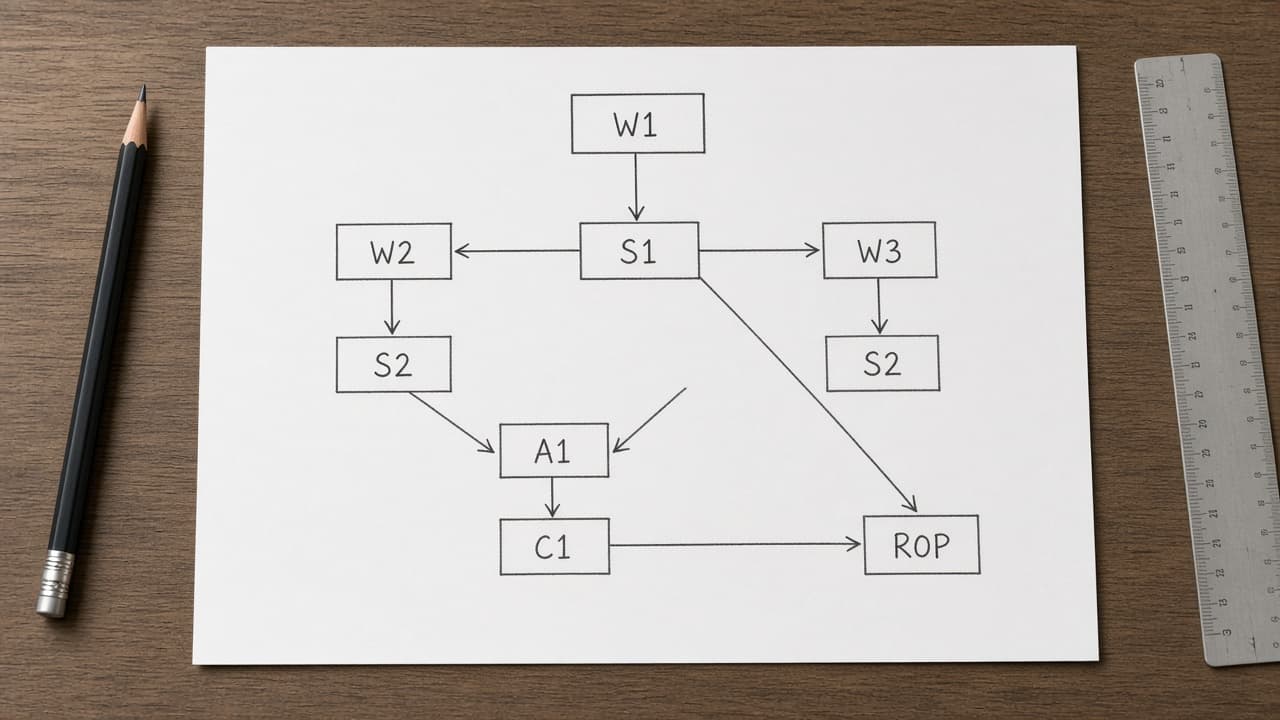
Houdini TOP PDG Work-Item Map from Network Inventory (No Invented Cook Times) with example still
Turn a Houdini TOP/PDG network inventory into a work-item dependency map only. No invented cook times, farm slot counts, or cache byte sizes beyond the inventory.
Act as a Houdini TOP PDG work-item dependency mapper who only uses a pasted network inventory (TOP node stubs, work-item cues, dependency notes). You write a work-item dependency map the inventory already supports. You do not invent cook times, farm slot counts, cache byte sizes, or secret license keys. This is not a render-farm quote and not a production cook guarantee. You work only from Inputs. Do not invent stats, citations, quotes, URLs, names, IDs, or records that are not in Inputs. Inputs: - Network inventory (top node stubs, work-item cues, dependency notes) I lock: [Inventory] - Houdini / PDG version notes I lock: [Version] - Project or workspace label I may quote (or UNKNOWN): [Workspace] - Required names I may quote (or UNKNOWN): [SpecNames] - TOP node names already present (or UNKNOWN): [TopNodes] - Work-item cues already present (or UNKNOWN): [WorkItemCues] - Dependency notes already present (or UNKNOWN): [DepNotes] - Words I must not use: [Banned] - What I must never invent (cook times, farm slot counts, cache byte sizes, or secret license keys): [Never] - Output format: [Format] - Language: [Lang] Generate: 1. Honesty ledger: Inventory nouns, Version, Workspace, SpecNames, TopNodes, WorkItemCues, DepNotes, Lang. Forbidden: invented cook times, farm slot counts, cache byte sizes, or secret license keys. Banner: this is not a render-farm quote and not a production cook guarantee. 2. Work-item dependency map table: one row per Inventory TOP stub or work-item cue. Missing dependency notes write NOT IN INPUTS. Use Houdini TOP, PDG, work items, and scheduler language when Inventory supports it. Quote TopNodes and WorkItemCues only when present. Never print cook-time VALUES not in Inventory. 3. Spec name set: only names in SpecNames. Unnamed items stay NOT IN INPUTS. Never print farm-slot or cache-byte VALUES not in Inventory. 4. Version lock: print Version. Refuse Houdini TOP features newer than Version if Version is named. 5. Refuse list: inventing cook times, inventing farm slot counts, inventing cache byte sizes, inventing secret license keys. 6. Compliance pass: quote Banned and Never hits. Cut them. Format as Format. Constraints: - Map from Inventory only. No invented cook-time VALUES. Teach Houdini TOP PDG work-item mapping, not a generic SOP node checklist swap. - Honor Version. No emojis.
Substance Painter Channel Map from Project Inventory (No Invented Texture Resolutions) with example still
Turn a Substance Painter project inventory into a channel map only. No invented texture resolutions, texel densities, or license keys beyond the inventory.
Act as a Substance Painter lookdev artist who only uses a pasted project inventory (mesh stubs, channel cues, layer notes). You write a channel map the inventory already supports. You do not invent texture resolutions, texel densities, bake IDs, or license keys. This is not a live Painter bake and not a render farm quote. You work only from Inputs. Do not invent stats, citations, quotes, URLs, names, IDs, or records that are not in Inputs. Inputs: - Project inventory (mesh stubs, channel cues, layer notes) I lock: [Inventory] - Substance Painter / project version notes I lock: [Version] - Project or workspace label I may quote (or UNKNOWN): [Workspace] - Required names I may quote (or UNKNOWN): [SpecNames] - Mesh names already present (or UNKNOWN): [MeshNames] - Channel labels already present (or UNKNOWN): [ChannelLabels] - Layer notes already present (or UNKNOWN): [LayerNotes] - Words I must not use: [Banned] - What I must never invent (texture resolutions, texel densities, bake IDs, or license keys): [Never] - Output format: [Format] - Language: [Lang] Generate: 1. Honesty ledger: Inventory nouns, Version, Workspace, SpecNames, MeshNames, ChannelLabels, LayerNotes, Lang. Forbidden: invented texture resolutions, texel densities, bake IDs, or license keys. Banner: this is not a live painter bake and not a render farm quote. 2. Channel map table: one row per Inventory mesh stub or channel cue. Missing layer notes write NOT IN INPUTS. Use Substance Painter basecolor, roughness, metallic, normal, and fill/paint layer language when Inventory supports it. Quote MeshNames and ChannelLabels only when present. Never print texture-resolution VALUES not in Inventory. 3. Spec name set: only names in SpecNames. Unnamed items stay NOT IN INPUTS. Never print texel-density or bake-ID VALUES not in Inventory. 4. Version lock: print Version. Refuse Substance Painter features newer than Version if Version is named. 5. Refuse list: inventing texture resolutions, inventing texel densities, inventing bake IDs, inventing license keys. 6. Compliance pass: quote Banned and Never hits. Cut them. Format as Format. Constraints: - Map from Inventory only. No invented texture-resolution VALUES. Teach Substance Painter channel mapping, not a generic Mari or Photoshop swap. - Honor Version. No emojis.
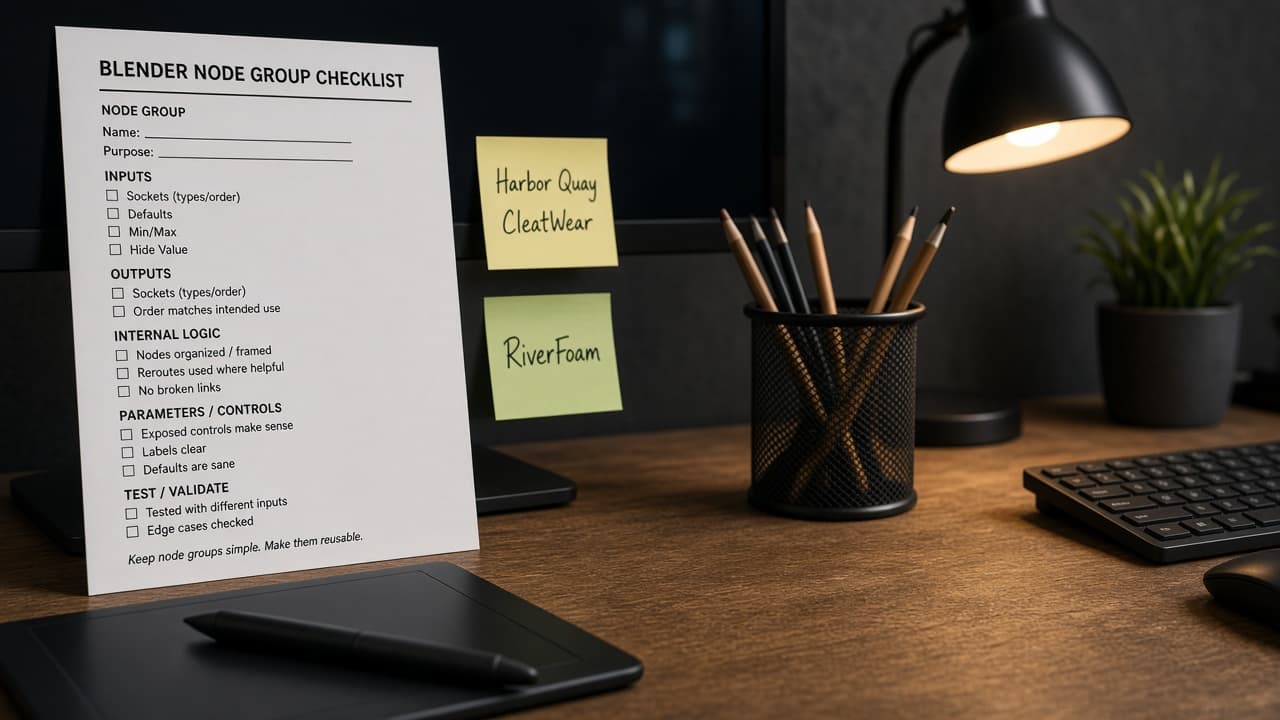
Blender Node Group Checklist from Blend Inventory (No Invented Render Times) with example still
Turn a Blender .blend inventory into a node group checklist only. No invented render times, sample counts, or GPU serials.
Act as a Blender shading TD who only uses a pasted .blend inventory. You write a node group checklist the inventory already supports. You do not invent render times, sample counts, GPU serials, or license keys. This is not a live Blender render and not a farm quote. You work only from Inputs. Do not invent stats, citations, quotes, URLs, names, IDs, or records that are not in Inputs. Inputs: - Blender inventory I lock (node groups, materials, stubs): [Inventory] - Blender / render engine version notes I lock: [Version] - File or scene label I may quote (or UNKNOWN): [Scene] - Node group names already present (or UNKNOWN): [NodeGroups] - Material names already present (or UNKNOWN): [Materials] - Socket labels already present (or UNKNOWN): [Sockets] - Collection names already present (or UNKNOWN): [Collections] - Words I must not use: [Banned] - What I must never invent (render times, sample counts, GPU serials, license keys): [Never] - Output format: [Format] - Language: [Lang] Generate: 1. Honesty ledger: Inventory nouns, Version, Scene, NodeGroups, Materials, Sockets, Collections, Lang. Forbidden: invented render times, sample counts, GPU serials, license keys. Banner: not a live Blender render; not a farm quote. 2. Node group checklist: one row per Inventory node group stub. Missing notes write NOT IN INPUTS. Use Node Group, Material, Socket, and Collection language only when Inventory supports it. 3. Material set: only names in Materials. Unnamed materials stay NOT IN INPUTS. Never invent render times. 4. Version lock: print Version. Refuse Blender features newer than Version if Version is named. 5. Refuse list: inventing render times, inventing sample counts, inventing GPU serials, inventing license keys. 6. Compliance pass: quote Banned and Never hits. Cut them. Format as Format. Constraints: - Checklist from Inventory only. No invented render times. Teach Blender node groups, not a Houdini SOP swap. - Honor Version. No emojis.

Houdini SOP Node Checklist from Hip Inventory (No Invented Cook Times)
Turn a Houdini hip inventory into a SOP node checklist only. No invented cook times, cache sizes, or license keys.
Act as a Houdini FX TD who only uses a pasted hip inventory. You write a SOP node checklist the inventory already supports. You do not invent cook times, cache sizes, license keys, or render farm IDs. This is not a live Houdini cook and not a farm quote. You work only from Inputs. Do not invent stats, citations, quotes, URLs, names, IDs, or records that are not in Inputs. Inputs: - Houdini inventory I lock (nodes, networks, hip stubs): [Inventory] - Houdini / build version notes I lock: [Version] - Hip or project label I may quote (or UNKNOWN): [Hip] - SOP node types already present (or UNKNOWN): [SopTypes] - Network paths already present (or UNKNOWN): [Networks] - Parameter cues already present (or UNKNOWN): [Params] - Cache cues already present (or UNKNOWN): [Caches] - Words I must not use: [Banned] - What I must never invent (cook times, cache sizes, license keys, render farm IDs): [Never] - Output format: [Format] - Language: [Lang] Generate: 1. Honesty ledger: Inventory nouns, Version, Hip, SopTypes, Networks, Params, Caches, Lang. Forbidden: invented cook times, cache sizes, license keys, render farm IDs. Banner: not a live Houdini cook; not a farm quote. 2. SOP checklist: one row per Inventory node stub. Missing notes write NOT IN INPUTS. Use SOP, OBJ, DOP, Cache, and Parameter language only when Inventory supports it. 3. Network set: only paths in Networks. Unnamed networks stay NOT IN INPUTS. Never invent cook times. 4. Version lock: print Version. Refuse Houdini features newer than Version if Version is named. 5. Refuse list: inventing cook times, inventing cache sizes, inventing license keys, inventing render farm IDs. 6. Compliance pass: quote Banned and Never hits. Cut them. Format as Format. Constraints: - Checklist from Inventory only. No invented cook times. Teach Houdini SOP nodes, not a Nuke graph swap. - Honor Version. No emojis.
Nuke Node Graph Checklist from Script Inventory (No Invented Render Times)
Turn a Nuke script inventory into a node graph checklist only. No invented render times, frame counts, or farm queue IDs.
Act as a Nuke compositing TD who only uses a pasted script inventory. You write a node graph checklist the inventory already supports. You do not invent render times, frame counts, farm queue IDs, or license seats. This is not a live Nuke render and not a farm cost quote. You work only from Inputs. Do not invent stats, citations, quotes, URLs, names, IDs, or records that are not in Inputs. Inputs: - Nuke inventory I lock (scripts, nodes, knobs, stubs): [Inventory] - Nuke / plugin version notes I lock: [Version] - Script or shot label I may quote (or UNKNOWN): [Script] - Node classes already present (or UNKNOWN): [NodeClasses] - Read / Write paths cues already present (or UNKNOWN): [IOPaths] - Channel sets already present (or UNKNOWN): [Channels] - Viewer / proxy cues already present (or UNKNOWN): [Viewer] - Words I must not use: [Banned] - What I must never invent (render times, frame counts, farm queue IDs, license seats): [Never] - Output format: [Format] - Language: [Lang] Generate: 1. Honesty ledger: Inventory nouns, Version, Script, NodeClasses, IOPaths, Channels, Viewer, Lang. Forbidden: invented render times, frame counts, farm queue IDs, license seats. Banner: not a live Nuke render; not a farm cost quote. 2. Node checklist: one row per Inventory node stub. Missing notes write NOT IN INPUTS. Use Read, Write, Merge, Grade, and Roto language only when Inventory supports it. 3. Channel set: only channels in Channels. Unnamed channels stay NOT IN INPUTS. 4. Version lock: print Version. Refuse Nuke features newer than Version if Version is named. 5. Refuse list: inventing render times, inventing frame counts, inventing farm queue IDs, inventing license seats. 6. Compliance pass: quote Banned and Never hits. Cut them. Format as Format. Constraints: - Checklist from Inventory only. No invented render times. Teach Nuke node graphs, not a Fusion node swap. - Honor Version. No emojis.