How to Use the Screen Print Separation Spec Prompt to Get Clean Shirts on the First Run
Turn a shirt design into a spec a screen printer can quote and print cleanly: cut the color count, name Pantone spot colors, plan a white underbase for dark shirts, set halftone frequency for gradients, pick ink that suits the fabric blend, place each print with real measurements, and approve the proof only when every detail matches.
A shirt design that looks great on a monitor can come off the press with muddy colors, filled in text, a gradient that turned into a blotch, or a bright red that faded to pink on a poly blend. Most of these problems are decided before ink touches fabric, when nobody counted the screens, planned the underbase, or matched the ink to the garment. The Screen Print Artwork and Separation Spec for Apparel Orders: Spot Color Count, Pantone Callouts, White Underbase on Dark Garments, Halftone LPI and Angle, Ink Choice by Fabric Blend, Print Locations and Sizes, and Proof Sign Off prompt turns your artwork and order details into a spec your screen printer can quote and print without guessing.
What the prompt produces
- A color count audit that merges near duplicate colors and replaces some with halftones.
- An underbase plan for each garment color.
- Gradient handling with suggested halftone frequency and angle to confirm with your printer.
- Fine detail fixes for thin lines and small text.
- Ink choice by fabric, including dye migration protection on polyester blends.
- A Pantone callout table for each ink.
- A placement table with sizes and distances from the collar seam.
- A file prep list with named layers for each ink.
- A spec sheet and proof sign off checklist with clear do not approve triggers.
How to fill the inputs
Artwork describes the design: colors in the file, gradients, outlines, and the size of any text. Mention the small things, since those are what fail on press.
Garments lists the blank colors and fiber content. A 60/40 blend and a 100 percent cotton shirt need different ink plans.
Locations gives each print location and the width you want.
QuantitySizes includes the size breakdown so the prompt can suggest a smaller print for small sizes when needed.
FeelGoals captures the hand and look, such as soft and vintage or bright and opaque.
PrinterNotes lists what your shop prints and what file types it prefers.
Reading the example output
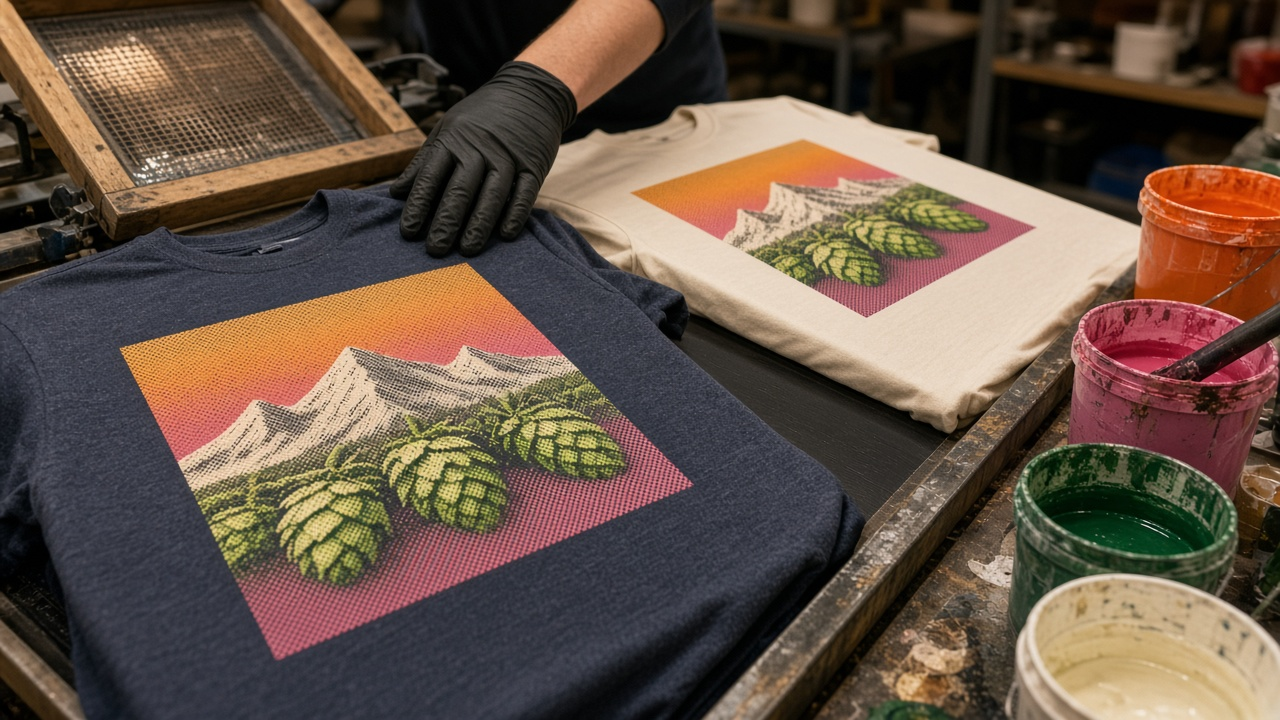
The example is a brewery anniversary shirt with hop cones, mountains, and a sunset gradient, printed on heather navy blend tees and natural cotton tees.
- Six file colors become four inks. Light pink becomes a halftone of pink, and dark green is replaced by the navy shirt showing through.
- Only the navy shirts get an underbase, choked slightly so it does not peek out at the edges.
- The sunset becomes halftones of the two spot inks, with the frequency marked to confirm with the shop.
- Small text and hairlines are fixed by enlarging the year line and dropping the thin outlines.
- Ink follows fabric. The blend gets low bleed plastisol to protect the pink from dye migration, and the cotton gets water based ink for a soft vintage feel.
Tips for better results
- Ask your printer for their minimum line weight and text size before finalizing the art.
- Print the design at actual size on paper and look at it from arm's length.
- Order one sample of each garment color if color accuracy matters.
- Keep each ink on its own named layer so revisions stay simple.
Mistakes to avoid
- Do not send a flattened image with transparency effects and expect clean separations.
- Do not use discharge ink on poly blends.
- Do not skip the underbase on dark garments if you want bright colors.
- Do not approve a proof that shows more inks than the spec, or one that leaves out the back print size.
Who it is for
Apparel brand owners, merch designers, breweries and bands ordering event shirts, school and club organizers, and freelance designers who hand off artwork to screen print shops.
Related PromptDig links
Open the Screen Print Artwork and Separation Spec for Apparel Orders: Spot Color Count, Pantone Callouts, White Underbase on Dark Garments, Halftone LPI and Angle, Ink Choice by Fabric Blend, Print Locations and Sizes, and Proof Sign Off prompt and describe your shirt design to build your print spec. For more design and production prompts, Browse more prompts. If you have a print or merch workflow prompt to add, Share a prompt.