How to Use the Spoonflower Repeat Spec Prompt to Print Seamless Patterns on Fabric and Wallpaper
Prepare a surface pattern so it prints seamlessly on Spoonflower fabric and wallpaper: tile size math at 150 DPI, the right repeat type for the motif, step by step seam building in Photoshop or Illustrator, large, medium, and small scale versions, color checks against printed swatches because colors shift by fabric, and a proofing and listing checklist before selling.
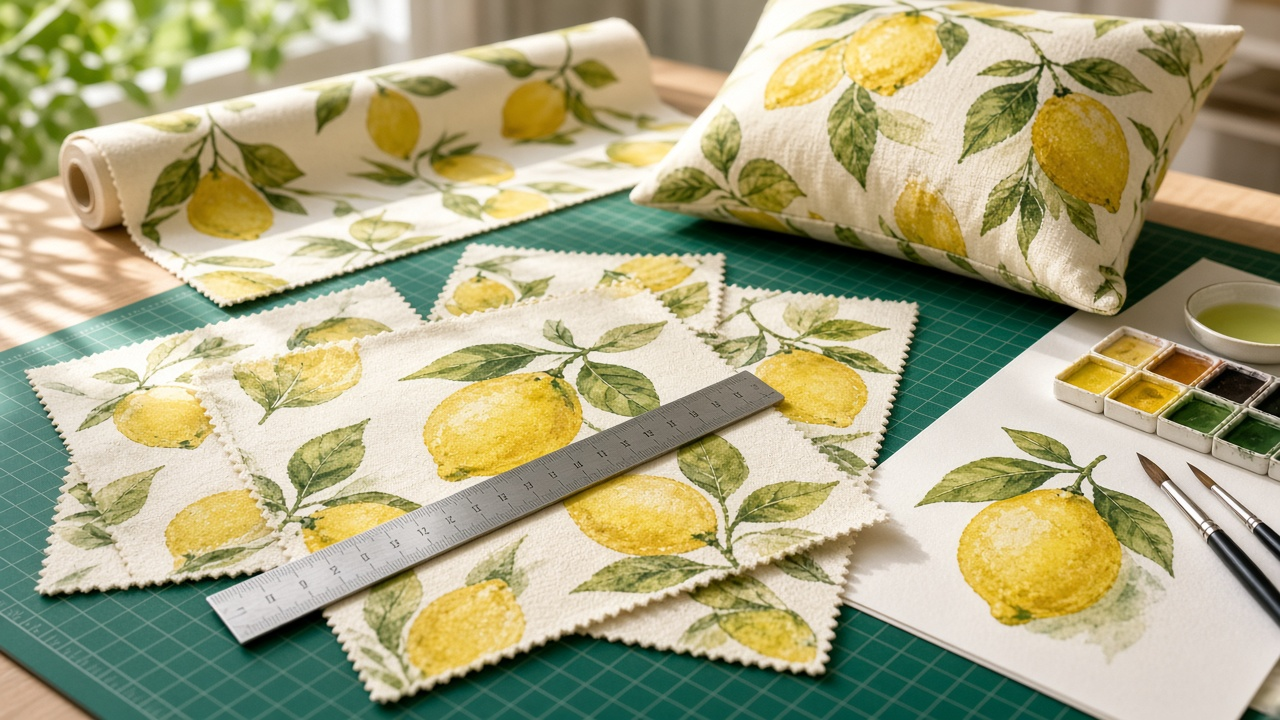
A pattern that looks perfect on screen can reveal a seam the moment it prints across a full yard of fabric. Motifs line up in stripes you never noticed, the scale comes out smaller than you pictured, and a bright yellow turns slightly green on canvas. Spoonflower makes it easy to print and sell your own designs, but the file still has to be right. The Spoonflower Seamless Repeat File Spec for Surface Designers: Tile Size Math at 150 DPI, Basic vs Half Drop vs Half Brick Repeats, Photoshop Offset and Illustrator Pattern Tool Setup, Scale Variants, Color Checks, and Proof Swatches prompt turns your motif, palette, and product plans into a file spec: tile size math, the right repeat type, seam building steps for your software, scale variants, color checks, and a proofing plan.
What the prompt produces
- Tile size math at 150 DPI, converting real inches into pixels for each version.
- A repeat choice among basic, half drop, half brick, mirror, and center, with the reason for the choice.
- Seam building steps for Photoshop or Illustrator, plus a 3 by 3 tile check.
- Scale variants, each built at its own size rather than upscaled.
- Color checks for very bright colors, large dark areas, and white areas that print as bare fabric.
- Export settings for file type and color mode.
- A proof plan with test swatches on each fabric and a checklist.
- A marketplace listing draft with a title, description, and tags.
How to fill the inputs
Motif describes the artwork, its style, and how dense the layout is. Mention how the art was made, such as scanned watercolor or vector.
RepeatType can name the repeat you want or say "advise". The prompt explains why one repeat suits your layout better.
Products lists the fabrics, wallpaper, or home decor items you plan to offer. Each behaves differently in color and scale.
ScaleTargets gives the size you want motifs to appear in real inches. This drives every pixel calculation.
Palette lists hex codes, including colors you worry about. The prompt flags those that may shift when printed.
Software names your tools so the steps match the menus you actually use.
Reading the example output
The example is a loose watercolor lemon pattern on a cream ground, offered on quilting cotton, a linen cotton canvas, and wallpaper.
- Three versions get their own tile sizes, from a small coordinate to a large wallpaper scale, all built from the original high resolution scans.
- Half drop is the recommended repeat because scattered lemons in a basic repeat would form visible rows.
- The Photoshop steps use the Offset filter with wrap around, followed by a half drop seam test on a larger canvas, with Illustrator's pattern tool as an alternative.
- Color notes are practical. The bright lemon yellow is flagged to check on canvas, dark shadow is limited to small details, and white is explained as bare fabric.
- The proof checklist includes measuring a lemon with a ruler to confirm scale.
Tips for better results
- Always order test swatches before you make a design available for sale.
- Check seams at low zoom across a grid of tiles, not just the single tile.
- Keep layered source files so you can rebuild any scale cleanly.
- Confirm fabric widths and file limits on the current product and help pages.
- Name colorways clearly in listings so shoppers can find coordinates.
Mistakes to avoid
- Do not upscale a small tile to make a bigger scale. Rebuild it from the original art.
- Do not judge color only on your monitor.
- Do not leave motifs touching the tile edge in a way that creates tangents at the seam.
- Do not assume a basic repeat suits every layout. Organic scatters usually look better in a half drop.
Who it is for
Surface pattern designers, quilters designing their own fabric, illustrators expanding into textiles, small home decor brands, and design students preparing portfolio pieces for print.
Related PromptDig links
Open the Spoonflower Seamless Repeat File Spec for Surface Designers: Tile Size Math at 150 DPI, Basic vs Half Drop vs Half Brick Repeats, Photoshop Offset and Illustrator Pattern Tool Setup, Scale Variants, Color Checks, and Proof Swatches prompt and describe your motif to build a print ready spec. For more design and print production prompts, Browse more prompts. If you design patterns and have a prompt to share, Share a prompt.