How to Use the Enamel Pin Spec Prompt to Get an Accurate Factory Quote and a Clean First Run
Turn a pin design into a spec a factory can quote and produce without guessing: pick hard or soft enamel, enclose every color in metal lines that will survive the mold, set a minimum text size, call out Pantone Coated colors and special fills, choose plating, size, posts, clutches, and backstamp, and check the digital proof line by line before approving.
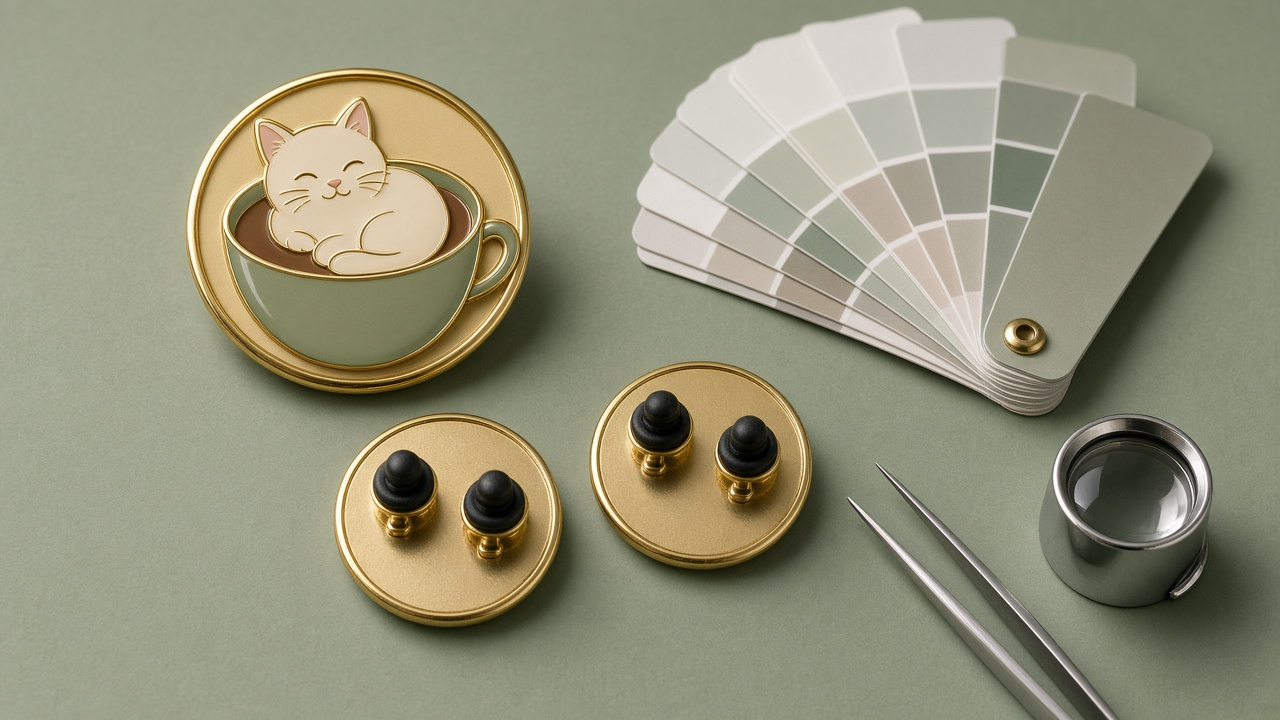
A pin design that looks great on screen can come back from the factory with filled in lines, a word that turned into a smudge, or colors that do not match what you pictured. Most of those problems start before the order, when the artwork and spec leave too much for the factory to decide. The Enamel Pin Artwork Spec Writer for Factory Quotes: Hard vs Soft Enamel Choice, Metal Line and Minimum Text Rules, Pantone Coated Color Callouts, Plating, Pin Size, Post Count and Clutches, Backstamp, and a Proof Approval Checklist prompt turns your design into a spec a pin factory can quote and produce, and it gives you a checklist for the digital proof so you catch problems before you approve.
What the prompt produces
- An enamel type decision between hard enamel and soft enamel, with the reason tied to how the pin will be used and the finish you want.
- An artwork prep list: vector files, text converted to outlines, every color area enclosed by metal lines, and separate layers.
- Line and text rules at your actual pin size, plus a fix list for the parts of your design that break them.
- A color callout table with Pantone Coated numbers and any special fills such as glitter or translucent enamel.
- A plating choice that makes your colors read well.
- Hardware choices: post count, clutch type, and backstamp.
- Packaging notes for backing cards and bags.
- A factory spec sheet ready to paste into a quote form.
- A proof approval checklist with clear "do not approve" triggers.
How to fill the inputs
PinArtwork describes the design, its colors, and any text. Mention small details such as thin stripes, highlights, and script lettering, because those are what the prompt checks at size.
PinUse explains where the pin will live: a fair table, a bag strap, a staff gift box. Durability needs follow from this.
SizeQty gives the size on the longest side and the quantity. Size drives the line and text rules.
FinishGoals captures the look you want, such as shiny, textured, or vintage, and any plating color in mind.
FactoryNotes lists the fields your factory's quote form asks for, so the final spec sheet matches it.
Reading the example output
The example is a 1.5 inch pin of a cat curled in a coffee cup, with a script word in the steam:
- Hard enamel is chosen because the pin will be handled and carried, and the seller wants a shiny, durable finish.
- The script word is flagged because thin strokes tend to fill in at this size. The fix is to thicken strokes to the factory minimum or switch to a simpler script.
- The cup stripes are simplified from seven to four so the metal lines hold.
- Black outlines are dropped as a color, because in hard enamel the lines are metal and will show as gold plating.
- Each color gets a Pantone number and a warning that enamel and screen colors differ.
- Two posts are specified so the pin does not spin on a bag.
- The proof checklist includes checking legibility at actual size and refusing any proof where the factory redraws the script without sign off.
Tips for better results
- Ask the factory for its minimum metal line width and text height before you finalize the art. The prompt marks these to confirm.
- Look at your design printed at actual size on paper. If you cannot read a word at arm's length, simplify it.
- Request a photo of enamel color swatches with the proof if color is critical.
- Keep one master vector file with layers named by color so revisions are easy.
Mistakes to avoid
- Do not send a flattened image or a file with live fonts.
- Do not rely on screen colors. Name Pantone numbers.
- Do not approve a proof that is missing the back view or lists a color without a number.
- Do not expect the factory to fix your art for free. Small changes often cost a revision round.
Who it is for
Illustrators selling pins online and at markets, brand and merch designers, event organizers ordering staff pins, and small shops ordering their first custom run.
Related PromptDig links
Open the Enamel Pin Artwork Spec Writer for Factory Quotes: Hard vs Soft Enamel Choice, Metal Line and Minimum Text Rules, Pantone Coated Color Callouts, Plating, Pin Size, Post Count and Clutches, Backstamp, and a Proof Approval Checklist prompt and describe your design to build your factory spec. For more design and product prompts, Browse more prompts. If you have a design workflow prompt to add, Share a prompt.