ChatGPT Prompt for Watercolor Illustration: 10 Styles to Use
10 ChatGPT prompts for watercolor illustration: loose florals, ink and wash, storybook scenes, botanical studies, and fixes for art that looks too digital.
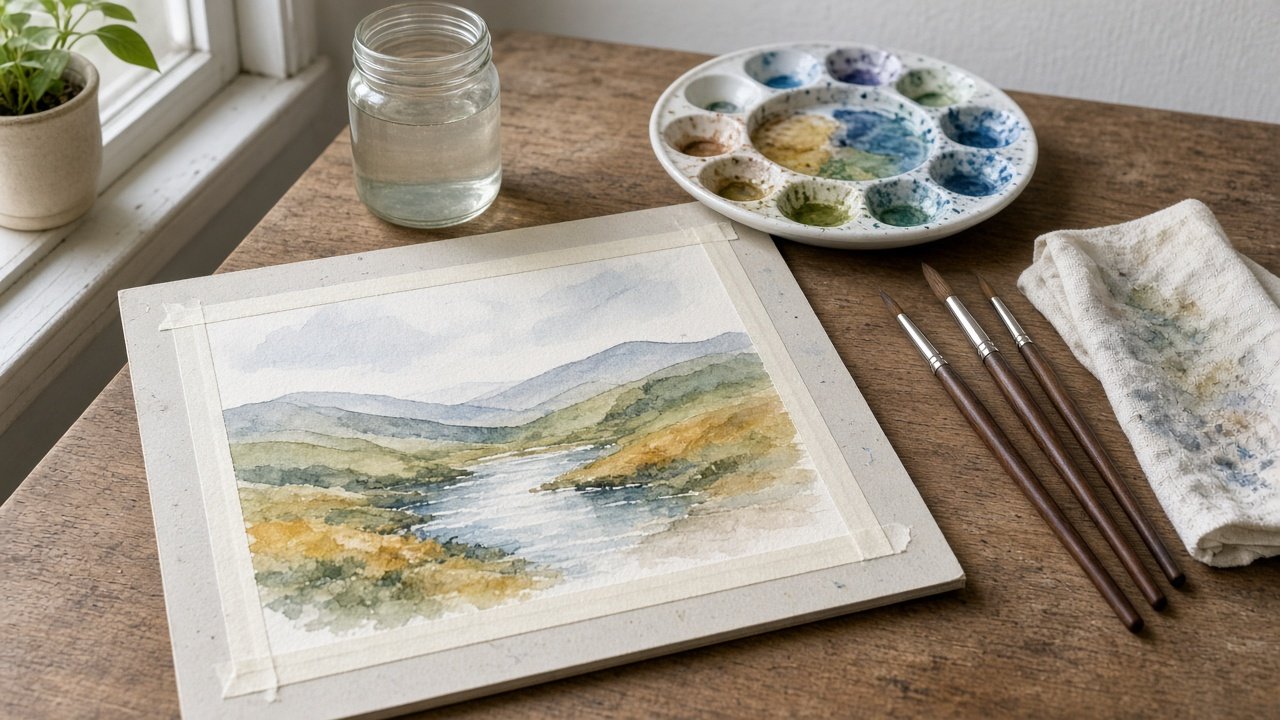
A good ChatGPT prompt for watercolor illustration names the medium first, then describes the marks real paint leaves: soft blooms where water spreads, hard edges where a wash dried, grainy pigment in the shadows, and white paper left bare. Add a short palette of tube colors and a count for every object, and the result stops looking like a digital filter. Below are 10 copy-paste prompts grouped by style and use, plus a flagship prompt that turns a short brief into one finished watercolor scene.
Two habits help every prompt here. Describe the look in plain painting words instead of naming a living artist, and keep titles, captions, and signatures out of the image so you can set them yourself.
Prompts for watercolor styles
1. Loose wet-on-wet
Write an image prompt for a loose wet-on-wet watercolor of [subject] on cold press paper: colors bleeding softly into each other, a few blooms, almost no line work, and the [area] left as bare white paper. Palette: [three to five colors].
2. Ink and wash
Write an image prompt for an ink and wash illustration of [subject]: a thin [color] ink line for the main shapes, then transparent watercolor washes that do not stay inside the lines. Paper grain visible, [palette], no text.
3. Botanical study
Write an image prompt for a botanical watercolor study of [plant]: [number] leaves, [number] flowers, and one cross section, painted wet-on-dry with layered glazes on hot press paper, on a plain white background with soft shadows only under the stem.
4. Granulating landscape
Write an image prompt for a watercolor landscape of [place] at [time of day] where blue and brown pigments granulate in the shadows, the sky is one soft graded wash, and the foreground uses a few dry brush strokes. Ratio [ratio].
Prompts for projects
5. Storybook scene
Write a watercolor image prompt for a picture book page: [character description] doing [action] in [setting], with [objects and counts]. Keep the [top or bottom] third as bare paper for the text that I will typeset later.
6. Wedding or event suite
Write a watercolor image prompt for invitation art: a loose wreath of [flowers and counts] in [palette] around an empty center, on rough paper with deckled edges. No letters or names in the image.
7. Recipe or food illustration
Write a watercolor image prompt for [dish] shown from above on a [plate or board], with [number] ingredients scattered around it, transparent washes, a light pencil sketch showing through, and white paper as the background.
8. Pet portrait from your photo
Using the photo I attached of my own pet, write a watercolor image prompt that keeps [markings and colors], [ear shape], and [eye color], in a loose head-and-shoulders portrait with a soft [color] wash behind and bare paper at the edges.
Prompts to fix and extend
9. Too digital fix
Same image, but make it look painted by hand: transparent washes, visible paper grain, uneven dried edges, a few blooms, and no smooth gradients or glossy highlights.
10. Series match
Write an image prompt for a second illustration in the same series as this one: keep the paper, palette, line weight, and amount of white space, and change the subject to [new subject with counts].
Use the flagship prompt for a finished scene
The Watercolor Illustration Prompt: ChatGPT Scene From a Brief combines prompts 1, 2, 9, and 10. You fill in the subject with counts, the technique, the paper, a palette of up to five colors, and the white space plan. It returns the image prompt, a style line, a count line, a leave out list, a six question checklist, two fix lines, and a series variation. Its example scene is a red bicycle with three sunflowers against a blue door, so you can see how each input shows up in the picture.
How to check a watercolor result
Look at the image before you use it. Count the objects, check that only your colors appear, and look for bare white paper where you asked for it. Real watercolor shows paper grain in the light areas and hard edges where a wash dried; if every edge is smooth, use the too digital fix. If it is busy, ask for fewer details and bigger washes. Image models still miss counts, so one fix line at a time works better than rewriting the whole prompt.
Watercolor art works well for picture books, so pair it with the children's book single page illustration prompt and the picture book dummy and spread plan. For a recurring character in a cleaner style, see ChatGPT Prompt for Cartoon Character.
Find more art prompts in the Illustration category, look through everything on Browse, or post your own watercolor prompt on Share.