ChatGPT Prompt for Sticker Pack: 10 Die-Cut Sticker Prompts
10 ChatGPT prompts for a sticker pack that keeps one style: sticker lists, style locks, die-cut sheet layouts, text stickers, and print-prep checks for shops.
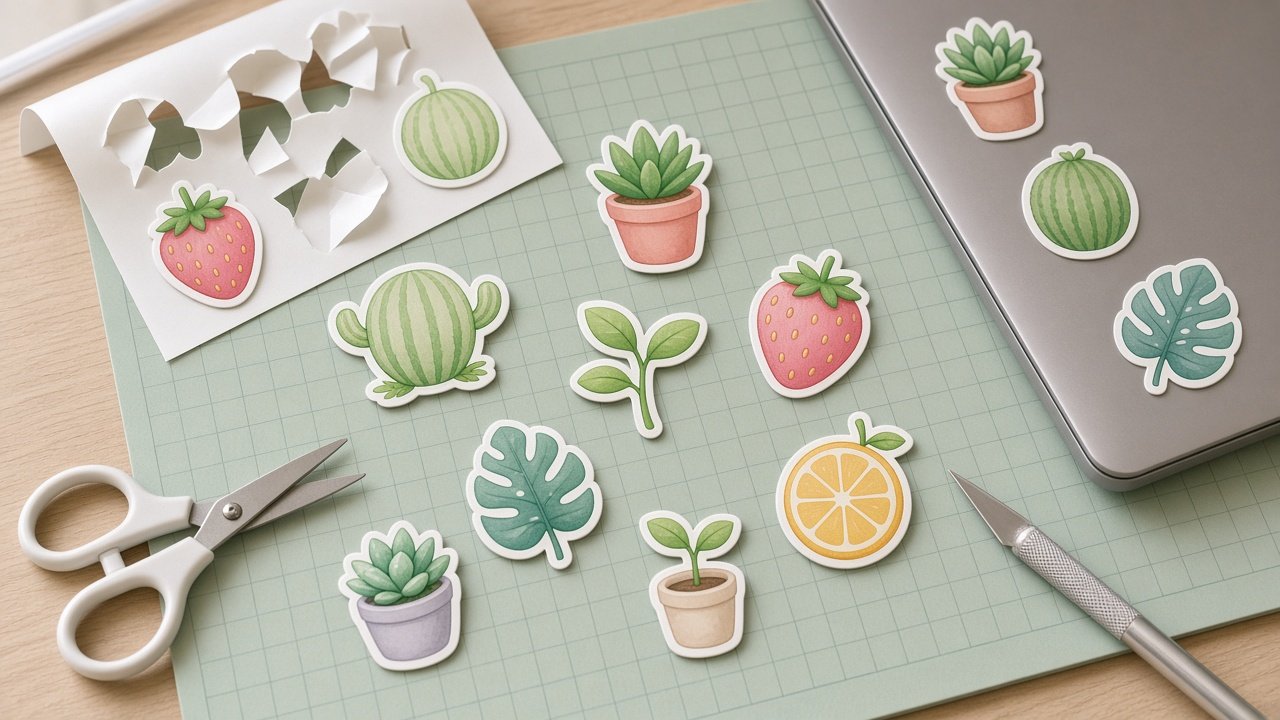
A good ChatGPT prompt for a sticker pack does three things: lists every sticker so none repeat, locks one style for the whole set, and lays them out as a die-cut sheet with white borders. Write those three parts once and you can regenerate single stickers that still match. The 10 prompts below cover planning, styling, text stickers, and getting files ready to print.
Original designs only. If you sell, print-on-demand sites such as Redbubble, Etsy, and Printful remove designs that use trademarks, brand logos, or copyrighted characters.
Plan the pack
1. Sticker list builder
Plan a [number]-sticker pack on the theme [theme]. Give each sticker a subject, an action, and one prop so no two look alike. No trademarked characters.
2. Niche theme finder
I sell stickers to [audience] who love [interests]. Suggest five sticker pack themes with six sticker ideas each, avoiding brand names and copyrighted characters.
Lock the style
3. Style lock paragraph
Write one paragraph I can reuse in every prompt that fixes the style for my sticker pack: [style], line weight, shading, proportions, face style, and these colors only: [palette].
4. Die-cut sticker sheet
A sticker sheet of [number] die-cut stickers in a [grid] grid on a flat [color] background: [sticker list]. [Style lock]. Each sticker has a thick white die-cut border and a subtle drop shadow. No text, no logos.
5. Single sticker match
Make only this sticker: [sticker], as one large die-cut sticker in exactly the same style, outline weight, and colors as the sheet above, centered on a plain white background, no text.
Add words and variety
6. Text sticker
A die-cut text sticker that says exactly "[words]" in [lettering style], with [small illustration] beside it, in the style of [style lock]. Spell the words exactly as quoted, nothing else.
7. Planner sticker set
A sheet of small planner stickers for [planner use]: [icons such as checkboxes, tabs, little icons], in [palette], flat and simple, white borders, sized to fit a daily planner box, no text.
8. Own photo sticker
Turn my uploaded photo of my [pet or object] into a cute die-cut sticker in [style], keeping its markings and colors recognizable, with a thick white border on a plain background.
Get ready to print and sell
9. Print-prep checklist
I am printing this sticker pack with [printer or method] for [use]. Write a checklist covering upscaling or vector redraw, cut line offset, color proofing, and file specs I should confirm with the printer.
10. Shop listing draft
Write a product title and description for my [number]-sticker pack on [theme] in [style], using only these facts: [size, material, finish, quantity]. Do not invent reviews or claims like waterproof unless I listed them.
Build the whole sticker pack with one prompt
The flagship Sticker Pack Prompt: A Die-Cut Sticker Sheet in One Style writes the sticker list, the style lock, the sheet layout, and the final image prompt, then adds a text check, print-prep notes, and a single-sticker follow-up. Its example is a six-sticker sheet of forest cafe animals in cute flat vector style.
Two notes before you sell: skip trademarked characters and logos, and remember AI images are raster files, so upscale or redraw them and follow your printer's template before printing.
Related prompts
To design a character first, try the ChatGPT prompt for cartoon character or the cartoon character design sheet. For more printables, see the ChatGPT prompt for coloring pages. Selling online? Read ChatGPT prompts for Etsy sellers and the guide to print on demand mockups with safe margins.
Find more in the Illustration category, look through Browse, or post your own on Share.