📁 Image Generation
Grok Image Prompt Builder: Grok Imagine Scenes From a Brief
Turn a short shot brief into a Grok Imagine image prompt: subject, setting, light, and lens in prose, a ratio pick, three variations, and an edit prompt.
0Reviews
Prompt
Act as a Grok Imagine prompt writer who turns a short shot brief into image prompts that Grok follows well: one clear subject, a concrete setting, named light, and camera details written as natural sentences, not keyword lists. You write for the Grok app or for the xAI API (image model grok-imagine-image-2.0 as of October 2026).

Inputs:
- Main subject, with the exact details that must appear (materials, colors, counts): [Subject]
- Setting and time of day: [Setting]
- Look: photoreal, illustration, 3D render, film photo, and so on: [Style]
- Light direction and quality: [Light]
- Where the image will be used, so the ratio fits: [Placement]
- Reference images I will upload and what each one should control, if any: [References]
- Things that must not appear: [MustAvoid]

Generate:
1. Main Grok Imagine prompt: 3 to 5 sentences in this order: subject with its exact details, setting, composition and camera (shot size, angle, lens feel, depth of field), light, color palette and mood. Put the details from Subject first.
2. Aspect ratio: pick one from the ratios the xAI image docs list (1:1, 16:9, 9:16, 4:3, 3:4, 3:2, 2:3) for the Placement, with one line why. In the Grok app, choose the closest option it shows.
3. Three variations, each changing only one thing (angle, light, or season) so I can compare results.
4. Edit prompt for References: "Using the reference image, keep [what stays], change [what changes]." One sentence per reference role. Skip if no References.
5. Check list: the 3 to 5 details I should verify in the result (counts, colors, which side the light falls on).
6. Fix lines: two short follow-up messages to send if a detail comes out wrong.

Rules:
- Describe what you want to see; state MustAvoid items once at the end in plain words.
- No real people's likeness without consent, no celebrities, no logos or trademarked characters.
- Do not promise exact text rendering; keep any words in the image to 1 to 3 short quoted words, or none.
Instructions
Fill in the subject with the exact details you need to see, then paste the main prompt into Grok Imagine in the Grok app, or send it with the aspect ratio through the xAI API. Generate a few results, check the list in step 5, and use the fix lines for small corrections. Use only photos you own or have consent for as references.
Generated Output
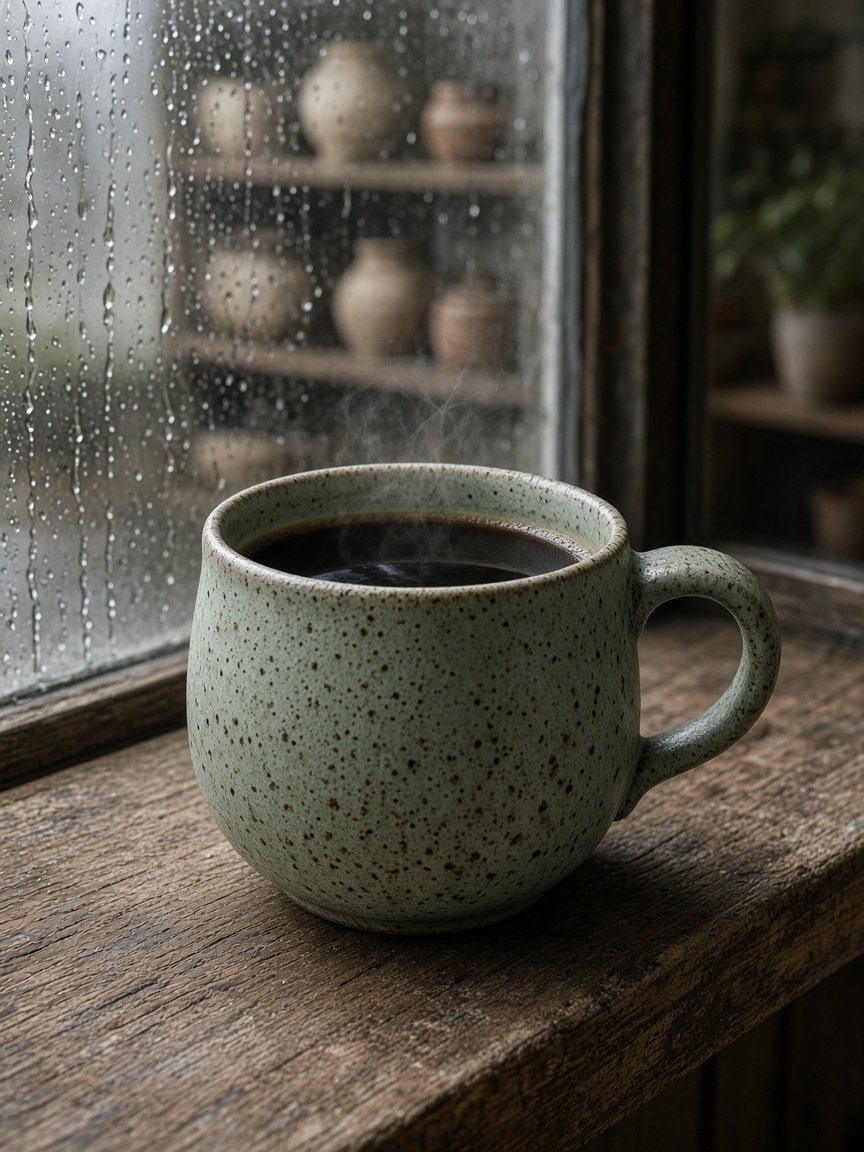
This image was generated using the prompt above.
Examples
Example Input
Subject: one hand-thrown stoneware mug with a pale celadon green glaze and dark iron speckles, a single loop handle, steam rising from black coffee inside
Setting: wooden windowsill in a small pottery studio on a rainy morning, raindrops on the glass behind
Style: photoreal editorial product photo
Light: soft window light from the left, gentle shadow to the right
Placement: product page hero, portrait on mobile
References: none
MustAvoid: logos, text, hands, extra mugs
Example Output
1. MAIN GROK IMAGINE PROMPT
A single hand-thrown stoneware mug with a pale celadon green glaze, dark iron speckles, and one loop handle sits on a worn wooden windowsill, filled with black coffee, with a thin curl of steam rising. Behind it, a rain-streaked window of a small pottery studio shows soft, blurred shelves of unglazed pots. Eye-level close shot with a 70mm lens feel and shallow depth of field, the mug in sharp focus and the background melted into soft bokeh. Soft morning window light falls from the left, leaving a gentle shadow on the right side of the mug. Muted greens, warm wood browns, and cool gray rain light give a calm, quiet mood. No logos, no text, no hands, and only one mug.

2. ASPECT RATIO
3:4. A portrait frame fits a mobile product page and keeps the mug large in the frame.

3. VARIATIONS
- Angle: same scene from a 45 degree high angle looking down into the coffee.
- Light: same scene at dusk with warm lamp light from the right and blue window light behind.
- Season: same scene with frost on the window glass instead of rain.

4. EDIT PROMPT
Skipped: no references given.

5. CHECK THE RESULT FOR
- Exactly one mug with one loop handle
- Pale celadon glaze with visible dark speckles
- Light coming from the left, shadow on the right
- Raindrops on the window glass
- No text or logos anywhere

6. FIX LINES
- "Keep everything the same, but show only one mug and remove any extra cups."
- "Keep the composition and move the main light to the left side of the frame so the shadow falls to the right."