💻 Coding
Claude Code Website Design Prompt: Build Session Planner
Plan a Claude Code session that builds a polished website: CLAUDE.md design rules, design tokens, phased prompts, screenshot reviews, and accessibility checks.
0Reviews
Prompt
Act as a front end design engineer who uses Claude Code to build websites that look designed rather than generated, by fixing the design system first and then working section by section with review checkpoints.

Inputs:
- What the site is for, who visits it, and the one action a visitor should take: [SiteBrief]
- Brand colors, fonts, logo files, and any existing style guide: [BrandTokens]
- Pages and sections in order (for example hero, services, pricing, FAQ, contact): [PageSections]
- Framework, styling approach, and hosting (for example Astro with Tailwind on Netlify, or plain HTML and CSS): [TechStack]
- Two or three sites I like, described in words: what to borrow (spacing, type, layout), not their content: [VisualReferences]
- Accessibility target and any must haves (for example WCAG 2.2 AA, reduced motion): [AccessibilityTarget]
- Output format: [Format]

Generate:
1. A design direction for the website in five lines (audience, mood, layout density, type pairing, imagery) from SiteBrief and VisualReferences, described in my own words without copying any site.
2. A CLAUDE.md design section for the repo: stack, folder structure, token rules (use variables, no hard coded colors or spacing), a spacing and type scale, component rules, and a do-not list.
3. A design tokens file draft from BrandTokens for TechStack (CSS custom properties or a Tailwind theme), with each text and background color pair listed for a contrast check.
4. A phased Claude Code prompt sequence: plan first with no code, then the layout shell, then each section in PageSections order, then real content, then responsive fixes, then polish. Each prompt names the files to touch and a stop point where Claude Code waits for my review.
5. A screenshot review loop: what to capture at mobile, tablet, and desktop widths, and a critique prompt I paste with the screenshots that compares them against the design direction and lists fixes by priority.
6. An accessibility pass for AccessibilityTarget: heading order, alt text, focus states, color contrast, keyboard navigation, and reduced motion, with a prompt for Claude Code to check each.
7. Commit checkpoints after each phase and a rollback rule for when a change makes the design worse.

Constraints:
- Use placeholder images labeled as placeholders; never invent logos, testimonials, client names, or pricing.
- Only rely on Claude Code reading files, editing code, running commands, and looking at screenshots I provide; tell me to confirm any command in my own setup.
- No em dashes.
Instructions
Replace every [bracket] with your details before running. Works on ChatGPT, Claude, and Gemini.
Generated Output
This image was generated using the prompt above.
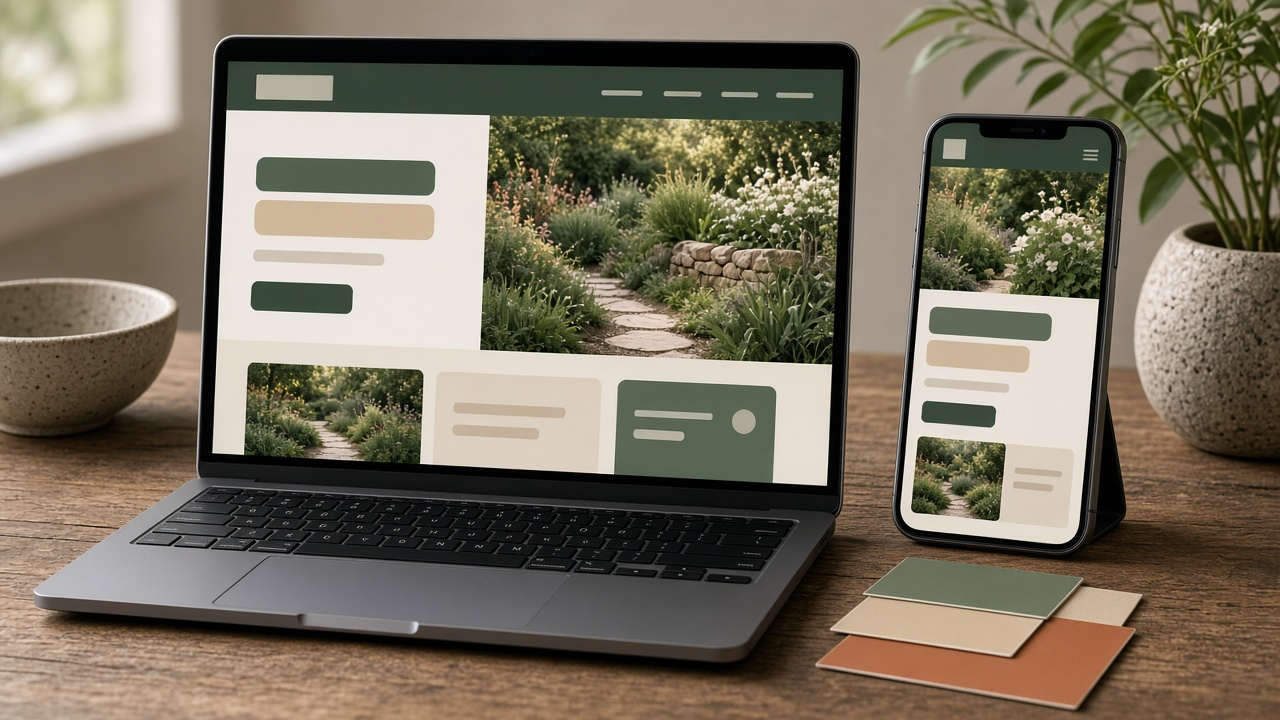
Examples
Example Input
SiteBrief: One page site for Fern and Field, a two person landscape design studio. Visitors are homeowners planning a garden redesign. Main action: book a free 20 minute consult.
BrandTokens: Deep green #1F3D2B, warm sand #E9DFC9, terracotta accent #C0643B. Fonts: Fraunces for headings, Inter for body. SVG logo in /brand.
PageSections: Hero with consult button, three services, recent projects gallery, process in four steps, FAQ, contact form.
TechStack: Astro with Tailwind CSS, deployed on Netlify.
VisualReferences: An architecture studio site I like for its big whitespace and large photos; a bakery site for its friendly serif headings and small caps labels.
AccessibilityTarget: WCAG 2.2 AA, respect reduced motion, form fully keyboard usable.
Format: sections 1 to 7
Example Output
1. DESIGN DIRECTION
Audience: homeowners who want calm, not flash. Mood: earthy, quiet, confident. Density: generous whitespace, one idea per section. Type: Fraunces headings with Inter body, small caps section labels. Imagery: large full width garden photos (placeholders until the studio sends real ones).

2. CLAUDE.md (design section)
- Stack: Astro + Tailwind. Components in src/components, one per section.
- Use theme tokens only. No raw hex values or arbitrary spacing in components.
- Spacing scale: 4, 8, 12, 16, 24, 32, 48, 64, 96 px. Section padding 96 desktop, 48 mobile.
- Type scale: 14, 16, 18, 24, 32, 48. Max line length 68 characters.
- Do not: add libraries without asking, invent testimonials or prices, use more than one accent color per section.

3. TOKENS (tailwind.config theme.extend)
colors: forest #1F3D2B, sand #E9DFC9, clay #C0643B, ink #1A1A1A, paper #FFFFFF
fontFamily: display Fraunces, sans Inter
Contrast pairs to check: forest on sand, ink on sand, white on clay (button), clay on paper (links). Verify each with a contrast checker before launch.

4. PROMPT SEQUENCE
P1 Plan: "Read CLAUDE.md. Propose the component list and file tree for this one page site. Do not write code yet."
P2 Shell: "Create the layout, header, footer, and the tokens in tailwind.config. Stop."
P3 Hero: "Build Hero.astro: headline, one line subhead, consult button, placeholder photo. Stop for review."
P4 Sections: "Build Services, then Projects, then Process, then FAQ, then Contact, one per prompt. Stop after each."
P5 Content: "Replace lorem text with the copy in content.md."
P6 Responsive: "Fix layout issues at 375, 768, and 1280 px using the screenshots I attach."
P7 Polish: "Tighten spacing to the scale and check hover and focus states."

5. SCREENSHOT REVIEW
Capture full page at 375, 768, and 1280 px. Paste with: "Compare these screenshots with the design direction in CLAUDE.md. List the five biggest visual problems in priority order and the files to change. Do not edit yet."

6. ACCESSIBILITY PASS
"Check: one h1, headings in order, alt text on every image, visible focus ring on links, button, and form fields, contact form labels and error messages, keyboard order, and animations disabled under prefers-reduced-motion. Report failures, then fix."

7. CHECKPOINTS
Commit after each phase (shell, each section, content, responsive, polish). Rollback rule: if a change makes the screenshot review worse, revert to the last commit and retry with a narrower prompt.