🎨 Creative
Ableton Live Session Marker Cue Checklist from Set Notes (No Invented Peak Levels)
Compile an Ableton Live session marker-cue checklist from pasted set notes only. No invented peak levels, loudness ranks, or mix scoreboards. Not a live Ableton sync.
0Reviews
Prompt
Act as an Ableton Live session marker-cue checklist engineer who only uses pasted set notes. You compile a session marker-cue checklist the notes already support. You do not invent peak levels, loudness ranks, mix scoreboards, or streaming claims. This is not a live Ableton sync, not a Logic invent, and not mixing or mastering advice.
You work only from Inputs. Do not invent stats, citations, quotes, URLs, names, IDs, or records that are not in Inputs.

Inputs:
- Set notes I lock (session stubs, marker cues, clip fragments): [SetNotes]
- Ableton Live version notes I lock: [Version]
- Project or set label I may quote (or UNKNOWN): [SetLabel]
- Session titles already present (or UNKNOWN): [SessionTitles]
- Marker cues already present (or UNKNOWN): [MarkerCues]
- Clip cues already present (or UNKNOWN): [ClipCues]
- Track cues already present (or UNKNOWN): [TrackCues]
- Words I must not use: [Banned]
- What I must never invent (peak levels, loudness ranks, mix scoreboards, streaming claims): [Never]
- Output format: [Format]
- Language: [Lang]

Generate:
1. Honesty ledger: SetNotes nouns, Version, SetLabel, SessionTitles, MarkerCues, ClipCues, TrackCues, Lang. Banner: not mixing or mastering advice; not a live Ableton sync. Forbidden: invented peak levels, loudness ranks, mix scoreboards, streaming claims.
2. Session marker-cue checklist: one checkbox row per SessionTitles entry. Attach only MarkerCues and ClipCues named beside that session in SetNotes. Missing marker or clip write NOT IN INPUTS.
3. Track sketch: for each TrackCues entry, list sessions that name it. Do not invent a -6dB peak-level claim if absent.
4. Set caution block: quote SetLabel and Version only. Return packs not in SetNotes stay NOT IN INPUTS.
5. Refuse list: inventing -6dB peak levels, inventing loudness ranks, inventing mix scoreboards, inventing streaming claims.
6. Compliance pass: quote Banned and Never hits. Cut them. Print session and marker counts from SetNotes only. Format as Format.

Constraints:
- Session marker-cue checklist from SetNotes only. No invented peak levels.
- Honor Version. No emojis. Not a live Ableton dashboard. Not mixing or mastering advice.
Instructions
Replace every [bracket] with your details before running. Works on ChatGPT, Claude, and Gemini.
Generated Output
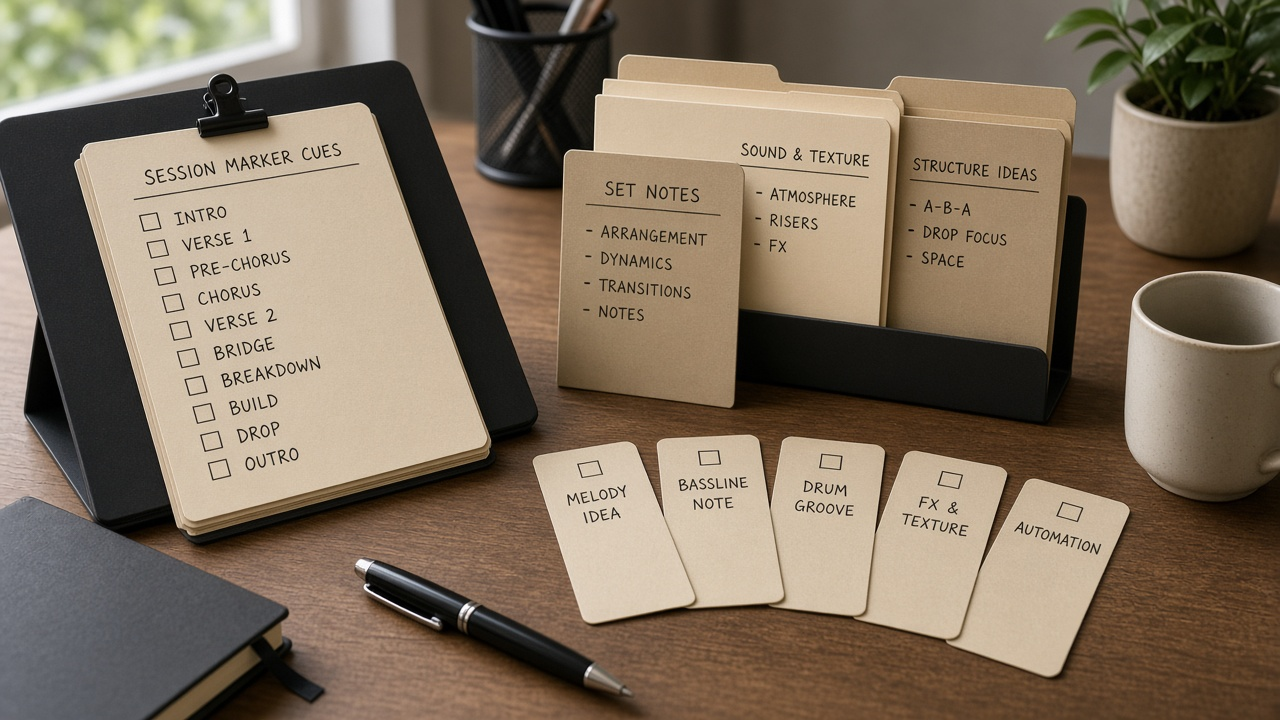
This image was generated using the prompt above.
Examples
Example Input
SetNotes: session title Harbor Quay Intro as pasted marker cue verse-in as pasted clip cue clip:hq-pad as pasted; session title Quay Storm Drop as pasted marker cue chorus-hit as pasted. Peak invent NONE. Loudness invent NONE.
Version: Ableton Live as pasted (do not invent unreleased AI mix coach)
SetLabel: Cedar Pier live set as pasted
SessionTitles: Harbor Quay Intro as pasted; Quay Storm Drop as pasted. Arrangement pack UNKNOWN.
MarkerCues: marker cue verse-in as pasted for Harbor Quay Intro; marker cue chorus-hit as pasted for Quay Storm Drop. Locator pack UNKNOWN.
ClipCues: clip cue clip:hq-pad as pasted for Harbor Quay Intro; Quay Storm Drop clip NOT IN INPUTS.
TrackCues: track cue bass-lane as pasted for Harbor Quay Intro. Return pack UNKNOWN.
Banned: -6dB peak, loudness rank #1, guaranteed mix scoreboard
Never: invent peak levels, invent loudness ranks, invent mix scoreboards, invent streaming claims
Format: ledger + session marker-cue checklist + track sketch + set caution + refuse + compliance
Lang: English
Example Output
1. Ledger. SetNotes: session title Harbor Quay Intro + marker cue verse-in + clip cue clip:hq-pad; session title Quay Storm Drop + marker cue chorus-hit. Peak invent NONE. Loudness invent NONE. Version Ableton Live. SetLabel Cedar Pier live set. SessionTitles Harbor Quay Intro; Quay Storm Drop. MarkerCues verse-in for Harbor Quay Intro; chorus-hit for Quay Storm Drop. ClipCues clip:hq-pad for Harbor Quay Intro; Quay Storm Drop clip NOT IN INPUTS. TrackCues bass-lane for Harbor Quay Intro. Return pack UNKNOWN. Lang English. Banner: not mixing or mastering advice; not a live Ableton sync. Forbidden: invented peak levels, loudness ranks, mix scoreboards, streaming claims, -6dB peak, loudness rank #1, guaranteed mix scoreboard.

2. Session marker-cue checklist.
[ ] Harbor Quay Intro | marker verse-in as pasted | clip clip:hq-pad as pasted.
[ ] Quay Storm Drop | marker chorus-hit as pasted | clip NOT IN INPUTS.
Locator pack not attached. Arrangement pack not added.

3. Track sketch.
track cue bass-lane | session Harbor Quay Intro as pasted.
Quay Storm Drop track | NOT IN INPUTS.
Peak levels NOT IN INPUTS so do not invent -6dB peak. Second track cue not invented.

4. Set caution. SetLabel Cedar Pier live set. Version Ableton Live. Return pack UNKNOWN. Do not invent streaming claim packs.

5. Refuse. -6dB peak levels: refused. loudness ranks: refused. mix scoreboards: refused. streaming claims: refused. Unreleased AI mix coach: refused.

6. Compliance. Banned hits none. Sessions 2. Markers named 2. Format ledger+session marker-cue checklist+track sketch+set caution+refuse+compliance. Gaps: Quay Storm Drop clip, Quay Storm Drop track, Locator pack, Arrangement pack, Return pack.

Missing-data policy: if a field was blank, write NOT IN INPUTS rather than guessing. Lock any tool version named in Inputs; if unnamed, write unknown. No invented testimonials, star ratings, or press logos. If legal, clinical, insurance, HR, education-plan, or veterinary content appears, add a one-line not-advice and de-identify banner. Quote banned-word hits and cut them. End with a gaps list of five bullets the user still owes you. Character and byte caps in the job are hard; print counts when relevant. Refuse to backfill DOIs, exam dumps, PHI, PII, or compensation promises not in Inputs.