How to Use the Boat Float Plan Writer Prompt to Leave Your Shore Contact a Plan They Can Act On
Write a float plan for a day trip on your own boat that a shore contact can actually act on: a vessel description searchers can spot, everyone aboard with medical notes they agreed to share, safety gear including VHF DSC with MMSI and a registered PLB, departure, route, and return times, an overdue alarm time with exact steps, and a one page brief for the person ashore.
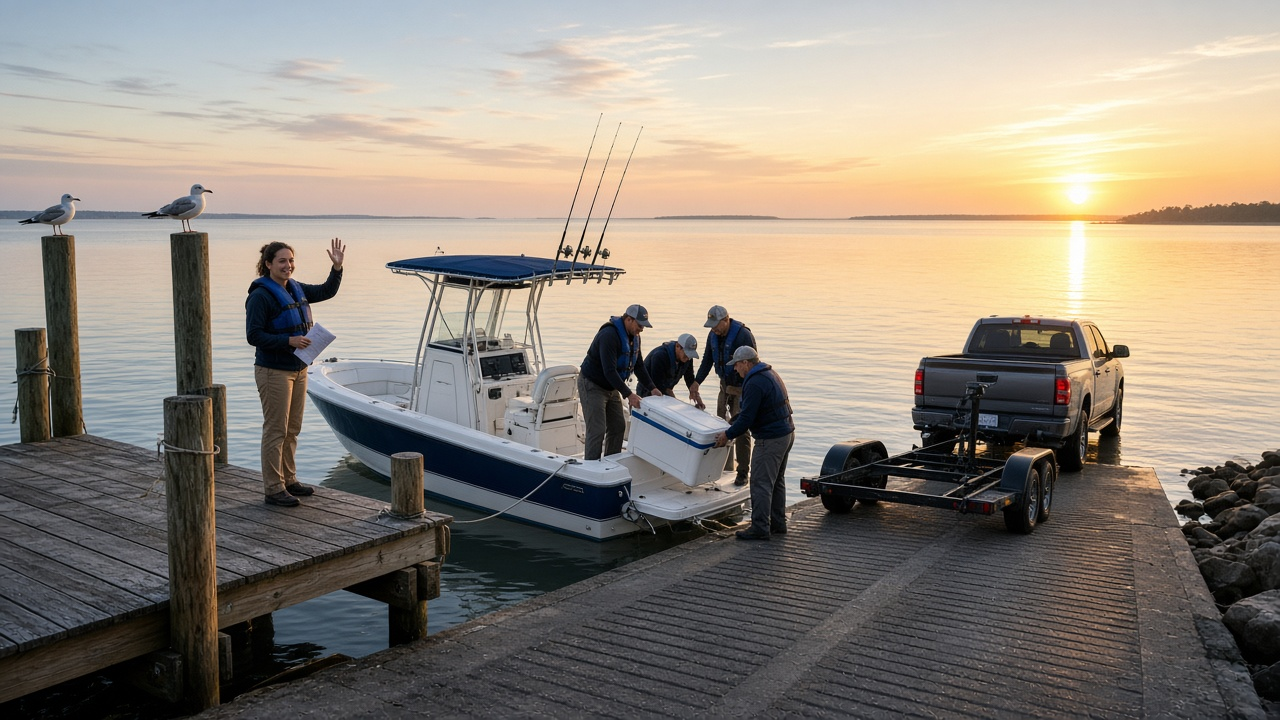
A float plan is the simplest piece of boating safety gear and the one most often skipped. When it does exist, it is often a text that says "going fishing, back this afternoon." If the boat is late, the person ashore does not know what it looks like, who is aboard, where it went, or when to call for help. The Recreational Boat Float Plan Writer: Vessel Description with Registration and HIN, Persons Aboard, Safety Gear with VHF DSC MMSI and PLB, Route and Return Time, Overdue Alarm Steps, and a Shore Contact Brief prompt turns your trip details into a plan a shore contact can follow step by step, and it checks your safety gear first.
What the prompt produces
- A gear gap check that flags problems such as a DSC radio with no MMSI entered or a personal locator beacon that was never registered.
- A vessel description written so searchers can spot the boat: colors from the top down, length, type, registration number, and HIN.
- A persons aboard table with ages, phones, swimming ability, and medical notes only where the person agreed to share.
- A safety gear checklist with counts and registration details.
- The trip plan with launch time, route, stops, destination, return time, and a weather note.
- An overdue alarm with a time and exact steps for the shore contact, in order.
- A one page shore contact brief explaining what to do if you call in late and how to cancel.
- A close out text you send from the ramp so the plan is closed.
How to fill the inputs
VesselDetails covers the boat name, state registration or documentation number, HIN, make, length, colors, engine, and fuel capacity. Colors matter more than most people think.
PersonsAboard lists everyone with name, age, phone, and swimming ability. Add medical notes only with each person's agreement.
SafetyGear is what is actually aboard today, with radio type, MMSI if you have one, beacons, and whether they are registered.
TripPlan gives the launch point and time, route, stops, destination, and planned return.
VehicleAtRamp describes the truck and trailer so someone can confirm whether you have come back.
ShoreContact names the person who will hold the plan.
Reading the example output
The example is a Saturday fishing trip on a 21 foot center console on the Chesapeake:
- The gap check comes first. The radio has DSC but no MMSI, so its distress button would not send the boat's identity. The beacon is not registered. Both get fixed before Saturday.
- The vessel section reads like a lookout would describe it: white hull with a blue stripe, white T top with navy canvas.
- The medical note is shared with consent. One guest carries an epinephrine auto injector for a bee allergy, and the brief reminds the shore contact to mention it.
- The alarm is concrete. Return is 2:00 pm, the skipper chose a one hour buffer, and at 3:00 pm the shore contact calls the boat, waits, calls again, and then calls the Coast Guard sector or 911.
- Unknown values stay as blanks, such as phone numbers and the HIN, instead of being made up.
- The brief explains a key fact: the Coast Guard does not hold float plans, so the shore contact is the only one who has it.
Tips for better results
- Look up the Coast Guard sector number for your area before the trip and write it on the plan.
- Print the plan or send it as a file. A long text thread is hard to read under stress.
- Update the plan when the trip changes, and move the alarm time with it.
- Reuse the vessel and gear sections every trip and update only the people and route.
Mistakes to avoid
- Do not leave the alarm time vague. "If we are late" is not a time.
- Do not assume a DSC radio works for distress without an MMSI programmed in.
- Do not forget the close out text. A plan that is never closed causes needless worry.
- Do not treat the plan as a replacement for weather judgment or a boating safety course.
Who it is for
Recreational boaters, paddlers, and anglers heading out for the day, families who want a simple routine for the person ashore, boating safety instructors teaching float planning, and marina or club staff sharing a template with members.
Related PromptDig links
Open the Recreational Boat Float Plan Writer: Vessel Description with Registration and HIN, Persons Aboard, Safety Gear with VHF DSC MMSI and PLB, Route and Return Time, Overdue Alarm Steps, and a Shore Contact Brief prompt and add your boat and trip details. For more practical planning prompts, Browse more prompts. If you have a safety or travel planning prompt that helps, Share a prompt.